Blogs
|
Are you an educator? Are you interested in learning how to podcast? There are several great reasons to start a podcast. Perhaps you are looking to get into audio podcasting to share some of your skills or hobbies. Perhaps you are looking to create some dynamic video projects with your students and post them for the world to learn from.
Over the last year, I have been testing and trying out some great podcasting equipment and over the next few posts, I will be sharing some of the best apps, hardware and equipment that should be in your Podcasting setup.
Why Podcast?
There are several reasons to create a podcast. First of all, you get to share your passions with the world. Weather you are creating an audio show alone in your studio, or going out in the field and recording your schools sports team the possibilities for media creation are endless.
What does it take to create a podcast? The simple answer is: PASSION, Planning, and Persistence.
Passion: There are two big reasons to podcast. To share your passions, and to create an entertaining media for others to watch. If you aren’t passionate about what you are doing, your viewers will see right through what you are trying to accomplish.
What are you passionate about? Do you like iPads? How about Google? What about animals or board games?
If you have a passion you can create a podcast. Many people ask podcasters how they come up with the topics for a long series of shows… the number one answer given is … "I’m passionate about this topic, so the ideas are endless.
If you have Passion… you have a podcast!
Planning: When you first start to gather your thoughts about podcasting, you think of show topics, perhaps guests, and maybe what type of microphone is needed for the best sound quality. When you dive a bit deeper into the physiology of what it takes to start a podcast, you will spend more time planning the ways to get the show to your audience and how to best set yourself and your show up for success on the various types of platforms available for content distribution. The best podcasts out there have successful planning on both the pre and post recording stages. Do you have some way of organizing your thoughts? I use Evernote to keep all of my thoughts and ideas for my podcasts organized.
Persistence: Many podcasters and people who start to listen to podcasts ask the question "What are my numbers?" Podcasters need persistence. The ability to look beyond the first few episodes and understand that podcasting numbers are not nearly as important as the content being put inside each of the episodes. If you have great content, the audience will find you. If you have great content, the word of mouth advertising will help your show find it’s way to the greater audience. Sadly, many podcasters and podcasts start off strong and then by 10-15 episodes they "pod-fade." They simply stop producing podcasts. Perhaps this is because they can’t find the time, or they can’t find guests. If you have passion for sharing great ideas, have the ability to plan and implement a great show and know that the learning curve for any podcast is longterm rather than short term, you will have a successful show and a great podcast.
Ok… I understand the "Three P’s to Podcasting"… now what?
Still interested in starting a podcast? Over the next few blog posts on TeacherCast, we will discover various techniques that I use when creating TeacherCast Podcasts. I will be sharing with you the tips and secrets from almost 5 years of recording both audio and video shows as well as how to do them prerecorded and live. We will examine how to podcast in the classroom and will describe the difference between "classroom podcasting" and "professional podcasting."
Note: Professional does not mean that you will be setting yourself up for making a living off of podcasting. I simply use that term to differentiate between classroom and home studio styles of recording. They are quite different, but very similar.
There are several great resources that you can use for inspiration when planning to be an edupdcaster. Here are several of the great educationally based podcasts that are out there.
TeacherCast Educational Broadcasting Network - Join host Jeff Bradbury (@TeacherCast) and the worlds finest educators and educational technology creators as we discuss the latest in educational tech and pedagogy. Our goal is to help you find and use the right educational technology for your classroom.
The TechEducator Podcast - The TechEducator Podcast is a weekly show dedicated to all things Technology in Education hosted by Jeff Bradbury from TeacherCast.net, Jeff Herb from ITT, and Sam Patterson from Patue. Join us LIVE every Sunday at 7pm EST / 4pm PST at www.TeacherCast.tv
Instructional Tech Talk - A podcast designed to help you integrate technology into your classroom, building, or district. It doesn’t matter if you are a classroom teacher, building administrator, district tech, or superintendent, my goal is to introduce new technologies that could be implemented in a variety of ways to help promote student learning.
The House of EdTech - House of #EdTech is the podcast that explores how technology is changing the way teachers teach and the impact that technology is having in education. Whether you use it or not, technology is changing the way we teach and how our students learn.
EdTech You Should Know - Jeff Herb shares the latest and greatest Educational Technology tools on EdTech You Should Know - a weekly show for educators at all levels and in all positions.
PrincipallySpeaking - Host and Assistant Principal Jason Bodnar interviews administrators and professional educators that inspire creativity and excellence in students and teachers. Principally Speaking is a podcast also devoted to helping new administrators with the transition from the classroom to the principalship. Check out principallyspeaking.com for more information and educational resources.
Follow the hashtag #PodcastPLN To catch all of our posts in this series. I will also be posting video reviews of my equipment on the TeacherCast YouTube Channel.
Are you a podcaster or looking to get into podcasting? Leave us some questions in the comment area and I will be happy to help you out!
Happy EduPodcasting!
The post Do you want to build a podcast? Part 1 #PodcastPLN | An Educators Guide to Educational Audio and Video Pt 1 appeared first on TeacherCast.net: Educational Blogs, Podcasts, App Reviews and more.
… Read more
Jeffrey Bradbury
.
Blog
.
<span class='date ' tip=''><i class='icon-time'></i> Jul 23, 2015 07:06am</span>
|
|
Steve Jobs focused on the Apple "experience" rather than the product - you can see a GREAT YouTube video here that shows this.
In the same vein - why do Instructional Designers seem to focus so much on the "course", and the "training" - rather than the REASON we spend all our hours producing all of this content?
I had a discussion earlier this week on "An Ebola Course". But for me it was not "…an ebola course", it would be online content that saved lives. This is a mind-switch.
I would LOVE to see a forum or group of IDs have "No Training Words Week", where - just for a week, just 7 days, we NEVER used words like "training", "course", "authoring", "quiz", "test" or ANY of the other "learning’y" words.
Could we/they do it?
Could we get through ONE working week with nothing but discussions on VALUE, or workflow, or profit/loss, or process re-engineering, or risk, or profit, or production or technique or re-financing, or loss, or problem-solving, or creativity.
Is it really too hard? Those are the words our customers and clients use in THEIR daily lives.
Try to talk the same language your customer/prospect/client uses - do you even know what language they DO speak?
Freelancer Instructional Designers - take a risk, sometimes it guarantees success rather than putting the next invoice at risk! Take up that flag of professionalism, but become a "business pro", not just a "training pro(vider)". It makes sense doesn’t it?
That mind-switch can be hard, and sometimes, your prospect, customer or client does not want it - but that is no reason not to TRY it. You owe it to yourself don’t you? If nothing else you certainly owe it to your profession.
Bruce M Graham
.
Blog
.
<span class='date ' tip=''><i class='icon-time'></i> Jul 23, 2015 07:06am</span>
|
|
Being a freelancer is hard at first - you take almost anything that comes along.
When you are little more established - there’s a balancing act to perform. When do you take work, and when do you not take work?
This morning I had to turn down an Articulate Storyline opportunity for next week as I am blessed with being 100% utilised for the net few weeks, however - should you leave space free for just such a contact or not? This was a GREAT client, and although it was below my usual budget would have made a great prospect going forward.
So - nothing remarkable in this post, just pondering how do people handle this sort of situation?
Bruce M Graham
.
Blog
.
<span class='date ' tip=''><i class='icon-time'></i> Jul 23, 2015 07:05am</span>
|
|
Are you interested in learning more about podcasts? Perhaps you are looking to create a podcast for yourself or your classroom and don’t know where to start. Perhaps you are seeking some great podcasts to listen to on your way home from work. Here are 15 Great iPad Apps for the Educational Podcast Creator or Consumer that I use for the TeacherCast Educational Broadcasting Network. Some of these apps help me create my shows. Other apps help me listen and consume the content. Throughout our podcasting series (#PodcastPLN) I will be diving into these apps and others to help provide a bit of insight on how my shows are produced created, edited, and produced. Do you have a favorite app that didn’t make this list? Please share it in the comments section below. Thanks for following @TeacherCast on Twitter and checking out my show on iTunes and YouTube.
Educational Podcasting Apps (2014)
View more lists from Jeffrey Bradbury
The post 15 Great iPad Apps for the Educational Podcast Creator or Consumer #PodcastPLN appeared first on TeacherCast.net: Educational Blogs, Podcasts, App Reviews and more.
… Read more
Jeffrey Bradbury
.
Blog
.
<span class='date ' tip=''><i class='icon-time'></i> Jul 23, 2015 07:05am</span>
|
|
So - people often say that eLearning is "too long", or "not the same as my real/social media life" - how many people are prepared to MATCH the social media world in the way they produce learning?
There’s NOTHING to stop people creating GREAT courses in the style of Pecha Kucha, (20 images, 20 seconds each). I built a travel safety course in this style once, and it was HUGELY rewarding (if not hard work!) to pare the content down.
So how far could this be taken?
Could Vines, (6-second video snippets) be used within "traditional" corporate eLearning. Maybe people are doing this already?
Any thoughts…?
Bruce M Graham
.
Blog
.
<span class='date ' tip=''><i class='icon-time'></i> Jul 23, 2015 07:05am</span>
|
|
A first today - a guest blog from John Laskaris, eLearning Specialist, Instructional Designer, TalentLMS and eFront Evangelist. Many thanks to John for his insightful look into the future in terms of linking Google Glass and eLearning.
Technology, from the mighty computer to the lowly lever, has always been about expanding our powers and capabilities. As the famed sociologist Marshall McLuan observed "all technologies are extensions of our physical and nervous systems to increase power and speed". For the most part of history, though, this expansion had the form of tools that we made use of. It was only in the 20th century that the concept of technology as a hybrid between man and machine finally emerged as a shared dream of science fiction and science alike.
We might still be some ways off from fully realizing that dream, but we’re getting quite close, with inventions covering the whole gamut of human abilities, from the humble hearing aid to intelligent prosthetic limbs and prototype brain-machine interfaces. And with advances in miniature mobile CPUs and wearables, those kinds of tools are slowly but steadily entering the consumer market. In this post we’re going to cover such a mass market offering in the area of augmented reality, Google’s much publicized Google Glasses, and its potential for e-learning.
Google Glass
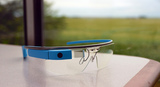
Essentially a pair of glasses with a fast processor with wi-fi and GPS connectivity, a camera and a heads-up display (HUD) attached, the Google Glass made quite a few waves when it was first announced a couple of years ago. Some of the publicity the Glass got was about the negative reactions to its built-in point-of-view camera, but most focused on the possibilities such a device offers, as it’s essentially putting augmented reality in the hands of mass market consumers for the very first time. As this mass market also includes learners and educators, we, as most e-learning professionals, were understandingly intrigued.
Google Glass, still in its early iterations, is nevertheless an ideal platform for augmented reality applications and experimentation. For some e-learning applications what’s included as standard (camera, HUD and wi-fi connectivity) will be enough, whereas more ambitious projects can take advantage of the Google Glass API (a set of programming specifications allowing developers to create custom applications leveraging the Glass’s hardware).
In most promotional material, reviews and user experience posts, the POV camera seems to be the most used feature of the device. It’s something which is not unique to Glass, as it can also be found in cheaper products, but combined with the wi-fi connectivity and full blown OS and API the Glass provides, it allows for some quite innovative uses.
Learning Potential
While Google itself doesn’t promote the Glass as a learning tool per se, they do feature a couple of "user stories" in their Glass website that hint on its e-learning potential. The first shows how Andrew Heuvel, an e-learning educator specializing in physics, used the Glass in combination with Google’s Hangouts (video-conference service) to take his students on a virtual tour of CERN. His students back in the Michigan were able to see what he saw (through Glass’s point-of-view camera), ask questions, and guide him in exploring parts of CERN and the Large Cauldron Collider they wanted to learn more of. The second story is of See professional tennis player Bethanie, who used Glass to record, study and analyze her moves as she prepared for Wimbledon.
Most e-learning uses of Google Glass up to date fall into these two general patterns, of analyzing recorded material and providing a kind of virtual "field trip". The University of Alaska, for example, uses Google Glass similarly to the way Heuvel used it, to "send the live feed [of professors on site in remote Alaska locations] to students located around the world".
In an educational setting Google Glass would be great for having a team of students follow a teacher in real time, seeing what he sees and being able to listen to his lecture or have a live Q&A session - and it’s something that can be done on the cheap, as it only takes a pair of Google Glasses for the teacher and a wi-fi (or 4G) connection. In the absence of the latter, the Glass could also be used as a simple POV camera for recording e-learning video material (virtual tours, etc), though of course there are cheaper options for this, such as the GoPro camera.
For a more evolved (and expensive at the moment) setting, the students could be equipped with Google Glasses themselves, and the virtual class could participate in some kind of distributed knowledge-gathering exercise or a large scale experiment involving several locations.
It would also be useful in student-to-teacher video conferences, for e-learning subject involving physical manipulation of objects (e.g anything from woodwork to piano playing and surgery), enabling the teacher to see and comment on the student’s actions.
Of course those uses are only the tip of the iceberg concerning the potential that Google Glass has as an educational tool. More intelligent (and novel) uses would have to use the Google Glass development API. Google, it has to be said, provides a great set of resources to get started with this, from the Glass API itself, to detailed documentation, code samples, development tooling and even Google-blessed community resources (Stack Overflow, etc). And should you want to distribute or sell your e-learning Glass-based app (or Glassware, in Google’s terms), there’s the aptly named MyGlass app and marketplace, allowing users to discover and install Glassware applications.
Google Glass applications, or "Glassware", offer the possibility of extending Google Glass beyond the basic point-of-view tele-conference realm, into full blown augmented reality applications, providing contextual and supporting material to all kinds of e-learning content, on and off the field.
As consumers embrace it, prices drop, and processing power increases, Google Glass has the potential to become an indispensable tool for e-learning. And with 20 million devices expected to be in users’ hands by 2018, this future might come sooner rather than later. For now we suggest to any e-learning professional to get his hands on one and explore the ways it can help spice up his content and classes.
Bio - John Laskaris, eLearning Specialist, Instructional Designer, TalentLMS and eFront Evangelist.. Interested in new technologies and ideas that help education and improve training processes. Always looking for new ways to help engage learners and bring better results.
Image credits
Ted Eytan, Flickr
Ted Eytan, Flickr
Bruce M Graham
.
Blog
.
<span class='date ' tip=''><i class='icon-time'></i> Jul 23, 2015 07:04am</span>
|
|
Jeff Bradbury and Chris Nesi sit down with Black Rocket at the 2014 NJEA Teachers Convention in Atlantic City to discuss video games and green screening.
For more information on TeacherCast Broadcasting, or to have TeacherCast broadcast at your event, please contact us on our Feedback page.
The post Are you interested in Green Screening your students INSIDE a video game? My conversation with @BlackRocketLLC @MrNesi appeared first on TeacherCast.net: Educational Blogs, Podcasts, App Reviews and more.
… Read more
Jeffrey Bradbury
.
Blog
.
<span class='date ' tip=''><i class='icon-time'></i> Jul 23, 2015 07:04am</span>
|
|
Are you interested in the subject matter your clients give you, or just the "training" side of it?
I absolutely LOVE the fact that I get to learn every day, however…how often do we challenge what we see…how often do you check up on "facts".
Here’s something I learned the other day that I found wonderful.
As Instructional Designers, we need to know a bit about colour, OK - I agree with that.
What are the 3 Primary colours - the 3 colours which you cannot make, and which you mix to make all other colours?
Easy - red, blue and yellow…the ones that look like "children’s" versions of the colours.
Wrong.
If that is the case - why are coloured printer cartridges cyan, magenta and yellow?
Now, it’s true to say that I have no idea how to make those 3 colours, however, apparently this is something that’s been known for hundreds of years, but it’s just never made it into the school books yet. It’s all a bit of a pain as I have just written an entire book chapter about colour (!) that now needs to be amended.
So when an "SME" gives you some material, do you accept it as fact, or find a way to tell them? Another common mis-fact that crops up again and again in the learning/HR industry is the common misconception that "93 of what we communicate is non-verbal". Search "The Mehrabian Myth" for more information. I have had to point it out as a myth on more than one occasion when it’s being quoted as "fact".
So have a think about content. It’s what we do. Just try and ensure (to the best of your abilities) that you are not unintentionally nurturing poor factual content, I think it’s a valuable part of what we do as Instructional Designers.
Bruce M Graham
.
Blog
.
<span class='date ' tip=''><i class='icon-time'></i> Jul 23, 2015 07:04am</span>
|
|
I seldom re-use other people’s content here, but this article from Videoscribe is worth quoting.
Brilliant.
8 Classic storytelling techniques for engaging presentations. http://t.co/ww6n5o69Qn #EngageYourAudience pic.twitter.com/8dbDsSv4Ok
— VideoScribe (@VideoScribeApp) December 1, 2014
Bruce M Graham
.
Blog
.
<span class='date ' tip=''><i class='icon-time'></i> Jul 23, 2015 07:04am</span>
|
|
In honor of the brand new Star Wars Episode 7 trailers, I wanted to share some of the great fan videos created to help celebrate the Return of our favorite Jedi! (See what I did there?)
Enjoy!
The post Watch these 4 amazing #StarWars Episode 7 Trailers appeared first on TeacherCast.net: Educational Blogs, Podcasts, App Reviews and more.
… Read more
Jeffrey Bradbury
.
Blog
.
<span class='date ' tip=''><i class='icon-time'></i> Jul 23, 2015 07:04am</span>
|