Blogs
|
Picture by Zach Beauvais, published under cc
The 25 blogs presented here are a great source of inspiration and practical tips for trainers and coaches.
Visit these blogs if you’re looking for new training exercises (energizers, ice breakers, etc.), motivational stories from other trainers, industry news and trends, or great advice on how to grow your training business or gain management buy-in.
I have broken up the list of blogs into three categories:
Personal blogs - mostly from independent trainers
Corporate blogs - blogs from specific training companies
Portal sites - here you’ll find multiple bloggers in one spot
Please note that the blogs are ordered alphabetically within each category. So here, the top 25 means: out of all the other blogs.
Personal Blogs
corporatetrainer.com
The blog posts on Corporate Trainer are a mix of the training experiences of the author, Peter, and practical advice. An example of the former - personal posts - is 9 challenges all trainers face ("Our work is going virtual, that is scary"). An example of the latter is 14 ways to make a training program work.
joitskehulsebosch.blogspot.nl
Joitske Hulsebosch specializes in new media for learning. The insights relayed on her site apply to training as well. Her creative way of thinking shines through in blog posts such as The power of infographics for learning and 10 tools challenge: making youtube playlists, about the dangers and benefits of using online tools in your training business.
learningrebels.com
Regardless if you are an "Accidental Trainer" or an accomplished trainer with years of experience, if you like to be challenged in your thinking and have a passionate, authentic voice in your reading matter, this blog is for you. Start with 3 Things this learning rebel would tell my "new trainer" self. Learning Rebels Mission Statement: Passionately Embracing Unconventional Ideas in Learning Today.
salt-box.co.uk
SaltBox takes an unconventional approach to training. Their blog posts, just a few so far, are personal accounts of their training experiences. They also like a good party as they relate in the post 5 Reasons to Celebrate your Business’s Birthday!
thetrainerstrainingcompany.co.uk
The Trainers Training Company is a great resource for freelance trainers and coaches. Or really for any independent trainer who is looking for advice on how to start, develop and grow their training business. Sharon Gaskin, the founder, writes inspiring and actionable blog posts, such as Freelance Trainers: Are You Using This Simple Strategy to Get Business? She also personally responds to comments, both on this site and in her LinkedIn group Trainer Talk.
Corporate Blogs
blogs.ddiworld.com
DDI World specializes in talent management. Coaches interested in the field of leadership development should take a look at a few of their posts titled Are We Missing the Mark on How to Develop Leaders? and Leadership: A Career Choice or a Constraint?
bottomlineperformance.com
The blog on Bottom Line Performance’s site has a pretty broad scope, but you’ll find their articles tagged training are really catered to (corporate) trainers. Titles include Why Don’t Trainers Worry About ROI? and When You May Not Need a Training Program.
dashe.com/blog
The social learning blog pays attention to trends in corporate training, writing about topics like 5 Things Millennials Want From Training and How To Make The Flipped Classroom Effective In Corporate Training. If you’re interested in learning on the workfloor in general, be sure to visit their blog’s homepage too.
iecoaching.com
This blog contains a number of concise video clips, each providing coaching tips presented in a clear, actionable way. The tips don’t have a clear title (they’re simply numbered), so you’ll have to scan the description for keywords you’re interested in. For example, Tip #7 looks at how to develop direct communication - "the ability to communicate clearly, effectively, and use language that has the greatest positive impact on coaching counterparts".
explorance.com/blog
The eXplorance blog has some interesting articles on corporate training. There are posts on the theory behind training, such as Kirkpatrick’s Four Level Evaluation Model for Training Success, and some more practical posts like 5 Steps to Creating Effective Training Programs.
langevin.com/blog
The Langevin Blog offers tips and best practices for trainers, instructional design, training management, virtual classroom, and even non-trainers, with posts such as 5 Tips for Writing Training Objectives. There’s even tips that are applicable anywhere, such as 5 Instructional Techniques for Building Climate and Rapport.
mlrtraining.wordpress.com
The MLR business training blog provides a funny anecdote The Joy of Business Management Training (or not!) and practical advice on Transferring Learning from the Training Room to the Workplace…..What makes this happen? If you, as a trainer or coach, want to start your own blog, you could do worse than following the example of this site.
phasetwolearning.wordpress.com
Phase (two) learning has a number of posts about onboarding as well as articles of a more general nature. There’s a very practical post Bring Your Own Workshop Stuff and an article titled Adult Learning Principles: A Quick Refresher.
thetrainingbusiness.com
The Training Business’ most recent post dates back to August 2013. I do hope they keep posting, because there are some real nuggets on this site. Such as A Quick, Simple, and Free Facebook Marketing Tip that will Increase Awareness of Your Training Courses.
thetrainingclinic.com/blog
The Training Clinic offers down to earth advice for trainers. For instance, Try a Cocktail Exercise! After lunch. A dreaded time for all trainers- and learners! Increasing participation is a must and raising activity is a double blast to boredom. The cocktail exercise accomplishes both. In another post, they talk about why you should Market Your Training Function. I like the Training Clinic for their unconventional approach in choosing titles: Need to Increase Attendance? MOB Them!
thetrainingworld.com
"Training & Development World" hosts articles on practice and theory behind training. Here, you’ll find articles such as A Simple But Powerful Training Model For Trainers and Make the Training "Stick".
trainingdirectoryuk.com/blog
With the Training Blog on trainingdirectoryuk.com you’re going to have to cherry pick the interesting articles. Be amazed at how many training related acronyms there are, for example. Or pick up advice on How to make your internet business stand out above your competitors, in case you’re providing online training.
trainingstation.walkme.com
Training Station specializes in organizational learning and employee productivity, meaning its articles are mostly about corporate training. Topics include How to prevent employee disengagement in training and Corporate training activities to improve the learning process.
trainingzone.co.uk/blogs
TrainingZone actually features multiple bloggers. This means they cover a wide range of interesting topics such as 7 Pricing Secrets All Coaches Should Know and Five suggestions for making training more memorable. To read some of the articles, you have to be registered, but hey, registration is free! All in all, TrainingZone is a very valuable resource of actionable information and training tips.
Portal Sites
astd.org/publications/blogs
It’s easy to get lost on astd.org. There are many pages and articles, not all relevant to trainers and coaches. Some blog posts are really introductions to books or other commercial items. But there are some nuggets as well, such as Five Tips for Success When Using Games in Training and How Effective Is Executive Coaching? For trainers and coaches, probably the most interesting section of the site is the Learning & Development Blog.
elearningindustry.com
As the name implies, this site does not cater specifically to trainers and coaches. I have included elearningindustry.com nevertheless, because they regularly post interesting articles, such as Can Your Training Sell? Many of their articles are written by training experts, listed on their bloggers page.
elearninglearning.com/train
The training section of eLearning Learning hosts a number of articles on (corporate) training, mostly in the context of e-learning. Many titles on this site link directly to other sites and that’s a good thing. You’ll discover other useful blogs this way. They’re also able to cover a wide range of topics, from 3 Simple Ways to Improve Compliance Training to 5-Steps for Creating Effective Employee Training. Even if you’re not interested in e-learning, you should still check out this site for its variety and broad scope. You’ll be sure to find something of interest.
free-training-resources.the-trainers-lounge.co.uk
The name says it all, Free Training Resources is not actually a blog but a very handy collection of icebreakers, energizers and introduction exercises. And really any type of training resource.
hr.answers.com/training-and-development
While not an actual blog, this subsection of answers.com is interesting nevertheless. It contains introductory level articles on topics such as Four Types of Training Activities that Work and How to Create Winning Hands-On Learning Activities.
trainingindustry.com
"Your portal to the world of training" as they call it, is indeed a portal-like site. It features many in depth articles, overviews of the state of the training industry, such as Size of Training Industry, and advice for training executives, for instance Building Trust And Collaboration In The Training World.
The post Top 25 Inspirational Blogs For Trainers And Coaches appeared first on TrainerTops Blog.
TrainerTops
.
Blog
.
<span class='date ' tip=''><i class='icon-time'></i> Jul 23, 2015 10:28am</span>
|
|
How do you find high demand, low competition training markets? If you’re looking to start a career as a trainer, this is an important question. But even as an established trainer you might want to enter more profitable markets. In both cases you’re looking for niches, or sub-categories, in the training market that are underserved.
To identify these profitable niches you have to do some market research. But not the type where you invite lots of consumers in your test panels and feed them your new frozen yoghurt. Instead, we are going to explore a number of relatively cheaps tools which have become available in recent years.
But first we need to talk about your passions and strengths. Not all the profitable niches you’ll identify shortly are a good match. Some may be very boring, some may involve working with people you may not like. Even if these niches have great potential as profitable markets, they may not be suitable for you. It is very unlikely that you’ll be successful in market where you have to do work you absolutely hate.
Mapping Your Skills And Strengths to Niches
To find niches which suit you, make a list of your strengths, or skills, and passions. To illustrate the difference between a passion and a skill, think about aircraft spotters. A plane spotter’s passion is obviously planes. But amongst their skills is probably not piloting a plane (or else they’d be doing that instead).
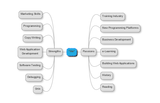
A nice tool for compiling a list of your passions and skills is MindMup, an online mind mapper which lets you save your mind map to your Google Drive. Here’s an example of my list.
Now, using your strengths and passions, try to come up with a list of suitable niche training markets. Don’t worry about profitability or competition, that’s something we’ll be looking at shortly.
Here’s a list I compiled as an example.
Generate Keywords to Find Niches
We now have a short list of interesting niches where you can apply your strengths and passions. To expand your list, you could start using Google to find related niches, based on keywords.
Just type in your keyword and you’ll see that Google automatically shows a list of related keywords (other search engines do much the same thing nowadays).
While this is a nice start, Google offers a more comprehensive tool as well: the Keyword Planner. To use the Keyword Planner, sign up for Google Adwords (you may be required to input your credit card, but using the Keyword Planner is free).
Once you’ve logged in to Adwords, find the menu option ‘Tools’ and select ‘Keyword Planner’. Then select ‘Search for new keyword’:
Enter your keyword, ignore all other options and hit the ‘Get ideas’ button.
The Keyword Planner will now show you a number of related keywords, conveniently listing the competition in the advertising space as well.
Keep in mind that we’re specifically talking about Google’s advertising space here: the ads that Google shows next to the search results on its regular site (called Adwords). If you plan to use Adwords, you should not select a niche based on keywords with a high level of competition.
There’s one more thing you need to know. Unless you’re planning to sell your training in a location independent way, for example as an online training, you should restrict the keyword list to your country, state or even city. In the left column, click on ‘All locations’ under Targeting to enter e.g. your city.
Once you’ve done that, Google will retrieve a new list and the numbers will be lower (because you’re no longer searching globally). If the search volume for your niche is high, and the competition is low, go for it!
Advanced Competitive Analysis
As I said earlier, the competitive analysis Google’s Keyword Planner provides, is limited to just the advertising space: for a given set of keywords, how many advertizers are out there and what are they paying per ad? While that is interesting information, you may also want to look further.
Here, I’ll show a tool for analyzing the competition on the web, or more specifically their rank in search engines such as Google. This is called SEO competition, after Search Engine Optimization. SEO competition analysis tries to find out how hard it is to get on the first page in Google. So, if the SEO competition is low, then your chances of reaching the first page on Google for the keywords of your niche are good.
The rational behind a competitive analysis based on SEO competition is that everybody is on the web nowadays. If you find a number of related keywords with low SEO competition, that probably means there’s also little competition in the ‘real world’. And even if that assumption is not true, it still means you have found a marketing channel that is underutilized by your competition - allowing you to reach that niche cheaper than they do.
SEO Competition Analysis Tools
First of all, you could probably gather all the data you need by just using Google. However, there are various tools which make life easier by saving you a lot of time. I have tried two of them Jaaxy and Market Samurai. I found Jaaxy to be… lacking in features.
For instance, if you’re looking for related keywords, Jaaxy will come up with a nice table showing the keywords, the monthly searches and the competition, but the columns in the table cannot be sorted. Also, the trial version is limited to just 30 searches and even then imposes some additional constraints.
Market Samurai is a much better SEO competition analysis tool. The trial version is completely functional and provides real value. The only drawback here is that you need to input you Adword account data - which is usually your Gmail account. So, in the background, Market Samurai is using Adword data to perform its analyses.
Because Market Samurai is so much better than any of the other tools (that I know of) out there, I’ll include a brief tutorial on Market Samurai here. If you know any better tools, please let me know in the comments.
Market Samurai
Market Samurai is a tool that lets you analyze the SEO competition. You can use Market Samurai to find a niche in the training market where the demand is high and the competition low. There’s a nice video introduction, but using the tool for the first time can still be overwhelming. Here’s what is most important.
Generate Keywords
You start by inputting your main keyword and then generating additional, related keywords. Simply click the "Generate Keywords" button to do that.
Once Market Samurai has retrieved a number of related keywords, you can have these analyzed by hitting the "Keyword Analysis" button.
For now, only a few metrics are interesting:
Total Searches - How many people enter this keyword each day, on average?
SEO Traffic (SEOT) - The maximum potential daily clicks that a number 1 ranked site for this keyword term could potentially achieve.
The average price per click-through in Google Adwords (AWCPC)
Using the check boxes, you can uncheck all the other columns.
So, what have we just learned? Well, the keyword ‘onboarding’ is promising in that, worldwide, quite a few people search for it every day. On the other hand, advertising through Adwords would be very expensive indeed: $8 per click on your ad. That’s a whopping $2000 a day (250 SEOT x $8). This is not within our budget, so we need to know if we can make it to the first page of Google with our site, when people are searching for onboarding, because then we won’t need any advertising.
SEO Competition Analysis
Select the SEO Competition menu item to find out how other sites are ranking for the term onboarding (or really any other training related keyword, of course).
You’ll be presented with a large table of information. Uncheck all columns through the checkboxes "Off Page" and "On Page". Then select these columns:
PR: PageRank - the strength of the website’s position in Google’s search results, determined by the number and quality of incoming links
BLP: Page Backlinks - the total number of links pointing to this page
YAH: Yahoo Directory - is the site listed in the Yahoo Directory (this is still important in the USA, but less so in other countries)
Title: is the keyword in the title?
URL: is the keyword in the URL?
Together, these metrics will give you a good indication of how easy (or difficult) it will be to enter the top 10 search result with your website, for the selected keyword. If you see a lot of yellow and red here, you’d better start looking for another keyword to find your training niche.
Tip: compare the competitive analysis of a new niche (keyword set) to a market you already know intimately. For instance, I happen to know (from experience) that the e-learning market is highly competitive - both in the real world, in the Adwords advertising space, and in Google’s index. So, if you put the keyword e-learning (or preferably your competitive market’s keyword) through Market Samurai’s SEO competition, you’ll get a feeling for what those yellows and reds (see screenshot) really mean.
Training Niche Selection
To summarize, if you want to select a profitable training niche you need to:
Find out what your skills and passions are;
Map these to potential niches in the training market, using related keywords to find additional niches;
Identify low competition, high demand keyword sets with the help of SEO competition tools.
Of course, once you have identified a great niche the real work starts. Talk to potential customers in the niche market. Put up a website centered around the keywords, specialize in this niche, learn new skills if necessary. Good luck and have fun!
The post The Secret to Finding Profitable Training Markets appeared first on TrainerTops Blog.
TrainerTops
.
Blog
.
<span class='date ' tip=''><i class='icon-time'></i> Jul 23, 2015 10:28am</span>
|
|
Learn the new way to stay updated: RSS. While RSS has been around for a while, few people understand the potential to stay on top of news and interesting thi…
Source: www.youtube.com
We actually teach RSS feeds in my 8th Grade ICT class! Thanks for the resource!
See on Scoop.it - InformationCommunication (ICT)
Mr Kirsch's ICT Class Blog
.
Blog
.
<span class='date ' tip=''><i class='icon-time'></i> Jul 23, 2015 10:28am</span>
|
|
Teaching how to set up and maintain a blog was something plain and simple years ago . Nowadays things have become more complex… much more: HTML5, SEO, personal brand, positioning, ads, affiliation, social media… Those aren’t but a few terms to take in count really seriously. Enrich your lessons! A black-hole-mass like concentrated knowledge pill about blogging for students:Your personal blog:Blogger: it’s integrated in Google and it gives many useful stats, but you have to promote it (#4) and look for readers.Online articles sites:out-of-your-blog publishing sites, like ezinearticles, or hubpages. You’ll be likely to have more visits.Your articles:Measures: try something like three hundred word articles, redacted in no more than one hour, five to seven articles a week.Be original, different, specific, unique, constant, fascinating, provocative...Other: grammar, style… ensure the communicative process takes place, i.e, what you mean is what it’s been understood.Ease things up: links to other pages (e.g definitions to Wikipedia).Open up comments to know about your audience’s opinion (and watch out trolls).Tools:Google docs: easy to work online, insert things, thesaurus, copy&paste it to blogger… You can even write through your mobile or laptop. Check my other article about this.Google drive: keep things safe and anywhere.SEO it: make Google find your articles more easily.Your blog:Article structure: title, head, body (inverted pyramid).Blogger’s options: tags, keywords, search description...HTML-format it: <title><h1><h2><b><i>,<a href>...Include your bio, social networks links, contact info, an article index…Provide enough text.Decorate it: images, videos, animations, embedded resources (apparently Flash is not welcome).Include options for subscription, sharing…Include information for the search engine: meta, title...Word strategy:Check trending words (Google Trends) and write about them.Analyze buzzwords about your blog’s subject and decide how to use them.Social networks (the relevant ones):Publish your links in Google+ (it’s indexed by Google), Twitter… Use tools as Everypost to publish in several places at once. Use whole links, with the titles on them.Register your blog in directories.Post carefully in sites like Reddit (watch out not to be banned).Make people identify you easily: subject, knowledge, blog, name, brand, colors, logo, quality...Multipublish:For each entry of your blog, republish!: slideshare, issuu, online articles sites… Don’t forget to include your bio on the last page.Link your blog to those sites and vice versa.Signature: include your blog’s link in your mail/forum/… signature.Be just and don’t:Use farm links.Publish in dark sites.Be untrustworthy.Ask people to click or visit your pages.Be offensive.Use proprietary resources.Analyze everything:Google analytics.Blogger’s stats:Audience (countries…): you may write in English but also have visitors from Spain (like me).Sources: important, as you know what publishing sites are proving more useful to spread your words.Social impact:Klout: check your social impact score.Kred.Ads?Adsense.Affiliation sites.Dangers:Loss of credibility.People fed up of ads.Ads not related with your blog’s main subject.Readapt/rearrange/replan/rethink.And to finish, a board with some useful tools (evolving unstoppably):http://www.symbaloo.com/mix/blogging14
Adoni Sanz
.
Blog
.
<span class='date ' tip=''><i class='icon-time'></i> Jul 23, 2015 10:28am</span>
|
|
As a trainer you can show your effectiveness by measuring the skill level before and after the training. But how do you make sure that the skills acquired in a training are actually applied in the workplace? This is also known as the issue of transfer of training. Follow-up training addresses this issue.
Every organization that provides training for employees does so because it recognizes the need to improve employees’ results. Trainers are therefore tasked to improve the workforce’s skills, knowledge and, ultimately, behavior. However, humans are creatures of habit. To change behavior, a single training does not cut it.
Instead, a training should be followed up by various reinforcement strategies. In addition to the traditional follow-up training, to which we will return shortly, we can now apply technology to reinforce the trained skills and knowledge:
Mini interventions: summarizing emails and pop quizzes suitable for mobile learning.
Peer-to-peer discussions through internet forum, stimulated by the trainer and workplace mentors.
Online training serving as a refresher - learning management systems are suitable for this purpose.
But clearly, increased follow-up training would be best. So, how do you signal the need for follow-up training to the organization?
Conduct formal tests at regular (e.g. yearly) intervals
Hand out certificates
Utilize competency management
Conduct Formal Tests
Photo Credit: Thomas Hawk via: imager.io, cc
To decide whether an individual employee needs follow-up training at all, you may decide to conduct a formal test, e.g. once a year. If trainees "tests out", fine, they don’t have to do the refresher. In most learning management systems (lms for short), this is facilitated in some way. In lms Moodle, for instance, you can can enroll trainees into an online training session (called a ‘course’ in Moodle) which simply contains the test. If they pass the test, then another course, which contains the meat and potatoes of the actual training, is considered complete. Otherwise, they have to complete the actual training once more.
The use of regular formal testing saves the company on unnecessary retraining. It establishes trust in the trainers involved and thus increases the chance that trainers are hired for other training sessions. In a roundabout way, as a trainer you get to deliver more follow-up training (for those other training sessions).
If there is currently no follow-up training at all, then introducing formal testing is an excellent way to ensure reinforcement of training.
Hand Out Certificates
Certificates are best used when you already know that follow-up training is absolutely required. This may the be case to meet regulatory requirements (‘compliance training’). Hand out certificates with an explicit expiry date. Alert all personnel involved when the expiry date approaches.
How do you create certificates? In the same way as a mail merge: put the data (trainee’s name, name of the training, expiration date) in a database (e.g. MS Access) or spreadsheet and link up your Word Processor to either one of those. Then perform a mail merge with an appropriately formatted template.
An alternative is to use the certification options in an lms. In lms Moodle, for instance, there is a certificate module available which allows users to download their own certificate (as a pdf document) once they have completed the training session.
Certificates implicitly carry the assumption that an employees skills and knowledge may get obsolete over time. For example, whenever the content of the training changes to mirror ever evolving best practices on the work floor, a certificate is an instrument to ensure that everybody receives retraining before their skills and knowledge are completely outdated.
However, in situations where the nothing much changes, it may be more practical to just perform the formal tests as mentioned above and only retrain if employees are found lacking in relevant areas.
Utilize Competency Management
Competency management maps the organization’s goals to the skills required in the workforce. For example, if a company addresses a new market, they may need to hire new personnel, or retraining existing employees. If done properly, competency management also identifies the organization’s training requirements, even if only indirectly.
Therefore, trainers should demand access to competency management software (if used at all) in the organization. At the very least they should talk regularly (i.e. once a year at minimum) with management about the direction the organization is heading for. The outcome of these talks should be a list of new training sessions. But it should also be clear where follow-up training is needed. For example, if a company decides to pay more attention to customer service, then a follow-up training in that field may be rescheduled to take place earlier.
The post 3 Tips For Increased Follow-up Training appeared first on TrainerTops Blog.
TrainerTops
.
Blog
.
<span class='date ' tip=''><i class='icon-time'></i> Jul 23, 2015 10:28am</span>
|
|
A few months ago Educational Technology and Mobile Learning posted a detailed guide on how Teachers can Use Blogging in Education. We are glad this post has received a wide interaction from…
Source: www.educatorstechnology.com
See on Scoop.it - InformationCommunication (ICT)
Mr Kirsch's ICT Class Blog
.
Blog
.
<span class='date ' tip=''><i class='icon-time'></i> Jul 23, 2015 10:28am</span>
|
|
Picture by the_tahoe_guy, published under cc
Compliance training can be a real drag for employees. They’re expected to show up and sit through a course about stuff they already know. Or, if done online, it’s a click fest of hitting the "next" button.
But it doesn’t have to be this way. Here are a few to tips to nail compliance training in a way that is satisfactory for all parties involved: your trainees, the organization and the trainer.
What’s In It For Me?
First of all, answer the question "What’s in it for me?" for trainees. Show how the compliance training is relevant. Prepare by sending out news items, a few weeks in advance of the training session, about the topic of the training.
For instance, if the training is about compliance with food and health safety regulations, send out a news item where things went spectacularly wrong because regulations were ignored. Wrong as in, the whole place was puking. Sorry for being graphic, but this illustrates the power of examples. This particular example shows the relevancy of compliance with the food and health safety regulations. To the employee, it signals "your actions have consequences".
Please note that the company ordering the compliance training has a responsibility too, here. If management does not enforce compliance or condones lax behavior, no amount of compliance training is going to change the work force’s behavior. Ultimately, management should make it clear that job security is at stake for any employee who doesn’t take compliance training seriously.
Test First
Picture by Carl Milner published under CC
Give your trainees the option to ‘test out’: if they pass the test, they don’t have to take the training. As a trainer, this strategy may seem to reduce the work you get from a specific organization. But your reputation as a money saver will get you hired more frequently and the word will spread to other organizations as well. If you’re an in-organization trainer (e.g. you’re employed there), you’ll be a hero, because you’ve saved the company a lot of money.
As an example, a large company makes employees take a whole training course before they get to the compliance testing part. So, even if they already know their stuff, they still have to take the entire course. Needless to say, this is not only demotivating, but it also means wasted hours. If every lost hour is calculated at a cost of $50, and 20,000 employees have to take the training needlessly, this represents a loss of $1,000,000!
Deliver It Piecemeal
Picture by Jo Naylor published under CC
If you’re in an industry where regulations change frequently, why wait a year before training and certifying everybody according to the law? Whenever a new regulation passes, create an online mini training around it. Present a number of cases and scenarios, deliver the theory and have all employees take a test at the end of the mini training. Then, at the end of the year (or whenever their current certification ends), give everybody the option to "test out" of the entire compliance training, which now encompasses every piece of new regulation as well as the unchanged content.
This approach has two benefits:
Your trainees don’t have to swallow everything at once. If you deliver it piecemeal, retention will be higher. For extra retention, follow up with email or texting reminders, pop quizzes, and news items.
If you act as soon as the new regulation is passed, your trainees are immediately up-to-date which might give your organization a competitive advantage, especially if customers are affected by the regulation as well and start asking questions about it which your trainees are expected to answer.
The post How to Nail Compliance Training appeared first on TrainerTops Blog.
TrainerTops
.
Blog
.
<span class='date ' tip=''><i class='icon-time'></i> Jul 23, 2015 10:28am</span>
|
|
Among educational buzzwords this is for sure the one with the highest pitches nowadays. The flooding of classrooms with new technologies has led to new approaches to classic lectures and traditional educational strategies, and Flipped Classes can be a good one if applied with common sense.The elements involved have to be well-known to better appreciate the scope of this emerging philosophy:Actors: teachers, students and parents. Each one of them will see things differently, and knowing how to make them buy your new proposition will be the key to your success.Processes: lesson preparation, outside of classroom time, inside of classroom time, evaluation.WHATIt’s an alternative to the traditional teacher/lecture centered approach. In a flipped strategy classroom contents are multimedia based and are accessed through some LMS outside of school. Classroom time is used to deepen that home-acquired knowledge using other strategies, as project based learning, collaborative tasks, etc.For teachers it is a great way to improve lessons’ structure. Resources can be mapped from the syllabus and new activities can be implemented for classroom time. For students it can be challenging, after all you are taking them out of their classical school environment. But they are also given the opportunity to be in charge of their own education, and they can even set their own pace in the process. For parents it’s an excellent opportunity to take part and track their children’s education. WHYOur world is changing. New technologies are gaining power, societies are readapting their habits and schools should improve in the same manner. Our students, who are used to manipulate complex devices like mobile phones, are getting more and more bored in front of paper books and crave for multimedia based, dynamic, colourful, and interactive contents.A teacher can find a great ally in flipping to engage his students, apply new techniques and create a personal reusable repository of well-selected contents. But not only teachers, students can also take advantage of being empowered and trusted. For them it could be seen like being abandoned in the middle of the dessert, but let’s not forget that constructivism also deals with uncertainty, and that’s a relevant factor for learning reinforcement. WHENThere are two whens. The first one is related to preparation. The more quality contents you want, the more time you will have to expend curating them. Anyway it’s important not to be over exigent about them and check their effectiveness (some polls can be done to know the opinion of your students). Your repository should be something flexible and dynamic. If it’s not, then it mightn't work.The second when is about the time students invest at home, i.e, when should students work after school? That's a tricky question as you lose control of them after they have got out of school. Each student will have a different agenda: sports, music, etc. Then this factor shouldn't preoccupy us excessively, but keeping a record of your students’ complains about not having enough time could be of help for strategy improvement. If out of school time is scarce, flipping could be approached differently.WHEREFor teachers, where can quality materials be found? My own strategy was to curate a good PLE with plenty of resources classified in: presentations, social networking, documentaries and videos, research, production, publication, citation, collaboration, storage, project management, coding, and augmented reality and virtual worlds. Have a look at one of my boards at Symbaloo which I use in my lessons to teach PLEs to my 13 year-old pupils. What you shouldn't do is just scan your notes, save to a PDF and publish it. There wouldn't be any engagement. For students the where refers to what place to check lesson’s contents. Forget computers and focus on mobile devices. In fact those are the ones accompanying teenagers everywhere. It's more likely to find a student laying on the sofa, sitting on a bench in the park, or waiting in a mall's entrance for his friends with a mobile on his palm than seeing him sitting down in front of a computer at home. Make it flexible and affordable for them.HOWAnd finally the how-to’s. For teachers it is about how to set up an effective LMS, look for engaging resources, do engage students, and make the rest of the parts involved participate constructively.LMSs include Moodle (my favourite one and free of charge), Google Apps for Education, TalentLMS or Edmodo among many others. You can bet for one option or weave a combination of them, being the second option more preferable. Moodle is great to track your students' activity, workshops (students grading other students), do exams and to gamify your lessons, while Google rules with documents and real-time collaboration.Keep in mind your students remain the same (so what you take in count for common classes should be considered likewise for your LMS), they need to communicate, tell things, show off, wear mobile devices, only fix their attention for a short time, want recognition, socialise, want practical, close to their lives exercises and ask for colourful and interactive means. Even more, they should be given the opportunity to reflect what they have inside their minds to better settle it down. Thus, take advantage of such profile. Flipping is just a framework where to apply many other strategies (gamification, project based learning, multiple intelligences, role playing, etc), but the participants are still the same.Let me shed some light and make things practical through the following example:A lesson about Natural Sciences: mass, volume, density, pressure and temperature are the concepts to work with. I want my students to read the definitions, see a couple of videos, manipulate a simulation and write the conclusions in teams. Maximum estimated time outside school: 30 mins. I set up two/three conditional activities in Moodle so they will be hiding and will appear consecutively. Videos are selected from YouTube and some simulations from PHET. Students will accomplish these tasks on their own or in teams. Final conclusions will be written in a shared Google doc in teams. Each student will make a quick test exam in Moodle. Having completed everything the team will be granted a badge and be put in a leaderboard (gamification’s PBL model).Next day in the classroom we'll discuss about the concepts, experiments, conclusions and corrections. Each team will publish its own work in a blog or site and will score other teams' work in a Moodle workshop. That will be used as a final grade percentage, only earned if a minimum amount of badges have been collected during the term. As new lessons are analysed students will go on curating their own PLE. That will also be scored. THE CONSIt’d be impossible not to find detractors and complains. Don’t avoid problems or give up. Improvise! Rearrange! Reschedule! Hybridize!TeachersIt’s more work: yes, indeed... in the beginning, but once it's done you can reuse it over and over. Work in teams or involve the whole department to better distribute the workload. Look up other teachers’ works in the Internet. Plan smartly and make your work be accessible and easily reviewable.I need to know about new technologies: go step-by-step adding new elements to your flipped classes, don’t try to be a sage too prematurely.It’s a change in my working routine: start with a hybrid approach (and don't forget the fun). More time and effort is needed, but after everything is done you’ll have much more free time periods to be invested in other tasks.It’s difficult to find resources: start simple with some Youtube videos and look for interesting PLEs in websites like Symbaloo or Delicious.I can’t track my students: Moodle does it for you. Don’t forget to devise a contingency plan for lazy students.It’s not flexible: it is! You have total control over your resources and strategy.I don't trust third party systems: install your own LMS. For about 40€ a year you can have a domain and a Linux based space in a server. Moodle installation is way easy to do. For sure there’s a Computer Scientist in your school to help the team.StudentsI need to spend extra time: it’s true, that’s why you teacher should be careful about it. Micro lessons and hybrid approaches can be a good starting point.I feel helpless: give quality materials, make students help each other, provide with forums, chats and the like, value the effort they’ve made, not only the results.I don't have any laptop or PC: open up the computer room in your school.I get distracted (as it happens inside the classroom): make your lessons very social so the students will have to be communicating all the time. That’ll give them a chance to stay more focused as social collaboration is very natural.ParentsI don’t want to get involved: it’s comprehensible. Don’t force it and let them know it’s something optional and that their children are perfectly assisted.I pay for the education of my children: wrap your flipped lessons as homework. Some parents could think you’re not doing your work as you should.I can’t help my children: many parents haven’t attended school or University, or they’ve just forgotten everything. Just let them know their participation is optional and that their children can go ahead on their own. CONCLUSIONSFlipped classes is a good framework to deliver your lessons, as long as its use is flexible and realistic. For the worst case scenarios hybrid approaches can do the trick. In any case it’s very important for your students and parents to be convinced that flipping is a good idea, otherwise voices contrary to it could ruin your plans. And don’t forget about polling and measuring to better know how things are developing. Good luck!
Adoni Sanz
.
Blog
.
<span class='date ' tip=''><i class='icon-time'></i> Jul 23, 2015 10:28am</span>
|
|
Activity 1: Explaining digital citizenship
Watch this clip, Edtalks: 2010 Ten trends: Cyber citizenship with Derek Wenmoth, Director of CORE Education, discussing digital citizenship. He explains that responsible digital citizens need to be respectful and act appropriately with information in an online world. He suggests it is necessary for teachers to have direct experience of the online environment to teach students effectively about responsible cyber behaviour.
Activity 2: Defining digital citizenship
Compare NetSafe’s definition of a digital citizen with the Nine Elements of Digital Citizenship outlined by Gerald Bailey and Mike Ribble in their book Digital Citizenship in Schools.
1. NetSafe’s definition of a New Zealand digital citizen
A digital citizen:
"A digital citizen accepts and understands the rights and responsibilities of inhabiting ‘cyberspace’, including online safety."
is a confident and capable user of information and communication technology (ICT)
uses ICTs to participate in educational, cultural, and economic activities
uses and develops critical thinking skills in cyberspace
is literate in the language, symbols, and texts of ICTs
is aware of ICT challenges and can manage them effectively
uses ICT to relate to others in positive, meaningful ways
demonstrates honesty and integrity and ethical behaviour in their use of ICTs
respects the concepts of privacy and freedom of speech in a digital world
contributes and actively promotes the values of digital citizenship.
2. Nine elements of digital citizenship
Digital access: full electronic participation in society
Digital literacy: the process of teaching and learning about ICTs and the use of ICTs
Digital communication: electronic exchange of information
School environment and student behaviour
Digital security (self protection): electronic precautions to guarantee safety
Digital etiquette: electronic standards of conduct or procedure
Digital rights and responsibilities: those freedoms extended to everyone in a digital world
Student life outside the school environment
Digital commerce: electronic buying and selling of goods
Digital heath and wellness: physical and psychological wellbeing in a digital technology world
Digital law: rights and restrictions
Activity 3: Implications for you and your school
Blog Reflections questions (Post on YOUR blog only). Reflections must a minimum of 10-12 sentences for each question. Please post by Friday, January 20, 2015 @5pm.
What does digital citizenship mean to you in your personal life, professional life?
What implications does this have for our young people now and in the future?
While most of today’s students are comfortable with using technology:
Are they using it appropriately?
Do they understand their roles and responsibilities in digital society?
How can teachers help students become responsible digital citizens?
What are the norms of appropriate, responsible, ethical behaviour with regards to technology use?
Mr Kirsch's ICT Class Blog
.
Blog
.
<span class='date ' tip=''><i class='icon-time'></i> Jul 23, 2015 10:27am</span>
|
|
Trainers are on the road a lot. To travel lightly, consider replacing your notebook / laptop with a tablet. A tablet is lighter, smaller and the battery lasts longer. It also allows you to use a projector, beamer or big screen monitor without being glued to your laptop. In other words, you can walk through your classroom with your tablet in hand, displaying the content of the tablet on the big screen.
Here are the requirements for the ideal tablet for the trainer.
Number one is battery life. You don’t want your tablet to die half way through the day because the battery is completely drained.
Screen size should be at least 9.7 inch. Any smaller than that, and you might as well just use a smart phone. On the other hand, you don’t want it to be much bigger - or you won’t be able to walk through your classroom with it (of course, this only applies if your training is classroom based). Here’s a video of a teacher walking around the classroom while using a tablet.
USB ports. You want to be able to connect your tablet to peripherals (printers, monitors, etc.).
An easily accessible file system. If you’ve got a video or a some heavy presentation slides, you don’t want to upload all files through Dropbox. You want to be able to connect your tablet to your pc at the office (where you prepared the presentation) and simply copy the files to the right place. This pretty much rules out Apple (i.e. iOS based) devices.
Bluetooth support. You should be able to hook up your phone to the tablet so you can access the internet. Bluetooth also provides the wireless connection with the projector, beamer or big screen in your classroom.
Like ordinary PCs, tablet computers have an operating system (OS) too. Most PCs have Windows, Apple has OS X. For tablet computers there are currently three major operating systems: Windows (a special version of it), iOS (on iPads, from Apple) and Android (from Google). And just like ordinary PCs, tablets can run computer programs too, except they’re called "apps".
Because Windows’ apps are still not up to a par with Android’s (strictly speaking about mobile devices of course), I’m leaving out all Windows based tablets (as well as Apple iPads for reasons mentioned above), focusing exclusively on Android devices.
Market in July 2014
I did a little bit of market research in July 2014 and based on that I’ve compiled a small list of tablets which meet our requirements.
Acer ICONIA A3-A10-L662: 11 battery hours; $255
Acer Iconia Tab A510: 15 battery hours; $380
Asus Transformer Pad Infinity TF300TG: 14 battery hours; $300
Asus Transformer Pad TF701: 13 battery hours; $350
Lenovo Yoga Tablet 10: 18 battery hours; $240
Sony Xperia Tablet S: 12 battery hours; $290
Toshiba Excite 10 SE: 12 battery hours; $350
Prices are based on features and properties such as working memory (ram) and storage memory, type of microprocessor and all the other usual stuff for computers in general.
Not all reviews of the listed tablets were positive. For instance, quite a few reviews were very negative about the Lenovo Yoga tablet, especially the pre-installed software (and adaptations made to the OS, or operating system - Android, in this case). I’ve used a unit in a store very briefly, and I didn’t find anything wrong with it. But then again, I haven’t actually used it as thoroughly as the reviewers presumably did.
The Winner Is…
I’ve used the Asus Transformer TF300TG extensively for a few hours and I was very charmed by the detachable keyboard which comes along with it. I prefer a real keyboard over the screen based keyboard as introduced by Apple’s iOS. On the other hand, while reading or browsing I don’t want to carry a superfluous keyboard. So a detachable keyboard is the perfect solution for me.
The Asus Transformer TF300TG is probably still a perfect choice for many people, but I wanted a little more power. So in the end I chose the slightly more expensive Asus Transformer Pad TF701, trading a little battery life for better performance.
Coming from the original iPad (the one which started the entire table industry), I have to say it took a little while to get acquainted with the Android platform (the operating system behind the selected Asus Transformer tablet). If you’re new to Android as well, you should spend a few moments looking around in the ‘Settings’ menu. Here you can adjust notification options. You don’t want your presentation interrupted by a chime or a message flashing on the screen.
Sources
http://tablets.findthebest.com/saved_search/Tablets-With-Longest-Battery-Life
Be aware though: this site lists a few very unrealistic entries, reporting a battery life of 1240 hours in one instance. This is obviously wrong, things start to get realistic at 18 hours and lower.
http://www.tabletpccomparison.net/battery-life/large-autonomy
No erroneous entries, but no option to select multiple features.
The post A Tablet for Trainers appeared first on TrainerTops Blog.
TrainerTops
.
Blog
.
<span class='date ' tip=''><i class='icon-time'></i> Jul 23, 2015 10:27am</span>
|