Blogs
|
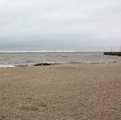
The beach in Gimli, ManitobaGood morning from Maine where I am home after spending a few days in Gimli, Manitoba at the Riding the Wave of Change conference. A big thank you to the conference organizers for inviting me and to everyone that came to my presentations. It was a pleasure to connect with people I have known online for years and to meet new people. It's making connections that make conferences fun.
Traveling to Manitoba took a bit more out of me than I anticipated so the posting here was a little slower this week. I'll be back on regular posting schedule next week.
Here are this week's most popular posts:
1. 20 Good Map Creation Tools for Students
2. What2Learn - Create Your Own Review Games
3. Thousands of Elementary School Math Practice Activities Aligned to Common Core Standards
4. How to Eliminate Choices as They're Used on Google Forms
5. 12 Good Tools for Creating End-of-Year Review Activities
6. A Short Summary of Best Practices for Using Images in Blog Posts
7. Three Helpful Updates to the Google Classroom iPad & Android Apps
PD Opportunities With MeI am offering a three online courses this summer. Teaching History With Technology, Getting Going With GAFE, and Blogs & Social Media for Teachers & School Leaders. If you would like to have me speak at your conference or school this summer, please click here to learn more about me and my PD offerings. The Practical Ed Tech Summer Camp is sold out, but I have plans in the works for an online version of it. Stay tuned. Please visit the official advertisers that help keep this blog going.
Practical Ed Tech is the brand through which I offer PD webinars.
BoomWriter provides a fantastic tool for creating writing lessons.
Storyboard That is my go-to tool for creating storyboards and cartoon stories.
MidWest Teachers Institute offers online graduate courses for teachers.
HelloTalk is a mobile community for learning a new language.
Discovery Education & Wilkes University offer online courses for earning Master's degrees in Instructional Media.
PrepFactory offers a great place for students to prepare for SAT and ACT tests.
MasteryConnect provides a network for teachers to share and discover Common Core assessments.
The University of Maryland Baltimore County offers graduate programs for teachers.
Boise State University offers a 100% online program in educational technology.
EdTechTeacher is hosting host workshops in six cities in the U.S. in the summer.
SeeSaw is a great iPad app for creating digital portfolios.
This post originally appeared on Free Technology for Teachers if you see it elsewhere, it has been used without permission.
Related StoriesThe Month In Review - The Most Popular PostsThe Week in Review - New Pageview RecordThe Week In Review - The Winter Never Ends
Richard Byrne
.
Blog
.
<span class='date ' tip=''><i class='icon-time'></i> Aug 05, 2015 11:33am</span>
|
|
On the Woodlands Junior School's games website you will links to hundreds of games appropriate for use by elementary school students. The games are divided into three categories; maths, literacy, and science. Each category is further divided by topics specific to each subject. In the video below you will see me demonstrating two mathematics games appropriate for K-2 students. Those games are Give the Dog a Bone and Shark Numbers.
In addition to the mathematics games Woodlands Resources includes sections for science and literacy games. The first couple of science games links that I clicked led to pages that had been moved so I'm not sure how often the science section is updated. The literacy section features games that use British English so teachers of American students may not find them all that useful.
Applications for Education
Elementary school teachers that are looking for some good mathematics games to add to their lists of resources would do well to check out the links on the Woodlands Resources site. While none of the games are ground-breaking in what they offer, they are fine as fun practice activities for kids.
This post originally appeared on Free Technology for Teachers if you see it elsewhere, it has been used without permission.
Related StoriesThe Week In Review - Riding the WaveSeven Steps for Creating Videos In Your ClassroomCK-12 Brainflex - A Summer Program for Math and Science Practice
Richard Byrne
.
Blog
.
<span class='date ' tip=''><i class='icon-time'></i> Aug 05, 2015 11:32am</span>
|
|
Talking History is an oral history website produced by SUNY Albany for the purpose of sharing history lessons and audio artifacts. Every week Talking History publishes two audio segments about various historical topics. One of the segments features historians talking about an event or theme in history. The other segment features an audio artifact about an event or theme.
Applications for Education
As a history teacher I know that there are a lot of places on the web to find text-based artifacts and visual artifacts, but it can be a challenge to find good audio artifacts. Talking History could be a great resource for history teachers looking to bring audio artifacts into their classrooms.
This post originally appeared on Free Technology for Teachers if you see it elsewhere, it has been used without permission.
Related StoriesNow You Can Embed HSTRY Multimedia Timelines Into Your BlogExplore History Through Project WriterThe Week In Review - Riding the Wave
Richard Byrne
.
Blog
.
<span class='date ' tip=''><i class='icon-time'></i> Aug 05, 2015 11:32am</span>
|
|
On Friday I posted Seven Steps for Creating Videos in Your Classroom. Since then I've had a handful of people ask for suggestions for tools for creating videos on Chromebooks. These are the tools that I frequently recommend. All of these tools work well in your web browser so they're not limited to just Chromebook use.
Wideo is a neat video creation service that allows anyone to create animated videos and Common Craft-style videos online through a simple drag-and-drop process. A couple of months ago Wideo started offering templates to help users start their video projects. Wideo templates provide a basic framework for a video's theme. A couple of the templates that might be of interest to teachers are the slideshow template and the curriculum template.
WeVideo is an online video creation tool that I have written about extensively over the last few years. WeVideo offers templates that new users can follow to create their first videos. Advanced WeVideo users can skip the templates, use the full editor, and apply themes to their videos by choosing them from the themes menu in the editor. In the video editor you can upload your own media clips or use stock media clips to produce your video. WeVideo's Google Drive app allows you to save all of your video projects in your Google Drive account. WeVideo also offers an Android app and an iPhone app that students can use to capture images and video footage to add to their projects.
Magisto is a video creation tool that allows you to quickly drag videos and images from your desktop and or Google Drive account to your Magisto account. From the videos you upload, Magisto will select the best portions to remix and blend with images. After you've uploaded the media that you want mixed, select a theme and music for your video. Magisto creates your video after you've completed the steps of uploading media, selecting a theme, and choosing music. The final video is emailed to you. In addition to the web-based service Magisto offers a Chrome app, an Android app, and an iPad app
PowToon is a great tool for creating animated videos online. PowToon provides a drag-and-drop editor for creating animated videos. The videos that you create feature digital paper cut-outs on a colorful background. Think of PowToon as an online tool for creating videos in the style made popular by Common Craft. PowToon provides drawings of people and objects that you can arrange on blank canvas. After adding your narration to the arrangement you can publish your video.
Within YouTube there is a free tool for creating audio slideshows. You supply the images and YouTube supplies the audio track. You can pick from thousands of audio tracks to match to your slides. After adding your slides and selecting an audio track you can add speech bubbles to your slides. I demonstrate all of these steps in the video embedded below.
This post originally appeared on Free Technology for Teachers if you see it elsewhere, it has been used without permission.
Related StoriesSeven Steps for Creating Videos In Your ClassroomWeVideo Makes Updates to Their Online Video EditorTalking History - Audio Documentaries and History Lessons
Richard Byrne
.
Blog
.
<span class='date ' tip=''><i class='icon-time'></i> Aug 05, 2015 11:31am</span>
|
|
Turn on any cable news network in the United States right now and your're bound to hear about declared and possible candidates for the 2016 Presidential election. Over the next 18 months we're sure to hear about lots of opinion polls related to the election. When and where did modern political opinion polls start? How are they conducted? How are the results used? Those questions and more are answer in The Open University's Opinion Polls in a Nutshell. The videos are embedded below.
If you are using these videos in a civics class outside of the U.K. there are a couple of parts in the third video that you may need to explain and or modify for your students.
These videos could be turned into short flipped lessons in which you add questions for students to answer. The six tools in this list can help you do that.
This post originally appeared on Free Technology for Teachers if you see it elsewhere, it has been used without permission.
Related StoriesWanted! Guest BloggersThe Week in Review - The Most Popular PostsBreaking News from ClassTools.net
Richard Byrne
.
Blog
.
<span class='date ' tip=''><i class='icon-time'></i> Aug 05, 2015 11:29am</span>
|
|
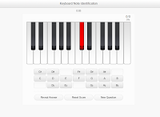
MusicTheory.net offers free online music theory lessons covering everything from basic note recognition to difficult chord inversions. Each activity on the site provides instant feedback. The exercises can be customized to test users on the notes and concepts they need to practice the most. Scroll to the bottom of the exercises page to find the customization options. MusicTheory.net also offers calculators and tools handy for composing music. And if you just need some staff paper, MusicTheory.net offers sheet music that you can print.
Applications for EducationMusicTheory.net's lessons and practice activities offer a range of difficulty wide enough for the site to be used by brand new music students and older music students alike.
This post originally appeared on Free Technology for Teachers if you see it elsewhere, it has been used without permission.
Related StoriesWanted! Guest BloggersHow to Adjust the Chat Settings in RemindUse Sketch Toy to Create Quick Animated Images
Richard Byrne
.
Blog
.
<span class='date ' tip=''><i class='icon-time'></i> Aug 05, 2015 11:29am</span>
|
|
This weekend I received an email from a teacher who is changing school districts over the summer. He was looking for an easy way to create offline copies of the files and information (contacts) that he has stored in his Google Drive and Gmail accounts so that the information could then be used again in a different account. My suggestion was to try the Google Takeout tool.
At the Google Takeout site you can create an offline archive of the information in your Google Drive, Gmail, Google Calendar, Photos, Books, and many other Google Services. To do so just visit Google Takeout and select the service(s) you want to archive. A list of the file formats that Google will export to is available here.
This post originally appeared on Free Technology for Teachers if you see it elsewhere, it has been used without permission.
Related StoriesInsert Images Into Google Slides and Docs on Your iPad or Android TabletCreate Rubrics and Email Grades from a Google SpreadsheetPassword Alert - A Chrome Extension to Protect Your Google Account
Richard Byrne
.
Blog
.
<span class='date ' tip=''><i class='icon-time'></i> Aug 05, 2015 11:28am</span>
|
|
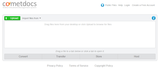
Cometdocs is a service for quickly converting documents and sharing them with others. Cometdocs will convert your documents to and from Word, PDF, and Excel. When you use Cometdocs to convert a document you can share directly with others via email. After converting your documents Cometdocs also gives you a public URL that you can post for others to use to download your document.
To use Cometdocs just upload a document, select the action that you want performed and enter your email address to share the document. Cometdocs has free and paid plans. The free plan limits you to five conversions per week.
Applications for Education
If you're looking for a quick way to share PDFs or Word documents with students, Cometdocs is worth giving a try. You can do some of the same things with Google Drive, but if you're not a Google Drive user then Cometdocs might be for you.
This post originally appeared on Free Technology for Teachers
if you see it elsewhere, it has been used without permission.
Related StoriesWanted! Guest BloggersHow to Adjust the Chat Settings in RemindUse Sketch Toy to Create Quick Animated Images
Richard Byrne
.
Blog
.
<span class='date ' tip=''><i class='icon-time'></i> Aug 05, 2015 11:28am</span>
|
|
This is a guest post from Beth Holland (@brholland) from EdTechTeacher - an advertiser on this site.
Recently, I stumbled upon Sketch Toy - a web-based drawing tool and Chrome App that allows you to quickly create and share drawings from any browser. What makes Sketch Toy different from other tools is the ability to not only draw, but also automatically convert your drawings into step-by-step animations that can be shared with a link. Additionally, anyone who accesses your drawing can then add on to it and generate a new link to share, allowing students to quickly iterate on each others' drawings WITHOUT needing an account!
Sketch Toy also lets you rotate your drawings as 3D models and includes a "vibration" setting which makes your drawings appear slightly animated - much like Squigglevision. You can also drag any image from your desktop onto the screen and incorporate it into your drawing.
Uses in the ClassroomBecause of the quick learning curve, I could see Sketch Toy being a great prototyping or quick illustration tool. Students could illustrate a story or a poem, draw out a math problem, or even use it as a graphing tool. As illustrated in the video below, another great option could be to use Sketch Toy in conjunction with a screencasting app like SnagIt or Screencastify in order to tell at story.
Beth Holland will be a Summer Workshop instructor for EdTechTeacher. You can learn more from her and the rest of their group in 5 cities across the country.
This post originally appeared on Free Technology for Teachers
if you see it elsewhere, it has been used without permission.
Related StoriesWanted! Guest BloggersHow to Adjust the Chat Settings in RemindChanging School Districts and Want Offline Copies of Your Google Data? - Use Takeout
Richard Byrne
.
Blog
.
<span class='date ' tip=''><i class='icon-time'></i> Aug 05, 2015 11:28am</span>
|
|
Last week Why Are There Clouds? was one of the most popular posts on the Free Tech for Teachers Facebook page. A good follow-up to that lesson is found in Where Does the Smell of Rain Come From? Produced by It's Okay to Be Smart, Where Does the Smell of Rain Come From? explains why we sometimes think we smell rain before a thunderstorm. Through the video we also learn about the role of petrichor in the lives of some animals.
It's Okay to Be Smart includes a list of references with each video. Open the description below the video on YouTube to find links to the references.
Applications for Education
At this time of year in the northern hemisphere we start to have more thunderstorms and large rain storms. This lesson is one that students can share with friends and family when they say, "it smells like rain."
To use this video as part of a flipped lesson, try one of these six good tools for creating flipped video lessons.
This post originally appeared on Free Technology for Teachers
if you see it elsewhere, it has been used without permission.
Related StoriesWhy Are There Clouds? - Lessons on the Water CycleHow to Create a Short Flipped Lesson With VialoguesHow Do Airplanes Fly? - And Five Ways to Flip This Video
Richard Byrne
.
Blog
.
<span class='date ' tip=''><i class='icon-time'></i> Aug 05, 2015 11:28am</span>
|