Blogs
|
As Quincy Jones once remarked, "I’ve always thought that a big laugh is a really loud noise from the soul saying, "Ain’t that the truth."
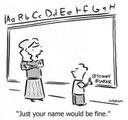
That said, Edu-fun Friday is a series devoted to adding some humor to the lives of teachers who visit this blog. After all, there’s nothing better than ending the week on a positive note! Plus, do we have the best topics to provide us with some comic relief or what?
#toofunny #thewayit is #everywhere #can’tescapeit
Edutech for Teachers team
.
Blog
.
<span class='date ' tip=''><i class='icon-time'></i> Jul 15, 2015 09:36am</span>
|
|
It is no exaggeration to say that products are the lifeline of companies. Organizations are launching innovative products very rapidly to survive in a fiercely competitive market environment. But, how can firms ensure that the products they release into the marketplace are a big hit? Well, they need to deliver first-rate product training to their sales staff, in quick time, at low cost.
The online medium is one of the most effective means to deliver product training to sales personnel who travel extensively. According to a report released by IBM, companies who utilize eLearning tools and learning strategies have the potential to boost productivity by up to 50%. For every $1 that a company spends, it’s estimated that they can receive $30 worth of productivity.
Here is an info-graphic which shares 3 sure-fire tips to design excellent eLearning courses to deliver first-rate product training to your sales force.
Hope you find this post interesting. How do you impart product training to your sales people? We’d love to know.
Related Posts116 Sure-fire E-learning Tips from the Experts in Online Training - Free eBook3 Things to Get The Ball Rolling for E-learning - An InfographicInstructional Design Tips for Product Training Courses
RK Prasad
.
Blog
.
<span class='date ' tip=''><i class='icon-time'></i> Jul 15, 2015 09:36am</span>
|
|
How To Create Flow In eLearning
Here are a few things you need to know about the state of flow and the conditions that help create it.
The State Of Flow
According to Mihaly Csikszentmihalyi (a professor at the University of Chicago who has spent almost his entire career researching this phenomenon), a flow is a state of intense emotional involvement. He describes it as following:
Being completely involved in an activity for its own sake. The ego falls away. Time flies. Every action, movement, and thought follows inevitably from the previous one, like playing jazz. Your whole being is involved, and you're using your skills to the utmost.
Flow = Games?
This state is the Holy Grail of game designers and well-known by all gamers. But it shouldn't be associated with games only. We enter into the state of flow during many activities (writing a blog post, speaking, painting a wall, etc.). It is a very personal state of mind, so it is hard to predict which tasks will lead somebody to the state of flow and which will not.
Of course - many of them (like games) have a bigger power over it than the others. But games seem not to be the only way of building flow in your eLearning course.
My thought? Be open for looking for flow outside of the games box.
Conditions Of Flow
The biggest chance to find the state of flow in eLearning is where the challenge level is as high as (or even a little bit higher than) the skill level of an eLearner. According to Mihaly Csikszentmihalyi:
A flow experience has got to be challenging. Anything that is not up to par is going to be irritating or ignored.
We can overwhelm and scare an eLearner with a high complexity task requiring much bigger skills, or we can bore him/her to death by assigning a task which is way too easy. From my experience, the latter scenario is more frequent - eLearning designers used to seek "the least common denominator" building courses for people of the lowest skills. No wonder that the majority of their users are not engaged in this experience at all.
My thought? Think about skills and competencies of the whole target group. Do not level down - provide, instead, some additional materials/paths for those who require supplementing basic skills.
Flow Channel
If you are a gamer, you have definitely experienced the flow channel. This technique lets you improve your skills while coping with more and more demanding challenges. At the very beginning you are challenged with easy tasks. Their complexity grows in time and, eventually, you are skillful enough to "fight with the boss" (to manage the most advanced challenge).
The responsibility of an Instructional Designer is to create an eLearning course with an ability to keep the eLearner in the flow channel. It should be easy for a less skilled learner; it should be more demanding for a more skilled learner.
My thought? Give learners various paths of development. Do not force skillful learners to consume the easy part of the eLearning course. Do not challenge less skillful with hard tasks. Give learners a sense of true satisfaction after completing every challenge in your eLearning course.
Choices And The State Of Flow
Talking about the various paths of development and choices, I will quote once again an opinion of Mihaly Csikszentmihalyi about flow in designing websites:
A Web site that promotes flow is like a gourmet meal. You start off with the appetizers, move on to the salads and entrées, and build toward dessert. Unfortunately, most sites are built like a cafeteria. You pick whatever you want. That sounds good at first, but soon it doesn't matter what you choose to do. Everything is bland and the same. Web site designers assume that the visitor already knows what to choose. That's not true. People enter Web sites hoping to be led somewhere, hoping for a payoff.
During designing eLearning courses we sometimes consider choices as cafeterias. No wonder that it is hard to build flow on this model - even the best design of flow will collapse if we will not lead eLearners through it. We have to show them the path; we have to give clear directions how to enter and stay in the flow channel.
My thought? Give eLearners a sense of having choices, but limit them to keep them in the flow channel. Build a strong context for the flow channel (a story, an environment/world of a game, strong, leading metaphors, etc.).
Goals And The State Of Flow
A goal is another condition of building flow. Such a goal should be not only communicated to an eLearner, but also accepted by him/her. A big, general goal should be also decomposed into smaller ones. These should become the subject of challenges provided during the eLearning course. It is also very important to conclude every single challenge with meaningful feedback.
My thought? Communicate goals (both general ones and goals of challenges). Be sure that eLearners internalize them. Provide growing pace/complexity of goals and challenges. Remember feedback.
Multisensory Experience And The State Of Flow
It seems that it is easier to build the state of flow in eLearning if we provide learners with multisensory experience. Of course - you can reach this state while reading a great book. Two hours will pass much faster, however, when you are watching a movie that you consider to be excellent. Being a part of an experience offers even bigger chances to reach flow (e.g. diving, visiting a museum, or visiting interesting places). Such activities will bring flow on condition that they are 'yours' - that we do what we love. Here is the last quote of Mihaly Csikszentmihalyi about this issue:
I found that if a painter relates to objects only through vision, his work is much less original than a painter who walks up to the object, smells it, throws it in the air, and manipulates it. The variety of sensory inputs allows you to create a visual image that has all kinds of dimensions bubbling up inside it.
My thought? Draw eLearners from the computer. Give them additional challenges in real life/ their workplace. Stimulate other senses of eLearners - let them not only see and click, but also hear, smell, act, and interact with others.
The post was written in the state of flow inspired by an interview with Mihaly Csikszentmihalyi published in Wired Magazine. The whole interview is available here.
This post was first published on eLearning Industry.
eLearning Industry
.
Blog
.
<span class='date ' tip=''><i class='icon-time'></i> Jul 15, 2015 09:35am</span>
|
|
Adobe Captivate 8 Tutorial: Multi-device Preview with Adobe Captivate 8
This Adobe Captivate 8 tutorial presents how to preview your responsive courses in different devices using Adobe Edge Inspect and Adobe Captivate 8.
The post Adobe Captivate 8 Tutorial: Multi-device Preview with Adobe Captivate 8 appeared first on VivaeLearning: The Best Free Video Tutorials Online.
Viva eLearning Blog
.
Blog
.
<span class='date ' tip=''><i class='icon-time'></i> Jul 15, 2015 09:35am</span>
|
|
Lucidpress
A free online poster maker that can be utilized for designing, printing and viewing posters. With a library of templates and a drag-and-drop interface, anyone can create an attention-grabbing poster in no time!
tags: posters creativity visualization generators
Stupeflix
Make beautiful videos, online, easily! Just add photos, clips and music… Then watch your creation come to life!
tags: digitalstorytelling creativity videos
Posted from Diigo. The rest of my favorite links are here.
Edutech for Teachers team
.
Blog
.
<span class='date ' tip=''><i class='icon-time'></i> Jul 15, 2015 09:35am</span>
|
|
Rapid changes in technology have made the manufacturing industry a highly competitive one. Most importantly, people working in the manufacturing industry don’t have enough time away from the production area. Thus, employers have to implement a smart approach to help their employees learn more within the available time.
What are the training needs of manufacturing firms?
Organizations in the manufacturing sector need to train their personnel on:
Lean and Quality Management
Supply Chain Management
Product Knowledge
Machinery Usage and Maintenance
Safety and Compliance
How can eLearning help companies meet these training needs?
1. Lean Manufacturing and Quality Management Training
A Lean manufacturing system drives value, flows smoothly, maximizes production and minimizes waste. Thus, training employees on lean principles is the topmost priority for a manufacturing company. The same thing follows for quality management. Maintaining superior quality standards is a must for any industry to survive in today’s competitive market.
E-learning can help employees through effective e-learning courses on Lean fundamentals and quality management. We can demonstrate the importance of these two vital elements using eLearning courses containing scenarios and case-studies. Thus, the learner gets a firsthand experience as to what can happen if these principles are not abided by.
2. Supply Chain Management Training
It is true that the success of a manufacturing firm depends largely on effective and efficient supply chain management. Supply chain management includes various activities including purchasing, manufacturing, warehousing, transportation, customer service, demand planning and the overall management of all of these activities put together.
E-learning can be used to impart first-rate training on supply chain management. We can use various instructional elements such as avatars to explain the concepts in an interesting manner. We have used the avatar of an ant to take the learners through a supply chain management course very effectively.
3. Product Knowledge Training
Appropriate knowledge of the product is essential for sales teams to work efficiently. Good knowledge of products helps sales people to answer prospects’ queries well.
Excellent product training can be imparted to the staff of manufacturing firms through eLearning. Interactive, bite-sized online courses containing relevant content, images and animations go a long way in equipping personnel with the required knowledge of products. Furthermore, you can use videos to demonstrate the working of a product.
Thus, we see that eLearning can easily supplement learning, and this technology- enabled learning helps the workforce learn with ease, and this is also beneficial as employees can learn without directly moving to the actual platform.
E-learning can also be used to train ‘manufacturing personnel’ on:
Machinery Usage and Maintenance
Safety and Compliance
We will discuss these in the coming posts and see how eLearning can help deliver training in these areas. So, stay tuned.
Related PostsCreative Ways to Present Click on Tab Interactivity in E-learning Courses - An InfographicE-Learning for Various Training Needs in the Manufacturing IndustryCan you Achieve Operational Efficiency through Online Training Methods?
RK Prasad
.
Blog
.
<span class='date ' tip=''><i class='icon-time'></i> Jul 15, 2015 09:35am</span>
|
|
Always remember that design communicates the message and not the message itself. Instructional design and visual design are the critical components of communication in an eLearning course. When used effectively, these go a long way in delivering high-quality training. The design of an online course should be engaging, learner-friendly and match the objective of the course at the same time.
In this post, we will look at the important aspects of good design in eLearning courses.
Simple and consistent navigation: Navigation is one of the critical factors that can make or mar an online course. The eLearning course should allow learners to effortlessly sail through the course and not pose problems moving around it. Course navigation icons need to be present at the same place on all slides and in the same color, size and font.
Logical flow: Organize and structure the course content by grouping the content into logical modules. Divide the content into smaller chunks, so that learners easily follow and connect to individual pieces of content. Include only the information that the learner needs to know.
Less is more: Less content and graphics mean more learning. Minimal text on the screen and language that is simple and conversational will make your course lively and learner friendly. The key to using images is that they should not only support but also enhance the value of your content.
Balanced text and graphics: Using too much text or only visuals may not facilitate effective retention of knowledge. Images should complement textual content and enhance learning value. Make sure that there is no cognitive load.
Key take-away on every screen: Every screen should carry a summary of the content that has been discussed on the screen. And, the one key point that learners need to remember from the content shared.
To conclude, the goal of a good design is to make the content more meaningful and draw the learner’s attention to important elements. An eLearning course with a good design communicates the right message to the target audience. What do you think?
Related Posts3 Hallmarks of Well-designed E-learning Courses4 E-learning Design Tips You Can Use for Safety Training Videos5 Important Things To Consider For Creating Good E-learning Course - An Infographic
RK Prasad
.
Blog
.
<span class='date ' tip=''><i class='icon-time'></i> Jul 15, 2015 09:34am</span>
|
|
Camtasia Studio 8 Tutorial: Introduction to Grouping
This Camtasia Studio 8 Tutorial covers the following topics related to Grouping:
0:05 - Layering callouts
0:30 - Making a group
0:50 - Benefits of grouping
1:05 - Manipulating a group
1:30 - Naming and re-using groups
1:45 - Ungrouping
The post Camtasia Studio 8 Tutorial: Introduction to Grouping appeared first on VivaeLearning: The Best Free Video Tutorials Online.
Viva eLearning Blog
.
Blog
.
<span class='date ' tip=''><i class='icon-time'></i> Jul 15, 2015 09:33am</span>
|
|
It is said that a good eLearning course must have the right mixture of an instructional strategy and a learning event. But, what is it that goes into the creation a learning event? Is it even possible to create a learning event in an eLearning course? Yes! Absolutely. A learning event is an integral part of your instructional strategy; it takes your strategy a step ahead. In this blog, we will have a look at the three must have learning events in your eLearning courses. Keep in mind that you don’t have to use all the three events in a single course to make a good eLearning course.
1. Guide: Guidance is an age old form of encouragement, and the main aim of a guided learning event is to generate motivation and enable the application of knowledge gained through an eLearning course. Guiding is a learning event that mainly focuses on measured application. For instance, if you have to explain how to use an online portal, a guided approach helps and the takes the learner through a step-by-step procedure until the expected outcome is achieved. There are ample ways to use guided events, and to make guided events more interesting, you can add a character or an avatar that guides your learner through the course.
2. Explore: Exploration as a learning event which makes the learner curious. When a learner is set in an exploratory atmosphere, he is most likely to initiate the learning process and grasp whatever information or resources are presented during the event. For example, you can always make use of the treasure hunt theme to set an exploratory event. Explore and learn courses are highly unpredictable as you can never guess the learners’ movements. However, they are also one of the most learner-centric online courses.
3. Reflect: As the word itself suggests, reflection as a learning event is all about how the learner reflects and proceeds in the course. The best example of a reflective learning event is a scenario or a case-study. You can present your learner with a scenario, take him through the story and ask a question, and this is where the learner will reflect on his learning and give an answer. This learning event is all about self-reflection and decision making. Take a look at the example below for a reflective scenario.
With the help of these learning events, you can not only enhance your instructional strategy, but also take your eLearning course to the next level! If you have more interesting learning events, feel free to post a comment.
Related PostsHow to Combine Your Adobe Captivate Projects Into Single Course?4 Effective Ways of Presenting Scenarios in E-learning CoursesLevels of Content Chunking in E-learning
RK Prasad
.
Blog
.
<span class='date ' tip=''><i class='icon-time'></i> Jul 15, 2015 09:33am</span>
|
|
Adobe Captivate 8 Tutorial: Device-aware Delivery with Adobe Captivate 8
This Adobe Captivate 8 tutorial presents how Adobe Captivate 8 enables you to serve content the learners based on their device OS and viewport size.
The post Adobe Captivate 8 Tutorial: Device-aware Delivery with Adobe Captivate 8 appeared first on VivaeLearning: The Best Free Video Tutorials Online.
Viva eLearning Blog
.
Blog
.
<span class='date ' tip=''><i class='icon-time'></i> Jul 15, 2015 09:32am</span>
|