Blogs
|
Time for the next tech-isode in the "Tech It Up Tuesday" series in which I will share an edtech tool, app, site or other resource that can be utilized in the educational setting. This week’s edu-goodness begins with a question:
Ever seen a cool font in a magazine ad, poster or on the web and wondered what font it is? Well, now you don’t have to ponder all that any longer because there’s a web tool that can identify mystery fonts. What the what?
Well, almost. It’s actually called WhatTheFont, a really swell site that assists users with discovering the names of unknown typefaces. So, the next time you catch a glimpse of some must-have text, then simply snag a screenshot of it, upload it to the WhatTheFont interface and wait for the result. Yep, it’s that simple—and that nifty.
Oh, and as you may have guessed—there’s also an iOS app for that. Once installed on your device, all you have to do the next time you want to know the name of a font is whip out your iPhone, snap a photo of it and you can get your font fix right there on the spot. Another cool feature of the WhatTheFont app is that it can also identify images saved from apps such as Safari and email.
After you have pinpointed the name of the anonymous font, all you have to do is locate it on the Internet, download the file and have at it. Your print and digital projects will never be the same again!
Classroom Connection:
OK, so I realize that WhatTheFont isn’t the most educational web tool or app on the market, but I give it a two thumbs up because most teachers I know (including myself) are font fanatics, so this is definitely a must-have for the toolbox. Students can learn how to use the resource as well.
Edutech for Teachers team
.
Blog
.
<span class='date ' tip=''><i class='icon-time'></i> Jul 15, 2015 09:59am</span>
|
|
Using videos in eLearning courses not only keeps learners engaged, but also enables them to remember the content easily.Many industry experts recommend using videos in online courses to enhance their effectiveness. However, we face aproblem when we use videos directly in our courses’ slides.
Problem:The dimensions of videos should be adjusted based on the dimensions of the GUI (Interface). This may affect the viewing experiences, if there are minute objects or animations in the video.
Solution:In order to display the video better, the video needs to be opened in a new browser window so that we can set our own dimensions as per our requirement.
In this post, I would like to share how to open a video in a new browser window from an eLearning course developed in Articulate Storyline. No knowledge ofHTML or JavaScript is required. Follow the steps below and use the code snippet I have provided.
Step 1: Design your slides with the content.
Step 2: Develop anHTML page,and add your videotoit.Refer to the screenshot and code below.
Note 1: Adjust the height and width values in the above code as per your requirement.
Note 2: You can even make the video play automatically by adding the word ‘autoplay’ to your <video> tag.
Eg: <video width="400″ height="250″ autoplay>…</video>
Step 3: Add a button/object in your slide. On clicking it, your video needs to open.
Step 4: Add a trigger to execute the JavaScript code when the learner clicks the button, and add the code below.
window.open("your_path/video.html", "_blank", "toolbar=0, scrollbars=yes, status=0, resizable=yes, top=200, left=200, width=400, height=300″);
Step 5: Publish your course,and check the output. The video with of the required size will open in a separate browser window as shown in the screenshot below.
In this way, you can display your video in a browser using Articulate Storyline.
Note: All your video, html file and .story file may be placed in the same folder to avoid complications as shown in the screenshot below.
Hope you find this post useful. Do share your thoughts.
Related PostsHow to Combine Your Adobe Captivate Projects Into Single Course?Rapid E-learning through Storyline Tool: 5 Infographics Sharing Key FeaturesHow to Create Section 508 E-learning Course Using Flash
RK Prasad
.
Blog
.
<span class='date ' tip=''><i class='icon-time'></i> Jul 15, 2015 09:59am</span>
|
|
How to escape education’s death valley - Sir Ken Robinson
Sir Ken Robinson outlines 3 principles crucial for the human mind to flourish, and how current education culture works against them. In a funny, stirring talk he tells us how to get out of the educational "death valley" we now face, and how to nurture our youngest generations with a climate of possibility.
There are three principles, on which human life flourishes, and they are contradicted by the culture of education under which most teachers have to labor and most students have to endure.
Principle 1
Humans are naturally different and diverse.
Principle 2
Curiosity makes humans learn almost without further assistance.
Principle 3
Humans are inherently creative.
View interactive transcript of Ken Robinson: How to escape education’s death valley
The post Sir Ken Robinson’s 3 Crucial Principles For The Human Mind To Flourish appeared first on VivaeLearning: The Best Free Video Tutorials Online.
Viva eLearning Blog
.
Blog
.
<span class='date ' tip=''><i class='icon-time'></i> Jul 15, 2015 09:59am</span>
|
|
The Agile eLearning Authoring Team
With the growth in eLearning authoring tools, seemingly anyone can be their own eLearning developer, designer and project manager. The benefit of this do-it-yourself approach is that organizations can save thousands from their budgets, whilst retaining complete control over the content and design.
With this being the case, commissioning departments no longer require the services of eLearning agencies - but that doesn’t mean they don’t need an agile eLearning authoring team. So how do you get your team to think like an eLearning agency?
1. Boost productivity by using the right tools
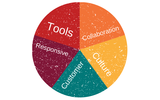
Choose the right tools. If you have non-technical or inexperienced authors creating your eLearning, you’ll need to source a simple system - like Elucidat - that is easy to use. By empowering more of your team to author eLearning, you can increase your team’s productivity and get your courses out to learners faster.
2. Collaborate and iterate directly inside your authoring tools
If you’ve been around the eLearning block a few times, you’ll be familiar with the roadblock that the review phase creates. One of the biggest challenges in managing your project is that subject matter experts and reviewers are busy people with full-time jobs and often content reviews have to fit in around the day job. Make this process as easy as possible for SMEs and reviewers by using a tool with an online review and comment system.
In the old days, if you had an eLearning module built in Flash that needed review, you would end up with a Word document full of screen shots. Reviewers would leave feedback by referencing Page 4 or that picture in a separate document.
Fortunately, these new tools allow your team to put a fully-functioning module online for your reviewers who can write a comment directly onto the system. In terms of tools, online review is a huge step forward in helping your review cycles to become more efficient.
Watch this video to see how a comment and review system works:
3. Design and develop once, build many
One of the big challenges (ergo, opportunities) that you may be facing in your organization is BYOD (bring your own device) and how to ensure your content renders correctly on different browsers and devices. It’s not feasible to build a separate module for every device - the development and maintenance alone would bust your budget. So the key is to select authoring tools that have done the hard work to ensure cross-browser compatibility and responsive rendering on different devices. This will allow you to design and develop once, but build for many environments.
Related: How Utility Warehouse Rolled Out Responsive eLearning To 46,000 BYOD Learners
For elearning inspiration, check out PetSync's living with a dog in a shared community. Developed in HTML5, this elearning utilizes a responsive design which allows the course to be displayed on desktops as well as mobile devices.
4. Create an agile culture
We know that easy-to-use authoring tools, a central system and an agreed process all help create a high-performance team. We’ve done research into what makes a high-performance learning team that shows this.
Whilst the widening choice of eLearning development tools available to author and develop online learning has greatly helped, the need to involve multiple team members with different talents in the process still poses a number of challenges. These will have an effect on your culture, but the most important thing is how you view your team.
In an agile approach, the team is one and everybody in the team is responsible for the result. This is a big game changer. No more being late because the testing didn’t finish on time. The team is responsible for the tasks (user stories) and for keeping the project on track.
In the ideal situation, all members have all necessary skills. This is never the case in the real world, but it is still surprising how much work and responsibility people can share if that’s the expectation set from the start.
5. Create an agile customer
In waterfall methodologies such as ADDIE you will have a lot of contact with the customer (internal or external) during the sales process and the design stage. But during the production period, there will be hardly any contact. And then suddenly: the delivery of the result. In an agile approach, you stay in contact all the time, iterating and demonstrating the results every week or every two weeks. You show progress, get feedback and decide together what the next priority needs to be.
This connects the customer with the process and gives them responsibility. Instead of being we (developers) and them (customers), it can become us (collaborators).
Final thoughts to help you build an agile authoring team
Use inbuilt online review.
The best way to improve team efficiency is to use a tool with inbuilt online review. Consider selecting an authoring tool - like Elucidat - that provides reviewing and commenting functionality.
Host team hangouts.
Try hosting knowledge-sharing hangouts twice a month where your team comes together and presents a project. Discuss the challenges they encountered and how they worked around them. This helps teach your team new practices that increase efficiency.
Improve design skills.
There is a lot more to eLearning development than meets the eye. That’s why instructional and graphical design as disciplines are differentiators in good eLearning. Great eLearning design not only covers the important knowledge and skills, but also maximizes learning and actually changes behavior. It is not simply enough to put the information on a page and hope that learners will assimilate it.
Remember the basics.
Improve efficiency by reusing assets, aligning the right person with the right task and sharing knowledge across your team. The biggest mistake I see is eLearning managers letting their teams work in silos. This is an instant efficiency killer - avoid it at all costs.
Keep learning.
Stay up-to-date on the latest technology and ideas that can be used to make your authoring process more efficient. Register for Elucidat's eLearning time-saver course.
This post was first published on eLearning Industry.
eLearning Industry
.
Blog
.
<span class='date ' tip=''><i class='icon-time'></i> Jul 15, 2015 09:59am</span>
|
|
A learning management system (LMS) is an software application which helps to deliver online training. With the help of it, we can deliver courses as well as track users’ status and scores.
An LMS also helps the training manager prepare reports and provide the result for each user individually. One of the good tools to develop an LMS is Moodle. As Moodle is an open-source (free of cost) platform, it is used by many organizations. Moodle provides many plugins which help perform "extra" activities. This makes our work easier. You can install the plugins very easily.
Here are some of the advantages of using an LMS.
Companies can conduct eLearning as well as classroom training programs
Users can take courses as many times as they want
Learners, from all over the world, can take part in the training programs
Organizations can enroll ‘n’ number of users for a single course
Users can take course whenever they want
User can resume the course from where they have stopped
Training managers or administrators can track each user effectively
Firms can generate course completion reports
Training managers can get a grade report for each course, which can be downloaded in .csv and MS-Excel formats
Administrators can assign a course to all users in one go
It is easy to add or delete users
An LMS can be integrated with PayPal to sell courses
Video conversations can be facilitated between learners and the trainer by integrating plugins such as WebEx and Skype
These are a few features of an LMS. And, as the demand for LMSs is increasing, new versions of the systems containing innovative features are being released.
Apart from the features mentioned above, an LMS also gives us the flexibility to change its look and feel by allowing the user to select default themes. We can also create a new theme and apply it. In Moodle.org, we can find many themes and can use them. The latest versions of LMSs are compatible with tablets and mobile phones, and this helps adapt eLearning courses to the mobile device. We can even send notifications to learners and administrators through e-mails as reminders.
These are a few features available in an LMS by default. We can also add many new features to an LMS. If you want to know how to install and apply them or wish to have information on other relevant issues, you can contact me or comment on this blog. Hope this blog helps people who are looking for similar features and using Moodle to manage their training programs.
Related PostsHow Can LMS Help Your Organization in Training Employees? - An InfographicHow LMS Helps The Training Managers?LMS Features for Effective Administration
RK Prasad
.
Blog
.
<span class='date ' tip=''><i class='icon-time'></i> Jul 15, 2015 09:59am</span>
|
|
What does an Instructional Designer do?
Dr. Joel Gardner explains what Instructional Designers do. This is a very informative video that I highly encourage you to watch.
Here is my perspective:
For an instructional designer it is really important to have clear goals in mind and to keep his learners focused on the right things. His main obligation is to provide his learners with context and multiple perspectives and to pass this critical thinking approach. When a group of people reads the same short story, or looks at the same picture, you can be sure that every member of the group will take a different peace of information from the material. The purpose of the instructional designer is to draw the attention to all the small details and analyze all the bits, so the learners can see the bigger picture.
The role of the instructional designer is to take the bits and pieces of information learners have picked and to put them together and make "a whole". The process may involves the following six steps.
An instructional designer should conduct a needs research and analyze the needs of the targeted group.
Then, has to determine whether these needs can be fulfilled by learning and how exactly.
Then writes learning objectives and conducts research to see what are the outcomes.
Assess each trainee’s entry skills and knowledge.
Based on all of the above analyses and outcomes, an instructional designer should choose the instructional strategies, training techniques and select the media formats appropriate for the training.
After the course is over, he needs to follow-up participants and make sure the course has been beneficial and sufficient for their future personal and professional growth.
Last but not least, you may find valuable the following resources in order to answer What does an Instructional Designer do?
What an Instructional Designer Does? 3 Myths Revealed
At the following post I will give my perspective concerning "What Instructional Design really is?" "What Instructional Designers Do?", and I will talk about "3 Instructional Design Myths". You constructive feedback will be highly appreciated!
What Does An Instructional Designer Do? Infographic
Several professionals are involved in the instructional design field. However, do you know the full range of what an instructional designer does? A large group of ASU Instructional Designers and Technologists were asked to tell about the work they do!
The post What does an Instructional Designer do? appeared first on VivaeLearning: The Best Free Video Tutorials Online.
Viva eLearning Blog
.
Blog
.
<span class='date ' tip=''><i class='icon-time'></i> Jul 15, 2015 09:58am</span>
|
|
The multiple choice question (MCQ) is the most commonly used question type in eLearning. An instructional designer prefers MCQs over other question types as they can be scored rapidly and feedback can be given easily. It is an effective way to test a large number of learners, quickly and effectively.
Framing MCQs is a time-taking task. You need to consider the learning objectives and frame a question with multiple options. It is important to see that the correct answer to an MCQ is not obvious. The learners should think and analyze, before clicking the correct option.
Here is an info-graphic which shares 7 best practices of framing MCQs in eLearning assessments.
Hope you find this post interesting. How do you frame MCQs? We’d love to know.
Related Posts5 Variations of Multiple Choice Questions for Your E-learning Course4 Effective Ways of Presenting Scenarios in E-learning CoursesMultiple Choice Question Types in E-learning - An Infographic
RK Prasad
.
Blog
.
<span class='date ' tip=''><i class='icon-time'></i> Jul 15, 2015 09:58am</span>
|
|
Inculcating eLearning Culture - Some Tactics
Some organizations try to achieve this by providing training and learning infrastructure - eLearning Material, Training Class Rooms, Trainers, Learning Management Systems, engaging Content and even customized Learning games. Learning technology companies are also continually researching new ways of learning, innovative content, and so on. However, even the most innovative learning solutions sometimes find little enthusiasm in learners, followed by low completion rates.
So, where does the problem lie? Even with the best learning infrastructure, innovative learning design and engaging content, if there is a marked lack of enthusiasm then the problem might lie in the culture of your organization. Learning organizations, which effectively address the problem of "culture", reap the benefits of an organization-wide enthusiasm for perennial learning.
It is not impossible to inculcate a sustained interest in learning and enterprise-wide elearning culture. Highly successful organizations have been able to create this culture and others could stand to benefit from adopting successful initiatives that have shown results. A report by Bersin reiterates that we live in a world of change and organizations must prepare for continuous innovation. Innovations should not be related to just new products or creativity, but can actually be something basic that results in tremendous business benefits. Inculcating an enterprise-wide elearning culture might just be such an innovation! The report highlights Google's learning culture, bringing up key elements as well as the many benefits of adopting such a culture. The report reaffirms that organizations have to be proactive in creating avenues for learning and take positive steps towards sustaining learning.
Here are some tactics that have worked for successful learning organizations:
The Organizational Culture Always Drips Down
The culture of learning has to be in the soul of the organization. This includes the members of the board, founders and the senior managers. An enterprise-wide elearning culture can be developed only if the initiative is from the top, rather than from the middle, like L&D Head and HR Head. The top-down approach to effectively generate interest in learning should come within the ‘necessary’ tasks for all - be it the top managers or the new sales executive.
The efforts do not have to be time consuming and with the aid of technology, time utilization can be achieved. But business leaders should lead by example - not only in generating a diligent focus on working, but also in creating an elearning culture as well. Business heads can spend some time every week on learning something new - be it on the mobile, on the way to office; or, on a tablet between meetings. They can share their experiences and encourage the managers to do so as well. Soon the entire organization will make learning a part of work life - something that they enjoy and not something that is done only because it’s mandatory!
Space For Learning
Work is the main focus for most employees and organizations like to keep it that way. But it is also true that high expectation of productivity, targets, and huge workload from employees often leave little space for them to sharpen their axe. If employees do not have official time for learning, they are very unlikely to initiate learning themselves. Organizations, especially managers must work out learning time within the schedule of their team. Since most corporate employees do well with a target in mind, managers can create learning targets for teams or individual learners. Attractive prizes can be announced for top learners to let the spirit of competition drive the learning initiative. The carrot-stick approach might sound like adopting a forced-learning strategy, but might work for organizations who are serious about promoting a elearning culture.
What's In It For The Learner?
Employees work with certain goals in mind - make money, retain the existing job and be employable in future. Thus they are always keen on making efforts that help them meet these goals. If organizations can link the learning to these goals, then they can successfully increase the learners’ interest in learning - owing to the actual benefits they can reap out of the learning process.
Organizations can weave learning into the learners’ deliverables or the Key Responsibility Areas (KRAs). Let the test scores at the end of an e-course or a new certificate attained reflect in the appraisal system to make sure that the efforts of the learner are recognized not only by the immediate superiors, but higher up as well. When the outcome of learning affects actual gains - like a raise or a promotion, then the interest in learning will be truly genuine and sincere. Additionally, each certificate should be attached to some monetary incentives that the employees can enjoy as a prize for learning. Organizations spend considerable amount of money for building up the infrastructure. It makes sense to let some money trickle to the employees directly, increasing the impact of learning and making sure that the infrastructure is well utilized!
A Little Fear Factor
While organizations need to shoulder the responsibilities of learning initiatives, employees too need to share this responsibility equally. There will be reluctant learners, who will lag in spite of the evident benefits of learning. Changing their attitude might be difficult and it is then up to the managers who work closely with them, to counsel them on maintaining good learning habits. Dwindling learning scores should raise flags and signal managers to talk to relevant employees on the benefits of attaining appropriate knowledge as per their job profile. There may be certain penalties as well for not completing the adequate learning targets, which will generate some ’fear factor’ to keep motivating the employees. The penalties may include suspended rights to something that truly engages all learners - like social platforms within the organization. If a learner fails to complete designated courses on the LMS, he may be not allowed to contribute to his favorite discussion board that week. The chance to mingle with peers is highly coveted and the learner will be motivated to complete the required courses - as well as make sure that he maintains them throughout.
Peer Pressure for Knowledge
We all learn best in a social environment and corporate elearning should also provide the opportunity to learn with peers. Most learners value the admiration of their peers and put extra efforts for learning if that gets them the respect from their peers. In addition, the management must put in place strategies that create peer pressure on employees who do not work hard to keep themselves competitive and knowledgeable.
An effective way to create peer pressure is to reward the employees who demonstrate high degree of knowledge, which is appropriate to their job profile. The awards must be something that all learners aspire for -- a cut above the ordinary to actually get their attention. All high performers should be rewarded publically - on the company LMS, their name mentioned in the company newsletter or even a congratulatory mail that goes to everyone in the company. The fact that a fellow employee is being rewarded so well for his efforts is a great push for even the most reluctant learner.
A strong and sound elearning culture can be the strongest indicator of how ‘modern’ the organization is -- for learning is certainly a part of the modern work culture. An elearning culture is not a one-off standalone course, which the learner needs to take on a yearly basis. It includes a wide variety of sustained programs, processes, and systems that inspire the employees to learn new things, build new skills, recover from mistakes, and innovate. Developing an elearning culture has long-term business benefits and an organizations’ enthusiasm for learning is the first step towards success.
So, has your organization taken the first step?
This post was first published on eLearning Industry.
eLearning Industry
.
Blog
.
<span class='date ' tip=''><i class='icon-time'></i> Jul 15, 2015 09:58am</span>
|
|
Edutech for Teachers team
.
Blog
.
<span class='date ' tip=''><i class='icon-time'></i> Jul 15, 2015 09:58am</span>
|
|
A Complete PowerPoint 2010 Free Video Tutorial of Most Features
The complete PowerPoint 2010 Free Video Tutorial covers the following 10 features:
Getting started with PowerPoint 2010 and General Concepts
Applying a theme or design to a presentation
Inserting multimedia and SmartArt
Inserting tables and charts
Applying animation to slides in PowerPoint 2010
Modifying the slide master
Using slide notes in PowerPoint 2010
Packaging a presentation for CD
Screen capture - Photo Albums
Annotating in PowerPoint 2010
Recording a lecture in PowerPoint 2010
The post How To Use PowerPoint 2010 Free Video Tutorial appeared first on VivaeLearning: The Best Free Video Tutorials Online.
Viva eLearning Blog
.
Blog
.
<span class='date ' tip=''><i class='icon-time'></i> Jul 15, 2015 09:58am</span>
|