Blogs
|
Here’s a scenario that is quite familiar to learners and designers alike; John, an employee in XYZ corporation, was asked to take an eLearning course as part of the company’s training requirements. John sat down enthusiastically in front of the computer and said to himself, "This must be fun." He clicked the launch button of the course and started his training. Five minutes into the course, John went spiraling down into confusion with the amount of information that was being thrown on him and was frustrated and disappointed. John clicked the close button and went on to do his work.
Such a scenario is the result of providing too much information for the learner to absorb in an eLearning course. However, this can be avoided in three simple ways.
1. Have a clear screen title - Quite often, the first title on the screen is called Introduction. Such "plain" titles don’t serve any learning purpose. They just act as a menu to tell the learners where they are in the course.
A good screen tittle makes the learner think. For instance, instead of having a mundane title such as ‘Benefits of Project Planning,’ you can have a more innovative title such as ‘Three Ways Project Planning Can Revolutionize Your Business.’
Let’s take a look at an example.
Such small changes go a long way in helping learners grasp important points.
2. Get Rid of Pointless Content - It is a hard task to reduce content during the development of your course. However, it is necessary to do so to avoid cognitive overload. Small, simple steps such as removing repetitive content that appears frequently in your course adds value to it. Usually, certain content is repeated to emphasize its importance. But, this leaves learners overwhelmed and confused.
Identify what is important and remove what is not; by doing so, you reduce the overload on the learner’s mind.
3. Provide Cues and Aids - When content is eliminated to make the screen crisp, the additional information can be provided as cues and job-aids or even as downloadable handouts. These resources can be used by the learner as he wishes without worrying about the overload. Cues can be hyperlinked videos or articles available on the Internet, and this acts as "extra" information for the learner. It is up to him to use this information or not.
Such open and additional resources can come in handy, when the learner needs to refer to any topic in the course.
These are the three ways to avoid death by overload. What other ways have you come across to avoid content overload in your eLearning course?
Related Posts5 Important Things To Consider For Creating Good E-learning Course - An Infographic3 Interesting Ways to Design Elearning Intro Pages - InfographicHow to Make Your E-learning Initiative Work
RK Prasad
.
Blog
.
<span class='date ' tip=''><i class='icon-time'></i> Jul 15, 2015 10:02am</span>
|
|
What You Should Know About Using Whiteboard Animation For Training And eLearning
I have been using eLearning development authoring tools to create self-paced / interactive eLearning material. Recently, I have learned the new technique to create learning material called whiteboard animation, which may be helpful for Instructional Designers or Content Developers to create more engaging learning material for the learners. When Instructional Designers choose methods for eLearning based on the analysis, this option also can play a great role for training delivery.
What is Whiteboard Animation?
Whiteboard animation is a process where a creative story and a storyboard with pictures are drawn on a whiteboard by artists who record themselves during the process of their artwork. This is a wiki definition, but in simple language it is just a translation of your thoughts; storyboard into animated sequential way to engage the learners. This concept can also be used in Sales and Marketing, Create Branding, Customer Awareness, Product Awareness, Fun Stories etc.
Everything is Online
We used to learn by a whiteboard when we were studying, and we have seen that this is the most common method nowadays as well. When using this concept more digitally, we can create much more engaging learning material. This can become the great pillar of today's education system. This is the MOOCs world, where we can learn everything online and get the course on mobile devices and tablets as well. Many learners benefit by this kind of online based learning. However, there are still interactions with SMEs that are required to get learners engaged with the course and the resolution of the queries. This may be replaced with whiteboard based animation with little effort, while we can also create interactivity within the whiteboard animation.
Whiteboard animations are easy to create
At first glance, whiteboard animation may seem a time-consuming activity, as we need to draw everything, even a single line or word. But this is just a myth. Whiteboard animations are much simpler to create than normal eLearning mode of media like SCORM, WBT, and CBTs. There are various software programs available to create whiteboard animations with ease. Some of the software programs I have used are:
VideoScribe
VideoScribe empowers you to create your own whiteboard-style animated videos without any design or technical know-how.
GoAnimate
GoAnimate allows you to produce your own professional whiteboard animation-style video using your mouse and your favorite internet browser on GoAnimate!
PowToon
PowToon is another great web tool that enables you to create powerful video animations and presentations.
Whiteboard animation with authoring tools
Although this is one way of animation which the learner can see and hear, it can be made interactive using authoring tools where the learner can interact with the animation and perform actions based on adult learning principles. Top eLearning authoring tools have the feature to work with videos and create and merge those videos with the eLearning course. Whiteboard animation software generates the video output files while it can also be used to recreate with authoring tools with proper interactivity and animations. Tools like Adobe Captivate and Articulate Storyline have the features to import video into the eLearning courses, where the whiteboard animation can be easily merged with eLearning courses.
Using Voice-overs
Most of the whiteboard animations are pictorial representations where a voice-over is a very useful medium to embed with animations to create effective learning material. However, when you are using your text based whiteboard animation, it may not be required to use voice-overs. Instead, you can use background music for creating soothing learning experiences.
Example
Recently I have created my whiteboard animation to showcase my resume and career background. Here I have tried to use the text-based information rather pictorially.
Whiteboard animations are fun and also can create an effective learning experience for learners. Creating this kind of learning material can be used to create an online digital classroom where learners can directly learn the topic without the help of teachers. In this digital world, where now everything is translated into digital mode, whiteboard animations may become an effective mode digital medium for the near future.
This post was first published on eLearning Industry.
eLearning Industry
.
Blog
.
<span class='date ' tip=''><i class='icon-time'></i> Jul 15, 2015 10:02am</span>
|
|
Do you know on an average 3000 people get killed due to Fire accidents in the US every year? The NFPA estimates that 65,880 firefighter injuries have occurred in the line of duty in 2013, out of which 12,535 accidents took place at non-fire emergency incidents.
According to the EnergyWire review of federal labor statistics, the oil and gas industry has more deaths from fires and explosions than any other industry. This is because the workers of this industry are exposed to hazardous substances and flammable gases which can lead to frequent fire explosions. So, it is important for organizations to have firefighting equipment in place and provide training to their employees on how to fight fires.
However, employees usually do not show interest in attending these trainings as they find fire-safety courses routine and boring. According to a Towards Maturity research report, the top barrier to effective compliance or mandatory training is the lack of user engagement.
Given this scenario, eLearning is seen as an effective medium to impart interactive and engaging fire safety training.
We have recently designed a course of fire extinguisher training and would like to share some strategies that we have used.
1. Short videos to demonstrate product handling
Short videos of 3-5 minutes are ideal to demonstrate the features, benefits, correct usage and precautions to be taken while handling the products. Video demonstrations offer virtual hands-on learning experience to learners and help them understand the operating process very effectively. Videos also help keep learners engaged and active throughout the course.
We used short videos to provide a brief introduction to the different classes of fire and types of extinguishers and demonstrate how they need to be operated.
2. Icons and visuals to present guidelines and comparisons
A picture is worth a thousand words. Icons can be used to convey messages instead of plain text. Visual representations are self-explanatory and help learners get connected to the subject-matter. Colorful images with text can be used to show the variation between various types of extinguishers, and icons can be used to explain the guidelines and the dos and don’ts of using them.
3. Interactivities and animations to explain how to use the extinguisher
No matter what the subject-matter is, an online course will be boring if you don’t include interactivities and animations. Instructions can be presented in the form of interactivities such as click-on-tabs, click-on-images etc. Animations can be used to demonstrate how fire extinguishers need to be used. To make it more effective, step by step animations can be created to demonstrate the processes, with background describing the additional details.
4. Accident Prone Situations using Scenarios
Including real-life scenarios is powerful way to train people and assess their understanding of the subject. You can present risk-based situations simulating the real environment and ask to learners to respond. For example, we explained the dos and don’ts of using fire extinguishers and presented some situations wherein the learner has to choose the right fire extinguisher based on the type of fire.
5. Interactive exercises to check knowledge
Formative assessments can be designed in an interesting way to reinforce learning by using interactive activities. These interactive activities are fun and can enhance learner motivation. For example, we used a theme - a house on fire to evaluate the learner’s understanding of the types of extinguishers and different types of fire emergencies which they may come across. If the learner selects the correct answer, the fire gets extinguished.
Almost all fires can be handled effectively in the early stages, if your employees are well-trained on firefighting measures. Fire-safety training courses need to be engaging to make learners feel that they gain something in the process.
These were some strategies which can be used to ensure that your courses are effective, interactive and engaging. Hope you like this blog. Do share your views.
Related Posts3 Aspects to Consider While Creating a Safety Training Plan - An InfographicBest Practices in Operator TrainingShield Your Employees with the Right Safety Training at the Workplace
RK Prasad
.
Blog
.
<span class='date ' tip=''><i class='icon-time'></i> Jul 15, 2015 10:01am</span>
|
|
Even though there is always a mind-boggling amount of invaluable info shared on the Discovery Education Network (DEN), one of the best resources available is the Spotlight on Strategies (S.O.S) series, a must-see DEN favorite designed to provide teachers with simple yet effective instructional practices for using digital content to support student learning.
To date, there are 70+ teacher tried and tested strategies featured on the DEN blog and now thanks to Lance Rougeux, Vice President of Learning Communities and Educational Consultants at Discovery Education and all-around DEN tech guru, I will now be featuring these techniques on my space. Two thumbs up to this guy!
So, enough of that. Let’s fast forward to the good stuff…
This week’s feature—Snowball Fight—old instructional strategy with a digital twist, one that focuses on engaging students with video content, writing and sharing ideas with peers.
Background
Showing videos in class is a great way to engage students and bring learning to life. But, often times, watching a video becomes a passive learning experience. In order to get the most out of watching a video, it is important to engage students with a strategy that gets them to think, reflect, and share what they have learned. This week’s strategy takes a fun spin on a snowball fight, as students share what they learn with each other.
Steps
Materials: video segment, paper, writing tool
1. Explain to students that they will be watching a video segment.
2. Have each student take out a blank piece of paper. Explain to students that while they watch the video, they need to write one fact they learned from the video.
3. Have each student crumple his or her piece of paper into a ball and, on the count of three, have everyone throw his or her "snowball" into the air.
4. Have each student pick up a snowball, open it and read the fact.
5. Students are then responsible for adding another statement to the piece of paper. It could be a supporting detail to the original statement, or it could be a new statement related to what they’ve learned.
6. Repeat several more times until students have had ample opportunity to report out significant learning from the video segment.
7. Have students share what is on their snowball with the whole group.
Sum It Up
Wrap up by asking students to share what is written on their snowballs with the whole group. This activity provides a great way to motivate students to remember key topics and concepts from material they’ve learned. It’s fun and motivating!
More Ideas
» Have students take digital photos of the snowball statements and reflect on what they’ve learned in a blog post.
» Have students write questions about the content and have other students reply back with answers.
Click here to snag a PDF version of this super cool strategy.
So, there you have it—another S.O.S. trick to add to your edtech toolbox. Stay tuned for additional ways to activate learning in your classroom…
Like what you see? Then be sure to check out other ideas in this series:
» Reading Between the Lines
» ABC Summary
» 6-Word Stories
» What Did They Say?
» A-E-I-O-U
Edutech for Teachers team
.
Blog
.
<span class='date ' tip=''><i class='icon-time'></i> Jul 15, 2015 10:01am</span>
|
|
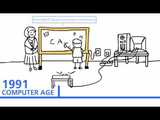
The History of Technology in Education
30,000 B.C.E. Cave Drawings
510 B.C.E. Pythagoras Academy
105 Paper Made in China
382 Manuscript Transcription
1450 Gutenberg Printing Press
1600 Public Education
1700 Public Education: Blackboard and Chalkboard slates
1800 Public Education: Blackboard, Chalkboard slates, and Books
1910: Audiovisual Age
1910: Audiovisual Age: Radio
1930: Audiovisual Age: Film strip projector
1940: Audiovisual Age: Overhead projector
1960 Information Age: Television
1970 Information Age: Television, VCR, and VHS Tape
1980 Information Age: Television, VCR, VHS Tape, and Audio Tape
1990 Computer Age
1991 Computer Age: 1st SMART Board Interactive Whiteboard
1995 The Digital Age
2000 The Interactive Age: Smart Response LE, Smart Response PE, Smart Response XE, Laptops, Document Camera.
The post The History of Technology in Education appeared first on VivaeLearning: The Best Free Video Tutorials Online.
Viva eLearning Blog
.
Blog
.
<span class='date ' tip=''><i class='icon-time'></i> Jul 15, 2015 10:00am</span>
|
|
The Quintessential Of The Situated Cognition Theory And Its Application in eLearning Course Design
The Situated Cognition Theory is based upon principles related to the fields of anthropology, sociology and cognitive sciences. Its main argument is that all knowledge that a learner acquires is somehow situated within activities that are socially, physically or culturally-based.
The Situation Cognition Theory mainly supports, that the acquisition of knowledge cannot be separated from the context in which this knowledge is collected. Therefore, a learner must grasp the concepts and skills that are being taught in the context in which they will eventually be utilized. As a result, instructors who are trying to apply this theory in their classes are encouraged to create an environment of full immersion, wherein students must be able to learn skills, as well as new ideas and behaviors that are taught in the context in which they will be used at a later time.
Applied to eLearning course design, it is obvious that the Situated Cognition Theory is directly related to the way that eLearning content is presented to the audience. This implies that all type of new information learners are exposed to, should be given within context. In practice, from an instructional designer’s point of view, this can be translated to the incorporation of case studies and interactive branching scenarios and simulations of real life settings in which the particular piece of knowledge would apply. By all means, all eLearning activities should make explicit to the learners the connection of what is actually presented as part of the eLearning content with its practical application in real life.
The Cognitive Apprenticeship Model and Key Teaching Strategies For Applying It in eLearning
In 1989, Brown, Collins, and Newman developed the Cognitive Apprenticeship Model, which is closely linked to the Situated Cognition Theory. This model also relies upon practical teaching methods, whereby context learning is key. For example, if learners were trying to acquire the basic concepts of architecture, they would not only take theoretical courses associated with the specific topic, but they would also seek out real world experiences which would allow them to become fully immersed in the field.
As the name implies, in the case of the Cognitive Apprenticeship Model, learners are encouraged to acquire the necessary skills by working alongside a master that serves as the subject matter expert in the field, next to whom they are expected to develop their cognitive and metacognitive skills. Some of the key teaching strategies for applying the Cognitive Apprenticeship Model, as well as its possible application in eLearning course design, are presented below:
Modeling.
Modeling involves an expert demonstrating a concept or task so that learners are able to gain in depth understanding of how it is done. This builds upon their previous experience and allows them to build a mental conceptual model of the specific process. Tutorials can serve as models in eLearning course design. Learners, before performing a specific eLearning activity, are able to watch tutorials, either in the form of videos, in which a subject matter expert explains the concept or process, or as screen recording demonstrations, that give step-by-step guidance on what learners are expected to achieve themselves in order to meet the learning objectives of the online course. In practice, the latter is widely used in the instructional design of online software training courses.
Coaching.
Coaching occurs when a subject matter expert allows learners to perform the task in question and then offers them feedback on their performance. This enables learners to understand what they may want to do differently to improve upon their skills and how they may advance to the next level in their field. Applied to eLearning, the integration of social media elements, such as chats and discussion boards, in which learners can get feedback not only from the online facilitator, but also from their peers, works towards this direction. The same is applicable for any type of synchronous eLearning via virtual learning sessions.
Scaffolding.
Scaffolding refers to the act of implementing strategies and methods that serve to enhance learners’ educational experience. This can be in the form of activities, group tasks and games. During the activity, instructors observe learners and assess their skills and knowledge acquired. Any type of social interaction in eLearning, through online group projects and joint activities, may be considered as application of the scaffolding strategy, with the online instructor serving as a facilitator during the learning process. Gamification is another possible application of scaffolding in eLearning, as learning objectives can be mastered through learners’ interaction with the eLearning content in an amusing way and their comparative results with peers in leaderboards may motivate them to try harder.
Articulation.
Articulation occurs when the instructor encourages learners to articulate what they know about the eLearning content or concepts, as well as what they did during the problem solving process. The more frequently used types of articulation are: inquiry learning, critical thinking and thinking out loud. In synchronous eLearning settings, articulation may occur in exactly the same way, as the online presence of the instructor makes no particular difference to the application of the strategy. Online facilitators are still able to ask learners to express their way of thinking in order to solve problems presented in the eLearning course. They are also able to provide feedback and guide learners towards the correct direction by giving them tips on how to proceed. In asynchronous eLearning, however, although articulation is difficult to be applied in terms of "thinking aloud", the aim is for learners to rationalize upon the answers they have selected during problem-solving oriented eLearning activities and give reasons why they have selected a particular answer or approach. Their reasoning should be of equal importance for the online course facilitators as the answer itself. On the other hand, an instructional design for eLearning based on Discovery Learning is an obvious application of the Inquiry Learning approach, based on which, eLearning tasks and activities should provide learners with opportunities to go through a series of questions that need to be answered, in order for them to be able to formulate an explicit conceptional model for the situation under study. Such an approach could be applicable both to synchronous and asynchronous eLearning.
Reflection.
Reflection enables learners to compare their problem solving skills to those of an expert or peer. One way to do this is for the instructor to analyze how a student solved a problem, followed by an explanation of how the expert solved the same problem, then noting what was done differently or the same. In eLearning, again this may happen via tutorials that can be accesses by learners as many times as they like, in order for them to compare their actual performance with the one proposed by the subject matter expert.
Exploration.
Last, but not least, exploration takes place when learners are encouraged to solve problems on their own, as well as instructing them on new strategies that they can use to explore the problem. This enables learners to contextualize problems and then work to solve these problems in real world settings. Discovery learning designs in eLearning also work towards this direction. Learners are presented with challenging online tasks with the potential use of a pedagogical agent serving as online help, giving them tips on how to proceed, when needed. The pedagogical agent can adapt the frequency of its appearance depending on learners’ progress on the task.
Apply the principles of the Situated Cognition Theory and use the eLearning tips I gave you for integrating the teaching strategies involved in the Cognitive Apprenticeship Model to the instructional design of your next eLearning course, to provide your audience with a memorable eLearning experience.
Join us at the Instructional Design History Journey
A New Instructional Design Model Will Be Added Every Week! You are more than welcome to let us know if you would like us to cover an instructional design model and theory that is not included at the Instructional Design Models and Theories. Simply leave a comment at the Instructional Design Models and Theories.
References:
Brown, J. S., Collins, A., & Duguid, P. (1989). Situated Cognition and the Culture of Learning. Educational Researcher, 18(1), 32-42.
Carraher, T.N., Carraher, D.W., & Schliemann, A.D. (1985). Mathematics in the Streets and in Schools. British Journal of Developmental Psychology, 3, 21-29.
Collins, A. (1988). Cognitive Apprenticeship and Instructional technology. (Technical Report No. 6899). BBN Labs Inc., Cambridge, MA.
Greeno, J. G. (1998). The Situativity of Knowing, Learning, and Research. American Psychologist, 53(1), 5-26.
Lave, J. (1988). Cognition in practice: Mind, mathematics and culture in everyday life. Cambridge: Cambridge University Press.
Lave, J., & Wenger, E. (1991). Situated learning: Legitimate peripheral participation. Cambridge: Cambridge University Press.
Salomon, G. (1996). Unorthodox Thoughts on the Nature and Mission of Contemporary Educational Psychology. Educational Psychology Review, 8(4), 397-417.
Schell, J. W., & Black, R. S. (1997). Situated learning: An inductive case study of a collaborative learning experience. Journal of Industrial Teacher Education, 34, 5-28.
Lave, J. (1991). Situated learning in communities of practice. In L. B. Resnick, J. M. Levine, & S.D. Teasley (Eds). Perspectives on socially shared cognition (pp. 63-82). Washington, DC: American Pscyhological Association.
Situated Cognition and the Culture of Learning.
Cognitive Apprenticeship
Cognitive Apprenticeship, Technology, and the Contextualization of Learning Environments. Article by Ghefaili.
This post was first published on eLearning Industry.
eLearning Industry
.
Blog
.
<span class='date ' tip=''><i class='icon-time'></i> Jul 15, 2015 10:00am</span>
|
|
As Quincy Jones once remarked, "I’ve always thought that a big laugh is a really loud noise from the soul saying, "Ain’t that the truth."
That said, Edu-fun Friday is a series devoted to adding some humor to the lives of teachers who visit this blog. After all, there’s nothing better than ending the week on a positive note! Plus, do we have the best topics to provide us with some comic relief or what?
Too bad life wasn’t that simple… Or maybe it is, and we just unnecessarily complicate it. Irregardless, have a great day/weekend—and choose to be happy!
Edutech for Teachers team
.
Blog
.
<span class='date ' tip=''><i class='icon-time'></i> Jul 15, 2015 10:00am</span>
|
|
According to a survey conducted by the eLearning guild in 2013, Articulate Storyline is one of the most preferred eLearning course authoring tools. This is because it is easy to use and comes with many in-built interactivities. Storyline can be used to publish courses to HTML5 and the iPad. Furthermore, this rapid authoring tool’s interface is very similar to PowerPoint, and anyone who is familiar with the application from Microsoft can use this software easily.
Articulate Storyline has a variety of features such as triggers, motion paths, eyedropper tool, animation painter etc. These features facilitate quick and easy development of highly interactive eLearning courses. Apart from these widely used features, this incredible tool also has certain other capabilities that are not used often. Here is an infographic which lists three lesser-known features of Articulate Storyline.
Hope you find this post interesting. Would you like to add more to this list? Please do so.
Related PostsRapid E-learning through Storyline Tool: 5 Infographics Sharing Key FeaturesArticulate Storyline for Easy E-learning Development - An InfographicHow to Combine Your Adobe Captivate Projects Into Single Course?
RK Prasad
.
Blog
.
<span class='date ' tip=''><i class='icon-time'></i> Jul 15, 2015 10:00am</span>
|
|
Camtasia Studio 8 Screen Recorder Overview
Camtasia Studio helps you quickly create professional quality videos and share them with anyone, on nearly any device - without formal training.
Whether you need to train an audience, give a presentation, explain an idea, share knowledge, or offer feedback, Camtasia Studio makes it easy. Use Camtasia Studio to record onscreen activity, PowerPoint slides, and more or import camera video. Then enhance your videos with Camtasia Studio’s powerful editing tools, and easily share them with anyone, anywhere.
With multiple video and audio tracks, an extensive asset library, and the ability to animate content, Camtasia Studio allows you to create interactive videos that engage your audience. Plus, Camtasia Studio’s built-in quizzing lets you discover if your viewers are watching and learning from your content.
Camtasia Studio 8 Screen Recorder Features
Record your screen to capture PowerPoint slides, software demos, webpages, and more
Edit your screen recordings and camera video by cutting, splicing, and combining clips with the powerful, yet easy to use, video editor
Import camera video, music, photos, and more to truly enhance your screen recordings
Customize your screen recordings and videos with ready-to-use media themes, animated backgrounds, graphics, callouts, and more
Easily share videos that your viewers can watch anywhere, on nearly any device
The post Camtasia Studio 8 Screen Recorder Overview appeared first on VivaeLearning: The Best Free Video Tutorials Online.
Viva eLearning Blog
.
Blog
.
<span class='date ' tip=''><i class='icon-time'></i> Jul 15, 2015 09:59am</span>
|
|
Bett Latin America Leadership Summit 2015
Bett Latin America: A truly independent education technology forum for the Latin American education community.
Bett Latin America Transforming The Future of Education In Latin America
This year, Mexico City will play host to the international education community. Over 700 influential education leaders across the region are set to attend the 3rd annual ‘Bett Latin America Leadership Summit’ to discuss the latest trends, challenges and advancements in education technology across the world, with a distinct focus on Latin America. The summit provides a unique platform for thought-provoking debates, innovative case studies and regional forward-thinking projects that will shape the future of education technology.
Following a wide consultation with over 100 policy makers, practitioners and educators across Latin America, this year’s summit agenda has been designed with the education community in mind. Given the current on-going structural changes to improve education quality across the region, this year’s central theme is ‘Transforming the Future of Education in Latin America’. The summit brings together world-class education leaders and specialists to share best practice, insights and key learnings across the two-day event.
Download the detailed agenda HERE
Day One Main Conference - Thursday 8 October 2015 - Agenda at a glance
Building a better future: Implementing an extensive education reform in Mexico
Technology, innovation and education in Latin America: Is technology revolutionizing education in the region?
Transforming education in Latin America: Future trends
The future of education in the region: Improving educational quality
International education leader keynote address - Disruptive innovation in education: adapting to new education models
Prepared for Life in a Digital Age?: Results and Further Opportunities
Can education transform Latin America?: How to develop and sustain a skills-based economy
Achieving equality and quality in education: Integrating technology in schools for indigenous communities
Higher education and entrepreneurship: How universities have become a hub for educational start-ups
Achieving school excellence and improving system efficiency: The impact on student performance
Developing a comprehensive connectivity plan: Increasing access in the region
Higher education and entrepreneurship: How universities have become a hub for educational start-ups
How can education reforms change old education models? : Examining the Mexican Reform
Addressing the needs of teachers and students in a mobile society: Enabling mobile learning
Successful schools in the 21st century: Understanding the pedagogy of technology integration
Making an effective transition from university to work: Understanding students perspectives
Transforming the public and private education system: the Chilean reform
Supporting mobile learning in educational institutions: How to design and develop and effective strategy
Education reform in Ecuador: Driving change
How is mobile learning changing education?
Professional development programmes: examining the impact on student achievement
Day Two Main Conference - Friday 9 October 2015
Promoting cooperation and knowledge exchange among countries: Assessing the positive impact of the Dual Year between Mexico and the UK
Transforming Education and Developing 21st century skills: What is the role of the curriculum?
Raising education standards in Latin America: How can we improve student achievement?
International education leader keynote address STEM education in the 21st century: How is the NASA boosting teacher and student engagement?
Improving system efficiency in education: Investing in innovation and challenging traditional views
Case study: Costa Rica: Public-Private partnerships in Education: The impact on the public education network
Case study: Malaysia: Encouraging Collaboration Across Borders: What can Latin America Learn from the Malaysian Education System?
Fostering thriving learning environments: the school of the future
How can universities respond effectively to the labour market needs?
Case study: Republica Dominicana: Developing and implementing computer programming training strategy for adult learners
Case study: Poland: Achieving a successful education reform: Improving performance in international tests
Reshaping education: What is the impact of gaming in education??
Case study: Nicaragua: Education access in Nicaragua: How to achieve sustainable graduation rates?
Case study: South Korea Sharing best practice: Promoting lifelong learning
Case Study: Video collaboration in schools: evaluating the benefits
How are Universities responding to MOOCs: Is it a fading trend?
Download the detailed agenda HERE
This post was first published on eLearning Industry.
eLearning Industry
.
Blog
.
<span class='date ' tip=''><i class='icon-time'></i> Jul 15, 2015 09:59am</span>
|