Blogs
|
There are tons of productivity apps out there and below I list five essential tools and apps for educators. I could have chosen more but the ones that I selected I believe cover most of time-consuming tasks teachers are responsible for or provide innovative opportunities to enrich learning. Some of the tools may be iOS only but put them on your waitlist as I am sure they will head to other mobile devices or Android iOS devices.
Kidblog (or any other blogging platform with student blogs/accounts) - Kidblog is a great platform for student blogging. There is a great deal that you can do with blogging like having students explain a math word problem, respond to a question involving classroom content like a novel study, and any number of tasks. Kidblog has no ads, is free and requires no student email addresses if using with younger students. There is a great deal gained when students have authentic opportunities to read, write and respond to a large audience on the Internet. Research shows when students write for an audience larger than their peer group, achievement and performance significantly increases and Kidblog can be a contributing factor to student success in any content area or grade level. For older students, I would use Weebly, Edublogs or WordPress but regardless a blogging platform is paramount to student success.
Twitter - Twitter is a great tool for professional development. Many educators don’t see the value of using Twitter until they jump in and start using it. Once used, it is a go to resource to connect and collaborate with others. When I need a topic for a blog post, answers to questions, or want to find a guest expert for a project, Twitter is where I go.
Nearpod - Nearpod is PowerPoint on steroids. It is a free app that students download and follow along using a slidedeck. With Nearpod, you can add in videos, poll questions, quizzes, audio clips, etc. and the app makes sure students follow along. They get more out of the content since it is interactive and you receive quality feedback about your students understanding using the teacher’s app. They added some new features and this is one I definitely recommend that teachers add to their tech toolbox.
Remind (formerly Remind 101) - is a service to send announcements to a group of students, parents or colleagues. They recently changed their name to just remind which is essentially the epitome of the purpose of the app. Students join the class group and all phone numbers are kept confidential and safe. It is a one way messaging service but if you needed students to be able to respond you could use Cel.ly. Lisa Nielsen of the Innovative Educator blog just wrote a blog post on how to use Cel.ly to serve as a bullying/cyberbullying reporting app to keep kids safe and reportings confidential.
Quick Key Mobile - I recently wrote a blog post describing this great app but basically you take a snapshot of a bubble sheet of student answers and the app grades the assignment/assessment and sends the scores to your gradebook program. If you want more detailed information, please see this blog post I wrote: http://wp.me/p39xZQ-1ay
Kim Caise
.
Blog
.
<span class='date ' tip=''><i class='icon-time'></i> Jul 16, 2015 12:19pm</span>
|
|
This report, funded by a grant from The William and Flora Hewlett Foundation with additional support from Pearson, examines the attitudes, opinions, and use of Open Educational Resources (OER) among teaching faculty in U.S. higher education. Some of the key findings:
Faculty are not very aware of open educational resources. Depending on the strictness of the awareness measure, between two-thirds and three-quarters of all faculty classify themselves as unaware on OER.
Faculty appreciate the concepts of OER. When presented with the concept of OER, most faculty say that they are willing to give it a try.
Awareness of OER is not a requirement for adoption of OER. More faculty are using OER than report that they were aware of the term OER. Resource adoption decisions are often made without any awareness of the specific licensing of the material, or its OER status.
Faculty judge the quality of OER to be roughly equivalent to that of traditional educational resources. Among faculty who do offer an opinion, three-quarters rank OER quality as the same as or better than traditional resources.
The most significant barrier to wider adoption of OER remains a faculty perception of the time and effort required to find and evaluate it. The top three cited barriers among faculty members for OER adoption all concern the discovery and evalua- tion of OER materials.
Faculty are the key decision makers for OER adoption. Faculty are almost always involved in an adoption decision and — except for rare instances — have the primary role. The only exceptions are in a minority of two-year and for-profit institutions, where the administration takes the lead.
The report is available for download:
PDF version: Opening the Curriculum: Open Education Resources in U.S. Higher Education, 2014 (pdf)
e-Book version for Kindle (.mobi format): Opening the Curriculum (.mobi)
e-Book version for iPad or Nook (.epub format): Opening the Curriculum (.epub)
Infographic: Opening the Curriculum Infographic
Opening the Curriculum: Open Educational Resources in U.S. Higher Education, 2014 is licensed under a Creative Commons Attribution 4.0 International License.
A listing of all conducted studies by the Babson Survey Research Group is available here.
Jason Rhode
.
Blog
.
<span class='date ' tip=''><i class='icon-time'></i> Jul 16, 2015 12:18pm</span>
|
|
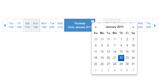
jQuery is one of the best ways to add functionality to websites in dynamic ways. Counters, timers, calendars, sliders and more are all available with jQuery.
One of the great things about jQuery is the number of plugins available thanks to the vibrant community, and the ease with which they can be integrated with your project.
In this post, I’ve gathered up several jQuery date, time and calendar plugins for your projects:
Bootstrap Date Paginator
jQM Datebox
CLNDR.js
pickadate.js
Filthypillow
PickMeUp
Clockpicker
Flat DateTime Picker
jQuery Mobile Date
Timepicker
Related Posts
The Most Useful jQuery Scrolling Plugins
Useful jQuery Menu Plugins and Scripts
Awesome New CSS3 Tutorials to Try Out
Creative Examples of Animated Web Design
Love is in the Logo: 10 Inspiring Examples
Stockvault Blog
.
Blog
.
<span class='date ' tip=''><i class='icon-time'></i> Jul 16, 2015 12:18pm</span>
|
|
In my recent post about 5 essential tools, I mistakenly left out Evernote. I use Evernote on every device I have including my laptop so I have complete access to files, student work, emails, pictures or memos. Evernote is ubiquitous and is one of those tools that is paramount when you work on several devices. You can also have your students use Evernote and set up folders for you and your student to share or a group of students to collaborate on together in class.
The only drawback is that unlike Google docs where students collaborate at the same time, Evernote doesn’t have that feature. Hopefully it is added in the future. And using Google docs or Google Apps for Education is a another given - even if for just personal use and your students aren’t using Google apps. You can collaborate on projects or lesson plans with your colleagues.
What other apps would you recommend to a new teacher for productivity?
Kim Caise
.
Blog
.
<span class='date ' tip=''><i class='icon-time'></i> Jul 16, 2015 12:18pm</span>
|
|
Courtesy Affordable Online Colleges
Jason Rhode
.
Blog
.
<span class='date ' tip=''><i class='icon-time'></i> Jul 16, 2015 12:18pm</span>
|
|
Today we got a new set of Vintage Book Textures sourced from early 20th century books. These are perfect for adding a vintage feel to your designs. Hopefully you can find some great uses for them. Enjoy!
Download all textures as ZIP from copy.com (23.6Mb)
Did you like these textures?
Let us know by leaving a comment, and you can even post a link if you used them in your artwork.
Related Posts
Free Texture Friday - Vintage Paper 9
Free Texture Friday - Vintage Book 2
Free Texture Friday - Vintage Stone Wall 2
Free Texture Friday - Vintage Book Textures
Free Texture Friday - Grunge Screens
Stockvault Blog
.
Blog
.
<span class='date ' tip=''><i class='icon-time'></i> Jul 16, 2015 12:18pm</span>
|
|
Bicycles are some of the most common transportation vehicles on Earth, and in many regions, they are the primary form of travel over short to intermediate distances.
Bicycles, also known as cycles or bikes, are vehicles that are powered by the human rider using their legs to push pedals, and as such, they do not require an additional fuel source or engine.
Bikes are also popular recreational vehicles for fun or exercise, and because of their importance worldwide, they’re prominently featured in photographs:
Bicycle Rack by Theen Moy
Bicycles by Bror Johansson
Kyoto Bicycle Rack by Eric
Bicycle Parking by Roevin
Bicycles by LunaticMarine
Bicycle Love by Jamie Frith
bicycles by Lilith5422
Bicycle by Aline
Bicycle Parking by Drpavloff
Orange bikes by Nina’s clicks
Bicycle by designerskyline311
Pink Bicycle by Sinus Iridium
Bicycles by Andy Kennelly
bicycles love Vienna by someonelovely
bicycles by AlexNadal
Buy My Flowers by Marco Sarli
East Side at Gage by Michael W Hrysko Photography
Bicycles V by FakE-LoL
hitload of bicycles by NekoNARCOTIC
City Cycles by Patrick Harms
Bicycle by Bertl
Bicycles by Christina Gonzalez
Old Electric Bicycle by PhotoMB
Bicycles by Julie Durieux
<pBicycle Alley by Jeff Kroll
Bikes by James Wu
Bicycle Love by Jamie Firth
bicycles by Alexey Melnikov
The blue bicycle by Nehsa
Bicycle by Ilaria Luciani
Related Posts
30 Marvelous Underwater Photographs
30 Majestic Photographs of Horses
30 Really Cool Tilt Shift Photographs
Out of this World Starry Photographs
Duck Photography
Stockvault Blog
.
Blog
.
<span class='date ' tip=''><i class='icon-time'></i> Jul 16, 2015 12:17pm</span>
|
|
Recently I have seen a lot of blog posts discussing the removal of mobile devices or 1:1 programs from the classroom as it is becoming a distraction and teachers are relying on the hardware to teach instead of teaching the content in a conceptual, hands-on way for students. While I agree teaching national standards or CCSS is important, as well as test preparation, I also believe teaching students to use digital media within the context of a global project or assignment is just as important.
Not all students are adept at using the computer for research or synthesizing information on in-depth projects. While this is true that not all students are efficient and skilled computer users, I don’t think technology should be removed from the classroom at all. In fact, I think trained teachers should increase the use of technology to further learning and motivate students to be actively engaged in the learning process.
Steve Jobs didn’t let his children use the iPad. When asked how his kids liked using the iPad, he said the amount of time his children used technology was limited.
Blogger Sarah Lesnar shared the following regarding the limited use of technology with children,
There is a quote that was highlighted in The Times by Chris Anderson, CEO of 3D Robotics and a father of five. He explains what drives those who work in tech to keep it from their kids.
"My kids accuse me and my wife of being fascists and overly concerned about tech, and they say that none of their friends have the same rules… That’s because we have seen the dangers of technology firsthand. I’ve seen it in myself, I don’t want to see that happen to my kids."
Many people have noticed and made comments that children don’t play outside and aren’t as social in person like we were when we were kids. Over time technology evolved and we did have some technology to occupy our time and learn with but for the most part our entertainment came from socializing in person.
As did our learning. Our learning was hands-on, allowing students of all abilities to conceptualize content to develop strong foundations for learning. Again, I wholly support hands-on learning and helping students conceptualize complex content areas or algorithms but technology should be a tool to facilitate the learning when possible in my opinion.
Clay Shirky is one educator that bans all laptops from the classroom. He feels that it is a distraction and hard to compete with the challenge of keeping students focused and motivated on the content presented with all of the distractions having laptops presents holds during a lecture. But is a lecture or discussion the best way to engage large classes and present content?
Clay Shirky’s thinking is along the lines of the research presented in "Brain Rules" about multi-tasking. John Medina, best-selling author or Brain Rules, does not believe we can effectively pay attention to multiple tasks at one simultaneous time. Medina shares that our brains can focus on one thing only and multi-tasking is a myth. Instead, our brains switch back and forth from each task and pays attention to several items individually not simultaneously. Other educators are following suit as Clay Shirky.
Effective teachers use technology in the classroom and its use is paramount to student success and academic performance. I couldn’t imaging teaching without technology. Lisa Nielsen, The Innovative Educator, shared the following in a recent blog post,
Clay Shirky author and professor of media studies at New York University, recently penned a guest article for the Washington Post sharing why he decided to ban technology in his class. He explains how it was challenging to be more interesting than the devices. The following quote captures some of his thinking:
"The practical effects of my decision to allow technology use in class grew worse over time. The level of distraction in my classes seemed to grow, even though it was the same professor and largely the same set of topics, taught to a group of students selected using roughly the same criteria every year. The change seemed to correlate more with the rising ubiquity and utility of the devices themselves, rather than any change in me, the students, or the rest of the classroom encounter."
While I can understand the feelings of Clay Shirky, I personally tend to lean to the side of Lisa Nielsen. Lisa contends that the students that just ‘sit and get’ information from lectures don’t experience true learning. In my opinion, students need interaction, to experience simulations and learn from one another by collaborating on authentic, real world challenges that they might experience in a job or career setting after high school or college. Career readiness skills are paramount to preparing students for success as an adult in the workforce and the use of technology tools is one of those career readiness skills.
Using technology in the classroom is so important to me it is the reason that I sought national board certification in the area of technology education. Playing outside is important but so is playing games to learn content in the classroom. But that leads into a whole different conversation about gamification, which has become near and dear to my heart since I finished my book on gamification (shameless plug), that I will save for another day. What are your thoughts on using technology in the classroom with students? Agree or disagree? Please leave a comment and let’s discuss this and make connections during Connected Educator month!
Kim Caise
.
Blog
.
<span class='date ' tip=''><i class='icon-time'></i> Jul 16, 2015 12:17pm</span>
|
|
This month, October 2014, is Connected Educator month. There are dozens of events online and offline to help celebrate Connected Educator month and help educators connect to create a supportive personal learning network (PLN). It is important for educators to collaborate as the demands have increased and collaborating with other educators allows educators to bounce ideas off of each other, share innovative learning activities and work together to improve student achievement.
At the Connected Educator month website, there is a calendar of events of all kinds of things going on this month in honor of Connected Educator month. Take a moment to check out the comprehensive list and join in the fun this month - hope to connect with you online this year!
Kim Caise
.
Blog
.
<span class='date ' tip=''><i class='icon-time'></i> Jul 16, 2015 12:17pm</span>
|
|
It seems clear that HDR photography is here to stay in the world of photographic techniques. While it initially received a lot of criticism, particularly due to overprocessed images, most photographers are now implementing at least some of the HDR techniques into their photographs.
HDR, or high dynamic range photography, uses blended exposures to bring a wider range of exposures into a photograph than were originally in the picture.
Whether used a little, or a lot, HDR can lead to spectacular results, and here are some tutorials that show how:
HDR Tutorial - HDR How To Guide by Alik Griffin
Trey Ratcliffe’s HDR Tutorial
Colin’s HDR Photography Tutorial
Creating an HDR-like Image From a Single RAW File in Lightroom by Post Production Pye
HDR Tutorial Using Photomatix and Photoshop
HDR Interior Photography Tutorial
HDR Photography Tutorial by Nasim Mansurov
Photography Tutorial by Elia Locardi
HDR Tutorial - How to create HDR photos by Miroslav Petraskoi
HDR Tutorial
Related Posts
10 Fun Photoshop Tutorials from 2014
HDR Photography - Examples and tutorials
10 Fun Photoshop Text Effect Tutorials
Great Photoshop Art & Design Tutorials
10 Beautiful Examples of Makeup Packaging Design
Stockvault Blog
.
Blog
.
<span class='date ' tip=''><i class='icon-time'></i> Jul 16, 2015 12:16pm</span>
|