Blogs
|
By Holly ClarkMany people are jumping on the Google Classroom bandwagon, as they should be! It is an amazing way to manage workflow in a Google Apps for Education empowered class.For those who want to get started, but don't know where to begin, I curated a few resources you should find very helpful!In just 10 minutes, you can be an expert in Google Classroom!Google Classroom: A two minute overview from Google _____________________________________________________________11 Minutes to Mastery: An overview from my friend Amy Mayer _____________________________________________________________A Video on the New Features_____________________________________________________________Finally, a great read from this blog post on what you can do with Google Classroom from my friend Alice Keeler20 Things You Can Do with Google Classroom Google Classroom is amazing! It helps teachers and students become digitally literate with out making them dependent on a cumbersome Learning Management System.For my friends at GHCHS To learn more about an upcoming summit, register for an EdTechTeam Summit featuring Google for Education in your region, or contact EdTechTeam about custom professional development and organizational change coaching.EdTechTeam is a California Benefit Corporation and global network of educational technologists dedicated to improving the world’s education systems using the best technology and learning principles available. EdTechTeam produces Future Ready Schools summits and custom professional development for teachers and school leaders around the globe.
EdTechTeam
.
Blog
.
<span class='date ' tip=''><i class='icon-time'></i> Jul 20, 2015 06:39am</span>
|
|
As more and more Chromebooks hit the classroom, redefining instruction and instructional practices is getting easier and easier - you just have to know where to start. One step in the process is to rethink the way you gather crucial information about each student and their journey towards mastery of a concept. There can be real power in the formative assessment process.To understand the richness of these new tools, you first need to understand formative assessment. This process is meant to measure where students are in the learning process by applying a diagnostic tool, usually in the form of questions. This can be done through both formal and informal assessments. The information obtained could then be used to modify teaching and learning activities with the goal of helping improve student comprehension.Here are four assessment tools that are perfect for the Chromebook classroom. They can help teachers monitor student progress and allow for quick and easy differentiation. More importantly, they provide a fun and engaging way to review important concepts.SocrativeThis is always the biggest hit during the Chromebook workshop sessions that I do with teachers. Socrative is an easy to use and engaging way to assess student learning. Socrative uses a "room" system, and students enter a teacher’s "room" to begin an assessment. Assessments can include traditional, open response or multiple choice quizzes, exit tickets, and even the fast paced Space Race group activity. My favorite test option is the single question activities that you push out to students on the fly. Use the short answer option to ask for immediate feedback on a learning goal. By using this tool, teachers can quickly gauge whether or not individual students, or the class, are ready to move on to the next concept. Socrative is web-based, requires no sign-up by the student, and can now use Google sign-in for teachers. Each room allows for over 50 students per quiz. Once the quiz is complete, Socrative provides a spreadsheet of responses that can be emailed directly to a teacher, downloaded as a spreadsheet, or saved for later. Tip: Try the Space Race option, a favorite student quizzing activity. With a Space Race, students can answer questions individually or in teams - with each correct answer propelling a space ship across a screen until one student or team emerges as the learning champion when their space ship makes it across the screen.Kahoot! Another favorite formative assessment tool is Kahoot!, which allows teachers to ask consecutive quiz-show type questions using a highly engaging and fun format. Students can use their Chromebooks to play this active and absorbing game. Kahoot! uses sounds and timers to make the game high energy and interesting to play! Kahoot! also allows teachers to share their quizzes, so you can search the library to find examples that might be perfect for your class. Google FormsPart of Google Drive, Forms, is an incredible way to assess student learning. I heard Diane Main, and educator from The Harker School, claim she doesn’t know how she got up in the morning before Google Forms, and I would have to agree. Forms is one of my favorite all time tools. This assessment tool allows me to push out a multitude of questions via a form - which is much like a survey. Student answers then populate into a spreadsheet - and that is where the fun begins.Tip: Within the spreadsheet, I can conditionally format the answers, adding colored backgrounds to answers that are wrong, so that I can instantly pinpoint which kids are grasping the concepts and which ones need further intervention. This technique, which I learned from an innovative educator, Jennie Magiera, allows me to quickly differentiate my instruction as I get real time information about student comprehension. For more information on conditional formatting, please consult this tutorial.Chromebooks provide a great platform for teachers to gather rich information about learning in their classroom. Armed with these devices, we can now administer formative assessments in ways that are both engaging and highly informative. Used effectively, these can provide a solid understanding of learning trends in your classroom.
EdTechTeam
.
Blog
.
<span class='date ' tip=''><i class='icon-time'></i> Jul 20, 2015 06:39am</span>
|
|
There is a new digital divide on the horizon. It is not based around who has devices and who does not, but instead the new digital divide will be based around students who know how to effectively find and curate information and those who do not. Helene Blowers has come up with seven ideas about the new digital divide - four of them, the ones I felt related to searching, are listed below.The New Digital Divide:In an age of information abundance learning to effectively search is one of the most important skills most teachers are NOT teaching. They assume students know how to conduct a search, and set them free on the internet to find information. They assume that students have the skills to critically think their way through the searching and the web. Sadly, this is not the case and everyday we are losing the information literacy battle because we often forget to teach these crucial searching skills in our schools.Teachers - especially in the elementary grades -need to develop a shared vocabulary around the skill of searching. They need to make sure their students learn some basic search strategies and keep applying them until they become almost automatic.Here are some of the searching skills and vocabulary we should be teaching students :Quotation Marks:Students should always use quotes to search for an exact word or set of words. This is useful when you want something like quotes, song lyrics or text from a an exact historical time period.Example: "The Great Chicago Fire"Dashes (or minus sign):Use this symbol directly before a word to help exclude unwanted information from your searchExample: Great Chicago Fire -soccerTwo Periods: RangeUse this to help you find information between those two numbers. For example you might want to try:Example: Great Chicago Fire October 8..10Site Search:For a look through the Chicago HIstory Museum site onlyExamples: Great Chicago Fire site:chicagohs.orgsite:Chicagotribune.comUse Country Codes to Look Up News Stories:Students should gather every side and view possible on current events, and historical news stories. Not just those that are seen through the red, white and blue colored lenses of our media. To do this all they need is to search using different country codes. For example, if you wanted to get to Google Korea all you would have to do is search using the country code of Kr for Korea.Try it yourself first by going to Google Korea - www.google.co.kr.Below are a few of the country codes. You can click on the image to get a complete list.Once you have taught the basics - don’t forget to teach aboutThe Filter BubblesDid you know that while you are searching, you are inside of an invisible bubble? The results you get when you search are coming to you through filters. These filters determine, based on your past searching history, what results you would most likely want - often leaving out opposing viewpoints. Basically, what comes back to you in your search results depends on your past searches, likes and location. The scary part is that what gets filtered out of your search results is not decided by you but by the algorithms of the companies that are providing you with the results.Two different people can get two very different search result pages. Author Eli Pariser explains this concept in his short TED Talk (link to talk below). Teaching students about the filter bubbles is crucial for helping them understand the hidden power behind search results.Due to the hidden power of filter bubbles, it is helpful to teach students how to search in the Chrome browsers incognito mode by going to File ->New Incognito Window. This way you don’t reveal who you are to search engines and they can’t filter your results. To learn more watch this very informative TED Talk by Eli Pariser.Eli Pariser TED TalkFinding Primary SourcesToday, finding primary sources can be quite easy. However, it can be a serious way for students to better understand history, by hearing from the people who witnessed the event and other real life accounts. Primary sources have always had strong educational value and now they are at our fingertips. Teachers should be using these more than ever to teach history and other subjects where reading first person accounts of real events can help fuel true empathetic understanding,Below is a great one minute video on how to use google news to easily find primary sources.To learn more about an upcoming summit, register for an EdTechTeam Summit featuring Google for Education in your region, or contact EdTechTeam about custom professional development and organizational change coaching.EdTechTeam is a California Benefit Corporation and global network of educational technologists dedicated to improving the world’s education systems using the best technology and learning principles available. EdTechTeam produces Future Ready Schools summits and custom professional development for teachers and school leaders around the globe.
EdTechTeam
.
Blog
.
<span class='date ' tip=''><i class='icon-time'></i> Jul 20, 2015 06:38am</span>
|
|
Amidst the breathtaking North Shore Mountain snowcaps and the Strait of Georgia sits a school that boasts one of the best views in North America. Mulgrave School in West Vancouver is a school known for its innovative thinking and beautiful landscapes. This year they will open arguably one of the most innovative campus expansions in the world - as they give new meaning to learning spaces and redefine what learning areas can and should look like. Luckily for EdTechTeam, Mulgrave was the backdrop to one of EdTechTeam’s newest and most playful endeavors - the iOS Summit. EdTechTeam launched this branch of learning to help inspire innovative teaching and learning on the iPad and other Apple related devices. Those who catch the iOS Summit fever can expect a few staple features that make this summit a fusion of the best in professional development. Each iOS Summit will have a two hour "Google and the iPad" strand to help teachers learn to successfully use Google Tools on the iPad and (where available) a SketchNoting deep dive taught by Apple Distinguished Educator Brad Ovenell-Carter - a hands-on special two hour session, to learn and engage in the power of visual note-taking from the world renowned master himself.What makes the iOS Summit different from the rest - is the fusion of both two-hour workshop style sessions for deeper dives and a plethora of one hour hands-on sessions that allow participants to learn ideas they can use in their classrooms tomorrow. All sessions are driven by challenges that help participants get hands-on experience with the learning and pedagogy. Each session is based in ideas that will help level-up instruction and support teachers in learning how to make thinking visible in their classrooms.Most summits will be one-day to allow for a quick upgrade in instructional pedagogy without having to spend large amounts of money or give up precious free-time. Depending on the size of the summit most will end with either a fast-paced and thought-provoking Ignite-Style closing, or a very interactive Appy Hour where participants can share and reflect in a masterful pedagogical showcase.Having attended and presented at many iPad based conferences, this was truly a learning experience like no other. It is based in fun - check out our green screen challenge, and because of the reputation of the EdTechTeam draws only the best presenters in the world! If you want to be in the IPad know, to "hang" with other passionate educators in a fun and playful atmosphere...catch us in one of our amazing locations this year. Like a kid waiting for a Disneyland trip, I can’t wait for the next iOS Summit in Milwaukee in Feb and the Flagship event in Minnesota this March 7th and don’t miss George Couros at our iOS Summit in Orange County, California this April 25th and 26th.Follow us on Twitter to stay in the know...iOSSummit or visit the website.To learn more about an upcoming summit, register for an EdTechTeam Summit featuring Google for Education in your region, or contact EdTechTeam about custom professional development and organizational change coaching.EdTechTeam is a California Benefit Corporation and global network of educational technologists dedicated to improving the world’s education systems using the best technology and learning principles available. EdTechTeam produces Future Ready Schools summits and custom professional development for teachers and school leaders around the globe.
EdTechTeam
.
Blog
.
<span class='date ' tip=''><i class='icon-time'></i> Jul 20, 2015 06:38am</span>
|
|
From: Mike NiehoffSystems/Leadership CoachFresno County Office of EducationRe-blogged from Changing is LearningI believe in and have used the Four C’s as foundational elements for much of my professional work for years. I love that some educators have added their versions of a fifth or sixth C as well. Whether it’s four, five or six C’s, they are relevant and important. My intent here with the 8 P’s is not to be cute or coy. Rather, it is to pick up where the Four C’s leave off and work towards more specificity and application. So, here we go with the 8 P’s of education:PassionIf educational success is going to be based on in-depth thinking, producing quality work and having an impact on one’s career opportunities, we need to focus on students’ passions. Passion is somewhat innate, as well as sometimes hard to identify or apply to all educational environments. But that’s why we need to make it a focus. If we read about, write about, speak about and interact with information and experiences related to our passion(s), there is great likelihood for individual buy-in, ownership and engagement. It’s not as important what we read, write and speak about, but rather that we do it at high levels and see skill-based impact. Our students’ long-term success and self-actualization will be directly based on how we challenge them and facilitate for them the opportunities to tap into their passions and then apply them to their working lives. There are the educational critics who are saying that passion is being over-emphasized. However, our inner desire to pursuit our life’s work is something that all students and adults alike will have to continue to tap into and re-discover their entire lives in order to guide their daily direction. We’re not training for jobs, but for professional lives right?PartnershipsMost educational and career experts agree that collaboration is a skill that is more important than ever in the 21st century professional environments. But in addition to partnering with one’s peers, students need to experience partnerships at all levels. All students need school-based and community-based mentors. All students need experience working on things that have larger implications and impact beyond their school environments. This personalized and necessary experiences will come from their collaboration and partnering with non-profit organizations, local businesses, corporations and government agencies. We have known for years that students benefit greatly from being on teams, performance groups and student organizations. This is good, but we need to take it to the next level for all students. All students need community-based experiences related to their interests and skill areas where they can see true collaboration come to life with mentors and leaders in a variety of professional arenas. Partners and partnerships need to include all: peers, teachers, administrators, professionals, community leaders and any PLN partners.PersonalWe are hearing this word a lot and for many good reasons. Truly high levels of learning and mastery come from personal investment and relevance. These come from ownership. And ownership comes from passion and purpose. The more we can provide students voice and choice - personalization if you will - the more they will reach true mastery. Educators can build choice and options into every educational endeavor and we need to do so. Additionally, we need to expand our definitions of what is ‘academic’ or ‘educational’. There is not a question, topic or individual interest area that cannot be investigated, researched, developed, pursued and expanded upon - but we need to let go our teacher-driven interests and embrace those of our students. This will take time, as our students have not been trained this way. They will need to learn that their own areas of interest are the most relevant.PresentThere may not be a performance task for real world assessment more important for our students to master than that of the presentation. Most interviews are now essentially presentations. The ability to synthesize information, prepare it in a visual manner and then deliver effectively to audience will be something that all young professionals benefit from regardless of any industry or career sector. If they can sell their ideas along with themselves, they will always have professional opportunities. This is the 21st century version of public speaking. Professional Presentation Skills, or lack thereof, may be one of the most common professional gaps or divisions for many years to come. Presenting is teaching and teaching is the highest form of demonstrating learning. All of our students need to extend themselves in becoming experts of select content and ideas and then deliver that publicly and effectively to various audiences. Schools will have to watch a lot of TED videos among others.Problem SolvingThis is not just for math class, but math will be a great place to start. This is not the traditional version of solving problems. Rather, this is about students having more open-ended projects, challenges and tasks that require them to go through several iterations in order to see improvement. Like many have written before, there will be opportunities to practice, fail and improve. We can’t give them the answers to complex situations that require their critical thinking. We can provide the time, the trust, the support, the technology, the networks and much more. But they need to go through the process of experimenting and taking risks in order to advance through a process. This is one of the most foundational life and professional skills that they will need. And they have to practice this skill repeatedly.ProfessionalIf we want our students to produce high-level work, we need to create professional learning environments for all of them. This includes everything from their classrooms, equipment, resources and collaborators. Everything our students pursue going forward needs to have a professional connection to the real world. If tools and resources are used in industry to produce similar or related work, then we need to do the same in school. No longer can we have watered-down education versions. Whatever course or activity we offer to students, we need to make sure we are teaching them with the most current technology and resources. Think media, science, writing, designing, constructing, coding and so much more. Then think about having our students having the same access as the pros do. Additionally, this applies to the collaborators. Our students need to connect to mentors and practitioners in their professional interest areas. This is whom they need to present to, get feedback from, network with and be mentored by to say the least. Finally, our school facilities need to look like 21st century workspaces vs. 20th century one-room schoolhouses. Costs and efforts here can be considerable. But it’s what has to be done.PublicThis is something that is now paramount in the pedagogy of the 21st century. Since school began, we primarily did our work individually and most importantly for the teacher alone. Sure, there were exceptions such as performing arts, sports and a few others. But our academic work was done in isolation and our product was delivered to the teacher. The tide has turned and student work now needs to be public. When students collaborate digitally and otherwise with peers, mentors, public partners, etc, there work, even before the final product, is public. When they present their final products or projects to peers, staff, parents and community members, it is public. When they publish on-line, share on social media, enter a contest or partner with community-based entities, there work is public. They get feedback from minute one, have an audience throughout and see a larger purpose in all that they do. By the way, this goes for teachers now as well as students. Call it transparent or what you want. Things that are public have legs and meaning. Embrace it and optimize it.PublishI think we can all agree that writing, and writing effectively, is paramount in our academic and professional worlds. Writing has always been important and is as important as ever. What’s changed in the last few years is that publishing is not something reserved for a ‘blessed’ few. Publishing is now something available to all on-line and is often how our young professionals will forge a professional identity. Writing now without publishing is like singing without a concert or show, or playing sports without a game. Whether it’s through social media, YouTube, ITunes, blogging, their own websites our countless other digital vehicles, publishing is now available to all. What use to be reserved for the elite (authors, university professors and academicians) is now available to all. We need to challenge all of our students to have a web presence in order to share their digital portfolios on an on going and focused basis. The old adage of "publish or perish" may now extend beyond professors and be more relevant than ever.So, is it possible that our future educational endeavors with all students could work to include the 8 P’s? Let’s hope it’s at least worth considering.Passion, Partnerships, Personal, Present,Problem Solving, Professional, Public & PublishTo learn more about an upcoming summit, register for an EdTechTeam Summit featuring Google for Education in your region, or contact EdTechTeam about custom professional development and organizational change coaching.EdTechTeam is a California Benefit Corporation and global network of educational technologists dedicated to improving the world’s education systems using the best technology and learning principles available. EdTechTeam produces Future Ready Schools summits and custom professional development for teachers and school leaders around the globe.
EdTechTeam
.
Blog
.
<span class='date ' tip=''><i class='icon-time'></i> Jul 20, 2015 06:38am</span>
|
|
Guest Blogger:Jessica Pidkowa Senior High Social Studies TeacherRundle College Senior HighMuch like a great night out on the town, the EdTechTeam GAFE Summits are fast paced, full of energy and involve a lot of meeting new people. When you are living in the moment of the Summit, you don’t want to stop! You take it all in during the keynotes and sessions, and you certainly don’t want to miss out on anything. When you get back to your hotel room at night, you feel inclined to create new resources right away, fearing the dreaded ‘use it or lose it’ phenomenon. On top of that, you meet some amazing like-minded individuals so you are arranging to connect with them after the conference to learn more of their tips and tricks! And then you repeat it all the next day…So this all sounds fantastic, right? Absolutely, and it is. But just beware of what I would call the ‘Google Summit Hangover’. No, it is not alcohol induced, but it does involve the same euphoric feeling followed by becoming rather fuzzy headed. I experienced my ‘hangover’ on my plane ride back from the Summit. Seated next to a woman who had just attended a conference about neuroscience and the autism spectrum, she saw me feverously jotting my Googly notes and took this happenstance as an intellectual opportunity to discuss educational pedagogy. I could have brought up some of my new ideas for increasing student engagement, discussed methods for differentiation, or ways to provide immediate feedback to students, but unfortunately, my side of the conversation was more along the lines of "At my conference I learned…. um stuff…. Docs…. Forms…. um… interactive…. thingies". Needless to say, I don’t think I represented myself in the most intellectual light, and not surprisingly, the conversation didn’t last long. Having pushed myself to do it all at the Summit (and I am so glad I did!) the adrenaline rush ended abruptly, resulting in one small side effect of becoming quite empty-headed on the plane ride home.Fortunately, this side effect was not permanent and the next day I was no longer suffering symptoms of my so-called ‘hangover’. I am now happily applying the wonderful things I learned to my high school classroom. But just a few words of advice for when you are coming home from your next summit: It might be a good idea to plan to watch TV on the plane ride home, perhaps even tuning in to something extremely educational such as The Bachelor.What's your Summit Hangover Story? Share it with us in a comment..we'd love to hear it.To learn more about an upcoming summit, register for an EdTechTeam Summit featuring Google for Education in your region, or contact EdTechTeam about custom professional development and organizational change coaching.EdTechTeam is a California Benefit Corporation and global network of educational technologists dedicated to improving the world’s education systems using the best technology and learning principles available. EdTechTeam produces Future Ready Schools summits and custom professional development for teachers and school leaders around the globe.
EdTechTeam
.
Blog
.
<span class='date ' tip=''><i class='icon-time'></i> Jul 20, 2015 06:38am</span>
|
|
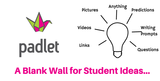
Padlet is an amazing FREE tool to inspire teachers create a collaborative learning environment on any device. It works much like a digital bulletin board, but it is so much more powerful and FUN.Starting is easy1. Go to Padlet.com2. Sign-up for an account3. Create a 'Wall' using the tools on the left hand side of the screen.You can personalize the wall in almost anyway you can imagine. You can also get a personalized webpage address to share with students.What can you do with the Wall?1. Pose a question for students to answer2. Post a writing prompt and let students share their answers - to help each inspire each other.3. Ask prediction questions4. Give students a place to share videos, pictures or screencasts.5. Create a collaborative brainstorming environment6. Make a "Parking Lot" for student questions7. Interactive Maps or GraphicsThe possibilities are limitless! In the end, Padlet easily allows teachers or students to create amazing digital artifacts of learning. It can make student thinking visible, give every student a voice and allows students to show their work.To get started here is a great tutorial from Lisa Highfill one of the amazing presenters at GAFE Summits.Don't forget to download the Chrome Extension and Chrome App to get the most out of Padlet.Finally, what do you use a Padlet for? Share your ideas on this collaborative Padlet created by Phillip Cowell a teacher from an International School in Beijing, China.To learn more about an upcoming summit, register for an EdTechTeam Summit featuring Google for Education in your region, or contact EdTechTeam about custom professional development and organizational change coaching.EdTechTeam is a California Benefit Corporation and global network of educational technologists dedicated to improving the world’s education systems using the best technology and learning principles available. EdTechTeam produces Future Ready Schools summits and custom professional development for teachers and school leaders around the globe.
EdTechTeam
.
Blog
.
<span class='date ' tip=''><i class='icon-time'></i> Jul 20, 2015 06:38am</span>
|
|
It's not too late to read these popular articles!What did I learn? Search Google News ArchivesMath Apps and Google Drive A Winning CombinationGoogle Apps Around the WorldThe How (and Why) It's Time To Create Digital PortfoliosWhy Schools Should Teach Technology Not Ban It!To learn more about an upcoming summit, register for an EdTechTeam Summit featuring Google for Education in your region, or contact EdTechTeam about custom professional development and organizational change coaching.EdTechTeam is a California Benefit Corporation and global network of educational technologists dedicated to improving the world’s education systems using the best technology and learning principles available. EdTechTeam produces Future Ready Schools summits and custom professional development for teachers and school leaders around the globe.
EdTechTeam
.
Blog
.
<span class='date ' tip=''><i class='icon-time'></i> Jul 20, 2015 06:38am</span>
|
|
Google is making Classroom even more fun and personal by making these fun changes.1. Say Cheese!You can now upload your own images to Classroom to use as a unique class theme. Classroom will now help you crop the image and then pick a matching class color. If you don't have a great picture you would like to use, they have added some additional images and patterns to help make your classroom more personalized. What does this mean for teachers? Make your class more personable by adding a class photo or action shot!2. Quick LookUsers can now view the About page in the mobile apps (iOS and Android) for easy access to their class materials and resources. 3. Create AwayUsing the iPad App - students can now add images, videos, and any other files to assignments from other apps on the device. What does this mean for teachers? Students can make a screen cast on Explain Everything and upload it to turn in as an assignment.4. Smiley Faces Unite! Go emoji crazy because they are now available on the Android app.What does this mean for teachers? If you haven't talked to your students about proper use of Emojis you might need to now.5. Faster SpeedsGoogle made updates that will increase the speed of the app’s performance - making homework even easier to turn in on time :)As a reminder here is a tutorial on the greatness that is Google Classroom on the iPadFor more fun with iPads join us at an iOS Summit in your area.To learn more about an upcoming summit, register for an EdTechTeam Summit featuring Google for Education in your region, or contact EdTechTeam about custom professional development and organizational change coaching.EdTechTeam is a California Benefit Corporation and global network of educational technologists dedicated to improving the world’s education systems using the best technology and learning principles available. EdTechTeam produces Future Ready Schools summits and custom professional development for teachers and school leaders around the globe.
EdTechTeam
.
Blog
.
<span class='date ' tip=''><i class='icon-time'></i> Jul 20, 2015 06:38am</span>
|
|
Reblogged from Mrs.Wideen's Blog Kristen Wideen teaches 2nd Grade in Windsor, Ontario Canada and is an Apple Distinguished EducatorPhoto taken by Christine CousinsMath is Harder When Using an iPadI do not use a lot of worksheets in my math program. So much so, that last week, I gave a worksheet during math to my grade 2 students to do and one of my students cheered. CHEERED! For a worksheet! I asked the child in my class why she cheered. I figured that she would have responded with, "I like worksheets." If she had answered that way, I would have been fine with that. I believe that we all have our own learning preferences and some children enjoy doing worksheets. However I would never have anticipated what she said to me. She responded with,"I like doing worksheets better than using the iPads because I don't have to think as much." I was speechless for a second... then I dug deeper and asked her to explain how worksheets are easier. She responded with,"On the iPads, I have to show my work, explain my thinking and make sure it is my best work because someone other than you might see it on my blog or on Twitter." "Wowza!" (I actually said that out loud to my student) she giggled and I continued thinking about what she had said.In other words, there are two major reasons (other than they are engaging and fun) to continue using the iPads and social media during math class:Using the iPads leads to a higher level of understanding because students have to explain their thinking with pictures, numbers, words AND their voice. If you use social media in your classroom like we do, it leads to higher quality work because there is a larger audience that may see the student's work. As I continued to think about what my student had said, I thought about the recent math activities that we had done on the iPad. My student was right. It typically takes longer to complete a task on the iPad because there are multiple tasks that need to be completed. We usually do an anchor chart with the learning goals and success criteria for the task.An example of a finished product Sidhak's SkeletonAn example of a finished product Ryan's BlogCould I have handed out worksheets for the students on these two math concepts? Of course. Would it have taken less time? Probably. Do I think they gained a better understanding of the concepts? Definitely! I also love using these pieces for assessment purposes. These two examples were completely done independently and I can go back to their blogs and look at their work whenever I want to. So can their parents. A very powerful tool if I do say so myself.Will I continue to use the iPads and use worksheets on some days? Of course. In fact, I gave out a worksheet today for my students to complete. They said, "It was an easy math class today." Hmmm, maybe I need to give them harder worksheets..Thanks to Kristen for letting us reblog this amazing story.For more fun with iPads join us at an iOS Summit in your area.To learn more about an upcoming summit, register for an EdTechTeam Summit featuring Google for Education in your region, or contact EdTechTeam about custom professional development and organizational change coaching.EdTechTeam is a California Benefit Corporation and global network of educational technologists dedicated to improving the world’s education systems using the best technology and learning principles available. EdTechTeam produces Future Ready Schools summits and custom professional development for teachers and school leaders around the globe.
EdTechTeam
.
Blog
.
<span class='date ' tip=''><i class='icon-time'></i> Jul 20, 2015 06:38am</span>
|







.png?1506530648)