Blogs
|
A few days ago, Paul Cornies tagged me in a meme to write a post on four favourite posts on my blog. I played about with Paint.net, a fantastic Web.2 image creating and editing tool, to make the image for the post. After splicing together bits of four images that I’d used on each of the selected posts, I managed to create some sort of collage.When I published the post, I thought, "wouldn’t it be neat if I could link each part of the collage to its respective post?" The next day I did a few Google searches and found all I needed to help me with that idea.You can inspect the result on the image collage of my previous post.Images, pixelsand coordinatesAn image on a web page or blog post is made up of rows of coloured squares called pixels.It is as if all the pixels of an image are lined up along streets that run parallel to one another.Finding the exact position of a particular pixel could turn out to be a real headache if it weren’t for the two useful numerals called coordinates that can be assigned to each pixel.The first numeral is the house number of the pixel in its street.The second numeral is the street name. So the coordinates of a pixel that lies at number 4in street 5 is written as 4 5.Usually there are hundreds of streets in an image, and hundreds of houses (pixels) in each street.For instance, a pixel that lies at number 239 in street 117 will havethe coordinates 239 117.Mapping a part of an imageMapping a shape on part of an image is a bit like joining the dots.On the orange face of the cube shown below, the positions of pixels in each corner define its shape. There is a white pixel with coordinates 239 117 at the top right corner. The other three orange pixels are labelled.All four pixels - 8 117, 239 117, 239 348 and 8 348 - map a square.How do you find pixel coordinates in an image?One of the sites I learnt about is Poor Person’s Image Mapper. Despite its ‘frugal’ title, it provides a rich means to help you see how image mapping works. You can easily map the pixels in an image.All you need to do is to paste in the address (URL or location) of an image displayed in a post or web site. The Image Mapper returns the coordinates of any pixel on the image that you click.You can use the image shown above for this. Copying the image location needs instructions dependent on the browser you use.Listed here are methods for Firefox and Internet Explorer:Firefox:Right click on the image.Select Copy Image Location.Internet Explorer:Right click on the image.Select Properties.Copy the Address (URL) - make sure you copy all the data displayed as sometimes only part of the address is shown on right click - you may have to experiment with this.Copy the image location.Click this link to take you to the Image Mapper, paste in the copied address and submit it to see how the Mapper works. Clicking on parts of the displayed image will return the coordinates of pixels selected.In part 2, I will show how you can link areas of an image to sites of your choice, using the coordinates obtained from the Image Mapper.
Ken Allan
.
Blog
.
<span class='date ' tip=''><i class='icon-time'></i> Jul 20, 2015 09:13am</span>
|
|
by Jenna Dutcher, School of Information in Berkeley University More than 6.7 million students took an online course in 2011…were you one of them? Education and Skills 2.0: New Targets and Innovative Approaches , a new book from the World Economic Forum’s Global Agenda Council on Education and Skills , says that at scale, higher education’s migration to online... Read More ›
Classroom Aid
.
Blog
.
<span class='date ' tip=''><i class='icon-time'></i> Jul 20, 2015 09:13am</span>
|
|
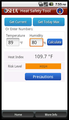
Living in Houston, the heat index is always a concern - especially for those who work outdoors. The OSHA Heat Safety Tool allows workers and supervisors to calculate the
heat index for their worksite, and, based on the heat index,
displays a risk level to outdoor workers.
You can get reminders about the protective measures
that should be taken at that risk level to protect workers from heat-related
illness—reminders about drinking enough fluids, scheduling rest breaks, planning
for and knowing what to do in an emergency, adjusting work operations, gradually
building up the workload for new workers, training on heat illness signs and
symptoms, and monitoring each other for signs and symptoms of heat-related
illness.
Check it out: https://market.android.com/details?id=com.erg.heatindex&feature=search_result
OSHA's Heat Illness website - http://osha.gov/SLTC/heatillness/index.html
Debbie Richards
.
Blog
.
<span class='date ' tip=''><i class='icon-time'></i> Jul 20, 2015 09:13am</span>
|
|
The First International Conference EdCrunch dedicated to new educational technologies will be held October 17-18 in Moscow, Russia. The conference will be attended by the founders and directors of the leading educational platforms - Daphne Koller (Coursera), Anant Agarwal (edX), … Continue reading →
Eliademy
.
Blog
.
<span class='date ' tip=''><i class='icon-time'></i> Jul 20, 2015 09:12am</span>
|
|
ASTD has created this resource to highlight the five best practices of learning professionals that enable you to concentrate your efforts, be more strategic, and maximize your impact on your team and organization.Each of the best practices highlights a specific concept or tool and explains:who would use itwhy you would use ithow you would benefitwhy your boss would carewhy your organization would care << Download Your Free Copy Now >>
The Learning Circuits Blog
.
Blog
.
<span class='date ' tip=''><i class='icon-time'></i> Jul 20, 2015 09:12am</span>
|
|
I wonder about the wisdom of perpetuating a craze that appears to have created a division where none exists. I read, hear and see a lot of evidence to suggest that young people born into this age are more accepting of its digital equipment and the development of this than some who were born decades before. This is entirely to be expected.My personal experience is that the young don't necessarily have any better command of the use of the technology nor keener vision of its potential.Innate tendenciesThe terms ‘native’ and ‘immigrant’, used in a digital context, place unnecessary and unwarranted barriers between older people who have a command of present-day technology, and yet are labelled ‘immigrants’, and the similarly able individuals who are younger, and are labelled ‘natives’.Humans have an innate tendency to isolate people into groups, through criteria that involve seemingly peripheral and irrelevant differences. These can be of gender, age, skin or hair colour, height, girth, voice accent, ethnic origin or religious belief. You identify it; a category will exist for it.The unfortunate use of the terms ‘native’ and ‘immigrant’ tends to bring to mind times or situations when these were used commonly in derogatory contexts. Their use can provoke prejudice. I’ve actually seen this happen. It isn’t pretty to watch.A + B = CCriteria for distinguishing so-called digital natives from so-called digital immigrants, some of which is seriously flawed, have been drafted since the beginning of this century. And they continue to be refined. I see more references to their mythical existence every day. The recognition of that is as if it were something clear-cut like 1 + 1 = 2.This is despite recent and not so recent findings and reports that clearly indicate there is more to becoming digitally savvy and acquiring acumen with present-day technology than being born close to 1990. Just check out some of the references cited in Sharon Stoerger’s article, 2009.One thing that’s clear from my experience as a teacher of both children and adults, is that young people, new to present-day technology, are no faster at understanding it and getting useful command of it, than newbies who are mature and perhaps decades older than they.Those who are born into a digital-technology-rich environment are familiar with it, certainly. But it is in a way similar to how all of us in the western world are accepting of a 24/7 electricity supply, the technology to record sound and ‘moving pictures’, or the capacity to be able to make a direct call - Skype with video if you wish - from one side of the globe to the other.I make no apology for this rant. It’s been a long time coming.
Ken Allan
.
Blog
.
<span class='date ' tip=''><i class='icon-time'></i> Jul 20, 2015 09:12am</span>
|
|
This free event will highlight the latest in IT Process Management, Adobe, Cisco and Microsoft Technologies. You'll be able to choose your own learning path by attending educational breakout sessions that are relevant to your specific needs. Also enjoy a complimentary lunch and be eligible to win terrific prizes!
Topics covered include:
Microsoft Office 2010
Windows Server 2008 R2
SharePoint 2010
Exchange 2010
And more
Agenda: http://www.spectechular.com/houston/agenda.html
Register: http://register.nhcomputerlearning.com/events/EventDetails.aspx?eventCode=8771429
Debbie Richards
.
Blog
.
<span class='date ' tip=''><i class='icon-time'></i> Jul 20, 2015 09:11am</span>
|
|
ASTD has created this resource to highlight the five best practices of learning professionals that enable you to concentrate your efforts, be more strategic, and maximize your impact on your team and organization. Each of the best practices highlights a specific concept or tool and explains: who would use itwhy you would use ithow you would benefitwhy your boss would care why your organization would care << Download Your Free Copy Now >>
The Learning Circuits Blog
.
Blog
.
<span class='date ' tip=''><i class='icon-time'></i> Jul 20, 2015 09:11am</span>
|
|
So hey look at this - a new blog post! Crazy I know. For those of you that have been waiting, my apologies. I totally underestimated the effort of onboarding at a fast moving company like Learn.com. The good news is that I’m back and with a bang…
I’ve written two articles in the past month for Learning Solutions magazine and I’m doing a webinar this coming week with none other than Ray Jimenez. Hoo ra! Then just a few weeks from now, I’ll be doing a webinar with Claire Schooley of Forrester, then another with Bersin & Associates. And in October, I will be writing the featured article for Learning Solutions.
Crazy right? But wait, that’s not even half of it — I’m also speaking at the the CLO Symposium, ASTD VOS, ASTD Ohio, ASTD Boston, and a virtual ASTD Benchmarking forum. If that wasn’t enough, I’m also doing two briefings on the future of learning for two very large Fortune 500 companies. And all of this happens over the next month and half! Needless to say, I am pretty damn busy.
So here are some of the upcoming gigs and some links:
Next week on Tues, September 22nd at 1:00 pm, Ray and I are going to be doing a webinar on the Learning Long Tail. I’m going to present the meat of the article I did for Learning Solutions, and Ray is going run through his learning framework, specifically addressing how the introduction of social learning changes roles, behaviors, and responsibilities for learners, SME’s, and instructional designers. This should be a really solid event. We’re planning to leverage Twitter and chat pretty extensively during our session.
On September 29th at 1:00 pm EDT, Claire Schooley and I are doing a webinar on the "The Top 5 Reasons LMS Implementations Fail and How to Plan for Success." I’ll have details on this one shortly. Claire is going to present some of her findings on this topic, but we’re not doing a standard webinar presentation — we’re going to do it interview style. How cool is that?
I’ll have more to share in the coming weeks. Thanks for your patience. The bad news is that I kept you waiting. The good news is that I’m back with a vengence.
David Wilkins
.
Blog
.
<span class='date ' tip=''><i class='icon-time'></i> Jul 20, 2015 09:11am</span>
|
|
This web-based tool provides quick and easy access to
extensive knowledge on how to conduct business effectively with people from
countries around the world.
The program includes:
Rich, country-specific information related to the practice of key global business skills in 65 countries — available online, in printed report format, or on-the-go from your mobile device
A simple, validated, self-assessment questionnaire, available in 14 languages, that instantly creates an individual’s profile of work-style preferences
Video scenarios and interactive exercises that illustrate core cultural dimensions that play out in the work place
Audio recordings of key names and phrases, spoken in the local language of the country
Check it out: http://www.globesmart.com/
Debbie Richards
.
Blog
.
<span class='date ' tip=''><i class='icon-time'></i> Jul 20, 2015 09:10am</span>
|