Blogs
|
I wanted to blog again as it's been a while. Amongst all the different facets of my work recently, the area that is most stimulating my thinking is ipads and the potential of tablets in formal education.I feel strongly that tablets have the potential to have really positive impact on our formal education in the classroom. Internet based technology have a duel function within formal education. Use within the classroom and as the hub of activity for homework assignments. Now with tablets and the excellent ipad, we finally have a technology with the potential to widespread use in the classroom. It's in the classroom where technology can truly be blended into the learning design. Homework is fine but formal education is 99% face-to-face. Rightly or wrongly, this is our reality. And technology that can fit seamlessly and unobstructively into this environment is what is needed. Ipad provide this.Within my training event 21st Century tools for teaching and learning, I don't really talk about the context for use but I'm aware that widespread use of the internet within the classroom is difficult logistically for most educational institutions with current hardware. The only way it can work within the classroom is within laptops/notebooks - until now. I'm started to find blogs reflecting on ipad trials (e.g. http://ipadsontrial.wordpress.com/ and http://rossettschool.realsmartcloud.com/category/staff/ipad/). I'm going to keep and eye on these as I start this new strand to my learning process. Now I own one myself I was try educate myself on the apps. The apps are the focus but use of internet tools not packages in apps should not be ignored as ipads are an excellent browsing tool. The key affordance is the potential for engagement - annotation, highlighting, interaction, creation etc. So dynamic content can be created, delivered and actively engaged with by each student.I see this as an introductory post on a subject which should occupy my thinking over the coming months so plan to explore different aspects in future posts.
Tom Preskett
.
Blog
.
<span class='date ' tip=''><i class='icon-time'></i> Aug 18, 2015 09:46pm</span>
|
|
Today I ran a short session where I shared how I use social media to enhance my learning. I've blogged previous about this topic in the post Social Media for YOUR learning but now I've refined my thinking and developed a better presentation about this I thought I'd share my thinking again.I decided to represent my thinking in the below pearltree. Pearltree is a website where you can create mindmap-type groups of bubbles which links to websites. I've started using it as my main bookmarking site. It took a bit of getting used to but its good if you want to group things and is certainly more visually appealing than a normal bookmarking service.Making sense of how I use social media to aid my learning is a tricky business. However, I have a sort of system and this what I wanted to share. Although the process is iterative some types of activity do present themselves. An important point is that different aspects of the same tool fit into the different categories I identify.Seeking and consuming knowledge - This is mainly my RSS reader and twitter. I use google reader and have a carefully refine list of blogs and learning technologies news services which I subscribe to. With twitter, I don't spend as much time as I could or should on this. I'm following 170 or so people and it purely about learning technologies. I have a seperate account for fun stuff as it's useful to differentiate between my learning and social life. In the pearltree below I've also included google and linkedin as these are also important places I look for things.Aggregation - Very closely associated with seeking knowledge is the aggregation of knowledge. You need to aggregate before you can consume in a discerning fashion. RSS and the process of subscribing are fundamentally components of this. Gradually twitter is muscling in on my time but I still love my google reader. Also included below are evernote where the different folders I create and the notes I take are a form of aggregation for review later and diigo. I use diigo because it allows for groups which, along with the normal tagging, allow me to easily find types of bookmarks.Website note-taking - I tend not to do this in its purest sense but it deserves its place as there are a host of services which can be utilised for this purpose. Of the sites listed in this pearl below, my activity is mainy confined to evernote which I use to copy/paste the best bits, the golden nuggets of knowledge I find. By creating a note for each set of such nuggets, I can include a weblink and tag for future reference. The important point here is that you find time to review later - that's the learning. I also ensure that when I bookmark in diigo I write a few words to remind myself what the site is about. However, with bookmarking proper tagging are key. Bounce and scrible are note-taking on the website tools.Knowledge sharing - This is an important part of the ethos of social media and web 2.0 - you share as well as consume, you give as well as receive. My chief forum for this is twitter where I get benefit from articulating the key points in a tweet and from generating more contacts to follow and be followed.Brainstorming/sense-making - Here I've included a drawing tool and a couple of mindmapping tools. I use mindmapping tools a lot to helping create relationship between concepts and play with my ideas.Text-based dialogue learning - This will be different for everyone. My networks for this include a couple of learning technology groups and some linkedin groups, but I've also included my blog where dialogue can occur in the comments.Writtern reflection - This completes the circle. It's what I'm doing now and it a vital component for my learning. The fact that I've not done much blogging over the last few months isn't good and I know I learn less when do less blogging. The process of articulating for an potential audience is right at the heart of learning. By refining my words, I refine my learning. Personal learning using social media and Seeking and consuming knowledge in TomPreskett (tompreskett)I would be interested in hearing anyone's thoughts on my PLE and hearing about the tools you use.
Tom Preskett
.
Blog
.
<span class='date ' tip=''><i class='icon-time'></i> Aug 18, 2015 09:46pm</span>
|
|
My summer was dominated by my MA dissertation. One of the knock on effects of this was a absence of blogging. It was one of many things that fell by the wasteside. The overriding emotion was one of stress. Stress whilst writing and stress whilst not writing accompanied by a feeling of guilt. When I look at the output, there's nothing remarkable about the components and it doesn't seem like it should have been so difficult. So why was it so bad?Writing a dissertation involves actually doing a bit of research. It may be small but it's research. Each component is an unknown quantity and involves learning. Learning is hard and learning is messy (the learning is messy blog is worth a read by the way). But the reason I let things get in such a negative place was my inability control the process. Over the last few years I've prided myself in taking control of my own learning. I've used social media to probe for knowledge and understanding of learning technologies and the unknown has been stimulating and interesting. However, the key point with this is that I control what I learn about and the pace at which I learn it. Even though I chose to do this MA, it felt forced upon me and, at times, overwhelming. Working full time and studying part time is a careful balancing act. But enough of my neurosis. I'm better for the experience and know a hell of a lot more about what the research literature says about the role of learning technologists in UK Higher Education. If you are interested in finding relevant research on this area, I would start with anything by Martin Oliver, Grainne Conole and Diana Laurillard.There were two key challenges. Firstly, establishing a focus. This is hard because you have to establish a focus before you fully understand the subject. You also need a focus in order to undertake the research. I probably changed and refined my focus a dozen times. This delayed the research stage considerably causing a flurry of activity over the last few weeks. However, I had to do it this way as it had to make sense to me and I had to be in a position to ask the right questions. Looking back, I could have done with another refinement or two but I ran out of time. The second key challenging is writing critically. This is a skill which I found hard to pick up. To truly master it I would need to continue my academic learning with further qualifications (a path I don't plan to take). Firstly, you need to have read widely enough to have a good understanding of what is already written about a subject. As I lacked confidence, so I read and read and read. You then have to internalise it quickly before you can write about it. Throughout the process, you are still learning so until the very end, you don't fully understand what it is you are being critical about. This makes it very hard to do. Also, being critical involves disagreeing with established research. This, also is hard to do when you are still learning the subject. I am naturally respectful of established opinion until I know enough to be able to challenge it. In this process, I had to rush to challenge in a timescale that seemed rushed. I guess this is a necessary stage to go through but its hard.Let's hope I've done enough to pass.
Tom Preskett
.
Blog
.
<span class='date ' tip=''><i class='icon-time'></i> Aug 18, 2015 09:46pm</span>
|
|
I recently undertook a study to help me go my job better. I was about the practice of learning technologists. More specifically I looked at the processes involved with supporting UK Higher Education academic staff in their design of online or blended courses. I did this by researching my own practice and how I supported my colleagues in their learning designs by studying through learning design processes I have been involved in recently. Through study of the research literature, themes emerged which impact on the design process and it was under these headings that I organised the write-up. Here is a summary:What has positive influence on the professional practice of a learning technologist in supporting online learning design? The main areas impacting on the professional practice of a learning technologist supporting academics in online course design are: contextualisation, the socio-historical context, academic perceptions/attitudes and the role of the learning technologist. To positively influence this practice, a learning technologist should be cognizant of all these areas. With regard to the study question, it is clear that contextualised support should be central to the remit of a learning technologist. Therefore a focus on this should be adopted. The fact that generic support is valuable but perceived as secondary by academics is a useful finding because it shows that they can positively influence the learning technologist's professional practice but are subject to negotiation as the academic(s) may need convincing to participate in interactions of this nature. Therefore, a learning technologist should identify opportunities and, where possible, take opportunities to provide this type of support.Learning technologists should be cognizant of the wide variety of socio-historical contexts and how the different contexts can be linked to certain types of behaviour and restrictions. By having this awareness, learning technologists can tailor their support to provide the maximum positive influence on the online learning design. From this study, there is evidence that online course redesign processes can be subject to colleague restrictions; representations of practice have use when redesigning learning activities; time constraints limit the extend of the design process and the amount of interactions that can occur between the learning technologist and the academic(s); and academics colleagues with previous experience of online teaching are given credence over and above learning technologists.Learning technologists should be cognizant of the wide variety of academic staffs’ perceptions and attitudes and how they can be linked to certain types of behaviour. By having this awareness, learning technologists can tailor their support to provide the maximum positive influence on the online learning design. This study demonstrated prevalence for positive attitudes towards online learning and a link has been established between how positive the academic is and the extent to which he/she engages with the online course design process, the learning technologist and the number of support roles the learning technologist can provide. Similarly, there is some evidence to suggest that academics with a student and learning focused pedagogical outlook will give a higher profile to design for learning within their module design than academics with a teacher and content focused pedagogical standpoint. There is also evidence to suggest that validating knowledge and interacting in a facilitative manner can help build the confidence of academics engaged in the process of designing online courses. Learning technologists should be cognizant that the roles they can play in supporting the online design process can be restricted if they are not deemed credible as a teacher by the academic(s). In these cases, their credibility as a pedagogical designer is not present. Also, a common curriculum of interactions between a learning technologist and an academic(s) does exist and consists of multiple iterations of the academic teaching the learning technologist about the context followed by the learning technologist teaching the academic about suitable learning technologies or knowledge and understanding of online course design. By having awareness of these issues, learning technologists can tailor their support to provide the maximum positive influence on the online learning design. Here are summary bullet points of the main findings: Contextualisation:Contextualised support should be central to the remit of a learning technologistGeneric support is valuable but perceived as secondary by academicsSocio-historical context:Online course redesign processes can be subject to colleague restrictions.Representations of practice have use when redesigning learning activities.Time constraints limit the extent of the design process and the amount of interactions that can occur between the learning technologist and the academic(s).Academic colleagues with previous experience of online teaching are given credence over and above learning technologists.Perceptions/attitudes:There is a prevalence for positive attitudes towards online learning amongst academics.The more positive an academic, the more he/she will engage with the online course design process, the learning technologist and the number of support roles they can provide.Academics with a student and learning focused pedagogical outlook (Entwistle and Walker, 2000) will give a higher profile to design for learning within their module design than academics with a teacher and content focused pedagogical standpoint.Validating knowledge and interacting in a facilitative manner can help build the confidence of academics.The role of the learning technologist:Learning technologists not viewed as credible teachers by academics will not have credibility as a pedagogical designer.A common curriculum of interactions between a learning technologist and an academic(s) does exist and consists of multiple iterations of the academic teaching the learning technologist about the context, followed by the learning technologist teaching the academic about suitable learning technologies or knowledge and understanding of online course design.
Tom Preskett
.
Blog
.
<span class='date ' tip=''><i class='icon-time'></i> Aug 18, 2015 09:45pm</span>
|
|
I wrote a few months ago about how I was planning to use this space for regular reflections on the use of ipads in education. Now that I've starting running workshop using ipads, I'm in a position to start this off in ernest. This is the first such post. My context is that I now have 15 ipad2s I got funded to run some income generating sessions (described in point 1 below). However, I will try and do other things with them to enhance the practice of colleagues within my HE institution.This is how I aim to promote the use of ipads in education:1. By running workshops inviting teachers to come and try out a sample of apps and think about using them for teaching and learningThe idea is to run workshops along similiar lines to the 21st Century tools for teaching and learning session where I present and demonstrate different tools types whilst they practice for themselves on carefully selected apps which exemplify each tool type. I'll market it to London schools. 2. Within the Institute of Education, London (where I work) for enhancing personal productivityMy plan is to give them to colleagues for use in the workplace. I'll promote this by populating devices with relevant apps and teaching them how they could use them. I'll concentrate on my department initially but hope to set up an institution wide Special Interest Group. 3. Within the Institute of Education to enhance teaching and learningA longer term goal which flows naturally from the workshops I run. Generally, schools are more receptive to innovative use of learning technologies than Higher Education and I predict this will be the case with tablets. However, I aim to promote their use in our lectures with colleagues.So that's my strategy as I start. More to follow....
Tom Preskett
.
Blog
.
<span class='date ' tip=''><i class='icon-time'></i> Aug 18, 2015 09:45pm</span>
|
|
Yesterday I ran my first session promoting tablets in education. It was to students and staff in my institution and only 40 minutes. I decide I didn't have time for any substantial presentation and focused on a structure of showing/playing with a few apps. I haven't quite settled on how I want to articulate and differentiate different types of apps yet. I've found plenty of other's categorisations but I want to do my own. These will no doubt come to light as I continue learning.Because of this and the time constraints I decided to pick 7 apps which I articulated as representing and exemplifying different types of activities you can use ipads for. I chose free apps, ones that had good usability and no account creation to try them out. The session worked well. For each, I did a quick demo and then they played using the ipads I provided. As I suspected a few already had ipads and, because they were free apps, downloaded them in the session to play on. For the others they borrowed one from me with them pre-loaded. I'm anticipating that future sessions will be a similar mixture of ipadded and non-ipadded participants. I need to be mindful of this.Below are the apps I chose. They are good starting point if you have an ipad and want to start thinking about possibility for use in teaching and learning.Make DiceA fun way to randomly choose the next activity. Create a dice and label each side with words. Then roll the dice by shaking it. The free lite version gives you enough functionality to use effectively.iBrainstormOnline noticeboard web apps have been around for a few years. This is a simple ipad version which VisualizeSuitable for creation of content by teacher and for individual/group project work for students. There is a strong creative element to the design of any visualize project. It's about mixing different media to make an effective poster-like display.UbersenseThis app introduces the video possibilities of this device. By being mobile its able to be versatile in its location. This app is specifically for sport movement analysis. Try it and see how it works. SimplemindThere are hundred of mindmapping web apps and many have produced an ipad version. There are many free examples. This one you can paly with without creating an account.SkitchDrawing and annotating on a blank screen, a photo, a map or a screenshot. A versatile app which can be linked to evernote if you use this. Easy to use.SocrativeThis is a slick, live Q&A tool which works well with both tablets and smartphones. You need to teacher app to create the questions or quizzes and the students need to student app to see and complete the quizzes. You can see/display live results and email them to yourself. ------------------- Finally, I've started a website which I use as a resource to support the use of ipads in teaching and learning. It is found here - http://ipadsioe.weebly.com/The next post will concern logistical issues with this type of session.
Tom Preskett
.
Blog
.
<span class='date ' tip=''><i class='icon-time'></i> Aug 18, 2015 09:45pm</span>
|
|
As a result of running one teaching workshop with multiple ipads I've encounter a lot of the logistical issues you come across. Some I foresaw, some I did not.The easiest way to integrate ipads (or any other tablet device) into formal education is to buy each student a device to manage themselves. This is a luxury most institutions don't have and would constitute a huge leap of faith. It's more likely that you start with buying a few and piloting them - as we have done. However, this involves more managing and more setting up as some of the managing issues fall to the institution rather than the individual. Not being a technie I don't have exhaustive knowledge and what's required. However, I was able to make it work with limited funds and a DIY approach. I'll outline the issues I faced and how I overcame them below.1. The wifi - it's pretty good at our place when it works. There are 2 networks. However, they have been known to drop out, usually at the same time. The IT department are working hard to improve this. As it's uneven across the building I checked it out in the teaching room the day before. Using apps you can work ok offline to a certain extent. However, connectivity gives you much more options in the design of teaching and learning with these devices.2. Wifi access for the devices - Manage carefully access to the wifi of each device. I was able to connect to a network that, once logged in, would not log out for the rest of the day. This jumped this hurdle effectively. I also had backup temporary logins for the another network if this one dropped out. The ipads have been used twice. The first time both wifi networks were switched off as maintenance work was going on! Not good. Luckily, this session wasn't run by me and my colleague planned only minimal ipad use so this wasn't too disruptive. For my first teaching session using the ipads workshop this week, it worked fine.3. Itunes accounts - Each device needed its own itunes account. Also, each itunes accounts needs to be associated with a different email address. So I went through the laborious process of creating multiple emails accounts and multiple itunes accounts. I established a format which had the same text and a different number for each device. I then used the same password and identical security information. Each device was then labelled and setup with the appropriate itunes account and email. This was, and is, fiddly - but its essential. I did this before anything else.4. Getting the right apps on each device - As described in the previous post Using ipads in teaching and learning - an introduction, I needed to put the same apps on each device. This was simple enough. I decided to put the ones for the session last week in their own page to make things easier for the participants. Although my first session involved only free apps I played around with associating a payment card to each itunes account so that I'm prepared when I start buying apps. You may be lucky and have a work credit/debit card, I don't. So it's me paying and claiming back. However, I discovered that apple doesn't like you using the same card for more than 5 itunes accounts. Following consultation with a colleague, I discovered gifting apps. This is a good solution. I can now use my main itunes account to purchase apps, gift them and then redeem them within each device. The moral issue with apps on multiple devices is that I think you can get away with buying something once and then downloading on more than one device. This is wrong, don't do this. However, I didn't think about this issue enough when I sought funding so I'm a bit short of money for apps. I'll have to be creative.5. Linking up to a projector - We have PCs in our teaching rooms so it's pretty simple. We bought an Apple Dock Connector to VGA Adapter. If we had macs in our teaching rooms I would have a host of apps to achieve the same thing which would be preferable because a lack of wires would free me up to wonder around the room.6. Baby wipes - I used these to wipe down the ipads after use. I intend to continue this practice. This is very different to normal teaching in an HE institution where you book a room, make sure you work the PC/projector and bring a memory stick. A learning technologist lives and dies by logistical preparation.
Tom Preskett
.
Blog
.
<span class='date ' tip=''><i class='icon-time'></i> Aug 18, 2015 09:44pm</span>
|
|
Earlier this week I delivered my second session about ipads using ipads. For this session I built on the same idea from the first one (see Using ipads in teaching and learning - an introduction) - presenting a pot pourri of free apps to give participants a taste of the types of activities that can be performed using such devices. Again it worked well although the group was a small one. Below are the apps that presented and had them practice using:Paperport notesA good, solid example of note taking app. Good usability allowing for text, drawn or narrated notation. You can also import pdfs to annotate. The sharing options are extensive.. Mind mashSimple note taking app organised in sheets allowing for text, drawing and photos. Inspiration liteA good mindmapping tool with lots of template to work from and lots of display options. Can do 5 maps in this free version.Popplet liteMindmapping with the bonus of using images and drawing. Colourfully displayed this is worth exploring. You can only create one popplet in this free version. However, the pay version isn't too expensive at £2.99.Creative padDigitial storytelling tool with more background, character, object options than most. Music background is a bonus and you can share by pdf/email. Flip boomCreate your own animations with a series of images. There are many such apps and this is good starting point as it only takes a few minutes to master. As with many of the above the free version doesn't allow you to build up a library. However, you can play with its full functionality.Mental classA flashcard creation and storage app. The core purpose would be for students to create revision notes but there is scope for teacher use too. Notes can be combination of text, images and audio and organised into subject cases. To share you need to pay but you can use it effectively for yourself for free. Note: search for MENTAL CASE to find it in the app store.Start lite - Web to pdfThere are many ways to convert a web page to a pdf. Unsurprisingly, there are many ipad apps fro this too. Start lite is a free example allowing for 3 such conversions per day.
Tom Preskett
.
Blog
.
<span class='date ' tip=''><i class='icon-time'></i> Aug 18, 2015 09:44pm</span>
|
|
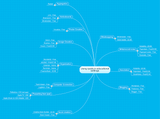
I thought I'd reflect and share where I am up to on the subject of Using Ipads in Educational Setting. Having dipped my toe into the teaching with these devices and learnt a lot about the logistics of this activity, I am currently focusing on two things:1. Curating, aggregating and studying web resources I find on the subject2. Making sense of this knowledge by identifying and organising apps into types of activityCurating, aggregating and studying web resources I find on the subjectI started off doing this on a diigo group, then a wikispace wiki whilst organising my ipad apps into folders. Eventually I will develop my website - http://ipadsioe.weebly.com/ into something which display my ongoing knowledge. But for now I am aggregating web resources on this pearltree: iPads in education settings and Personal Productivity / News aggregation in Tom Preskett (tompreskett)Each pearl around the central one is a type of web resource. Click on each of these to see the actual sites. There's a lot of information out there much of which I am still to study in depth. However, I share it here for anyone with the time and inclination to look at it themselves. This is just what I have found so far, I'm sure there's much more. However, I need to take stock so I'm not actively looking at the moment.Making sense of this knowledge by identifying and organising apps into types of activityI decided to do a mindmap. This was an easy decision. I need to articulate categories and choose relevant apps to go with these categories. I surfed around the usual mindmap suspects and thought I'd use mindmeister on this occasion. I also decided to cough up the minimal payment to make life easier. I'm attracted by their new prezi-style canvas presentation option. Unfortunately, it doesn't work on IE which is an issue for me at work. Anyway, below is a snapshot of a first few hours work on this. My ipad is a mess at the moment of I grapple with how to categorise the apps. I'm composing the mindmap by playing with each app and then moving to the right category. Every so often I rejig and rename things. What will emerge is a neat, tidy mindmap mirrored by a neat, tidy ipad folder structure (I hope). Below is a snapshot of where I got up to after a few hours work on this:Sorry if you can't read this easily but I wanted to share this as an image so it is a snapshot of a work in progress. I've started with the simple types of activity trying to make sense and recommend some apps for core activities like writing notes, or annotating pdfs/documents, or image creation. On the outer layer are simply the names of apps that I have tried out and deem to be or potential value in educational settings. Many have been rejected and I've started a rejected apps mindmap which I might share at a later date. On my ipad I am mirroring what's on the mindmap. There are many categories to go and I'm still to tackle a lot of the more interesting, multimedia types activities. I'm more and more convinced that the best option for group work on ipads is apple TV. We don't have it yet but will soon. At the moment I'm using the apple 30-pin to VGA Adapter. This keeps falling out! Apple TV will allow participants to display their screen as well as the teacher and get rid of the wires. I digress.As we know learning is messy but I'm finding this really rewarding. The motivation for this learning is that I am committed to running the workshop Using Ipads in Educational Settings in London on 30/11 for the first time. The fact that it sold out in 2 days means I am on the right track with this. Some school clearly want help with how to use these devices. If you are based in the UK and this workshop interests you, contact us on T: 020 7612 6689 / 6245; E: londoncentre@ioe.ac.ukMore to come....
Tom Preskett
.
Blog
.
<span class='date ' tip=''><i class='icon-time'></i> Aug 18, 2015 09:44pm</span>
|
|
I wanted to write a short review of the excellent paper written by NAACE called The Ipad as a tool for Education - A study of the introduction of iPads at Longfield Academy, Kent which is freely available. There is actually more research that I thought about these devices and this is first such paper I have read. I hope the others are as informative as this one because this gives insight into the impact of giving ipads to each student in a UK secondary school over a couple of terms in the academic year of 2011/12. Firstly the key sentence from the report:"The outcomes at Longfield clearly demonstrate the value of the iPad as an educational tool and the role that it can play in learning and teaching." (P4, NAACE, 2012)What I like is that staff, students and parents were surveyed. Interestingly, the students have a consistently more positive perception of its impact on their learning, achievement and engagement. Both staff and students are positive overall on their impact. There is a consistent 15% of staff negative across many of the questions is pretty impressive for a totally new device.To comment on the report and give insight into the key findings I'll reproduce the bullet points from the executive summary and annotate with my comments. Words from the report are in italics and my words are non-italicised.- The overwhelming majority of teachers regularly use iPads in their teaching - This is encouraging but it covers everything from a teacher using it to do a little research to use in collaborative learning.- iPad use is particularly strong in English, Maths and Science - This statement belies a tendency for ipads to be used as a deliverer of subject specific content. I can see how teachers will instinctively explore their usefulness in this regard. This is partly to do with how technology has been used in the past, partly to do with how ipads are used in general and partly to do with reinforcing the dominant didactic pedagogy where seeking content fits nicely. I also suspect that there could be more exploration of apps for collaborative possibilities in this context leaving much of this potential undiscovered. The apps listed towards the end of the document are the standard popular ones and a few subject specific ones. This is an area that where educators will definitely need help with. I am certainly more interested in the all purpose collaborative or creative apps than the subject specific ones.- There is high demand from students for iPad use to be extended further & Students are moremotivated when using iPads - One of the many messages you can take from these statement is that students want to be engaged more in their own learning and welcome the opportunities for working with devices that allow this to happen. - Teachers have identified significant benefits for their workload and have also identified cost savings & Both staff and student feel they can work more effectively iPads & All find the iPad easy to use - This is important because it will attract many of the sceptics. Much of this is about the paper-saving potential. What's vital is that the screen glare is far, far reduced from notebooks and laptops of a few years ago. It's still a bit better with dedicated ebook readers but the ipad isn't half bad in this respect. Another key point is the easy transition between different applications and format all in one device. It makes tasks which previous needed planning and different pieces of equipment quicker and easier to manage and more attractive.- Use of the iPads is increasingly being developed for homework and beyond school activities - There are just so much potential with the 1:1 setup. Students get their own device where they can continue their learning anytime, anywhere. What we need to do is help formal education understand the potential and they can set creative activities that can be completed at home.- The quality and standard of pupil work and progress is rising - This point just leaps off the pages. Raising standard is hard to quantify but there is clearly enough evidence to make this statement. Now to find more studies that see what they say...- Levels of collaborative working have improved - The evidence for this seemed a bit vague to me. But I'm sure its happening. What's important to understand is the tablets don't disrupt the social dynamic of the classroom. They can sit within a group discussion context and a focus for activity. Compare this with a computer room.- Appropriate use of Apps learning - I'm glad it wasn't inappropriate. But we need more details case studies to learn more about this.- Minor technical issues have arisen, often due to user error, but are readily dealt with - This was very useful. I have found with my tablet that there are very few problems that a reboot doesn't solve. When teaching with the ipads it's the logistics of sorting out the presentation screen that's needs the most attention. Also, its harder to manage a group of your own ipads for use across different groups than to go down the 1:1 route. The ipad is designed as a personal device so this is hardly surprising. I'm busy managing multiple itunes accounts and lots of gifting apps. Its fiddly. By giving this responsibility over to the students things are much easier.- Effective project management has been critical to the success of this development - It's about investing time and space to the implementation process and built in time and space for regular review. For participants on my forthcoming workshop Using Ipads in Educational Settings we plan to offer the facilitation of action research as a follow up to support any implementation process. Buying technology and then have them sit in a cupboard is something we all want to prevent.I like commenting on reports like this. I really helps me reflect.NAACE (2012), The ipad as a tools for education - a study of the introduction of iPads at Longfield Academy, Kent. Online at http://www.naace.co.uk/publications/longfieldipadresearch.
Tom Preskett
.
Blog
.
<span class='date ' tip=''><i class='icon-time'></i> Aug 18, 2015 09:44pm</span>
|