Blogs
|
I've been thinking about the basic strategy for an individual, group or institutional with their online learning design. Trying to draw together all the principles, processes and techniques I recommend. To plan strategically, think about the following.Essentially, what you want to do is:1. raise knowledge/understanding of the various online learning activity tools2. educate staff about the design process itself3. illuminate for them the strategic issues that need addressing in their context And then:4. work with them, guide them through a real learning design process. What you often get is just the first of these points together with offers to help with the last point. The other points might be addressed in passing but often don't get enough attention. It's about educating before direct assistance in an actual process.Now more on each of these points.1. Knowledge of toolsThis is knowing about how to use any online tool. For a learning technologist, you want to do more than just demonstrating navigation. You want to help them understand how they can be used, how they are commonly used, show working examples, decontextualised templates, pedagogical affordances etc.2. The design processEducating about the design process is about:getting people to think in terms of time periodsmaking judgements of teaching hours and learning hoursensuring understanding of asynchronous/synchronous and how to handle the different types of activitiespromotion of a scaffolded learning processEstablish the basic building blocks of bespoke content and learning activitiesFor content, raise awareness of the various types of media they can use for contentFor activities, explain what the tools are (this could include 1)Explain how assessment can be linked. 3. StrategyYou want to think clearly about the rationale for altering your mode of delivery. Are you looking to open out into new markets? Are you looking to improve engagement through more flexible access? Whatever the rationale makes sure it’s clearly understood by everyone. Articulate your timeframes both for the design process and the course itselfIdentify and involve people that will teach on the course. Large-scale you need to organise a tutor training programme. This would involve raising knowledge/understanding of any online tools used and information about the learning design. It’s at this point you broach contextual cans of worms that needs talking about so they don't become elephants in the room. You would work hard in advance to talk about ways through these issues. The difficulty in HE is opening cans of worms that often fall across departments or even between departmental responsibilities. Engaging with marketing, engaging with IT, engaging with registration, engaging with assessment/exam boards, broaching issues such as academics time and space to design learning. A consultation role would highlight potential areas for scrutiny.4. Doing the designThis is best done in face-to-face meetings with the individual or group designing the course. Having the knowledge/understanding from 1-3 could mean they can undertake this alone but it's preferable for a learning technology type person to be present.So how are 1-3 realised?Face-to-face sessionsCommon are events about particular tools, technologies explaining how, why and, if you're lucky, in what way you can use it. Now you need these. But be careful that this isn't all you do. Just doing this reinforces misconceptions about it just being about the technology. Sessions about 2 and 3 are desirable but rare (I do these). Pedagogically, I favour hands on workshop, and collaborate teaching involving activities and discussions.ArtifactsIt's common for institutional initiatives promoting blended/purely online learning to make stuff/make artifacts for people to engage with on their own: Stuff like advice documents, templates, case studies, videos, screencasts etc. I could talk about which ones I favour and the work I've done in this area. I worry about Institutional strategies which just do this and move on. Just as you would in an online learning activity, you need to support the process by helping staff one on one and in groups engage with any artifacts created. This is to help them contextualise the artifact. Without this process they are meaningless.In an ideal world you would have an:All emcompassing face-to-face eventIf you're lucky, you can get design teams in a room at the same time with time and space to first learn and then to practice or actually do their own learning design. Effective strategies from the research include Leicester's carpe diem initiative which involved having a captive audience for multiple days. Essentially, this allows you to take people through a learning journey from start to finish then do so on this subject. Within such events you could engage in a variety of teaching methods to iteratively teach or facilitate the learning of the 3 main points. You could introduce and facilitate engagement with any artifacts you've created. All this before guiding teams of people of people through a design process whilst the learning is still fresh in their memories. Finally a point about motivation. A lot depends on the backing of the senior management. Not just hollow words, but financial commitment and resources. It's difficult to engage the majority of academics in blended/distance learning in their teaching and learning help of this kind would show that they are putting their money where their mouth is. It’s also important to utilize the trailblazers, peers who can show what they are doing and give validity to what’s new to others.
Tom Preskett
.
Blog
.
<span class='date ' tip=''><i class='icon-time'></i> Aug 18, 2015 09:48pm</span>
|
|
Originally published on ETC Journal.Connecting formal education to social media/web 2.0 tools is a relatively new area. Educational institutions hope that by purchasing a virtual learning environment (VLE) all of their learning technology needs will be met. However, the world moves fast, and some educators find that our suite of communication and collaboration tools doesn’t cater to our teaching and learning needs as well as they might. Interestingly, VLEs are usually more suited to managing rather than learning (but that’s for another day). So there is an argument for looking outside of the VLE to expand and enhance our options for engaging students in learning activities using technology. When it comes to thinking about social media or web 2.0 tools, we are looking at tapping into the affordances such tools have towards communication and collaboration. There’s a creative process involved in this, and it takes time, space and a certain amount of risk. However, it’s worth exploring if you want to keep developing as an educator and are always looking to improve the learner experience.Usually the stimulus for such a process comes from seeing or hearing about a particular tools used in a particular context. In these instances, the process is focused and relatively easy. However, what if you want to explore for yourself what’s out there and make informed decisions on what tool to use?Firstly, it’s useful to have in mind a set of criteria like the Sloan Consortium’s:AccessUsabilityPrivacy & Intellectual PropertyWorkload & Time ManagementFun Factor Visit the weblink above for details on this. What I’ll do in this post is reflect on the stages I go through when scoping our internet-based tool for teaching and learning. I’ve split it into different stages of the process:What type of tool?If you have no idea what’s available then you’ll probably need to talk to someone in the know. This will give you a starting point. From here, it’s about finding what this tool does and how that can be applied to learning. So for a mindmap, it’s about creating mindmaps for brainstorming, visualisation, reflection. You’ll notice that it’s not one simple concept here and it rarely is. What’s important is that you know what you want to use it for, choose a tool which is suited to this task and can articulate this clearly to the learners. Confusion can occur with tools that could conceivable perform a large variety of functions. Any collaborative document tool like google docs could be used for a multitude of learning activities. As long as you are clear about how you want the learners to engage in a tool and why, you’ll be OK. Just make sure you are not shoe-horning an activity into a tool that isn’t well suited to it. This process is about finding the best fit. For example, I could conceivably use a group blog for an asynchronous discussion. However, for this learning activity, I might be better off using a message board, a discussion forum embedded within a VLE or social network.Scoping out tools?The next step is to choose the particular instance of the chosen tool. For this, you need to scope out the available tools. This is something I do a lot. It isn’t an exact science, and you have to be aware that there will always be good ones you’ll miss. In fact, the hard part is finding the time every few month to find new instances that spring up. Also, in the fickly web 2.0 world, tools come and go so you need to check for disappearances — you usually get warning on this.I like to start with sites that already scope out tools for educational use — Free Technology for Teachers and Richard Byrne’s Favorite Tech Resources for Teachers. There’s also Robin Good’s Best Online Collaboration Tools 2011, but there’s a lot of rubbish there, and it can be difficult to load up and navigate. What I want to avoid is googling. Although it’s not to be ruled out, you want to start from an informed place rather than a random one.So what should you be looking for?Cost: The first thing I look for is cost. Commercial products are a no-no for me. I want to recommend free tools where I can. Sometimes minimal cost tools are OK, but anything more than a few pounds/dollars is ruled out. When it comes to internet-based tools for use in teaching and learning, starting off by paying lots of money isn’t necessary. You can often tell by the look and feel of a commercial website. They will have pricing or product as one of their main pages and will often be aimed at businesses. Most tools will have different levels based on cost. If the lowest level is a free version, then it’s worth investigating. This is especially true if there’s a free upgrade for education. Free tools aren’t necessarily amateur looking, but there will be more variety in their layout.Trying it out: The next thing is to try it out. Good tools will allow you to try it out quickly and easily. Ideally, there will be a video explaining and showing the features on the front page. Watch this first. This way you can decide quickly whether to dismiss it or not. It’s vital that you record the process you go through when you first start testing something. Answer for yourself questions like:How intuitive is it?How many stages are there?How easy are key functions?Does it do what I want it to?Is the language and terminology they use right for my context?How much learning would it take for learners to work it out?How does it look, and is this what I had in mind?The hard part of this is judging whether your learners will have the same experience as you did when trying the tool. My advice would be: Don’t assume anything. A simple process that you were able to move through easily can derail an entire course if taken for granted. I know, I’ve seen it. I’m blessed with an inability to pick things up quickly. This gives me little scope for assuming too much. Providing a three minute screencast can go a long way. The quick learner can simply skip this.Usually by playing around for a few minutes you get a feel for whether this could work for you. If you are scoping a few services, make a note of them (better still bookmark them) and move on. It’s common to not find anything you really want so you use the best you can find.It’s worth mentioning the importance of account creation. You should always bear in mind that you want to keep additional logins for your students to a minimium. In this regard, tools embedded within the VLE will always win. However, you’ll be looking outside the VLE for tools that have no internal equivalent. Some tools can be used without creating an account, but most will require it. I’m talking here about communication/collaboration tools that require students to become actively engaged. If the tools are educationally inclined, they may allow the educator to create accounts for a group of students (e.g., Diigo).For content creation tools like Prezi, only you will have to create an account and simply share/embed the results. You can usually get away with asking students to create one or two accounts on particular tools if the reasons and the benefits are clear. Anything more than that isn’t advisable. In general, account creation is getting easier with possible links to existing accounts you might have (like google). Be careful about linking with social networking accounts like facebook. I advise against it. It blurs the boundaries between the professional and the social. When it comes to using a social network service as the hub of activity, I prefer to go down the Ning or Grouply route rather than Facebook.A process that needs investigating is the interaction between two instances of the same tool if this is what you want to realise in practice. Most of the time you can test this out yourself on the same machine, but you might need to use different machines or even involve another person. I am often employing different email accounts so that I can create different accounts on the same tool. I have one or two emails that only really get used for this purpose.If you get to the stage where you think you’ve found something to use, you’ll need to try it out for real, hopefully with a friendly test audience. How it interacts with your VLE needs careful thought. A lot depends on how much you use your institution’s online environment currently and what its capabilities are. It might be as simple as providing a weblink with words around it. If you’re lucky, you can embed it somewhat. What’s important here is to think through what process/navigational support you need to provide. For a tool type that is new, you’ll need to clearly describe how you expect the learner will engage with the tool, with the other learners and to what end. So it’s more than explaining where to click. It’s about purpose and learning outcomes.I hope this rambling rundown gives some insight into the process of scoping out and choosing an internet-based tool for teaching and learning. As always, I find it personally useful to articulate my thoughts in this way
Tom Preskett
.
Blog
.
<span class='date ' tip=''><i class='icon-time'></i> Aug 18, 2015 09:48pm</span>
|
|
When grappling with the concept of learning I often talk about the importance of reflection. However, another key concept is asynchronicity (I'm not entirely sure that's a word). I've reflected on this previously within Asynchronous = Time and Space Learning. In that post I talked about how learning is more likely to occur when given time and space. I wanted to tease this out a bit more in relation to learning itself.Learning is hard, really hard. It's a skill just to recognise when it's happening and cultivate it effectively. Often, the pain associated with it is viewed negatively. But the pain needs to gritted out because this is an important stage of the process. Marilyn Taylor characterised learning as a continuous process of disorientation, exploration, reorientation and equilibrium (see p53 of this). It's a cycle and the desired state is multiple loops through the cycle. For every stage the flexibility, time and space offered by asynchronous learning activities is preferable to a purely synchronous involvement from formal education. Of course, for synchronous learning events you always have the time afterwards to reflect. But if you have a formal learning experience where everything is synchronous, the asynchronous times the learner has alone are not facilitated, not supported and without structured communication or collaboration when they need it the most. You may be thinking "so what" but this is the point of formal education - to structure, facilitate and, in some senses, manufacture the learning. When you structure in asynchronous learning activities through the various guises of learning technology tools and carefully facilitate such activities the stages of Taylor's cycle are given the best chance of being rowed through by the learner. It's easy for learners to capsize in the first time they encourage the disorientation stage and they'll keep doing this every time they encounter it. Pretty soon they shy away from the mental states associated with the learning cycle. I think this has contributed to the a vast mass of humans who don't really know how to learn properly. They grew up on a diet of synchronous learning and the difficult process of moving through the learning cycle wasn't supported in any way. The tragedy is they carry it through their adult life and have trouble becoming lifelong learners thus inhibiting their potential. I am still honing my learning skills but I keep trying and am able to support the process through various social media tool (like this one). BTW, learning overall is great. The "ah ha" moments are worth the pain. It's a bit like going for a run but that metaphor can wait for another posting. A couple of asterisks to this post. There is, of course, a lot of literature out there on learning theories and models. For this post, I chose one that describe a process I recognise. Also, the statement: "there are vast mass of humans who don't really know how to learn" is based on anecdotal evidence. I think I have a somewhat informed decision but would welcome insights from others on this.
Tom Preskett
.
Blog
.
<span class='date ' tip=''><i class='icon-time'></i> Aug 18, 2015 09:48pm</span>
|
|
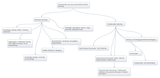
Happy new year.We are learning all the time. Structuring and directing this learning doesn’t need to be confined to courses and formal education. For an individual learner it is possible to construct your own personal learning environment utlitising different online tools for different purposes. It’s always been possible but social media tools make it far, far easier than previously possible. I’ve conceptualised some of the possibilities in this mindmap: I’ve divided it into two categories: Personal Learning and Collaborative Learning. However, because social media is inherently social there are opportunities for communication and collaboration throughout. It’s important to think about the type of learning activity a particular tool ‘affords’. I find affordance a useful concept when thinking about technology and learning. It basically means what a tool lends itself towards doing. Mindjumpers is all about articulating for companies what each social media tool affords for them in terms of marketing; for me, its learning. So, in the above mindmap, I don’t just say blogging, I say written reflection; because this is the part of the learning process that this social media tool affords.I could sum up the personal learning side of the mindmap by saying:You can use different social media tools to seek out knowledge/content, aggregate it so that you can store it/find it later in an organised fashion, reflect on this knowledge perhaps using visualisation tools and articulate it in writing.This post continues thinking from http://tpreskett.blogspot.com/2011/10/in-post-social-media-supporting-teacher.html
Tom Preskett
.
Blog
.
<span class='date ' tip=''><i class='icon-time'></i> Aug 18, 2015 09:47pm</span>
|
|
This post continues reflection on the learning design process I am currently engaged in for a session I run a couple of times a year and am running again on 7th Feb: 21st century tools for teaching and learning. In a previous post on my blog, A learning design process using social media: Brainstorming and Aggregating, I wrote about using a noticeboard tool and a bookmarking tool to help in the design process. I created a noticeboard representation of the existing session to help me reflect on where I was at and where I need to revisit the learning design:21CT 01/12(I'd advise you to right-click and open the above in a new tab/window)Looking at this allowed me to see that there isn't enough practical components. I wanted more and, following a scoping exercise, I added a few bits:21CLearning Session: 07/02/12(I'd advise you to right-click and open the above in a new tab/window)Teaching internet-based tools for teaching and learning in a practical way requires careful thought. Here are some golden rules I follow:Simple or no account creation - you can’t have participants spending 5 minutes creating an account. Email validation is a big no-no too. There is fine for real life personal use but if you want participants to try things out, it needs to seem easy. Always make the point that there are many examples of any tool type. Of course, it needs to be free, see Choosing social media/web 2.0 tools for use in teaching and learning for more on this.Good usability - I try to teach tool types not specific websites. Therefore, I try and show a few different examples. For them to practice I choose the one with the best usability, the one with the lowest learning threshold so they can have a go as quickly as possible. Once you've done this you can share the pros and cons of the different services you have identified.Learn the processes inside out - This is a logical point but an important one (as are the others really). Teach them the basic usability by doing it yourself and float and help whilst they play with it. It's vital that each click is explained, mistrust of new online tools is quick to take hold so it needs to appear as easy as you can make it. With their personal ICT skills you will get to know who to concentrate on, but in the beginning don't assume anything. This is biggest problem people have with any hands on session involving computing.Give them an authentic task - I've struggled with this in the past. The more you know about their context the better but there is a usually a generic type of activity you can think of so that they start inputting into a particular tool in an authentic way. One way of doing this is by requesting participants bring content to the session. However you do it, it's important to try and get participants to think about its use in their teaching context. The best way to do this is with them performing an authentic task using the tool.
Tom Preskett
.
Blog
.
<span class='date ' tip=''><i class='icon-time'></i> Aug 18, 2015 09:47pm</span>
|
|
There's lots to reflect on when you teach. Rarely do we get a chance or have the inclination to do this fully. For my role as a Learning Technologist in a Higher Education institution (Institute of Education, London, UK), I don't do a massive amount of teaching. There is some but mostly the help and advice I provide is done informally in one-to-one meetings. Anyway, I want to reflect on some teaching I did recently as I'm looking to improve and develop this particular session.On Tues, 7th Feb, I ran a session called 21st century tools for teaching and learning. I've blogged about the planning of this session before if you are interested - http://tpreskett.blogspot.com/search/label/Web%202.0 . There's much to reflect on, but I wanted first to think about how I structured and presented it. The biggest challenge with this session is the amount of different websites I ask the participants to visit throughout the day. There are lots of different types of tools to demonstrate and practice using. To facilitate this process I have always create a website to act as the hub for the day. In the past I've used a social networking facility like http://www.ning.com/ or http://www.grouply.com/. However, this time I switched to a normal website creation tool. The reason is that the social networking services are geared towards communication and don't present content particularly well. As participants weren't really using the communication tools within the sites during the day (despite my encouragement) it seemed preferable to display the content as dynamically as I could using a tool more suited to this task. I chose http://www.weebly.com/ mainly because I've used it before and it allows for embedded outside tools, videos, documents etc. So I created a website with a different page for each type of tool I was teaching about:BackchannelsWeb 2.0 technologies in educationNoticeboardsWord cloudsDrawing toolsMindmappingCollaborative bookmarkingTool explorationMultimedia PostersDigital Story-tellingChoosing an online toolCreative Commons/CopyrightMap ToolsTimelinesGame sitesQuick Feedback toolApplication first stepsWithin each page I had a consistent structure of a short presentation, embedded or linked example and activities. The activities were setup so that the participants could practice using the tool within a relevant context. Unfortunately, I can't share this website with you. It was paid for session so it seems silly to give away for free what others had to pay for. However, I've duplicated the word cloud page and it's available here if you are interested in seeing how the pages were structured: http://wordcloudtools.weebly.com/.Overall, the system worked well. Some reflections:- Some of the ICT co-ordinators were interested in the tool I'd used to create the website. - I'm not sure the presentations I embedded onto each page were necessary. It didn't feel quite right presenting from slides in this context and environment. I would be better served simply talking about the subject matter from memory when I visited each page. - Having the weblinks on the relevant pages worked well and made the navigation and structure very clear for all. - The website serves as a resource after the session for participants. They simply revisit the site to download anything relevant and revisit the tools I've highlighted. They seemed to like that idea.- I didn't give them much paper as everything was on the site. Any presentations were added as files to download.- The activities mostly worked well although I will reflect about specific tool-types in later posts.Had I used a normal powerpoint I would be forever toggling between the internet and my slides it would have been chaotic. I can recommend using a free website service like weebly to act as the hub of any workshop you do involving lots of internet based activities.
Tom Preskett
.
Blog
.
<span class='date ' tip=''><i class='icon-time'></i> Aug 18, 2015 09:47pm</span>
|
|
I thought I'd write a series of posts articulating my current thinking on different types of internet based tools and their use within education. My expertise in this area is largely based around finding things, playing with them and assessing their potential for teaching and learning. My last few posts have been based around this subject in some way or another. However, I've not done much about specific types of tools. Firstly, backchannels. This is a where you use a micro-blogging or chat based tool to facilitate a text-based dialogue within a live session. My focus here is an its potential for the classroom, but they are primarily used within conferences. For the classroom, backchannels lend themselves to a context where mobile device are used - so smartphones or tablets or laptops. I would guess that many readers of this blog would be familiar with backchannels at conferences. Mostly, this would occur using a twitter hashtag - #. This is appropriate for conferences because conference organisers would want dialogue around their sessions to be public. Also, the only people that would entertain participating in such a dialogue would be active micro-bloggers and they would already have twitter accounts. I've been a few sessions where it's been a pointless exercise to even have a backchannel as its ignored throughout. However, I've also been to events where dialogue on twitter forms an integral part of the event. They have people monitoring it and feeding into the face-to-face conversation. Of course, it works best if the speakers are involved in this.Within formal education, you want your own space for the dialogue, a space that a teacher can setup and control. So twitter is probably not the right environment. There are a number of services where you can quickly and easily set up a backchannel and embed or link to within your website/VLE. The only one I've actually used in a real class situation is http://neatchat.com/which worked well. There are other similiar tools like http://www.chatzy.com/ and http://stinto.net/. I nearly used http://todaysmeet.com/ as I liked the tidy interface but the 140 character limit meant I shied away from it. Generally, you want the freedom to write more than a few words but todaysmeet and other micro-blogging alternatives still have use as its a good skill to have to articulate your points within this character limit. I've not mentioned edmodo because this is more than a backchannel, its more of a virtual environment where a number of things can occur.But why do this? What are the benefits? Here are some obvious points:- Question asking/question answering- Feedback- Communication amongst students- Alongside and in reaction to a spoken event, video, image or presentationHowever, you can do all of this anyway using this thing called a voicebox - I hear you cry.For me, this extra communication channel CAN add value to any learning context - it's called Technology Enhanced Learning. The degree to which this occurs will vary from student to student. The main logistical point is that it allows for engagement without having to wait for the end of any presentation of content - allowing the student to articulate their thoughts as they occur to them. I have found this really powerful during conference presentations. Being able to bang out tweets greatly increases the value of such sessions. It's about contextualising the learning, putting it in my words so that the knowledge gets subsumed into my understanding. The variety comes with the comfort level an individual student has with using a backchannel - with engaging by typing short messages. For some, they will be more comfortable engaging via a backchannel than by raising their hand and speaking. For some, the opposite will be true. What's important is that educators don't close their minds to tools which wouldn't suit them - your students might not be the same. So, you could sum up by saying backchannels:- Engage students who otherwise might not contribute- Evens the playing field for involvement- Can't be dominated by the loudest voice- Allow students to ask questions on the fly without interrupting- Allow teachers to see and answer questions quickly- Give teacher feedback on the level of understanding or confusion in the class- Provides a record of the dialogue for future reference- Demands engagement with the material to participateAn important point which should not be overlooked is the development of writing skills. It will improve writing and a student's ability to articulate themselves quickly using text. There's also the development of keyboard skill if laptops/tablets are being used. The difficult with a backchannel is in the management of it. It's important to work out protocols for use AND how you, as the teacher, will engage with it and when. It's important you are clear about the use and benefit of the tool. You want to avoid false expectations and feeling overwhelmed by the dialogue.In the only session where I setup and managed a backchannel, I found that I would have to manufacture its use. Some valuable ideas were shared which I could then share after the session, however it didn't flow as well as I liked. This might have been due to the room setup and the fact that we were using desktop computers but I wonder what the different would be if I was teaching children rather than adults?
Tom Preskett
.
Blog
.
<span class='date ' tip=''><i class='icon-time'></i> Aug 18, 2015 09:47pm</span>
|
|
As usual for me, I'm breaking away from an existing train of thought in these posts for something different.When you work with VLEs/LMSs you deal extensively with the text-based communication tools that exist in all systems. The 3 biggies are the discussion/forum tool, the blog/journal tool and the wiki tool. Explaining how each can be used to facilitate learning within learning activities is a key challenge for the Learning Technologist. What's really important is that you articulate clearly the subtle differences between these tools and what their pedagogical affordances are. Here are my attempts to sum things up:Discussion/forum toolUse the asynchronous online discusssion tool for engaging students in a text-based dialogue:to facilitate a meaningful learning dialogue amongst studentsto develop students‘ written communication skillsto allow time and space for tutors and students articulate clearly and thoughtfully when engaging in a dialogueto flexibly engage with studentsBlog/journal toolUse the blog/journal tool:to facilitate reflection amongst studentsto facilitate individual feedback from tutor to student through private journal/blog structuresto develop students‘ written communication skillsto allow time and space for students articulate clearly and thoughtfully when reflecting on their learningto flexibly engage with studentsWiki toolUse the wiki tool for co-construct text:to facilitate collaboration amongst students the editing and refining of eachothers words within a group project contextto facilitate co-operation amongst students through the allocation of tasks within a group project contextto allow time and space for students articulate clearly and thoughtfully when writing on a particular topicThere's much more to it of course. However, I'm trying to summarise here and give the key messages. I welcome the views of others.
Tom Preskett
.
Blog
.
<span class='date ' tip=''><i class='icon-time'></i> Aug 18, 2015 09:47pm</span>
|
|
To continue the series of posts on the theme of internet-based tools for teaching and learning, here is my latest thinking on collaborative bookmarking in education.Firstly, the term I'm using is collaborative bookmarking rather than social bookmarking. This is because I'm trying to put it within a educational context. The emphasis, therefore, is collaboration or co-construction of knowledge and understanding and using an online bookmarking service as part of such a pedagogical design.The best way of experiencing online bookmark is to experience it for yourself and, unlike other online tools with potential for education, there is a clear rationale for personal bookmarking as it's a much, much better than saving website links than the old favourites, folders way. Part of this is about digital literacy, we really need to help our educators understanding and experience key social media concepts for themselves to help them comprehend how formal can utilise such tools. For example, for social bookmarking tagging is key. The power is in the multiple tags you can put against single sites so that sorting and categorisation can be nuanced and flexible. Although tagging exists across all social media, it's amazing how it isn't used by the vast majority in most tools/services. With bookmarking you pretty much have to tag, so it's a good way of forcing people to learn this skill and experience its benefits. This is the folksonomy concept.The learning context is simply - group creation of a relevant weblinks so that the workload is shared and the useful resources people find can be built up into a bank of resources for groups in the future. The principle is sound so what are the tools?I've used two services: http://www.delicious.com/ and http://www.diigo.com/. Delicious has changed much over the years. As a pure bookmarking tool, in its current version, this is my favourite. It's brief marriage to yahoo didn't do it any favours (I went elsewhere whilst this occurred) and its progress has been set up a few years as a result. It's strength is its simplicity and the stacks feature is a good one. I can see how stacks could be utilise for student activities where they are asked to find and present as a resource relevant websites on a particular topic.However, for a group learning context its not ideal. For this I would recommend http://www.diigo.com/ as its more geared towards education. A free education license (http://www.diigo.com/education) gives you the ability to create accounts for students in a group. You could use such a group to share resources and I've helped a number of colleagues do this for their courses. What's good is that you get a url for your group area which you can share and post to your vle area websites. Also, with diigo you can make notes against each bookmark or make notes on the webpage itself. I've used diigo to plan sessions like this one http://groups.diigo.com/group/web20_learning with colleagues.So what's my experience of bookmarking in my UK HE institution? Overall, I would say the courses I've helped with haven't made much use of their group bookmarking facility. Its worth reflecting on why?Usability has an impact as it's not great. Ok, there's a diigo toolbar but what if your educational institution won't let you do this? Well, you are left with their rather cumbersome usability. Also, access to any diigo requires a login. Although you can create this for students its still an extra step. I advise where possible you duplicate other logins they may have.There's an ethos of sharing at the heart of social media and when shoehorned into a formal education context it often doesn't sit well. There's an element of competition, an element of selfishness ingrained into the mentality of learners who have come through schooling and have arrived at higher education - at least at the moment.The common context for use has been as a course wide sharing of readings and references related to the writing of the assignment. Technically students should be collecting these throughout the course. However, its common for this to occur in a mad rush at the end. There's no time or use for sharing resources at this stage. It would be preferable to relate the sharing of web resources to a particular learning activity so that the rationale and incentive is clear and you can quickly reach large number of bookmarks. It's only when you have lots that you see the benefit of having a dedicated bookmarking service. Otherwise, students will simply paste via a forum or email.I've had a section within my session 21st Century Tools for Teaching and Learning on bookmarking since I started it a 3 years ago. I've been able to create a diigo create and hand out logins for people to try out the uploading process. It's worked well. At the last day I did on 7th Feb there were interesting ideas of using it for sharing resources amongst staff and parents.I'd welcome any comments about your experiences of bookmarking in education, whatever the context.
Tom Preskett
.
Blog
.
<span class='date ' tip=''><i class='icon-time'></i> Aug 18, 2015 09:46pm</span>
|
|
In our rush to promote knowledge and understanding of dynamic, creative and engaging internet-based technologies within formal education, it's easy to lose sight of the importance of core text-based interaction tools like discussions or forums. Such communication channels can be a really good way of eliciting a reflective dialogue when setup and facilitated effectively. The key point is that the asynchronicity allows for reflection and considered articulation of your thoughts (something I've reflected on in Asynchronous = Time and space learning , The difference between asynchronous and synchronous learning activities and The learning cycle and the power of asynchronous learning activities ). For me, the process of rearranging and retyping words in a forum post is as close to a manifestation of the learning process as you can get. Your knowledge and understanding is being refined and crystallised based on the thoughts of other learner's. In addition, you are presenting your position and making a conscious effort to get your point across. In addition, regular engagement in text-based learning activities have a really positive effect on developing a learner's written articulation skills.I work in UK Higher Education where its rare for courses to make use of learning technologies not to design in some discussion based learning activities. A common technique for those involved in helping educators design such activities is to use representations of practice. This could include case studies, or pedagogical templates. Quite often, learning technologies come up with their own and I am no different. I try to use representations which have pedagogical rigour but are also easily digestable. The level of abstraction needs to be somewhere between being too abstract for easy application and too specific to be adaptable. Also, a consideration for easy digestion is the length of the representation. Basically, its not good to be too long.Below are a set of representations that can be used for any online discussion tool. Each box represents example wording that can be adapted for use within any learning activity using this tool. You will notice that there is lots of process support in each wording. This covers how the learners should engage with the activity and explaining how the tutor/facilitator will engage. Such process support is a vital part of the design of online learning activities and often overlooked. Open publication - Free publishing - More educationIdeally I use these activity wordings as part of learning design consultation. It helps educators new to e-learning visualise how such activities could work. It also highlight the different types of discussion you can have. I've grouped the wordings within a scaffolded learning process - it happens to be Salmon one but I could have used others. The point of this is to show how discussions can be used at different stages of a scaffolded learning process. What's interesting is that other tools like wikis are more suitable for later stages in the learning process whereas the discussion tool is a versatile and can be used within lots of different contexts. I hope you find these useful.
Tom Preskett
.
Blog
.
<span class='date ' tip=''><i class='icon-time'></i> Aug 18, 2015 09:46pm</span>
|