Blogs
|
Having been involved in online facilitation since 1997, I’m often asked for examples of "successful online communities." People want to see them, tour them, and understand what they can learn from them as they embark upon or support their own communities. Sometimes they are interested in technology. Sometimes they want to know about how things are structured and organized, both content and activities. But mostly they want to see examples where people really DO interact. This is always a challenge for three main reasons:
How do we qualify "success?"
How do we extrapolate lessons across diverse needs and contexts?
How do we account for "success" as underlying technologies reshape the very nature of communities into less bounded, often larger networks?
I’m preparing for another of these tours so I wanted to do some renewed reflective homework before I started building the tour. (I’ll say more about the actual tour process in a subsequent post.) Plus, by sharing this post today, maybe you, dear readers, will have some insights, comments or pointers I can include. And as always, you are welcome to use anything here if you are giving someone else a tour!
Here are four areas I’m reflecting on to help me conceptualize, frame and plan the tour.
Community Indicators of All Sorts
What do we mean when we say "successful" for an online community? What are the parameters Are we talking about the success of a community’s online interactions, or the whole life of the community which is often a blend of online and offline? What are the boundaries? For some time I have been collecting examples of what I called "community indicators" the gave us some clue about the life of a community. (You can read more musings about community indicators here and some bookmarked examples here.)
What are the indicators of community activity? In other words, as we observe a community, and (ideally) interview some of its members, what signs of life are we specifically looking for? There are the process indicators, both quantitative and qualitative that are most easily seen.
Evidence of mechanisms and opportunities for community member participation (availability/opportunity). These are often predicated on the underlying technology and intentions of those stewarding the site. Sometimes community members bring in additional opportunities, something that is becoming more common in open networks and ad-hoc configurations.
Types of interaction options: discussions, blogs, commenting, rating, personal/instant messaging, other synchronous and asynchronous interaction mechanisms, linkages to F2F or offline events, etc. What is useful? Appropriate?
Evidence of appropriate choices about what is public/open and what is private as it relates to community purpose.
Clarity on how members find out and learn how to use these mechanisms. (Communications and technology stewardship)
Evidence of participation
Quantified activity - number of posts, page views, ratings (thumbs up/down, likes), comments, and contributed content.
Quality - what interaction patterns demonstrate that people are interacting with each other (vs simply publishing or broadcasting?) This could be looking for conversational threads, evidence of reading/responding to what others post instead of simply posting one’s views, how conflict is used either generatively or as a deterrent to further interaction.
Recency (i.e when was the last substantial set of interactions?) So often we see the telltale signs of a dead community…
Number of members - this gets a bit subjective as some communities are intended as small, others larger. Sometimes it is hard to find this data and the number of registered members rarely corresponds with number of active members.
That said, most organizations want to implement an online community for a reason. The purpose should be the driver. So how do we relate those success indicators to the mission or goal of the community? In other words, how do we look beyond process to impact?
What connection can we see between the activity indicators and community goals/purpose?
How do we discern this connection in contexts of open-ended or very diffuse purpose? What happens when purpose shifts (as it often does)?
What sorts of monitoring and evaluation strategies are in place (visible, or more often, invisible and we need to ask the community leaders!)?
Taking a communities of practice perspective, what is the interplay between the DOMAIN of the community (what it is interested in), it’s COMMUNITY (who is involved and engaged, how they play out in relationships, etc.) and PRACTICE (what they do together and how they use what they do together back out in their own work/lives, etc.)?
Finally, we are living in the era of networked social media. Rarely is "a site" the only vector for interaction. Many communities live and work on multiple platforms, or at the least, publicize community activity via other networks such as Twitter and Facebook. So we look for these connections as well, and try to understand if they support the community purpose. Or if they even dilute it. Again, it depends on the purpose. If a community is very inward looking, outward links would dilute. If it is really interested in sharing what it does/learns out to the world and bring in people and ideas from the world, then these linkages are critical.
Tapping My Network for Examples
We each may have an example or two of "successful communities," but the fact is, we need a broader scan than what is available in our personal realm, so my first step was to tap my network and see if I could surface any new examples. Some of my known examples are great, but old. Really old. Tweeting requests on December 23rd, however, is not so smart. But here is what I received on first query about vibrant online communities (with a special interest in Drupal based sites for this instance):
The first concrete suggestion was the Buckminster Fuller Institute (http://bfi.org/). And that was the ONLY concrete suggestion. Cameron Cambell’s (@ronindotca) comment about following a Drupal Developer’s trail of tears may give you a sense of the challenge at hand! Looking at the BFI site, there is little evidence of online community interaction (see http://bfi.org/news-events/community-content). I don’t think Cameron’s observation is far off base!
So back to my own set of examples, I compiled the following options.
Share Your Story (http://www.shareyourstory.org) - a long time, well established community. (Technology:Webcrossing. Disclaimer: I was deeply involved w/ this site early on!) This is a great example of when an online community really fills a needed function that is not easily found elsewhere. And of loving community management!
CPSquare (http://www.cpsquare.org) - private, must be member, but I’m a member! (Technology: WebCrossing and Disclaimer, I’m a member!) This is a private community so no easy peeking, but a good example of some deep learning events.
BetterEvaluation (http://www.betterevaluation.org) - an example of a new, emerging community based on Drupal (Disclaimer: I’m involved w/ this site!) It is useful to see a site before it really launches its interactive features. (Beta)
Knowledge Management for Development (http://www.km4dev.org) as both a long lived and multi-platformed global community which uses DGroups, an email centric tool, NING and mediawiki. (I had been on the Core group from its beginning until late last year.)
The KSToolkit Wiki (http://www.kstoolkit.org) which is about the artifact more than the community.
A couple of Facebook communities
RosViz - a community of interest on Facebook (I’m one of the community moderators) - open hearted resource sharing. A good example of focused domain in a very open, outward facing context.
Network Weaving (just a member!) - Vibrant due to some passionate leadership and blending of synch and asynchronous interaction.
SCoPE is another good one. This is their FB home https://www.facebook.com/SCoPEcommunity while their main home is a Moodle site.
I asked for some other Drupal examples and here are a couple:
A fairly new Trout Unlimited site http://www.troutunlimited.com/ with highly customized Organic Groups module for interactive elements. The interactive elements appear to still be fairly broadcast with little interaction.
GratefulWeb http://www.gratefulweb.com/ a music fan site. There is some event activity, but little in the way of active discussions or groups http://gratefulweb.com/community/groups They seem active on Facebook and Twitter, raising the cross platform issue. On a guess, I’d say that one or a few people keep this community alive…
Extrapolating Lessons
It is great to see a successful community and think what they did will automatically create conditions for success for a completely different community. We know this is rarely true. So we need some sort of mechanism to extrapolate the lessons. Perhaps a heuristic that says if X is your goal, patterns 1, 7 and 12 might be useful. This is much harder than it looks due to the lovely complexity of human behavior. Here is what I’m thinking so far, but I’d love your suggestions:
What visual elements drew you into a site? What "turned you off?" Why?
In terms of figuring out how to get involved, what was easy? What was challenging? What are the technical and communications aspects of getting people involved?
What community activities could inspire your community? Which would you avoid?
What community leadership/management functions did you note as important? Do you have time and skills (or someone else does) to fulfill these roles?
What surprised you? How can you use that insight in your community?
Reflecting on the Learning Journey
The final bit is thinking about how we apply what we learn on a field trip to our own work. The questions above are one trigger, but the final part of the tour will ask each person to consider the following "next steps."
What will be the first/next thing you will do to steward your community based on today’s tour? Why?
Review your community plan draft and see if there is anything you want to change based on what you learned today.
Pick one community (from the tour or one of your choosing) and explore it on your own. What else can you learn by digging in a bit deeper? Consider contacting and interviewing the community facilitator/leader/manager. What would you ask them?
Resources for Virtual Online Community Field Trips
CPSquare’s Virtual Field Trip wiki page http://cpsquare.org/wiki/CPsquare_field_trips_project and examples of their field trips http://cpsquare.org/category/quarterly-field-trips/.
A particularly nice field trip report from a visit to KM4Dev.org http://cpsquare.org/wp-content/uploads/2008/07/KM4Dev-field-trip-report-may2011.pdf
Relating community activities to technologies http://www.fullcirc.com/2012/02/14/relating-community-activities-to-technologies/
Communities, Networks and Engagement http://www.fullcirc.com/2011/10/17/follow-up-from-the-leadership-learning-community-webinar/
Nancy White
.
Blog
.
<span class='date ' tip=''><i class='icon-time'></i> Aug 18, 2015 11:55pm</span>
|
|
This is the second post about touring existing online communities as a learning journey for those building or sustaining their own communities. (Part 1 is here.) This one is about the nuts and bolts of doing a live tour of online communities. The first post laid out purpose, identification of potential communities to tour, and criteria for review and evaluation. So now lets talk about HOW to run the tour. This is nuts and bolts time!
Planning
Pick your web touring technology. For this sort of event, I like to have a tool with fairly easy screen sharing and a shared chat room for note taking. I use a white board or slides to share the initial overview and questions.
Set the date. Let your "tourists" know date, time and any technical requirement. This may mean needing to be online, have a headset/mic or an appropriate telephone dial in option.Confirm your communities. Get permissions as appropriate if you plan to use your personal log in to tour any private communities!
Set up a URL list that can work both within your web technology and on a separate web page as back up. Plan a SHORT intro narrative to each community. Decide what pages you will visit and why. See the first post! I like to throw the URLs and short descriptions on to a Google doc and share it with the tourists in advance.
Test your URLs within the web meeting tool. Should they be links? Preloaded? Do you need username/password to log on to any private sites?
As backup, grab a basic set of screen shots of each community in case your web touring technology fails. Yes, it happens! Always have a plan B.
If you have a co-facilitator, define each of your roles.
It is often useful to have one person help folks if they have any technical needs, while the other runs the tour.
Consider how you want to capture questions as you go — sometimes you will need to research and come back later with answers. Encourage the tourists to take notes if that fits your culture!
Send an email with the login information and any preparation you would like the tourists to do. I often send a short piece on community PURPOSE and some of the questions I mentioned in the first post.
Running the event
Log in early and make sure everything is working. Have an email prepped to resend in case anyone contacts you saying "I lost the url/login/etc.
If you decided to preload URLs on separate whiteboards, etc, get that all set up. Set up any polls or questions on other white board pages or have them handy to cut/paste in.
If you are recording the tour, don’t forget to hit the old "record" button once you start.
When you start with your participants, give an overview of the tour process. It might go something like this:
We are going to look at X different communities today. I’m going to use the screen sharing tool (or whatever you plan) so I’ll be "driving" the tour, but please, if you see something you’d like me to click on, let me know. There is a slight lag with the screen sharing so speak up as soon as you can!
I want to review a couple of questions we should keep in mind as we tour (then I review the questions.)
Encourage shared note taking (I often use the chat room in the webinar tool).
Do you have any questions? (Answer them..)
Start…
Pause often for questions, observations.
Between communities, do a quick recap asking for observations and answers to questions. Sometimes it is worth going deeper and seeing fewer communities…
Leave at least 25% of the time at the end for reflection and next steps.
Follow Up
If you are recording the event, capture the recording and share the URL.
Clean up and share any collective notes taken during the event.
Do you have any other suggestions or ideas? Resource pointers? Please, chime in!
Nancy White
.
Blog
.
<span class='date ' tip=''><i class='icon-time'></i> Aug 18, 2015 11:54pm</span>
|
|
Mar Ruiz of Spain has been posting a series of questions and answers she has cultivated with people who have been facilitating online for a while. I wanted to answer the question she posed, but I can’t seem to get a blog comment to stick, so I’ll do it here and hope the trackback works! From:mar ruiz: life & interests: Nancy White: "No se puede moderar en una red sin límites ". The gist of our conversation was the differences in facilitating in a network, vs bounded community context.
The blog post, in Spanish:
Nancy White: "No se puede moderar en una red sin límites "
Y esta es la respuesta de Nancy White, pionera en esto de dinamizar comunidades:
"Hay un número asombroso de las similitudes y diferencias, que me parece fascinante. Pero ya que la pregunta es sobre las diferencias, aquí están mis tres mejores!
1. Ahora se trata más de redes sin límites que de comunidades delimitadas, lo que cambia fundamentalmente lo que queremos decir por "construcción de la comunidad y la moderación." No se puede moderar en una red sin límites. Puedes influir. Puedes estimular las conexiones de red. Puedes hacer lo que June Holley llama "network weaving ("tejer en red") - pero no se pueden gestionar las redes.
2. Las comunidades delimitadas deben tener mayor número de propuestas de valorque antes porque la gente está recibiendo una gran cantidad de lo que quieren y necesitan en las redes abiertas (es decir, Facebook, LinkedIn, Twitter, etc). No quieren tener que entrar en algún otro lugar. Por lo tanto la integración de las actuales identidades digitales (y contraseñas) es más común, pero esto también hace que se rompan algunas de las distinciones de las comunidades anteriores. Se convierte todo en algo borroso.
3. Es más difícil entrar en conversaciones más profundas en el mundo en red, mientras que al mismo tiempo, tiene un alcance más amplio y potencialmente mayor diversidad y por ello mayor riqueza."
La verdad es que leyendo esto, me he quedado con las ganas de saber…¿y cuáles son las similitudes?
Por otro lado entiendo que ambos necesitan de profesionales que lo dinamicen y procuren contenidos. Hace días leía en twitter que sea quien sea el Community o Social Media Manager, por favor, que sea un profesional:
"Los peligros de que tu primo (o "ese chavalito que parece que sabe") se encargue del #socialmedia en tu empresa http://bit.ly/KnYxtF #comma vía @commaradas"
At the end, Mar asked about the similarities! Here is my answer, Mar: Both communities and networks give us access to the experience and resources of HUMAN CONNECTION. Thus they are both critically important. Learning how to work with the dynamics of these different forms is therefore valuable!
Edit: see this related post from Jessica Lipnack on the challenges of scaling collaboration!
The web makes it possible for, in effect, infinite numbers of people to collaborate. But how do you collaborate with infinite numbers?
You don’t. You can’t. Thus network thinkers are trying to solve this problem. INSITE, the European Union’s program on innovation, sustainability, and information technology, is including this issue as a worktrack in its Masters of Network symposium later this month in Venice.
Nancy White
.
Blog
.
<span class='date ' tip=''><i class='icon-time'></i> Aug 18, 2015 11:54pm</span>
|
|
Long Post Warning!
I was reminded by a post from Alan Levine reflecting on a course he taught this past Autumn (Looking Back on ds106 - CogDogBlog) that I had promised a reflective post on the Project Community course I co-taught Sept- November at the Hague University of Applied Business with Maarten Thissen, Janneke Sluijs, Shahab Zehtabchi, Laura Stevens and technology stewardship by Alan himself. It is easy to let the time pass, but all those ideas and observations tend to fade away. So after a few bites of fine holiday chocolates, it is time to dive in. (This will be cross-posted on my course Tumblr blog which feeds into the overall course site.)
What was it?
Course Goal: Here is the text from the course description:
The intersection of technology and social processes has changed what it means to "be together." No longer confined to an engineering team, a company, a market segment or country, we have the opportunity to tap into different groups of people using online tools and processes. While we initially recognized this as "online communities," the ubiquity and diversity of technology and access has widened our possibilities. When we want to "organize our passion" into something, we have interesting choices. It is time to think about a more diverse ecosystem of interaction possibilities which embrace things such as different group configurations, online + offline, short and long term interactions, etc. In this course we will consider the range of options that can be utilized in the design, testing, marketing and use of engineering products.
My shorthand is that the course was an exploration about how online communities and networks can be part of a designers practice. When and how can these forms be of strategic use? You can review the whole syllabus here - and note that we tweaked it as we went! The students were all international students and this was one of their first courses in the Design Engineering Program. Some did not have strong English language skills, and the course was in English.
The Design: Let me start by saying this was designed as an OPEN experience, but it wasn’t a MOOC or anything like that. Maarten had asked me to design the course, building on a set of learning goals previously used for this course, but to translate the ideas into practice by DOING much of the course online. While the class met F2F once a week and had access to the Netherlands based faculty, we engaged, worked and explored together online. This stuff needs more than theory. It requires practice. And by practicing and learning "in public" rather than on an institutionally protected platform, students could tap into real communities and networks. If there is one thing I harp on when I talk to folks in Universities, it is the critical importance of learners connecting with real communities and networks of practitioners in their fields of learning BEFORE they leave school. These connections are fundamental to both learning and developing one’s practice out in the world.
I also wanted to focus on some sector to help us think practically about using networks and communities along the design process and avoid grand generalizations, so I suggested we use design in the international development context. This fit with my background, network (to draw upon) and experience. I was leery of stepping into the more distinct world of commercial product design about which I know NOTHING! What quickly became a huge lesson for me was that many of the students had little knowledge about international development, Millenium development goals, etc. So we all had a lot to learn!
The other aspect of the design was to bring three elements together: sense making discussions about the subject matter (synchronously in class and asynchronously on the class website), insights from weekly "guests" shared via 5-10 minute videos (to bring a variety of voices), and action learning through small group experiences and team projects. I know there are strong feelings about team projects, but building collaboration skills was part of the course learning objectives, so this was a "must do." And we spent time talking about the how - -and reflecting on what was and wasn’t working as a vector for learning these skills.
The Resources
We knew we wanted real examples, a variety of sources and we wanted multimedia. Many of the students are speaking English (the class language) as a second, third or fourth language, so the use of visually rich media was important. What we did not count on was the lack of time to USE the resources. A typical pitfall!
Readings and examples . We collected a wide range of resources on a Google doc - more than we could ever use. We then picked a few each week as assigned readings, but it became clear that most people were not/did not make time to read all of them. So when I felt something was particularly important, I harped on it and the on-the-ground team asked people to read it during the weekly class meeting. The examples we used more in an an ad-hoc manner as teams began to develop their projects.
Videos- from faculty and guests. For example, here is my Introductory video and the other guest videos can be seen in each weekly update. All the interviews I did (via Google Hangout) can be found here. The students final project videos are here. I have not done an analysis of the number of views per video, but since they are public, I can’t sort out student vs. external views. That said, some of the videos have fewer views than the number of enrolled students. Go figure!
Visitors - I had hoped to bring people in live, but we quickly discerned that the tech infrastructure for our online/F2F hybrid meetings was not good enough, so we brought people in via recorded videos and encouraged students to ask the guests questions on the guests own blogs and websites. There was just a wee bit of that…
Technology stuff…
The Course WordPress site: It is online, so of course, there is technology. Since there was no appropriate platform available from the hosting university (we did not consider BlackBoard appropriate because it was not open enough and we did not have programming resources to really customize it.) So I called my pals who know a lot about open, collaborative learning configurations - Jim Groom and Alan Levine, some of the amazing ds106 team. Alan was ready and willing so he was roped in! Alan built us a WordPress base with all kinds of cool plug ins. You will have to ask Alan for details! He has been doing this for a variety of courses, and blogs about it quite a bit, so check out da blog! The main functions of the course site included: providing a home for weekly syllabus/instructions, a place to aggregate student blogs, and a place to link to course resources. Alan set up pages for each week and taught the team how to populate them. (Edit: Alan wrote a post with more details on the set up here. Thanks, Alan! )
Tumblr blogs: Instead of a multiple user WordPress installation, Alan suggested that we use the very easy to set up Tumblr blogging platform and then aggregate into the site. Again, I’ll leave the detail to Alan but the pros were that some students already had Tumblr blogs (yay!), Tumblr could integrate many types of media (strong w/ photos), and it was easy for people to set up. The key is to get them to set them up the first week and share the URL. Alan set up a form to plop that data right into a Google spreadsheet which was also our student roster, as well as a great Tumblr guide. The main con was that the comments via WordPress were dissociated with the original posts on Tumblr, so if you wanted to read the post in original context, you missed the comments. There were tweaks Alan implemented based on our team and student feedback, mainly to make it easier to comment on the blogs (in the WP site — Tumblr is not so much about commenting), and to help make new comments and posts more visible on the main site though the use of some sidebar widgets. I liked the Conversational views but I also found I needed to use the admin features to really notice new posts and comments. Plus we had to do a lot of initial comment approval to get past our spam barrier in the first weeks.
Each faculty had a Tumblr blog, but in truth, I think I was the main member actively blogging… I also used tags to filter my general reflective blogging with "announcement" posts which provided student direction.
I tried to comment on every student’s blog at the beginning and end of the course. Each of the other team members had a group of students to follow closely. I chimed in here and there, but wanted to make sure I did not dominate conversations, nor set up the expectation that the blog posts — mostly reflective writing assignments - were a dialog with me. Students were also asked to read and comment upon a selection of other student’s blogs. At first these were a bit stilted, but they got their text-based "conversation legs" after a few weeks and there were some exchanges that I thought were really exemplary.
Google Docs: We used Google Docs and spreadsheets to do all our curriculum drafting, planning and coordinating as a faculty team. I need to ask the team if they would be willing to make those documents public (except for the roster/grading) as a way to share our learning. Would you be interested in seeing them?
Meetingwords.com: Synchronous online meetings for large groups create a context where it is easy to "tune out" and multitask. My approach to this is to set up a shared note taking site and engage people there to take notes, do "breakout" work from smaller groups and generally offer another modality for engagement and interaction. We used Meetingwords.com and Google docs for this, later sharing cleaned up notes from these tools. I like that Meeting words has the shared note taking (wiki) on the left, and a chat on the right. It is based on Etherpad, which was eventually folded into Google docs. So we were using "cousin" technologies! As one of the team noticed, chat is also a great place to practice written English!
Blackboard: Blackboard was used for enrollment and grading as I understand it. I never saw it nor did I have access to it.
Live Meetings: Skype, Google+/Google Hangouts: We considered a variety of web meeting platforms for our weekly meetings. We did not have access to a paid service. We tried a few free ones early on and had some challenges so started the course with me Skyping in to a single account projected on a screen and with a set of speakers. Unfortunately, the meeting room was not idea for the sound set up and many students had difficulty hearing me clearly. This and the fact that I talk too fast….
We then decided we wanted to do more with Google Hangouts, which the faculty team used in early planning meetings. At the time, only 10 active connections were available, so we both used it as we had Skype with me connecting to one account, and later used it for smaller team meetings, breakouts and, with each team in a separate room, we could have one account per team with me. Sometimes this worked really well. Other times we had problems with dropped connections, noise, people not muting their computers etc. In the end, we need to develop better live meeting technology and meeting space for future iterations. That was the standout technical challenge! You can read some Hangout Feedback from the first group experiment here.
Team Spaces - Facebook and…: Each project team was asked to pick their own collaboration platform. Quite a few chose Facebook, and an overall course group was also set up on Facebook. One team chose Basecamp, which they liked, but after the 30 day free trial they let it lapse. Other team spaces remained a mystery to me. I think their tutors knew! When you have multiple platforms, it would be good to have a central list of all the sites. It got pretty messy!
Twitter: I set up a Twitter list and we had a tag (#commproj12, or as I mistyped it #projcomm12!) and asked people to share their Twitter names, but only a few in the class were active on Twitter. In terms of social media networks, Facebook was clearly dominant, yet some of the students had not been previously active on any social networks. It is crucial not to buy into assumptions about what age cohort uses which tools! I did use Twitter to send queries to my network(s) on behalf of the class and we did have a few fruitful bursts of interactions.
Email - yeah, plain old email: Finally, we used email. Not a lot, but when we needed to do private, "back channel" communications with the team or with students, email was useful. But it was remarkable how this course did not significantly add to my email load. Times have changed!
Overall, I think the students had a good exposure to a wider set of tools than many of them had used before. Our team was agile in noticing needed tweaks and improvements and Alan made them in the blink of an eye. That was terrific. I wonder if we could get a couple of students involved in that process next time? We also knew and expected challenges and used each glitch as a learning opportunity and I was grateful the students accepted this approach with humor and graciousness — even when it was very challenging. That is learning!
What happened? What did I learn?
Beyond what was noted above, I came away feeling I had been part of a good learning experience. As usual, I beat myself up a bit on a few things (noted below) and worried that I did not "do right" for all of the students. Some seem to have really taken wing and learned things that they can use going forward. Others struggled and some failed. I have a hard time letting go of that. There is still data to crunch on page views etc. Let’s look at a few key issues.
Team Preparation & Coordination (Assumptions!): I designed the course but I did not orient the team to it at the start. We had little time together to coordinate (all online) before the course began. You don’t even know how many students there are until a few days before the start, and THEN tutors are allocated (as I understand. I may have that wrong!) Maarten was my contact, but I did not really know the rest of the team. My advice: get to know the team and make sure you are all on the same page. We’ll do that next time! That said, I am deeply grateful for how they jumped in, kept a 100% positive and constructive attitude and worked HARD. I could not wish for a more wonderful, smart, engaged team. THANK YOU! And I promise I will never again assume that the team is up to speed without checking. PROMISE!
The Loud (and very informal) American: As noted above, our live meeting tech set up was not ideal. So when I was beamed into the weekly meetings, I was coming across as loud, incomprehensible and fast talking.I was grateful when the teaching team clued me in more deeply to the challenges based on their observations in the room. That was when we shifted from large groups to small groups. I think I was much more able to be of use when we met at the project team level. I could get to know individual students, we could talk about relevant issues. And I could then weave across the conversations, noting when something one group was doing was related to another group’s work. Weaving, to me, is a critical function of the teaching team, both verbally in these meetings, and across blog posts. This ended up being a better way to leverage my contributions to the students. That said, I did not connect with all of them, nor successfully with all of the groups. We need to think through this process for next time.
On top of it, I’m very informal and this group of international students mostly came from much more formal contexts. Talk about a shift as we negotiated the informality barrier. During the course we also had to address the difference between informality and respect. At one point we had one learner anonymously insert an inappropriate comment in the chat and our learning community intervened.
Language, Language, Language: Writing backgrounders and instructions in the simplest, clearest language is critical. I can always improve in this area. We do need a strategy for those students who still have to strengthen their English language skills. I worry that they get left behind. So understanding language skills from the start and building appropriate scaffolding would be helpful.
Rhythm of Online and Face-to-Face: Unsurprisingly, we need more contact and interaction early on and should have scheduled perhaps two shorter meetings per week the first three weeks, then build a blend of small and large group sessions. I’d really love to see us figure a way that the small group sessions are demand driven. That requires us to demonstrate high value early on. I think a few of the early small group meetings did that for SOME of the students (see this recording from our hangout), but not all. The F2F faculty team has suggested that we do more online and they do less F2F which I think, given the topic, is both realistic and useful.
Student Self-Direction and Agency: There is a lot of conditioning we experience to get us to work towards satisfying the requirements for a grade. This seems to be the enemy of learning these days, and helping students step out of "how do I get a good mark" into "how do I thrive as a learner and learn something that takes me forward in my education" is my quest. At the start of the course, we tossed a ton of ideas and information at the students and they kept seeking clarity. We declared that "confusiasm" was indeed a learning strategy, and that generating their own questions and learning agenda was, in the end, a more useful strategy than hewing to a carefully (over-constructed) teacher-driven syllabus That is a leap of faith. With good humor, some missteps on all sides and a great deal of energy, most of the group found ways to start owning their learning. This was manifest in the changes in their reflective blog posts. I was blown away by some of the insights but more importantly was how their writing deepened and matured. I hypothesize that it was important to get comments and know they were being "heard." It is always an interesting balance for me. No or not enough feedback dampens things. Too much and the learner’s own agency is subverted to pleasing the commentors vs working on their own learning agenda.
I was intrigued to watch students get used to the new experience of writing in public. Few of the students had this experience. I’d love to interview them and hear what they thought about this. Especially those who had comments from people outside the course (mostly folks I linked to from my network — and I’d like to do more of that. ) It is my experience that an open learning environment fosters learning reciprocity, both within the class cohort and with professionals out in the world. I’d like to deepen this practice in future iterations.
There is also the problem of making too many offers of activities. Each week there was a video, a discussion around a key topic, 2-3 activities, reflective blogging and, after the first few weeks, significant group work. The design intent was that these things all worked together, but some weeks that was not so clear. So again - simplify! Keep the bits integrated so the learning agenda is served, moving forward.
We also had some ad hoc offers like helping co-construct a glossary and adding to the resource page. That had just about ZERO uptake! Abundance has its costs! We did get some good questions and some of the students were note taking rock stars at our live meetings. Speaking of that, a few of our students were rock star FACILITATORS and TECHNOLOGY STEWARDS. Seeing them in action were perhaps the most satisfying moments of the whole course for me!
Student Group Projects: The project teams were designed around the five parts of design that the program uses. With 9 groups of 5-6 students (one group was alumni who only marginally participated) that meant some topics had two teams while others had just one. Alan set up the tags so it was easy for teams with shared topics to see each other’s blog stream, but I’m not sure the students picked up on/used that. A clear learning was that we needed to help people see the whole as well as the parts, and the projects could have been designed to be interlinked. That would add more coordination, but if we picked a clearer focus than "helping an NGO" and maybe even worked with an actual NGO need identified up front, the projects might have had a bit more grounding in reality.
I’m not sure we set up the five design areas well enough. That warrants a whole other blog post. To both understand the concept, put it in the context of a real NGO need and then create a short video is a tall order. It took the teams a number of weeks to really dig in to their topics and establish their own collaborative process. And of course that put a lot of pressure on video production at the end. I think the single most useful design change I’d institute is to have a required storyboard review step before they went into production. Then we could have checked on some key points of understanding before they produced.
A second production element came to light — literacy about what is acceptable use of copyrighted material. This relates to good practices about citing sources and giving supporting evidence for conclusions. There is always a space for one’s opinion, but there is also useful data out there to inform and support our opinions. I think I’d set the bar higher on this next time, and do it early - with good examples.
Student Response: I have not seen the student evaluations and really look forward to seeing them. I expect some sharp critique as well as some satisfaction. I personally know we learned a lot and can really improve a subsequent interaction. I am also interested to understand how this experience lands within the institution as they explore if and how they do more online elements in their learning structure. I smiled often when I read comments from the more social-media literate/experienced students and wondered how we could leverage their knowledge more as tech stewards in the future. Here is a comment we loved: Geoffrey - "the world is freakin bigger than facebook."
Alan wrote something in his ds106 reflection that resonated for me in Project Community.
This is not about revolutionizing education or scaling some thing to world changing proportions, it is not even about us changing students, its showing them how to change themselves. I see in their writings new awarenesses of media, of the web, of their place in it, I see unleashed creativity, I see an acceptance of a learning environment that pushes them to reach out and grab their own learning.
Next time?
First of all, I hope I get invited back to participate next year. We challenged ourselves and learned a lot. I think we can build on what worked and certainly improve many things. And from this, make it less work for the team. We learned a lot about the online/offline rhythm and from our team debrief, I sensed a strong inclination to do MORE online. But we also have to simplify things so that we can spend most of our time co-learning and facilitating rather than "explaining" what the course, the assignments and the projects were about. Clarity, simplicity — two key words for another round!
If you made it all the way through this, do you a) have any questions, b) insights or c) find something you can use the next time you design a course? Please share in the comments!
Artifacts:
Course site
Student’s final group project videos
My Tumbler blog
Aggregated Faculty blogs
My Screenshots of the course
WordPress.com’s "annual report" for the site
Later Added Interesting Connections:
As I find some cool things related to this post, I’ll add them here. So expect more add/edits!
A visual from Giulia Forsythe on strategies in large classes http://www.flickr.com/photos/gforsythe/8261536706/
Nancy White
.
Blog
.
<span class='date ' tip=''><i class='icon-time'></i> Aug 18, 2015 11:54pm</span>
|
|
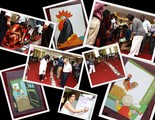
Last month I finally got a chance to use a facilitation activity called Zoom which I found on the Wilderdom’s Game resource page — a great resource! I deeply appreciate that they put the "copyleft" designation on all their resources. THANKS! As I learned and read facilitation ideas from other sites, I realized I should share some of my experiences as well. Here is the description from Wilderdom’s resource page (which also includes all instructions - I’ve attached a pdf copy at the bottom for taking to an event, but please DO visit their page!):
This game is based on the intriguing, wordless, picture books "Zoom" and "Re-Zoom" by Istvan Banyai which consist of 30 sequential "pictures within pictures". The Zoom narrative moves from a rooster to a ship to a city street to a desert island and outer space. Zoom has been published in 18 countries. The Re-Zoom narrative moves from an Egyptian hieroglyphic to a film set to an elephant ride to a billboard to a train.
I’ve done similar activities, but I love the multicultural perspective of Istvan Banayi’s books, so now I’ve stocked up on multiple copies of both ZOOM and RE-ZOOM, and have on my to do list to break them down and put into protective pages. I left the last set with my colleagues at ICRISAT in Hyderabad. I am also keeping my eye out for used copies, because I like the idea of leaving the book pages behind for groups to use with OTHER groups they work with. Viral facilitation and collaboration!
We did the exercise with a large group of social scientists who work in different parts of the world. Most of their work is done in smaller teams, but there was a real need to connect as a whole team as well. It was very interesting to observe the exercise. First we started with the version where you can’t show your card to anyone else. The group didn’t make much progress finding their order. Imagine if we had tried the "no talking" version! With the "no show" round, I asked if they were ready to show and see if they got it. There were some totally confident and others totally sure they did not have it. So I asked them to put themselves in order (again without showing the cards) and then we’d check. Uh uh, not even close.
Then they used visual clues to reorder the series. This is where a few individuals really went to work and the rest of the group stood back. It was an interesting shift in agency. When there was a higher degree of "not knowing," more of the team participated in working the solution.
When we debriefed, I did notice a shyness to share some of the observations people gave me individually as the power dynamics in the group made some of these things harder to say. I try not to be the voice for others in the room, so I had to represent my observations as just that — my observations. But I need to think more critically how to handle this during the debrief.
Here are a few angles on our play together…
Resources from Wilderdom, copyleft - please share with attribution out of kindness!
Zoom
ZoomAnswerSheet
Nancy White
.
Blog
.
<span class='date ' tip=''><i class='icon-time'></i> Aug 18, 2015 11:54pm</span>
|
|
Very cool tool that convers RSS feeds into videos. Thanks Alan, for the link!
via Wibbitz - Text to Video.
Nancy White
.
Blog
.
<span class='date ' tip=''><i class='icon-time'></i> Aug 18, 2015 11:53pm</span>
|
|
…at a restaurant! From: Foodtography: Seattle Is Not Jumping on the NYC Train of Banning Cameras at the Table. The context is Brian Canlis, co-owner of Seattle’s iconic Canlis restaurant, talking about how to deal with disruptions. In this case, the disruption is people taking flash pictures of their food! Substitute "customer service" with "facilitation." Think about how we handle disruptions when people are meeting and working together…
Has he ever told someone to put the camera down?
"Yes, if it intrudes on the table next to them having a good time? Absolutely, I’ll do something! But I’m not going to ban it! I’m gonna look at, how can I find a new way to make this guest really happy? So if their flash is upsetting a table next to them, I’m going to invite them back to the kitchen, invite them to the wine cellar. Do you want to take pictures down there, because it’s bright and beautiful. Offer to send them my photos because I take photos of all our food here, for the website."
Brian is certain that excellent customer service can solve any problem and he thinks completely banning photography at the table is just lazy.
"It seems like such a short sided, ego driven, silly thing to do. You’re getting in the way of people having fun. Canlis is an altar to our guests. They’re the whole reason we’re here and the whole restaurant revolves around them. I think restaurants that are doing bans like that are altars to the chef. The guest is asked to come in and revolve around them."
When we facilitate, we want to move the "action" forward to create the conditions for groups to accomplish their goals. A pile of rules may only constrain. A creative perspective on a challenge may open up whole new vistas of understanding and work. Invite — a terrific word — these new perspectives, rather than blocking perceived disruption. Nice example, Brian. Thanks!
Nancy White
.
Blog
.
<span class='date ' tip=''><i class='icon-time'></i> Aug 18, 2015 11:53pm</span>
|
|
Scenario design in elearning: Two types of feedback.
Nancy White
.
Blog
.
<span class='date ' tip=''><i class='icon-time'></i> Aug 18, 2015 11:52pm</span>
|
|
I cannot resist sharing this story of parenting, leadership and love. Relationships are long term. Our commitment to them can seem/feel/look invisible and it is wonderful when someone figures a way to make it visible. I can’t quite suss out the identity of the author and this is 8 months old (with millions of hits, it seems, so I’m late to the party. ) Anyway, apropos of nothing other than love, I give you…
Via: Photo Album - Imgur.
I graduated High School this week. When my Dad said he had a present for me I thought I was getting some cheesy graduation card. But what I received was something truly priceless. Following the ceremony he handed me a bag with a copy of "Oh the Places You’ll Go," by Doctor Seuss inside. At first I just smiled and said that it meant a lot and that I loved that book. But then he told me "No, open it up." …On the first page I see a short paragraph written by none other than my kindergarten teacher. I start tearing up but I’m still confused. He tells me "Every year, for the past 13 years, since the day you started kindergarten I’ve gotten every teacher, coach, and principal to write a little something about you inside this book."
He managed to keep this book a secret for 13 years, and apparently everyone else in my life knew about it! Yes the intended effect occured… I burst out in tears. Sitting there reading through this book there are encouraging and sweet words from every teacher I love and remember through my years in this small town. My early teachers mention my "Pigtails and giggles," while my high school teachers mention my "Wit and sharp thinking.." But they all mention my humor and love for life. It is astounding to receive something this moving, touching, nostalgic, and thoughtful. I can’t express how much I love my Dad for this labor of love.
Nancy White
.
Blog
.
<span class='date ' tip=''><i class='icon-time'></i> Aug 18, 2015 11:52pm</span>
|
|
I am frequently asked about "the best collaboration" platform or "the best web meeting" tool and I am always at a loss to offer a clear, specific answer.
The reason? Context. Each group works off of a different set of base tools in their day to day work/life and it is always disruptive to ask them to change or add. One of the biggest disruptions is the flow across tools made difficult by many usernames and passwords (most of which I personally forget!) So I was intrigued when I saw mention of this technology which bridges across tools using one’s mobile phone number.
Vobi - Online Collaboration That’s Kicked Off By Phone Calls | TechCrunch.
Thinking specifically of people I work with in international development contexts where mobile phone access and usage is more frequent and pervasive than desktop and laptop computers, I wondered if this technology can also serve as a gateway to a variety of mobile apps. I love this ideas of technologies that are "bridges" between other technologies. The more we can work seamlessly, the more time and attention we have for the other aspects of collaboration — such as paying attention to each other, getting work done and getting RESULTS!!
What bridges/affordances have you noticed lately?
Nancy White
.
Blog
.
<span class='date ' tip=''><i class='icon-time'></i> Aug 18, 2015 11:52pm</span>
|