Blogs
|
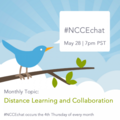
Join us Thursday May 28 7pm PST at #NCCEchat to discuss the topic:
Distance Learning and Collaboration
We hope to see everyone there!
The post New #NCCEchat Day - Thursday May 28 at 7:00 pm PST appeared first on NCCE's Tech-Savvy Teacher Blog.
Jason Neiffer and Mike Agostinelli
.
Blog
.
<span class='date ' tip=''><i class='icon-time'></i> Aug 20, 2015 08:37am</span>
|
|
We had a small group this month, but a great focused discussion! We have settled in to NCCEchat the 4th Thursday of every month at 7 pm PST for 30 min. Set your calendars and we hope to see you in June. Below is the archive from last nights conversation:
[View the story "NCCE chat 5/28/15″ on Storify]
The post #NCCEchat Archive May 28, 2015 appeared first on NCCE's Tech-Savvy Teacher Blog.
Jason Neiffer and Mike Agostinelli
.
Blog
.
<span class='date ' tip=''><i class='icon-time'></i> Aug 20, 2015 08:37am</span>
|
|
As the school year rapidly comes to a close, now is an excellent time to take some small steps to prep your students to hit the ground running in the fall with Google Chrome. If your district does not use Google Apps for Education, this processes will still work as long as your students have a Google account. If you are curious about exploring Google Apps for Education, start here.
Setting your Students up with Google Sync for Chrome
Setting up tech workflows for students are a great way to teach efficient use of technology, but students often struggle when they change computer because "It doesn’t look the same". Google Sync for Chrome allows your extensions, settings, and bookmarks to be be synced to any chrome browser. By setting your students up with Google Sync for Chrome, regardless of the computer, their Chrome tools will all be just as they left them so they can focus on learning and not setting up their browser.
The process if quick and easy. First, access your Google Chrome settings as shown below:
Now click the Sign in to Chrome button:
Now have your students use their GAFE account or regular Google Account to login
That is all there is to it! Now in the fall students can return and login into Google Chrome and any extensions, bookmarks, or settings will be ready to go.
In upcoming weeks I will be focusing on Google Extensions to extend your students toolset within Chrome!
The post Prep your #GAFE students now for the fall with Google Sync for Chrome appeared first on NCCE's Tech-Savvy Teacher Blog.
Jason Neiffer and Mike Agostinelli
.
Blog
.
<span class='date ' tip=''><i class='icon-time'></i> Aug 20, 2015 08:37am</span>
|
|
Flag Day
On May 30, 1916, President Woodrow Wilson issued a presidential proclamation establishing a national Flag Day on June 14. Many Americans celebrate Flag Day by displaying the Red, White and Blue in front of homes and businesses. The day commemorates the adoption of the Stars and Stripes as the official flag of the United States.
Brief History of Flag Day - http://www.americaslibrary.gov/jb/modern/jb_modern_birth_1.html
Flag Day and Flag Code - http://blogs.loc.gov/law/2012/06/flag-day-and-the-flag-code/
Flag Day Poster 1917 - http://www.loc.gov/pictures/resource/cph.3g06262/
A Top of the World our Flag (sheet music) - http://lcweb2.loc.gov/natlib/ihas/service/wwi-sheetmusic.10/200207106/200207106.pdf
All Hail to our Flag so Grand (sheet music) - http://lcweb2.loc.gov/natlib/ihas/service/wwi-sheetmusic.2/200199060/200199060.pdf
Flag Day Parade image - http://www.loc.gov/item/owi2001031301/PP/
History and Myth of U.S. Flag webcast - http://www.loc.gov/today/cyberlc/feature_wdesc.php?rec=3335
Morning colors on U.S. cruiser "Raleigh" (1899 Edison film) - http://www.loc.gov/item/98501217/
The post Flag Day Libary of Congress resources for June appeared first on NCCE's Tech-Savvy Teacher Blog.
Jason Neiffer and Mike Agostinelli
.
Blog
.
<span class='date ' tip=''><i class='icon-time'></i> Aug 20, 2015 08:37am</span>
|
|
If you do not have access to Microsoft Word, you can use Google Docs to edit and or create your documents. The following documentation outlines the process:To start you will need to change a setting in your Google Drive to handle Word files correctly. Login to your Google Drive account and click the settings icon:
In the Settings window, make sure the "Convert uploaded files to Google Docs editor format" is checked:
Now when you upload an existing Word Document you can edit it in Google Docs. To start, click the "New" button in your Google Drive and "File upload":
Locate the Word Document on your computer, select it and open:
Google Drive will show the document uploading and converted:
Your converted Document will be available in your drive for you to edit:
Once you have made your edits if you need to turn in a Word Document you can download your edited work in Microsoft Word format:
That is all there is to it!
The post How to: Using Google Docs to Edit Word Files appeared first on NCCE's Tech-Savvy Teacher Blog.
Jason Neiffer and Mike Agostinelli
.
Blog
.
<span class='date ' tip=''><i class='icon-time'></i> Aug 20, 2015 08:37am</span>
|
|
The Microsoft PowerPoint team recently announced that Office Mix will now integrate with all major Learning Management Systems through the LTI standard.
Office Mix is a free add-in for PowerPoint that makes it easy to author and share interactive online lessons. Educators can easily add audio and video narration, real-time inking, screen recordings, quizzes and polls within PowerPoint. Lessons can be viewed in practically any browser on any device. Through support of LTI, we have made it easy for educators to embed mixes into all major Learning Management Systems (LMSs), including Canvas, Engrade, Blackboard, Haiku, Moodle, Brightspace, EDUonGo and Schoology. Additionally, the LTI adoption enables McGraw-Hill Education (MHE) to utilize Office Mix to provide a custom teaching experience for adopters of the next generation of MHE products. Cengage Learning will be releasing an Introductory Computing MindTap pilot integrating Office Mix for fall 2015 classes. After Office Mix has been set up to work with an LMS via LTI, educators can easily embed interactive mixes, created by themselves or the community, within their LMS as assignments or assessments. LTI also seamlessly authenticates students, and their grades are automatically passed back to the LMS grade book.
As a Moodle administrator, teacher, and end user this announcement is exciting on many levels. As we have talked about this before on the blog, teacher voice in a blended or online course is extremely important. Office Mix makes screen casting dead simple and now it is easier then ever to take Mix lessons and integrate them into my Moodle courses. As a Moodle admin, the LTI setup takes about 5 min and your entire teaching staff can take advantage of integrating Mix lessons into their courses.
Admins:
Go to https://mix.office.com/ and press the login button:
Login. I am very appreciative that Microsoft is supporting many account logins. As a school that uses Google Apps for Education, it is a welcome addition to use my GAFE account to access Mix.
Once you have logged in, navigate to https://mix.office.com/lti and manage your connections:
Click Register a New LMS to create an LTI key and passcode to enter into your LMS at the site level. This will very depending on LMS. Microsoft has a help document to assist.
That is the process for the Site Administrator, now on to the teacher…
Teacher
Once your site administrator has the LTI connection built at the site level all the teacher needs to do is create a Office Mix presentation and upload the finished presentation to Office Mix online. If you are new to Office Mix check out this getting started guide. Once your Mix presentation is uploaded to Office Mix Online, click on the presentation to grab the URL of the Mix:
The next step will vary depending on your LMS. This example is using Moodle. In Moodle, the LTI assignment is called an "external tool". In the external tool you add the URL of the Office Mix presentation and choose the External Tool type (which was created by the system admin)
Now your Office Mix presentation will be built into your LMS as shown below:
Are you going to use Office Mix LTI integration? If so add your example in the comment section below. If you are using a different LMS, add the directions below to help others integrate this great product!
The post Office Mix now supports integration with Learning Management Systems appeared first on NCCE's Tech-Savvy Teacher Blog.
Jason Neiffer and Mike Agostinelli
.
Blog
.
<span class='date ' tip=''><i class='icon-time'></i> Aug 20, 2015 08:36am</span>
|
|
I recently received this email from the "Ask a Tech-Savvy Teacher" page on the blog:
Hey Tech-Savvy Teachers!
My iPod Touch just played its last iTune after five years of faithful service. I want a good media player to replace it. Any ideas? I know that Apple is rumored to be releasing new iPods soon (Editor’s Note: released!) but I am hoping for something cheaper. Is there an Android version of an iPod Touch?
Thanks,
Abba-less in Boise
Dear Abba-less,
I hear you sister! The new iPod Touch hardware is awesome, but there are times when an inexpensive alternative is quite justified. I hear from a number of parents of younger kids that they wish there was a cheaper phone alternative that their kiddos can use on wifi without a data plan as well as power users and casual users alike that want a cheap device for exercising, recreating or traveling.
I have several suggestions as options for rolling your own "Android Touch."
Samsung Galaxy Player
Samsung attempted to move into this market with their Galaxy players (available in a variety of sizes, including 4 inches and 5 inches). These were iPod Touch-like devices with wifi that featured an Android phone-like experience: access to the Google Play store and the ability to install most Android apps. If you search around enough, you can still find new versions of these now-discontinued devices in places like Amazon.com.
I never owned one of these devices, but, I did have an opportunity to use one that was owned by a friend. They were roughly on par with using an iPod Touch: they were slightly underpowered compared to their phone counterparts, but, were capable of downloading most apps, including games and productivity apps, without issue.
Sadly, Samsung is no longer making these devices. You may be able to find a used one somewhere on the Internet, but, it won’t run even last generation’s Android software and may not be a satisfying solution. I also doubt that these could run modern apps.
Repurpose an Old Cell Phone
Most cell phone plans allow you to upgrade cell phones every two years. From my informal surveys, many tech-savvy teachers do just that: it allows you to get the latest and greatest technologies with a fairly minimal amount of investment. If you have a lot of old cell phones lying around, you may be able to utilize that as a free portable media player. All you need to do is pull the sim card out (if your device has one) and ignore any message about the phone lacking a sim card. You might also consider putting the phone in airplane mode and then turn wifi on back on.
No old cell phone? You have a ton of options! I have had success purchasing old cell phones for projects from eBay (of course, buyer beware… use your best Spidey Sense here!) and at Gazelle, a company that purchased and refurbishes old mobile devices. For example, I recently purchased a two-year old HTC Windows Phone 8X so I could experience the upcoming release of Windows 10 Mobile without investing in a new phone. After looking for some time on eBay, I found a used version from a well-rated merchant for just $50.
Gazelle has a great selection of used, but "certified" devices. You can pick from "good" or "excellent" condition and all devices come with a 30-day warrantee that allows you to return the device, no questions asked. You will pay more here, but, you can buy with confidence that the phone works.
For example, you can pick up a "good" version of the Galaxy SIII with a relatively recent version of Android, 4.3 Jelly Bean for just $139.00. The devices comes with 16gb of memory. For just over $20, you can add a 64gb microSD card to store most of your movies, music and some apps making this a 64gb Android Touch for just $159.
Looking for a Project? Use a Inexpensive New or Refurbished Pre-Paid Android Phone!
For those looking for a project, there is an even cheaper option. In the last two years, there has been a proliferation of inexpensive Android devices from a number of familiar manufactures that have come onto the market. Most of these phones are aimed at "pre-paid" cell carriers like TextNow, FreedomPop, Boost Mobile, AT&T GoPhone, StraightTalk and Republic Wireless. Often times, devices locked to these carriers are offered at a steep discount via marketplaces like Amazon and BestBuy in an attempt to drum up business.
For example, you can pick up the well-reviewed Moto E for Verizon Prepaid for just under $70 bucks on Amazon. This phone takes microSD cards up to 32gb, which means a small investment of just over $10 makes this a 32gb Android Touch for around $80!
I’ve also had excellent lucking finding cheap prepaid cell phones utilize the excellent site DealNews.com. There are prepaid deals posted there every couple of weeks and I have found phones for as little as $20 that would work just fine as an Android Touch. Here is a quick screengrab of a recent visit there so you can see my strategy:
At the time of this writing, there are several potential options, many under $60.00.
But… are these cheap phones worth it? Is it useable?
Good question. I am going to test this very question in upcoming weeks. I am going to purchase a $50-or-less Android phone and see how it handles as an Android Touch. My goal is to find a device that will take a 32gb or 64gb SD card with a recent version of Android. I’ll report back here on the blog!
So, Abba-less, you have a number of great options here. Let us know how it goes!
Love,
The Tech-Savvy Teachers
The post Ask a Tech-Savvy Teacher: Use a Cheap Android Phone as an "Android Touch" Platform (Part 1) appeared first on NCCE's Tech-Savvy Teacher Blog.
Jason Neiffer and Mike Agostinelli
.
Blog
.
<span class='date ' tip=''><i class='icon-time'></i> Aug 20, 2015 08:36am</span>
|
|
Today I am presenting at the Mountain Moot in Helena Montana. Below is the slide deck for your viewing pleasure.
Guiding Learning in Credit Recovery through Conditional Release
The Montana Digital Academy is re-envisioning learning pathways for Credit Recovery using Conditional Release in Moodle. Conditional Release is an often talked about feature, but if you are interested in seeing a program built from the ground up around this feature this is the session for you! In this session the following will be presented: an overview of why a program would build a program around conditional release a logic tree necessary to build a course around conditional release current limitations of conditional release to consider a look behind the scenes of a fully created course using conditional release 3rd party plugins that make conditional release even better
The post Slides: Guiding Learning in Credit Recovery through Conditional Release appeared first on NCCE's Tech-Savvy Teacher Blog.
Jason Neiffer and Mike Agostinelli
.
Blog
.
<span class='date ' tip=''><i class='icon-time'></i> Aug 20, 2015 08:36am</span>
|
|
Stories can be some of the best catalysts to engage students in deep learning. The global oneness project is all about bringing rich multicultural stories and lesson plans for high school classrooms.
Our award-winning collection of films, photo essays, and articles explore cultural, social, and environmental issues with a humanistic lens. Aligned to National and Common Core Standards, our curriculum content contains an interdisciplinary approach to learning and facilitates the development of active, critical thinking. Each month, we release a new story and accompanying lesson plan. All of our content and resources are available for free with no ads or subscriptions.
I was so happy to stumble upon this site and I was truly blown away by the content. The site includes a deep search by subject, national standard, and media type for you to drill down to find exactly what you need to enhance your lessons. If you teacher middle or high school you need to spend some time on this site at http://www.globalonenessproject.org/
The post Bring the World to your Classroom! appeared first on NCCE's Tech-Savvy Teacher Blog.
Jason Neiffer and Mike Agostinelli
.
Blog
.
<span class='date ' tip=''><i class='icon-time'></i> Aug 20, 2015 08:36am</span>
|
|
Recently, I answered an email to the "Ask a Tech-Savvy Teacher" page on the NCCE blog about finding a cost-effective "Android Touch" to use without a cell phone plan. I suggested repurposing an old or used phone as an Android Touch, or, finding a cheap pre-paid Android phone as a potential replacement.
So… what am I looking for?!
A few days ago, I started the search for a device. I had some criteria to help guide my search.
First, no used phones. I am not interested in purchasing someone’s castaway goods, even if this is a good-to-great option in other cases. I am looking for something I can purchase as new or at least factory refurbished so I can experience the new phone smell.
Second, a relatively recent version of Android. I am under no illusions that I will get the most recent version of Android (5.0 or 5.1 "Lollipop" for those that are interested), however, it is reasonable that a phone should come with or be upgradeable to Android 4.4 "KitKat." Or, for the right phone, 4.1, 4.2 or 4.3 (all "Jellybean"), or even 4.0 "Ice Cream Sandwich" are also fine alternatives. There are a number of inexpensive options with Android 2.3, but, that is too dated and won’t run recent apps.
Third, a phone from a recognizable brand. I have no problem purchasing devices from upstarts or brands popular outside the United States, however, this comes with some risk. I have seen some excellent deals on cell phones imported from China or Hong Kong that would be great, higher-end options here for little more than $100, but, I am looking for familiar goods here that could be easily found on a popular United States online merchant.
Fourth, I am looking for a phone that takes a microSD card. To be a good Android Touch, I would want to store media.
Last, I am looking for a budget option. There are excellent phones for $100-$200 that are available new off contract that would be excellent choices here. But, I want something that a parent wouldn’t mind handing to their slippery-fingered tween or a traveler wouldn’t mind losing if or breaking on a commute or traveling overseas.
Shopping Strategy
I utilized two different strategies here.
First, Amazon.com provides a number of excellent tools here! I utilize two top 100 lists, the top 100 rated prepaid phones and the top 100 best selling pre-paid phones. Remember, it doesn’t matter if the phone is meant for any carrier, including the big four (Sprint or AT&T) or a smaller, lesser known name (like Boost Mobile or TextNow) because you won’t be using this as a phone! Once you have the phone in hand, put it in airplane mode and turn on wifi. This is an Android Touch!
Second, I scoured DealNews.com looking for deals. I have a specific strategy here that narrows this down just Android phones:

In the past, I have seen new, well-reviewed midrange phones from sellers like BestBuy for well under $50. On this day, I found several options, all under $100.
In the end, I decided on two different phones, each with a different strategy.
First, I wanted a very cheap low-end phone so I can test the "how low can you go" strategy. After 30 minutes of research and comparison, I purchased the Samsung Galaxy Centura for TracPhone form Amazon. The phone is a ridiculous $9.99 and had mostly positive reviews (editorial note: It appears this phone is no long being offered new at this price… again it pays to shop around!). A look at the specs suggest that it is limited in nearly every way but it does have an microSD card slot, Bluetooth, and what seems like decent reviews from across the Internet-verse. It does seem to be limited to Android 4.0 (Ice Cream Sandwich) but for $10, who cares? I plan to slip in a 32gb card when it arrives, making it roughly a 30gb Android Touch. I don’t have high hopes for this but am curious if you can get away with it… a true ten-dollar bet.
Second, I was looking for a phone with middle range specs. I searched a lot longer here because of the number of shaddy operators in this space.
I have read excellent reviews of the Moto G and Moto E from Motorola. These devices are available for a reasonable price new and unlocked ($100-$200), however, I hoped to find a cheaper version no matter the carrier. I was tempted by this Moto G for Verizon Prepaid, however, if you read the fine print, this is "Grade C" used, which means it is probably in rough shape. Still… it was under $40!
Ultimately, I found an excellent deal on DealNews for a a refurbished Moto G from a smaller pre-paid provider, for just $13.99, plus shipping. I was also required to buy a month of service. All in, with the phone, shipping and the month of service, I paid just over $40. That is incredibly good deal!Plus, I had a prepaid credit card I received recently as a gift, so, this makes this an even better investment!
It pays to shop around in this case, but, of course that is an investment of your time. If you wanted to purchase one outright without the hassle of a service or shopping around, Amazon features the Moto G for Boost Mobile for around $80, which is also an incredibly good bargain for this phone.
The specs on the Moto G are impressive. It features 8gb of onboard storage, a quad core processor, nice cameras and a microSD card slot. It also features a 720p display, which I suspect might be useful to play videos on my Android Touch.
For just over $50, I purchased not one, but two different candidates for my Android Touch project. I expect both to arrive in the next week and I’ll keep you up to date on my progress!
The post Ask a Tech-Savvy Teacher: Use a Cheap Android Phone as an "Android Touch" Platform (Part 2: Shopping) appeared first on NCCE's Tech-Savvy Teacher Blog.
Jason Neiffer and Mike Agostinelli
.
Blog
.
<span class='date ' tip=''><i class='icon-time'></i> Aug 20, 2015 08:36am</span>
|