Blogs
|
If you have ever attended one of our 30 in 50 presentations, you know we are fans of the work at GlassLab Games. After multiple years of being an invitation only beta, GlassLab Games is open to everyone.
GlassLab Games philosophy:
Deep Learning Matters - Games are ideal environments for engaging students in complexity, giving them the power to figure things out at their pace, in their way, and through a medium that they enjoy.
Fail Forward - Our games are an ideal way to learn from mistakes because they offer multiple opportunities to persist through challenge in an environment that is designed to reward multiple attempts and novel solutions.
Immediate Feedback to Learners - With games, learning is continuous. When students are in the moment playing, there is no better time to give them insights into their learning.
Not-so-standardized Assessment - Our reports reflect exactly what is happening as the child is learning. We capture evidence of student learning through our back-end and then make that learning visible through streamlined reporting that is real-time, personalized, and actionable.
Transformative Learning - Our games are unique in their ability to create an immersive context for learning that sparks curiosity, fosters persistence, and opens students’ minds to new possibilities.
Current Featured Games:
Argument Wars
Argument Wars is an online game that lets players argue landmark Supreme Court cases. By finding and using the strongest support, students recreate historic legal cases while evaluating arguments and distinguishing between valid and invalid reasoning. Argument Wars brings gaming to the social studies classroom and lets students have fun while they learn about landmark cases and hone fundamental skills that are critical to success in meeting Common Core standards.
Game Over Gopher
Game Over Gopher is an exciting tower defense game built around the coordinate grid. To defend a prize carrot, the player selects various tools to "feed" the space gophers marching hungrily toward it. Game Over Gopher guides students in plotting coordinate pairs, differentiating negative coordinates from positive coordinates, and identifying the four quadrants. It helps establish the fundamentals of plotting functions on a grid. We recommend it for students who are struggling to understand the coordinate grid or those who just want to become more comfortable with graphing.
Funded by the National Science Foundation and developed by the Learning Games Lab at New Mexico State University, Game Over Gopher is a game in the Math Snacks suite of interactive educational learning modules, and prepares students to better understand mathematics concepts crucial for 6th-grade math. Aligned to Common Core standards, it has been used effectively with students in 2nd through 7th grades learning to graph coordinates and track locations on a grid.
Slice Fractions: School Edition
Slice Fractions: School Edition is a fun problem solving game that guides students to intuitively and effectively learn fractions through critical concepts. In this puzzling world, players must slice the right amount of ice and lava to clear the mammoth’s path. The game is the fruit of multiple years of research and development by Ululab with the help of math learning experts from the University of Quebec in Montreal (UQAM). It has a smooth progression designed for kids who are new to fractions or who have not yet understood its basic concepts. The environment is free of written instructions, which lets students dive into math reasoning without being obstructed by their literacy level.
Wuzzit Trouble
Wuzzit Trouble is a seemingly simple game that will challenge and engage your students - and even you - like never before! While saving the trapped Wuzzits, your students will engage in completing complex performance tasks that aren’t just aligned to the Common Core, but that develop number sense and the ability to use mathematics as a problem-solving language. Featuring a casual game look and feel, don’t be surprised if your students start playing at home, too!
Water Bears EDU
Water Bears EDU is a 3D puzzle game that requires students to use spatial reasoning and color-mixing skills to redirect water through pipes in a grid-based environment. The end goal of each puzzle is to fill each water bear’s bubble with the correct color water. Each puzzle has been designed to give students hands-on experience with different Systems Thinking concepts, such as identifying interconnections, using leverage points, and managing limited resources. Some puzzles introduce game mechanics or Systems Thinking concepts, while others provide engaging challenges that help students develop deeper problem-solving skills.
After working with systems in the game, students have the tools to participate in meaningful classroom discussions about Systems Thinking concepts that can be difficult to grasp without concrete experience. This guide includes lesson plans that give an introduction to Systems Thinking in the context of Next Generation Science Standards, as well as provides a framework to customize lesson plans to suit the needs of different classrooms and students.
SimCityEDU: Pollution Challenge!
With SimCityEDU, educators have more than a just digital game. They have the tools and content they need to make learning come alive for their students. In the game, students play the role of mayor, doing the challenging work of addressing environmental impact while balancing the employment needs and the happiness of the city’s residents.
Designed in partnership with the assessment experts from ETS and Pearson, SimCityEDU: Pollution Challenge! not only teaches students about the factors affecting the environment in a modern city, but the game also provides formative assessment information about students’ ability to problem solve and explain the relationships in complex systems.
Lesson plans, teacher and student dashboards—along with student data reporting—complete the SimCityEDU experience, delivering personalized learning to every student.
Mars Generation One: Argubot Academy EDU
Mars Generation One: Argubot Academy EDU is an engaging futuristic adventure game for iOS tablets. Aligned to the Common Core State Standards, the game brings STEM content into the English Language Arts classroom, and helps middle schoolers develop persuasion and reasoning skills. In Argubot Academy EDU, players take on the persona of a new student at Argubot Academy, the city’s middle school. There, each player will have to make very adult decisions about the building and governance of the city, for example: What type of food should the citizens cultivate? Players have to build sound arguments for every choice they make - but in this city on Mars, people settle their differences by equipping their robot assistants, called argubots, with claims and evidence, culminating in a robot battle of wits!
The post GlassLab Games out of beta! appeared first on NCCE's Tech-Savvy Teacher Blog.
Jason Neiffer and Mike Agostinelli
.
Blog
.
<span class='date ' tip=''><i class='icon-time'></i> Aug 20, 2015 08:38am</span>
|
|
Just as in the adult world, data privacy and data sharing are big topics in and around the students we serve in the classroom. As we are using an increasing number of apps and website to track data, from student behavior to the hot lunch count, privacy advocates are asking good questions about what happens to that data and how it is used.
I love the podcast New Tech City from WNYC, where host Manoush Zomorodi promises to make digital personal. She is concluding an excellent series about technology and kids and this week tackled sticky questions about student data and the proliferation of apps in the K-12 classroom.
What I find particularly interesting is that she frames the discussion around Class Dojo, a tool that appeared on many "best of" in trainings around the NCCE conference as well as in other professional development events across the nation.
This is worth your listen!
WNYC: ClassDojo: Do I Want it in My Kid’s Class?
The post New Tech City discusses student privacy and educational technology appeared first on NCCE's Tech-Savvy Teacher Blog.
Jason Neiffer and Mike Agostinelli
.
Blog
.
<span class='date ' tip=''><i class='icon-time'></i> Aug 20, 2015 08:38am</span>
|
|
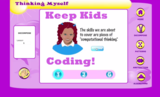
After a few week hiatus, Keep Kids Coding is back and this week we have a special treat from Kiki! The featured site from CSisFun.com this week is Thinking Myself, which was created by none other then Kiki herself. As you can imagine Kiki not only shows how to use the site, but also gives us some background to some of her decisions in the creation process. The theme of site is, "You can figure out anything if you are willing to think for yourself!" Have a look at Thinking Myself:
We would love to hear you feedback on Thinking Myself. Share with us your experience with your students in the comments section below!
The post Keep Kids Coding! Thinking Myself appeared first on NCCE's Tech-Savvy Teacher Blog.
Jason Neiffer and Mike Agostinelli
.
Blog
.
<span class='date ' tip=''><i class='icon-time'></i> Aug 20, 2015 08:38am</span>
|
|
FREE two-day workshops coming to an area near you!
Introduction to Teaching with Primary Sources
Serving Idaho, Montana, Oregon and Washington
These 2-day workshops, designed for K-12 Educators and Teacher Librarians, will introduce you to the vast collections of the Library of Congress’s rich reservoir of over 19 million digital resources and explore how you can use them to engage students in the classroom. Two-day workshops will include information on:
Certificate of Attendance is awarded at conclusion of workshop. While the workshop is free, meals, lodging, and travel are at the attendee’s expense.
Navigating the Library of Congress website
Searching digitized materials and lessons
Analyzing primary sources and discussing lesson implementation strategies
Exploring copyright information
Designing lessons utilizing Library of Congress materials and meeting Common Core standards
Engaging and challenging students using primary sources
Addressing Common Core standards
REGISTRATION IS OPEN Apply at http://www.ncce.org/index.php/tps
WORKSHOP LOCATIONS
IDAHO
AUGUST 3-4 Meridian, ID
AUGUST 11-12 Kendrick, ID
MONTANA
JUNE 22-23 Missoula, MT JUNE 25-26 Billings, MT
OREGON
JULY 21-22 Ontario, OR
JULY 27-28 Eugene, OR
AUGUST 16-17 Ashland, OR
WASHINGTON
JULY 29-30 Yakima, WA
AUGUST 12-13 Auburn, WA
Clock hours/renewal credits and college credit will be available
The post The NCCE Teaching with Primary Sources program announces its FREE 2015 Summer Workshops appeared first on NCCE's Tech-Savvy Teacher Blog.
Jason Neiffer and Mike Agostinelli
.
Blog
.
<span class='date ' tip=''><i class='icon-time'></i> Aug 20, 2015 08:38am</span>
|
|
[YouTube Thursday is a series featuring our favorite educational channels on YouTube. We believe in the power of video, produced by professionals, teachers and students alike!]
The Tech-Savvy teachers are strong believers in exposing students at all ages to the guts of technology as much as possible, from building their own computers to learning how to code. However, from my own experiences planning programs for delivery to K-12 students, simply offering computer science or coding instruction often draws a mostly-male crowd.
There have been some extraordinary efforts to help close the gap, including efforts by colleges and universities to approach computer science from different angles in order to attract more girls. You can read about one such program at Harvey Mudd here.
There are a growing number of resources available via YouTube that are aimed at younger girls to introduce them to computer science and other STEM topics.
I like the Geek Gurl Diaries, where Carrie Ann provides an encouraging and positive spin to topics like how to solder:
…programming on a Raspberry Pi:
…and how to be the only girl on a team:
There are over 30 videos in all… check out the YouTube Channel for more!
The post YouTube Thursday: Geek Gurl Diaries appeared first on NCCE's Tech-Savvy Teacher Blog.
Jason Neiffer and Mike Agostinelli
.
Blog
.
<span class='date ' tip=''><i class='icon-time'></i> Aug 20, 2015 08:38am</span>
|
|
This Wednesday marks our first #NCCEchat. Our goal is to connect with members on a monthly basis and chat about all things edtech. New to Twitter chats? Let me explain how one works. Here are 5 steps to having a good Twitter chat experience.
Step 1 - Find a chat. Our chat is #NCCEchat and takes place on the last Wednesday of each month (7 p.m. PST). You can also find a comprehensive schedule of educational chats on Jerry Blumengarten’s (@cybraryman1) website.
Step 2 - Select a platform. Some chats provide an environment for tweeting, whereas most let you use your own app or preferred site. I’m a big fan of Tweetdeck and Nurph. Both require your standard Twitter account and will give you an easy platform for following the chat. I would not recommend using the standard Twitter page or app on your mobile device - it’s too hard to follow! I’ll be using Nurph to record our chat, but will most likely interact in the Tweetdeck environment.
What’s easy: go to Nurph, sign in, and follow along.
Step 3 - Alert your audience. You may want to let your followers know you will be particularly active that evening. A simple "For the next hour, I will be participating in a Twitter chat and tweeting frequently. Follow me at [insert hashtag] or join the conversation!" You don’t really have to do this, but courtesy is always nice.
Step 4 - Follow the format. Our chat will use the Q1/A1 format. When I ask a question, I will begin with "Q1″ in my tweet. Then, whoever answers that question, will start with "A1″ as their response. "Q2″ is next, with "A2″ starting any replies. And on it goes. Most chats have 5 questions, but there is no real rule - it’s up to the moderator. And always make sure you include the chat’s hashtag with each tweet. Nurph (and other platforms) will do this for you automatically.
Step 5 - Tweet, learn, and contribute. Be active in the chat. Answer the questions, share your thoughts, and have fun. This is a great way to find new people to follow and make professional connections. I’ve learned so much by participating in #Tlchat and many others this last year. They really are fun and a good way to get new ideas and share your thinking.
Don’t forget to join us Wednesday, April 29 at 7 p.m. PST for our first #NCCEchat.
The post Twitter Chat: How to Participate in #NCCEchat appeared first on NCCE's Tech-Savvy Teacher Blog.
Jason Neiffer and Mike Agostinelli
.
Blog
.
<span class='date ' tip=''><i class='icon-time'></i> Aug 20, 2015 08:37am</span>
|
|
Richard, Jason, and myself hope you can join us tonight at 7 pm PST for the first ever #NCCEchat We will be focusing on successes in the classroom experienced after the NCCE conference. Richard posted a great outline to get you started if you have never participated in a Twitter chat before and I wanted to build upon that with an explanation of another tool I will be using tonight: TweetChat
CHAT WITH TweetChat
TweetChat allows for an easy way to follow a conversation organized around a hashtag (In this instance #NCCEchat). TweetChat organizes tweets in a visually pleasing way to highlight questions and answers from people engaged in the conversation.
Easy to use
All you need to do is enter a hashtag and join the conversation!
Mobile Optimized
Tweetchat.com is mobile and iPad optimized so you can TweetChat on the go.
How to Use TweetChat
Start by navigating to www.tweetchat.com in your favorite web browser. Once there, enter the hashtag #NCCEchat in the search box and press go:
If this is the first time you have used TweetChat you will have to authorize it with your Twitter credentials:
Once you have authorized the app, you will be into the TweetChat interface. The graphic below shows the basics of using this service:
That is all there is to it to get started!
Tips on participation
If this is your first attempt at participating in a Twitter chat you may find it overwhelming at first. The tips listed below will help minimize that feeling and remember like everything in life this to will get easier with practice. If you find yourself just watching tonight that is an excellent first step and I guarantee you will find value.
Tip #1 - The #NCCEchat format will be to start questions with Q1, Q2, and so on. To answer Q1 start your tweet with A1. You will notice that TweetChat will help you with this process, but it is helpful to understand the underlining structure of the communication in this format.
Tip #2 - Don’t feel like you have to read every tweet. If you find a series of tweets that take you in a different direction that is great! We will be archiving each #NCCEchat for you to review after later.
Tip #3 - Use the pause button. If the stream starts to pick up and you find yourself feeling frantic, press the pause button and control the process. This conversation is about enriching yourself, not stressing you out
I am excited to connect with all of you tonight and happy to be of service if you need any help with this process. See you tonight at 7 pm PST at the hashtag #NCCEchat
The post Using TweetChat as another option for tonight’s #nccechat appeared first on NCCE's Tech-Savvy Teacher Blog.
Jason Neiffer and Mike Agostinelli
.
Blog
.
<span class='date ' tip=''><i class='icon-time'></i> Aug 20, 2015 08:37am</span>
|
|
Thank you to everyone who participated in the first ever #NCCEchat ! Below is the archive of the conversation. We will be looking for a new time in May as to not conflict with our friends at #westedchat and #idedchat
Watch the blog for information around date and time for our May #NCCEchat in the meantime keeping using the hashtag to share with the NCCE community!
[View the story "#NCCEchat 4/29/15″ on Storify]
The post April #NCCEchat Archive appeared first on NCCE's Tech-Savvy Teacher Blog.
Jason Neiffer and Mike Agostinelli
.
Blog
.
<span class='date ' tip=''><i class='icon-time'></i> Aug 20, 2015 08:37am</span>
|
|
None of the Tech-Savvy team are in for an Apple Watch… yet. However, the technology is intriguing. With my own personal revelation that turning off notifications on my smartphone for work has increased productivity and decreased stress, is there any merit to a device that actually adds more places for notifications and data to find me?
Manoush Zomorodi tackled this issue in last week’s episode of New Tech City from WYNC. She approaches the issue from the point of view that Apple knows that most of us hate our smartphones, because they are creating such distraction and disconnection from the world around us. It is worth a listen:
This begs a series of important questions in the classroom.
In a world where we are inviting devices in our classroom, either a school-owned device (1:1) or a student-own device (BYOD), are we also inviting incredible distraction into our classroom?
If adults struggle with the introduction of these devices, what chance do our emerging learners have at beating the distraction?
And the most important question in my mind… are we teaching our students how to deal with these new tools appropriately, either through modeling or direct instruction?
What are your thoughts on this issue?
The post Philosophical Friday: Digital Distraction in the Classroom? appeared first on NCCE's Tech-Savvy Teacher Blog.
Jason Neiffer and Mike Agostinelli
.
Blog
.
<span class='date ' tip=''><i class='icon-time'></i> Aug 20, 2015 08:37am</span>
|
|
How can time-strapped teachers find and use free resources from the online collections of the Library of Congress to support the needs of diverse learners?
On Thursday, May 7, at 4 PM ET, join Library experts and an ESOL teacher and bilingual peer observer to learn strategies "to engage students in the analysis of evidence (Common Core), increase comprehensible input (diverse learners), and promote content learning and student engagement."
Library experts will share strategies on analyzing primary sources to enhance the development of critical and analytical thinking skills. Areli Schermerhorn, an ESOL teacher from Syracuse who participated in a 2014 Library of Congress Summer Teacher Institute, will join us to discuss strategies for teaching with primary sources to support teaching and learning at all grade and language proficiency levels. Areli will share her experiences with how primary sources can address CCSS - including practice with complex texts and academic language, the use of text-based evidence to support claims, and building knowledge through non-fiction resources.
Teacher Webinar May 7: English Learners, the Common Core and Primary Sources
The event is free, but registration is required. Find the registration link, as well as recordings of past events, here.
The post How can time-strapped teachers find and use free resources from the Library of Congress? appeared first on NCCE's Tech-Savvy Teacher Blog.
Jason Neiffer and Mike Agostinelli
.
Blog
.
<span class='date ' tip=''><i class='icon-time'></i> Aug 20, 2015 08:37am</span>
|