Blogs
|
Welcome back! We hope everyone had a great summer vacation! We wanted to start off the first post of the new school year with a useful tool in increase fluency in your classroom. This process only requires one computer, so this should be useful to almost every classroom. Having students listen to a fluent reader, then record themselves reading, listen to themselves, listen to the fluent reader again, and finally record themselves a second time is a proven method to increase reading fluency with emerging readers. The process I will outline today uses a website called Vocaroo. Vocaroo is a simple interface that tackles the task of recording and playing back audio.
Remember anytime you are recording audio you need a microphone (almost always built into a laptop or very inexpensive from Amazon). If you happen to have headphones or a headphone with mic you can contain the classroom noise a bit. Vocaroo uses Flash, so make sure you have the latest version of Flash install on your machine
Process
To set this up, open two browser windows and in both go to: http://vocaroo.com/ Resize the windows so they fit next to each other on your screen like this:
On the right, record yourself reading the passage you want your students to work on for the day. (Click record and stop when you are done). Train your students to always record on the left side. After you have recorded your passage, students will be able to play back the audio.
There you have it. A quick, simple way to setup a powerful fluency station in your classroom. If you want to take this a step further, Vocaroo allows you to save the audio as a MP3. This would allow you to archive student reading samples over time.
All of us at NCCE wish you a fabulous 2014-2015 school year. Feel free to drop us a line with your questions about tools, devices, and/or teaching practice. We are always happy to help!
Jason Neiffer and Mike Agostinelli
.
Blog
.
<span class='date ' tip=''><i class='icon-time'></i> Aug 20, 2015 08:46am</span>
|
|
Hot off the presses! Remind (formerly Remind101), one of our favorite tools for connecting classrooms with students and parents, has added a new component that allows for student and parents to interact with one of four stamps (including a check, star and a question mark) to allow for simplistic polling. The functionality is called "stamps."
I wasn’t able to get the updated app on my Android phone, but, according to their announcement, students and parents that accept Remind 101 reminders via the app can now interact with one of the stamps in response.
While I do worry about Remind moving away from their clean, "just works" functionality, they promise that the service works as it always had, which means even parents with feature phones (um, "dumb phones") can still use this amazing service.
Are you using Remind in your classroom? Tell us how in the comments below!
Jason Neiffer and Mike Agostinelli
.
Blog
.
<span class='date ' tip=''><i class='icon-time'></i> Aug 20, 2015 08:46am</span>
|
|
[YouTube Thursday is a series featuring our favorite educational channels on YouTube. We believe in the power of video, produced by professionals, teachers and students alike!]
I was recently referred to this video on YouTube, which takes the slow-motion video trend in mobile video and applies it to dropping a cat. That’s right… dropping a cat:
This sounds potentially worse than it is… he is using GiGi, the stunt cat (or so he says ) and appears to have done his research. In the end, he takes this fairly amazing slow motion video and applies the laws of physics to determine why.
This is one of the most watched videos on the SmarterEveryDay YouTube channel, where Destin "explores the world using science." The videos are short, pedagogically sound and entertaining in an understated way. There are over 120 videos covering a range of science topics.
Some of my favorites:
4th of July Fireworks Chemistry
Slow Motion Jellyfish Stinging (careful… creepy needle imagery… )
and AK-47 underwater at slow motion!
There is a fun "maker" aspect to the videos and provides some interesting "how to" backstories on the setup. While the videos maintain a nice, informal tone, there is high production value so you can focus just on the content.
SmarterEveryDay via YouTube
The post YouTube Thursday: SmarterEveryDay appeared first on NCCE's Tech-Savvy Teacher Blog.
Jason Neiffer and Mike Agostinelli
.
Blog
.
<span class='date ' tip=''><i class='icon-time'></i> Aug 20, 2015 08:46am</span>
|
|
Shutterfly is launching an amazing classroom resource called Shutterfly Photo Story. Most of us are familiar with the high quality and fast turn around Shutterfly offers for pictures, picture books, and calendars. Now, Shutterfly is taking their expertise to empower students from all over the country to tell a photo story with their iPad app: Shutterfly Photo Story.
What is Photostory?
Shutterfly Photo Story inspires students to do their best work by showcasing completed projects in a published book. A fun new way to incorporate technology in the classroom, our iPad app aligns with the English Language Arts Common Core Standards for each grade level. Easy and intuitive, Photo Story helps students document their projects and stories with text, photos, audio clips and Doodles.
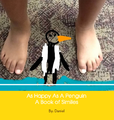
Click to view Daniel’s Story
I was fortunate to have the Shutterfly Photo Story team show off their product and discuss the inspiration for this project at ISTE 2014. The team wanted to take what they already do (a market leader in personalized digital photography products and services) and provide a personalized learning opportunity for every student in every grade level. I was impressed with the amount of research and testing the team conducted before releasing the app. The Photo Story team worked with Alice Christie, Ph.D. and Helen Padgett, Ph.D. of Arizona State University along with the research firm of Walkington/Sugarman Education Sales Advisors to run pilot projects across the country. Some of the interesting findings in the pilots were that Photo Story was used across the core curricular areas. They received very favorable feedback on the quality of the final book. On a 1-10 scale, teachers and students rated the value of the physical book at 9.45.
This leads me to why I am so excited about this product. There are many apps that can create digital stories on an iPad, but Shutterfly Photo Story sets itself apart by the beautiful physical book that is created as an end product. Allowing students to create something digitally that is then manufactured into a physical book is a great way for students to experience the entire product development cycle. Many tech savvy educators will admit that creating something tangible (with or without computing) will always be just as important as creating something virtually.
You may be thinking (as I was) "This is great, but I am scared of the price". I was happy to hear that prices start at $10 per book. When you stop and think about the amount of colored ink you go through to create a similar project (of vastly inferior quality) the $10 price point is excellent. (Full color printing still costs about $0.40 per page)! Plus these end products have lasting value over many other products we produce in schools.
Shutterfly has created a whole website dedicated to the Photo Story app. The site contains tutorial videos on how to use the app, lesson plans that cover all core subject K-8, and examples to spark your imagination. In addition to the website, Shutterfly added something to every book that sent our tech-savvy radar blaring: Each book contains a QR code in the back that links to a virtual version hosted on Shutterfly’s servers. Can you imagine one of your students being able to share their story with a relative across the country? OR Building a virtual library year after year of your 4th graders stories? OR Your 6th graders creating a photo story of the solar system to share with 4th graders across the country? The possibilities and engaged learning opportunities are endless.
Shutterfly is still looking for interested classrooms to run additional pilots. If you are interested, visit the Photo Story classroom website at: http://www.shutterfly.com/photostoryclassroom
Have you used the app in your classroom or had books printed? Please share with the NCCE community you experiences by adding your comments below!
The post Shutterfly Photo Story iPad App Preview appeared first on NCCE's Tech-Savvy Teacher Blog.
Jason Neiffer and Mike Agostinelli
.
Blog
.
<span class='date ' tip=''><i class='icon-time'></i> Aug 20, 2015 08:46am</span>
|
|
Tomorrow, September 12, 2014 is the deadline to submit your presentation proposal!
PRESENT AT THE LARGEST EDUCATION CONFERENCE AND EXPOSITION IN THE NORTHWEST!
NCCE is seeking proposals from educators, consultants, and corporate partners for the 44th Annual Conference and Exposition in Portland, OR at the Oregon Convention Center, March 18-20, 2015.
Through the annual conference, NCCE delivers innovative programming to Northwest educational leaders. NCCE 2015 is expecting 1800 attendees and over 130 exhibiting companies. You’re invited to share with our conference audience your knowledge and expertise on a variety of topics covering a wide range of academic disciplines in K-12 education.
CONFERENCE STRANDS
EMERGING TRENDS
Information about new ideas and innovations, such as online and blended learning, gaming, DIY and maker activities, OER, MOOCs, Big Data, BYOD, and mobile device management.
LEADERSHIP
A showcase of issues that are important to superintendents, principals, IT and curriculum directors, and other school leaders, such as Common Core State Standards, new assessments, legal and policy issues, equity, connected leadership, new models for professional learning, and moving beyond textbooks.
PROMISING PRACTICES
Presentations from field practitioners about what’s working in their classrooms, including STEM, ELA and the humanities, ESL, SPED, and more. The primary focus for these sessions should be on instructional methods and student learning, not just on technology.
TECHNOLOGY INFRASTRUCTURE
Planning, management and resources related to infrastructure, mobile learning, cloud-based computing, security, and policies that support effective teaching and learning.
TOOL SHOWCASE
Demonstrations of great hardware and software solutions, including iPad apps, Web 2.0 tools, and more.
PRESENTATION TYPES
NCCE 2015 offers a variety of speaker sessions each day of the conference.
WORKSHOPS- 2 hours
Hands-on presentation offered by an individual or a team of presenters. Participants will actively work with the tool or process being explored.
SESSIONS- 50 minutes
Lecture-style presentations that address all areas of the curriculum and appeal to a variety of teachers. Sessions may be given by a single speaker, team or panel who can address the needs of the novice user of educational technology as well as the more experienced professional.
EXHIBITOR SHOWCASES
Sessions offered by exhibiting companies to present products and services available on the show floor in an in-depth, informative, and non-sales atmosphere.
WHY PRESENT AT NCCE 2015?
Opportunity to share best practices and hot topics with peer community
Reach a target audience of Northwest educational and technology leaders
Career and resume building opportunity
Primary Presenters receive discounted registration
Workshop Presenters receive a stipend for a 2-hour workshop, if not vendor-affiliated
*Deadline to submit is Friday, September 12th at MIDNIGHT PST. Proposals will be reviewed by NCCE’s conference committee and selected based on their alignment with conference strands, recent trends, and best practices. Notification of acceptance will be sent out in the fall.
The post Deadline to submit for NCCE 2015 is tomorrow, September 12, 2014! appeared first on NCCE's Tech-Savvy Teacher Blog.
Jason Neiffer and Mike Agostinelli
.
Blog
.
<span class='date ' tip=''><i class='icon-time'></i> Aug 20, 2015 08:46am</span>
|
|
Grants, Competitions and Other "Winning" Opportunities
Supplement Your Stretched Budget
GetEdFunding is a free and fresh website sponsored by CDW•G to help educators and institutions find the funds they need in order to supplement their already stretched budgets. GetEdFunding hosts a collection of more than 2,900 (and growing) grants and other funding opportunities culled from federal, state, regional and community sources and available to public and private, preK-12 educators, schools and districts, higher education institutions and nonprofit organizations that work with them. GetEdFunding offers customized searches by six criteria, including 43 areas of focus, eight content areas and any of the 21st century themes and skills that support your curriculum. After registering on the site, you can save the grant opportunities of greatest interest and then return to them at any time. This rich resource of funding opportunities is expanded, updated and monitored daily.
Click Here to Visit Website
Honor Exemplary Reporting
The National High School Yearbook Adviser of the Year award program, sponsored by the Journalism Education Association (JEA)/ National Scholastic Press Association (NSPA), honors outstanding high school yearbook advisers and their exemplary work from the previous year as well as throughout their careers. A $1,000 award for the winner’s school, and up to four $500 awards for Distinguished Advisers’ schools, may be used to buy equipment for the yearbook classroom or to fund student scholarships to summer workshops. The Yearbook Adviser of the Year will have travel and hotel paid for the spring JEA/NSPA National High School Journalism Convention, where he or she will receive the award. The recipient will also receive a $500 prize.
Deadline: October 15, 2014
Click Here for More Information
Imagine New Uses for Data
NASA has launched a contest that gives the public access to the space agency’s earth-science data on the Open NASA Earth Exchange platform. The OpenNEX challenge invites the public to imagine and build new uses for the vast amount of data to design and implement concepts that enable climate resilience. There will be $60,000 in prize money available to participants as a reward for their innovations.
Deadline: November 15, 2014
Click Here for More Information
The post Grant Opportunities September 2014 appeared first on NCCE's Tech-Savvy Teacher Blog.
Jason Neiffer and Mike Agostinelli
.
Blog
.
<span class='date ' tip=''><i class='icon-time'></i> Aug 20, 2015 08:46am</span>
|
|
Would you like to take your students on the field trip of a lifetime? You can this year for free with GoNorth! PolarHusky.com offers students ages 6-18 amazing learning opportunities with live updates from the field February through May every year. I wanted to highlight this outstanding program now so you all had time to research and plan for this great learning opportunity. Here are some details:
Free to the entire K-12 community and our worldwide audience of all ages, our programming use the allure of long Arctic journeys pulled by powerful sled dogs and paired with Arctic research as the vehicle to explore natural and social sciences while we experience cultures and life in the Arctic.
Since 2000 our adventure learning expeditions have circumnavigated the Arctic to observe, experience, and document traditional ecological knowledge and collect previously unknown in-situ environmental realities - while collaborating with K-12 students and teachers in state-of-the-art online learning environments. Every year inquiry-based curricula is developed to center on an environmental issue that changes to reflect the expedition’s current Arctic locale and associated indigenous cultures. Field data is incorporated in the curriculum generating a unique opportunity to learn real science with real people and real data. Data collected on the trail support us all in understanding natural and social sciences from an indigenous cultural perspective as well as the science community in their development and validation of models and theories.
This is one of the best virtual field trips currently available. Both eSchool News and Edutopia have written about the its quality and engagement for students. In addition to this years adventure "Racing Beringia" PolarHusky has archived the pervious 14 years of adventures. I would highly recommend going to: http://arcticblast.polarhusky.com/register to register for your account and receive access to previous years sites.
In addition, the Racing Beringia website will give you great insight into the curriculum materials. This year is a continuation of content from Racing Beringia so you could use the previous years events to prep your class for the new content starting this February. If you decide to use this curriculum or have used it in the past, please share your experiences with the community.
The post Explore the arctic live this year with PolarHusky.com Virtual Field Trip appeared first on NCCE's Tech-Savvy Teacher Blog.
Jason Neiffer and Mike Agostinelli
.
Blog
.
<span class='date ' tip=''><i class='icon-time'></i> Aug 20, 2015 08:45am</span>
|
|
The time has come for an overhaul of the NCCE blog. We will be working over the next few days to bring a new look to the site. The new theme will display more articles on the front page and make the overall navigation of the site easier then ever! Things may be a bit wonky over the weekend
The post Excuse the mess…. Site Update over the weekend appeared first on NCCE's Tech-Savvy Teacher Blog.
Jason Neiffer and Mike Agostinelli
.
Blog
.
<span class='date ' tip=''><i class='icon-time'></i> Aug 20, 2015 08:45am</span>
|
|
I was recently during lunch at a training, "what is the one tip that you think would help nearly everyone using technology that nobody knows?" I found the question fascinating and thought long and hard about the concept and have bounced this one off of professionals that I consider quite tech-savvy and found that it isn’t universally known:
Use Control-Z to correct mistakes!
In almost all programs and with almost all commands or actions, you can press Control-Z (or Command-Z on the Mac) to undo that action. It works in so many excellent ways, but, here is a couple of examples.
Delete the wrong part of a photo in Photoshop? Press Control-Z to take it back!
Change the formatting in Word and now the document looks horrible? Press Control-Z to go back to your last formatting!
Did you past something from the Internet in Word, Google Docs or Excel and it doesn’t fit or funkified for formatting? Press Control-Z to eliminate it!
Many users believe that a bad click or action is permanent… not so! Try Control-Z… and relax!
What’s your favorite quick tip for teachers? Hit us up in the comment section below and we may feature your tool on the blog!
The post Tech-Tip Tuesday: Use the Keyboard to Correct Quick Mistakes appeared first on NCCE's Tech-Savvy Teacher Blog.
Jason Neiffer and Mike Agostinelli
.
Blog
.
<span class='date ' tip=''><i class='icon-time'></i> Aug 20, 2015 08:45am</span>
|
|
[YouTube Thursday is a series featuring our favorite educational channels on YouTube. We believe in the power of video, produced by professionals, teachers and students alike!]
I was recently looking for a video to show my wife that had made the viral rounds… the infamous "what happens of you boil a bottle of soda" video. (For the record, it is disgusting, as this will show you. And… what is happening there is real… I tried it with a two liter bottle of Pepsi and was totally grossed out!). Hidden in the search results was this video channel, "Grant Thompson - the King of Random." I am not sure if it is the dead pan delivery, or the almost science-but-sometimes-just-disgusting videos but I was immediately hooked.
Here are some favorites:
There are a lot of videos are are listed as "survival skills," and my favorite is the video how to start a fire with a bottle of water:
..or these quick tips:
I would describe the videos as part irreverence, part science and part dry-delivery entertainment. In any case they are amusing… and a bit educational.
Random, indeed.
Grant Thompson - the King of Random via YouTube
The post YouTube Thursday: The King of Random! appeared first on NCCE's Tech-Savvy Teacher Blog.
Jason Neiffer and Mike Agostinelli
.
Blog
.
<span class='date ' tip=''><i class='icon-time'></i> Aug 20, 2015 08:45am</span>
|