Blogs
|
There is no question that our means of interacting with technology is fast evolving, but even the most modern mobile devices and wearable technologies still have a limited interface. What’s next in this space? Check out this fascinating TED talk… the demo is amazing!
Jason Neiffer and Mike Agostinelli
.
Blog
.
<span class='date ' tip=''><i class='icon-time'></i> Aug 20, 2015 08:49am</span>
|
|
NCCE is offering FREE Library of Congress Teaching with Primary Sources workshops in Idaho, Montana, Oregon, and Washington this summer.
Two options are available - a Level I session for people who have never participated and Level II session for those of you who have attended a Library of Congress workshop in the past.
For more information and to apply today, please visit: NCCE 2014 Summer
NCCE Library of Congress TPS Workshops 2014 Level I (Introductory)
· July 14-17 (Billings, MT)
· July 23-24 (Spokane, WA)
· July 28-29 (Lewiston, ID)
· July 31-August 1 (Ashland, OR)
· August 5-6 (Vancouver, WA)
· August 6-7 (Meridian, ID)
· August 12-13 (Mukilteo, WA)
This two-day Level I workshop will introduce you to the vast collections on the Library of Congress’s rich reservoir of over 19 million digital resources and explore how you can use them to engage students in the classroom. Two-day workshops will include information on:
Navigating the Library of Congress website for digital content
Searching digitized materials and lessons
Analyzing primary sources and discussing lesson implementation strategies
Exploring Copyright information
Designing lessons utilizing Library of Congress materials
Links to Common Core Standards
Engaging and challenging students using primary source materials
Continuing Education hours and College Credit available.
NCCE Library of Congress TPS Workshops 2014 Level II Training (Advanced)
· August 12-13 (Mukilteo, WA) Special guest Dr. Sam Wineburg, Stanford Graduate School of Education will join us one day.
This two-day workshop will focus on understanding Inquiry-based teaching using Primary Source materials from the Library of Congress. Emphasis will be on developing lessons designed around the inquiry model and meeting common core standards.
Thank you for your continued interest in the Library of Congress!
Questions? Email Becky Firth, bfirth@ncce.org
Jason Neiffer and Mike Agostinelli
.
Blog
.
<span class='date ' tip=''><i class='icon-time'></i> Aug 20, 2015 08:49am</span>
|
|
We recently were asked about the best ways to record audio using an iPad. This is actually a question that requires some thought as there are many solutions. Depending on your desired outcome, some ways are better then others. Below are scenarios in the classroom and different hardware for the job:
Scenario 1: Quick recording in the classroom, ideally in a quiet space.
Solution: Built-in Microphone on the iPad
All iPads come with a built-in microphone that can be all you need in some scenarios. If there is background noise and/or distance between the recorded person and the iPad you will be disappointed with the built in mic. If students have a quiet space and are close to the iPad, the built-in mic can have good results. Below is a video made by a middle school student explaining a math concept. This example shows the quality that the built-in mic can provide, given the correct setting:
Scenario 2: Recording another person using the iPad
Two Solutions: USB Microphones using the iPad Camera Connection Kit or Microphones using the 3.5 audio jack on the iPad
This scenario is really where the built-in mic falls apart. Usually the individual being recorded is too far away or there is too much surrounding noise to get quality audio. In this scenario it is better to use either a USB microphone or a microphone that uses the 3.5 audio jack on the iPad.
USB Microphones using the iPad Camera Connection Kit
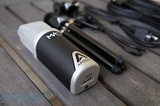
The iPad works with many USB microphones using an adapter called the Camera Connection Kit (*New iPads or Mini’s need this camera adapter). It is important to realize that Apple does not list this as an actual feature. The main reason for this is the USB connection is underpowered vs. a regular USB port and thus some power hungry USB microphones will appear to not work. There is an interesting work around: If you plug in a microphone into a powered USB hub and then plug the powered USB hub into the iPad almost any mic will work. This is obviously not the cleanest solution but we are all about getting our nerd on at this blog! Luckily most USB microphone manufactures indicate if their microphone will work with an iPad at this point. The good news with this solution is many buildings already have some USB mics lying around and for the price of the adapter you very well could be off and running with a better audio solution. If you are interested in a purchasing a USB mic, get ready to spend some money. Today’s USB mics are very high quality and produce great sound, but at a price. Budget around $100-$200 for a current USB mic. Our current recommendation is microphones from Blue. Blue even has a microphone out called the Spark that has both the USB connection and either the 30 pin or Lightning connection. If this seems like overkill to you then the 3.5 audio jack microphones are for you.
3.5 audio jack Microphones
This solution makes sense for most classrooms. With a wide variety of products at many different price points the microphones that plug into the 3.5 mm audio jack (Where you plug in headphones) are a great solution for schools. Below are 3 different types of audio jack microphones that represent different price points.
"Pill" type microphones
At the $2 - $10 range, the "pill" type microphone is an inexpensive way to enhance the audio recording on an iPad. The advantage to this design is that it adds a direction to the microphone vs. the built-in mic that picks up sound from all around. While an improvement, the pill design still struggles with distance recording. Another drawback is it can be awkward for students to use these types of microphones while holding the iPad. This solution is better then the built in mic, but only slightly.
Telephone type microphone
Made like a telephone handheld set, the device ranges from $5 - $20. Great sound isolation and fun for students to use, this solution can be a great fit in the classroom. If you are using your iPad to record video and audio this solution might distract from the filming. I have used this solution to record students reading and it has been really successful.
Shirt Clip Mic with cable extender
This is a a great solution for classrooms that want to record video with audio. By combining a 6ft 3.5 mm extender (Monoprice $1.75) with a lapel mic ($1 - $3), students can record high quality audio with their video. An obvious drawback is the cord, but with proper management this is a great cost effective way to get great sound.
There you have it. There are many different options and many options to keep in mind, but luckily for classrooms many of the solutions are very inexpensive. In a future post I will explore different apps that support audio recording and offer some classroom uses. I purposely did not add links to some of the devices unless I have used a product directly. Monoprice is always my recommended place to start for cords, mics, and any accessories. As always, share your thoughts, other recommended solutions, and comments below.
Jason Neiffer and Mike Agostinelli
.
Blog
.
<span class='date ' tip=''><i class='icon-time'></i> Aug 20, 2015 08:49am</span>
|
|
[This part of my series on attempting to go Chromebook only as a mobile platform. See details about my experiment here.]
I am nearing the end of my first week with the Dell Chromebook 11, the Chromebook I am using for at least the next two months as my primary mobile computing platform. I did spend some time researching the various options, and considered everything from the yet-to-be-released (and now delayed) Samsung Chromebook 2 to the beautifully designed 11″ and 14″ HP Chromebook line.
I ultimately decided on the Dell because of its Intel processor, 4gb RAM option and rugged build look. I was also persuaded by the media that suggested that this model was "best for education" (although, really does that even mean?).
On hardware only, here are my initial reactions:
Awesome!
The Dell Chromebook has amazing built quality. While the build is very plastic, it feels great in the hand and is light without feeling cheep. The screen is edge-to-edge glass and while I still don’t like the 1366×768 resolution on platform, the screensize seems good enough here to be an effective mobile tool.
The ports are fine: two USB ports, an SD card slot and an HDMI out.
I do wish there was an a display port, mini display port or VGA port to allow for easier external display disport.
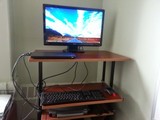
The HDMI port is very functional however. I wasn’t able to get it to work with our office conference television, but, I did set up with an older monitor with HDMI in. I was able to put together a functional standing workstation using the Chromebook as a base.
Here is my Chromebook docking station. I could probably use some wire management. :)
The hardware is speedy, which I attribute to the Intel chip and 4gb of RAM. I regularly have 5+ windows open and there has been no real sluggishness to report.
The battery life is also amazing. I have been reliably getting 9+ hours for each charge. This beats my previous platform (MacBook Air 11″/2012) and rivals what I am able to get from my iPad mini.
Meh!
So far, it has been mostly upsides but there are certainly downsides to consider.
First, there is a lot of noise on the Internet about the fan noise with this specific model. I haven’t noticed this, either using it in docking mode (which might require more processing power to run the larger monitor) or using it as a laptop. I also haven’t noticed it running too warm or hot either.
Second, I have also seen a number of references to the display, both the resolution and the the quality. While I agree that the 1366×768 resolution isn’t my preference, that is really standard for notebooks, netbooks, and ultrabooks at this size. More importantly, there are some emerging Chromebooks that brag about 1090p resolution, which I am sure looks great, but, I worry about the trade-off with battery life and speed.
Overall
Overall? I’m impressed. This is a well-built, speedy platform for the ChromeOS. It is comfortable to use, and while it isn’t made of the premium materials that I would expect with a platform like Apple or a high end Lenovo machine, it is built well enough to put up with even heavy use.
Jason Neiffer and Mike Agostinelli
.
Blog
.
<span class='date ' tip=''><i class='icon-time'></i> Aug 20, 2015 08:49am</span>
|
|
In Partnership with:
Bring you Grants, Competitions and Other "Winning" Opportunities:
Share Breakthroughs in Learning
Teachability, an online collaborative community for teachers, has launched the Dream STEM Classroom contest with a teacher prize package worth more than $2,000. The package includes a 3-D Printer, Telescope, Microscope, MinecraftEdu Classroom License and more. Teachability is a place for teachers to interact and share breakthroughs in the classroom. The site provides educators with STEM resources and tools to help their students succeed.
Click Here for More Information
SHARE:
Supplement Your Stretched Budget
GetEdFunding is a free and fresh website sponsored by CDW•G to help educators and institutions find the funds they need in order to supplement their already stretched budgets. GetEdFunding hosts a collection of more than 2,300 (and growing) grants and other funding opportunities culled from federal, state, regional and community sources and available to public and private, preK-12 educators, schools and districts, higher education institutions and nonprofit organizations that work with them. GetEdFunding offers customized searches by six criteria, including 43 areas of focus, eight content areas and any of the 21st century themes and skills that support your curriculum. After registering on the site, you can save the grant opportunities of greatest interest and then return to them at any time. This rich resource of funding opportunities is expanded, updated and monitored daily.
Click Here to Visit Website
SHARE:
Engage Students in Inquiry-Based Projects
The Captain Planet Foundation (CPF) has announced a competitive grant program in partnership with theRay C. Anderson Foundation. Sixteen $2,500 grants will be awarded to schools or nonprofit organizations for the purpose of engaging children in inquiry-based projects in STEM fields that use innovation, biomimicry/nature-based design or technology in new ways to address environmental problems in their communities.
Deadline: May 31, 2014 (as funds allow) for projects in the summer and fall of 2014
Click Here for More Information
Jason Neiffer and Mike Agostinelli
.
Blog
.
<span class='date ' tip=''><i class='icon-time'></i> Aug 20, 2015 08:49am</span>
|
|
I recently saw this excellent panel discussion on "the future" from the Milken Institute. There are number of interesting propositions here: the printing of human organs, exploring and mining asteroids, and expanding the boundaries of human capability.
Most applicable to education is a fascinating discussion on computers engaging in debate using the Watson technology. We have previously covered the Watson technology previously on this blog and the response of the Jeopardy contestants that were sounded beat by it.
The researchers discussing the participation of Watson in presenting arguments make an amazing claim: we are finding that the pathway of using these amazing technologies isn’t replacing human thought, but, complementing it to make decisions. This certainly applies to any tech-savvy teacher!
Enjoy:
Jason Neiffer and Mike Agostinelli
.
Blog
.
<span class='date ' tip=''><i class='icon-time'></i> Aug 20, 2015 08:49am</span>
|
|
It’s National Teacher Appreciation Week!
Congratulations to all of the outstanding educators this week! In honor of National Teacher’s Appreciation Week, NCCE would like to give away two full registrations ($475 value) to the NCCE 2015 Conference in Portland. To win, be one of the first TWO people to email Bobby at bmyers at ncce dot org. The winners will be announced on Friday, May 9th!
Jason Neiffer and Mike Agostinelli
.
Blog
.
<span class='date ' tip=''><i class='icon-time'></i> Aug 20, 2015 08:49am</span>
|
|
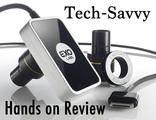
After a successful Kickstarter campaign, Exo Labs released the Exo Labs Camera and accessories to the public last summer. There has been great buzz around this product and we were happy to get our hands on the equipment and put it to the Tech-Savvy test!
The Camera:
The Exo Labs Camera ($395 MSRP) shines from the minute you pull it out of the box. We were impressed with how versatile and rugged the camera proved to be in a variety of situations. This camera is first and foremost marketed as a way to bring your microscope lab to the next level. The camera works with almost any microscope you currently have at your school with the thoughtful addition of multiple lens adapters. The construction of the camera really impressed us. Teachers know that equipment built for students needs to be durable, yet easy to use. The Exo Camera fits that description perfectly - the aluminum casing feels like it will stand the test of time. The process of switching lenses proved to be an easy task. There is only one way to orient the lens which makes changing lenses easy. Turning the lens a quarter turn locks the lens into place and you are set for more exploration. Extending from the camera is a 30 pin iPad cable with a power adapter port. The power adapter plugs into the 30 pin cord and powers both the camera and iPad. This attentive design is very appreciated in the classroom. By powering both the camera and iPad, a teacher can set up a station in the morning and know that it will last through the day. If you have an iPad 4 or iPad Air, the 30 pin Lightning adapter passes both the image and power to the device. Supporting iPad 2 through the iPad Air in addition to iPod Touch and iPhone (Generation 4 and up), the Exo Lab camera ensures maximum device compatibility.
The Focus App:
The camera is only as good as the software and we are happy to report that the Exo Labs app is really well done. Given the youth of this product, we thought the app may leave some things to be desired, but that trepidation was quickly resolved. The app (iOS: Free) gives you a variety of tools that highlight the versatility of the camera. One of our tech savvy requirements of an app of this nature is the ability to take images/videos and quickly save them to cloud based storage. The app exceeded our requirement by supporting exports to multiple cloud based services, such as Google Drive, One Drive (Microsoft), Dropbox, and Flickr. We would like to see the team add Evernote as an additional option in the future as many students use Evernote as their main note taking app. Once you have linked your cloud based account in the app, capturing and saving happens behind the scenes seamlessly.
The Focus App offers both Low and High Resolution settings. The low setting makes the image more responsive (while you are focusing the microscope for instance) and the high resolution setting brings out great detail in the image. The image on the left is of a fruit fly in high resolution. In addition, you can add different filters to really bring contrast to the image.
The app allows you to take point to point measurements, make annotations, drop pins, and create labels. All of these features add a level of depth to the learning process that was not available before this type of technology became available. It is easy to envision a student labeling objects under the microscope, then saving the image to his/her cloud based storage, and finally sharing the file with the teacher. Paperless learning makes for a very happy tech-savvy teacher!
In addition to still images, the app can be used to make time captured video. In discussions with science teachers in my building, it was the time capture feature that really set the Exo Lab system apart from the competition. Imagine capturing mold growing under a microscope for three days and have that condensed down to a few minute video. Because both the camera and iOS device are powered from an external power source, you can leave both on for days at a time and capture amazing video. To demonstrate the time capture ability I have a video of Skittles dissolving in water. This is 15 minutes sped up to 15 sec. (This video was captured using the optional zoom lens accessory discussed below)
The final capture option is to grab full video of the object. All of these formats are directly saved to your cloud based storage for your use in the future.
We can see many teachers wanting to use this technology to demonstrate different concepts to the entire class. To achieve this the Exo Focus app supports mirroring to an Apple TV. We wanted to check if we could daisy chain an iPad video out cable while plugging in the Exo camera. Unfortunately, this is a limitation, but to be fair it appears to be the limitation set by Apple and not an engineering oversight.
The app is available for Free from the iOS app store. You need to have the Exo camera plugged in for the app to function.
Exo Accessories:
Exo Labs has expanded the capability of the Exo Camera by offering either the Benchtop Kit (MSRP: $125) or the Discovery Kit (MSRP: $125). Both kits come with a variable lens that gives a focal length of 2.8-12 mm. The Discovery kit comes with a fix positioned stand with a built-in LED light source. The Benchtop Kit comes with high-quality GorillaPod stand and bracket for easy attachment and positioning. Both work well but if I had to choose I would go with the Benchtop kit to take advantage of its versatility. The Exo Accessories make perfect sense in an elementary classroom. From plant and rock investigation to time lapse video of a caterpillar turning into a butterfly, the possibilities are endless.
Our Verdict
The Exo Labs Camera, App, and Accessories all get the Tech-Savvy Teacher stamp of approval. Everything Exo Labs has produced is high quality, easy to use, and offers numerous ways to enhance learning in your classroom. The addition of educational pricing shows Exo Labs’ commitment to the educational sector. This is the time of year where teachers across the country spend down remaining classroom budgets and building money. Exo Labs products should be on your purchase list, they will definitely be on ours!
Jason Neiffer and Mike Agostinelli
.
Blog
.
<span class='date ' tip=''><i class='icon-time'></i> Aug 20, 2015 08:49am</span>
|
|
IDAHO FREE PROFESSIONAL DEVELOPMENT OPPORTUNITY IN LEWISTON - JUNE 16-19, 2014
We are pleased to announce Lewis Clark State College will be hosting one of six 2014 i-STEM Summer Institute for teachers, counselors, and administrators this summer. Lewiston is the sixth and newest addition to the i-STEM Summer Institute locations which include: Coeur d’ Alene, Nampa, Idaho Falls, Pocatello, and Twin Falls. There was a waiting list of over 2000 educators last year. The two day three day training is free and there is a $30 fee to reserve your spot.
i-STEM Regional Institute Dates and Titles:
Lewis & Clark State College, Lewiston June 16-19, 2014
· Enhancing Literacy with Primary Sources
· Math Mining and More
· Fores Tree
· Teaching Science by Design
· IDAHO Energy Project
Educators and administrators from across the state of Idaho will have a unique opportunity to receive training,
information, and hands-on activities to teach students about various science, technology, engineering and math
(STEM) related topics. The goal of the i-STEM Summer Institute is to support educators as they learn how to
integrate STEM materials and lessons into their curriculum and schools. The 2014 i-STEM focus is integrated
STEM, the practices of the Idaho mathematics standards, and Idaho core science standards.
To register: http://www.sde.idaho.gov/site/istem/teachers/events.htm
For more information, please contact Kenneth Wareham, Lewis Clark State College, at kwarham@lcsc.edu.
Jason Neiffer and Mike Agostinelli
.
Blog
.
<span class='date ' tip=''><i class='icon-time'></i> Aug 20, 2015 08:48am</span>
|
|
Do you have students looking for a Tech Camp experience? iD Tech Camps provide weeklong day and overnight technology camps for students ages 7-17, and 2-week Tech Academies for teens ages 13-18. Week-long sessions include nurturing, personalized technology instruction, and a variety of fun summer camp activities.
IN THE LABS | THE iD PEDAGOGY
Non-traditional teaching style and environment emphasize experiential, hands-on learning.
Guaranteed 8:1 Student to Instructor ratio fosters personalized instruction and proper pacing for all skill levels (beginner through advanced).
University setting instills the importance of higher education, and excites students about collegiate life.
STEM (Science, Technology, Engineering, and Math) skill development promotes tech confidence. Curriculum is designed to promote 21st century skills like communication, critical thinking, problem-solving, and collaboration.
Project-based courses give students something to strive for (and a portfolio to take home).
Innovative blended learning approach mixes in-person instruction with iD Game Plan, our proprietary learning platform, developed in-house. Nobody does it like iD.
Exposure to the industry’s best software (from Apple®, Google, Adobe®, Microsoft®, Autodesk®, etc.) empowers and prepares students for a real-world future in tech.
OFF-COMPUTER TIME | LIFE SKILLS DEVELOPMENT
A common sense balance of indoor and outdoor activities promotes good health and social interaction.
Variety of sports (optional), and board-games, team activities, gaming tournaments, and university tours introduces students to new experiences.
Unique tech camp environment unites students who often have similar interests, providing a foundation for new, long-term friendships.
In Washington, all camps are located at University of Washington in Bothell, WA and University of Washington in Seattle, WA. In Oregon, camps are located at Lewis and Clark College in Portland, OR.
Jason Neiffer and Mike Agostinelli
.
Blog
.
<span class='date ' tip=''><i class='icon-time'></i> Aug 20, 2015 08:48am</span>
|