Blogs
|
In this episode of the Ask-a-Tech-Savvy Teacher podcast, I evaluate ClassMint, a web-based note taking platform. I am on a quest to find the best apps that a teacher can use with a class set of ChromeBooks… will this app make my list? Watch to find out!
ClassMint.com
Jason Neiffer and Mike Agostinelli
.
Blog
.
<span class='date ' tip=''><i class='icon-time'></i> Aug 20, 2015 08:55am</span>
|
|
NCCE member Becky Keene was recently featured by Comcast, talking about 1:1 environments and professional development. Enjoy!
Jason Neiffer and Mike Agostinelli
.
Blog
.
<span class='date ' tip=''><i class='icon-time'></i> Aug 20, 2015 08:55am</span>
|
|
EDUCATOR, CONSULTANT, AUTHOR
Jeff Utecht is an educational technology consultant, educator and author. He holds a Master’s degree in Curriculum and Instruction with a focus in Technology as well as his administrative certification through Washington State. Jeff began his career in the Elementary Classroom at a public school in Washington State. In 2001, he was the recipient of a Bill and Melinda Gates Grant called the Technology Leadership Program. This marked the beginning of his journey with technology and learning.
Over the past 10 years, Jeff has taught at International Schools in the Middle East and Asia. Moving from a classroom teacher into technology facilitator roles and administrative positions, Jeff began sharing his passion for learning via his blog The Thinking Stick. In 2007, he was invited to create an innovative conference focusing on learning and technology; the Learning 2.0 Conference was initiated. He also began consulting with East Asia Regional Council of Schools. Continuing to share his vision, Jeff provided regular articles and blog posts for Tech&Learning publications, authored chapters in numerous books, worked as the educational consultant for a wiki company, and began speaking at schools and educational events around the globe. He has worked with politicians in Washington DC and participated in The Educational Project at the invitation of the Prince of Bahrain. In 2010 Jeff was invited to present at the first TEDx conference in Bangkok, Thailand.
As Jeff’s online presence grew, his blog reaching over 10,000 subscribers and his Twitter account growing to over 13,000 followers, he fully embraced the power of connections. Based on his own experiences of using technology for learning and connecting with people around the world, Jeff published his first book for educators titled Reach in June of 2010. He has continued to consult with web companies, educational organizations, and most recently has co-developed a Certificate of Educational Technology and Information Literacy program for educators.
Jeff is a Google Apps Certified Educational Trainer. In tandem with his values of collaboration and open source, he created the Google Ninja Program. This free program designed to support students and educators in their learning of the Google Applications is now widely used around the globe. It is Jeff’s belief in learning and future generations that continues to drive his passion.
To learn more about Jeff Utecht, visit his website.
Come see Jeff at NCCE 2014 in Seattle:
WEDNESDAY PRESENTATIONS:
WP36 - Flipping Your Classroom (Reverse Instruction): Getting Started with Flip
THURSDAY PRESENTATIONS:
T213 - The New Web: An Administrator’s Guide
T312 - Moving From Sorting to Searching
FRIDAY PRESENTATIONS:
F114 - Google Apps in the Classroom
FP94 - Preparing to Enter the Digital Classroom
Jason Neiffer and Mike Agostinelli
.
Blog
.
<span class='date ' tip=''><i class='icon-time'></i> Aug 20, 2015 08:54am</span>
|
|
We are honored to have Chelsie Jolley share her experience and knowledge of Geocaching with students. This post was prompted by our Meet a Tech Savvy Teacher section of our podcast. The full video interview is located at the end of this post. Enjoy:
Geocaching is a great way to both encourage students to be active in the outdoors and enhance students’ learning outside of the classroom! Geocaching is a modern day treasure hunt that uses GPS technology to bring someone to a certain location. Typically a container is hidden at this location with various contents.
My adventures geocaching with students began while teaching first grade. When I introduced my first graders to geocaching, I began by introducing compasses. We would practice using them, sometimes make our own, label the walls of our classroom with the cardinal directions, and even explore our playground to identify landmarks for each direction at our school. For my students in Helena, Montana, they knew that if they wanted to go north, they should follow "The Sleeping Giant" - a mountain formation visible on the horizon. Here in Minnesota, my students know the St. Croix River is to the east.
These lessons tie in nicely with geography standards. We used our walls in the classroom, labeled with cardinal directions, to play a game similar to Four Corners. Students liked using The Fruit Machine to help decide which wall would be selected. Eventually, the labels came down, and students had to first correctly identify the cardinal direction they were standing at before a wall would be selected. The game would also evolve into Four Corners, helping students correctly use the intermediate cardinal directions (NE, SE, NW, and SW).
After students mastered the cardinal directions, we would learn about maps. One activity my students really enjoyed is to make a map of our classroom together on a SMART Board and hide a geocache in the room. Several students would go into the hallway while the rest of the class helped hide the container and mark its location on the map. This was a perfect opportunity to teach students to use a tool to help you get close to your location, but then use your own eyes to find the container. A second rule we would practice is not to ruin the surprise for others. This helped reinforce patience among my students.
We typically then expand our mapping skills to our playground. Sometimes we also incorporate Google Earth to get a bird’s eye view of our playground or compare our maps. My third graders even create a scale for their maps. The past two years, we have done an activity using our scales to find locations on our playground using the maps.
When students have mastered mapping skills, I usually teach students about latitude and latitude. We explore what coordinates are, comparing the coordinates of our school to other places and playing games like Battleship. Finally, I teach students how to use the GPS receivers. We then walk through a geocache together to make sure students know how to use the GPS receivers.
After students practice using the GPS receivers in the large group activity, they are ready for geocaching in small groups. Everyone in the small group has an assigned role, which rotates after each geocache so that all students have a turn with each role. Some common roles I assign are navigator, seeker, reader, and recorder. The navigator holds the GPS receiver and is responsible for directing the group toward the geocache. The navigator walks first. All group members search for the geocache when the navigator indicates the geocache is within 20 feet. The seeker grabs the geocache once it is found, and hides it in the same spot when the group is finished. The reader opens geocache container and reads its contents. Finally, the recorder writes down the clue gleaned from the cache, or whatever information is necessary according to the geocache activity.
I typically make my own geocaches that are only used with my class. I mark coordinates on the playground and upload these locations to the other devices. I recommend procuring 5-10 GPS receivers for your classroom. I have had good luck with Geomate Juniors, as they are easy to program, easy to operate, and inexpensive. However, I recently received several Garmin eTrex, which allow my third graders to do more advanced activities, like hiding their own geocaches and finding the perimeter and area of our playground.
I integrate a variety of disciplines into geocaching activities. I often make the information from the geocaches a code for a padlock. This way, when the students return to the classroom, they can use the clues to decipher the password, unlocking a chest with a surprise in it. I also vary what is hidden at each location. Sometimes I hide a container, and sometimes I hide a QR code that needs to be scanned for further directions.
Here I list just a few of the many possibilities for enhancing learning through geocaching:
MATH
Students use rulers to measure objects at locations
Students read clocks and write down the times
Level-appropriate word problems
Level-appropriate calculations
READING
Students create fractured fairytales
Students read passages for the main idea
Students sequence events
SCIENCE
Students identify different trees, making rubbings and describing leaves of each particular tree.
Students describe and analyze soil samples. Would the soil here work well for planting? Why/why not?
SOCIAL STUDIES
Drop off classroom travel bugs into active geocaches with a specific mission. Use a travel bug log to map where the item travels and ask for photos of the travel bug’s new location to study the environment. When we did this, our travel bug went from Montana, all the way to Germany and Australia in just a year!
TEAM BUILDING
Students collect pieces of a tangram at each cache, and assemble a tangram picture as a group at the end
Students scan QR codes at each geocache with instructions for a silly photo they need to take
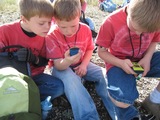
Not only can geocaching be beneficial at school, but I have even used geocaching to extend beyond the school grounds. While teaching first grade in Helena, my students and I made an annual field trip to the foothills of the mountains. Here, students would take turns geocaching as we hiked up to a lunch spot. In order to hike on the trails, students learned trail etiquette. We spent story time sitting in a circle and went on a nature scavenger hunt in small groups where students used digital cameras to "collect" the items. At the top of the path, the first graders took turns searching for a real geocache - one I had not created for them - and could take a prize from the cache. In addition to this field trip, I have often created a geocaching booth during school-sponsored family events. Families could borrow GPS receivers and go geocaching on the grounds. It has always been a big success!
Our Interview with Chelsie:
Jason Neiffer and Mike Agostinelli
.
Blog
.
<span class='date ' tip=''><i class='icon-time'></i> Aug 20, 2015 08:54am</span>
|
|
TEACHER, MOUNT SI HIGH SCHOOL
SNOQUALMIE VALLEY, WASHINGTON
Joe Dockery
Joe Dockery teaches a variety of multimedia courses in the High Tech Learning Center at Mount Si High School in the Snoqualmie Valley School District. He is also in charge of technology staff development and online summer school and manages the high school website.
Dockery also consults and trains across the United States on the use and design of electronic portfolios, webcasting, and video production. He has taught courses for Washington State University, The Learning Space, and a variety of school districts. A cornerstone of his teaching is his ability to weave community service into all aspects of his curriculum and to provide his students with authentic learning experiences. This work has earned him a Washington State Golden Apple Award and the Radio Shack National Technology Teacher of the Year Award.
Dockery has a Master’s in Teaching and a certificate in Distance Learning Design and Development from the University of Washington. He also has helped to develop the largest high school film festival in the Northwest.
He was featured in 2011 by TechSmith as one of "20 to Watch," giving an excellent interview on how he uses video tutorials in his classroom. He also writes for School Video News, and has recently published articles ranging from Audio to Gear Recommendations.
You can find out more about Mr. Dockery at his excellent Weebly site here.
Come see Joe at NCCE 2014 in Seattle:
Wednesday Workshops:
WA21 - Introduction to Adobe Premiere Pro CC
WP31 - Introduction to Adobe After Effects CC
Thursday Workshops:
HP71 - Adobe Photoshop Projects for the CTE Classroom
Friday Workshops:
FA81 - Painting with Photoshop & a Wacom Tablet
Thursday Sessions:
iPad 101: The Basics Everyone Should Know
Top 10 iPad Media Production Tools for the Classroom
Jason Neiffer and Mike Agostinelli
.
Blog
.
<span class='date ' tip=''><i class='icon-time'></i> Aug 20, 2015 08:54am</span>
|
|
Eric Sheninger is an educational administrator who is passionate about establishing and fostering learning environments that are student-centered, collaborative, flexible, and prepare all learners to succeed in the 21st Century. Eric firmly believes that effective communication, listening, support, shared decision making, and the integration of technology are essential elements necessary for the transformation of school cultures. NCCE is honored to have Eric Sheninger keynote our conference this year! We caught up with Eric to find out a little more about this dynamic educator.
Name: Eric Sheninger
Location: New Milford, NJ
Current Job(s): High School Principal
Current computer: iMac, Macbook Pro, Chromebook
Current mobile device(s): iPhone, Droid Razor
One word that best describes how you teach or work: Risk-taker
Follow @NMHS_Principal
What apps/software/tools can’t you live without?
Obviously Twitter, but also Google+, Instagram, Pinterest, Dropbox, and Zite.
Show us a shot of your mobile device’s homescreen!
Besides your phone and computer, what gadget can’t you live without?
My portable chargers for all of my devices
What’s your favorite organizational tip, app or advice?
I am a huge fan of edweb.net; they have put together some fantastic, FREE learning communities consisting of live/on-demand webinars, discussion forums, blogs, etc. Check out the Leadership 3.0 community that I co-facilitate http://www.edweb.net/leadership
What’s your best time-saving trick?
When it comes to social media integrate it into professional practice. This allows you to do what you already do in your respective position, but in a more effective and efficient fashion. ● What’s are your most valuable classroom/work routines? Being consistent and transparent when it comes to the strategic use of social media to engage stakeholders, enhance school culture, and grow professionally.
What’s your favorite way to connect with social media?
Twitter baby! Love how 140 characters not only fits into my frenetic time schedule, but packs so much punch.
What app or web service doesn’t exist that you wish someone would develop?
A hologram platform that would allow me to attend events and meetings from anywhere.
What are you currently reading?
The Element by Sir Ken Robinson
Who influences you in education?
Everyone in my PLN
Eric has emerged as an innovative leader in the use of social media and web 2.0 technology as tools to engage students, improve communication with stakeholders, and help educators grow professionally. Eric is a Bammy Award winner (2013), NASSP Digital Principal Award winner (2012), PDK Emerging Leader Award recipient (2012), winner of Learning Forward’s Excellence in Professional Practice Award (2012), Google Certified Teacher, Adobe Education Leader, ASCD 2011 Conference Scholar, co-author of "Communicating and Connecting With Social Media: Essentials for Principals" and "What Principals Need to Know About Teaching and Learning Science". He is also a writer on education for the Huffington Post, co-creator of the Edscape Conference, sits on the FEA Board of Directors, and was named to the NSBA "20 to Watch" list in 2010 for technology leadership. Eric now presents and speaks nationally to assist school leaders in embracing and effectively utilizing technology. His blog, A Principal’s Reflections, was selected as Best School Administrator Blog in 2011 by Edublogs.
Jason Neiffer and Mike Agostinelli
.
Blog
.
<span class='date ' tip=''><i class='icon-time'></i> Aug 20, 2015 08:54am</span>
|
|
I just started another semester teaching "Instructional Media and Computer Applications" at the University of Montana, where I am a doctoral candidate and campus employee working for the state virtual school.
My students are pre-service teachers, usually sophomores and juniors, that are declared education majors with dreams of their own classroom. The energy is palpable in the room: these people are ready to go out and educate the next generation of students. However, I am struck, as I am every semester, with two interesting dynamics.
I always do an attitude survey to start my semester to determine where my students are starting in their perceptions and beliefs regarding educational technology. While their answers are often interesting, I am most struck by the answers to these two questions:
"True or False: My K-12 teachers were, on balance, ‘good’ with technology."
and
"True or False: My college professors are, on balance, ‘good’ with technology."
The answers are consistent across the four times I have taught this course: students believe, by a clear majority, that their college professors are better with technology than their K-12 teachers. Of course, I have an interesting vantage point here. I serve as an adjunct professor at my university and I came from K-12 and spend a lot of time in K-12 classrooms. I don’t believe that there is really a large difference between the technology skills of college professors and K-12 teachers. Indeed, this question ignores that fact that there great individual difference amongst the professionals in both camps.
When I listen to these students, now about to becomes teachers themselves, talk about their own experiences, I am reminded: our students are paying attention. The decisions we make matter. The skill sets we use in our classroom do leave a lasting impression.
The work you are putting in as a teacher to become a better teacher, whether that involves technology or not, is both noticed and appreciated by your students.
On a separate topic, these students overwhelmingly tell me they prefer to read on paper over a screen. But, that’s a subject for another post.
Have a great weekend!
Image: Brian Hillegas
Jason Neiffer and Mike Agostinelli
.
Blog
.
<span class='date ' tip=''><i class='icon-time'></i> Aug 20, 2015 08:54am</span>
|
|
Follow @MrMacnology
Jeremy Macdonald spent the last eight years as an elementary classroom teacher in Klamath Falls before taking on a new position in Bend, OR. Three of those years were spent as a half-time instructional coach & half-time teacher, helping manage various edtech grants that provided 2:1 and 1:1 devices to grades K-6 at Mills Elementary School. Jeremy spent his last year in the classroom as an ESL and intervention specialist. He currently is the Integrated Technology Systems Coordinator for Bend-La Pine Schools. Jeremy helps provide professional develop to staff in classroom technology and innovative learning strategies. He is also a team member of the Oregon Virtual School District, providing PD to Oregon public schools, and works closely with the Alliance for Excellent Education, the creators of Digital Learning Day.
To learn more about Jeremy Macdonald, visit his website.
Come see Jeremey at NCCE 2014 in Seattle:
WEDNESDAY WORKSHOP:
WA25 - Practical PD: Simple and Worth Their Time
THURSDAY WORKSHOPS:
HP74 - Language Development Through Tech (ESL)
HA64 - Beginner’s Guide to Classroom Technology
Jason Neiffer and Mike Agostinelli
.
Blog
.
<span class='date ' tip=''><i class='icon-time'></i> Aug 20, 2015 08:54am</span>
|
|
Many teachers have heard of Khan Academy related to Math instruction, but did you know that Khan has a course completely dedicated to learning coding? The Computer Programming course is broken down into 13 units with an average of 5 lessons per section. The units are:
Intro to programming
Drawing basics
Coloring
Variable
Animation basics
Text
Functions
Logic and if Statements
Looping
Arrays
Objects
Object-Oriented Design
Become a better programmer
I have been slowing working my way through the curriculum and can recommend this course starting from 3rd grade on up. Obviously, the younger grades will need more support, but Khan uses their proven pedagogical practice of teaching (through video) and then having you immediately start practicing.
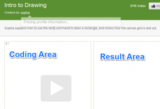
By immediately being able to view the code they are writing, student receive instant feedback of both their successes and errors. Khan even highlights coding errors so students can see their mistakes immediately. Naturally, each unit becomes more complex and it is important for the teacher to remember that then end goal of this course may not be completion, but rather exposure to the process of coding. When I poll my students of what they want to be when they grow up, I often hear "I want to make video games". The problem with this and many professions students throw out is they have little understanding of what skills the job requires. By the end of unit two, my students have a basic framework of the skills required to make a game and they realize it is something they will really have to work towards to become proficient.
At the homepage of the Computer Programming section, Khan has a link to "Browse Programs". This is nothing short of magical for students to view. This section allows students to view other programmers work and interact with their programs. What sets this apart from everything else out there is Khan leaves the actual coded program on the left hand side of the screen. In addition, students are allowed to change the code anyway they would like and "Save as a spin-off". This offers an endless amount of tweaking with actual running programs. Below is an example of a version of the game Cut the Rope made in Khan Academy and freely available for students to manipulate.
If you are a Google Apps for Education school, using Khan is very easy. Khan will let students log in with their Google Apps for Ed account and they are off and running. If you don’t have Google accounts for your student (You should really look into getting them), Khan has its own log in system that doesn’t require student emails. You can also use the Facebook log in system if many of your students have an account.
After students are logged in the first thing you should have them do is add you as their coach. The first screen students come to after logging in the dashboard. On the left hand side of the screen are options for the student. The last option is coaches.
Once the student clicks on coaches link, there is a field to add the email address of their coach. Have the students add the email address of your account and you are set. You have full access to reports, grouping, and class data. These stats apply to all units of study in Khan.
Even if you have only one computer in your classroom, the Computer Programming section works great as a station. In addition, students can access all of this content from home 24/7. Adding this option to your class is a great way to extend the momentum around the hour of code and engage a new generation of programmers.
As always, share your comments or stories of how you have used Khan Academy in your classroom in the section below.
Jason Neiffer and Mike Agostinelli
.
Blog
.
<span class='date ' tip=''><i class='icon-time'></i> Aug 20, 2015 08:54am</span>
|
|
Today, February 5, 2014 is Digital Learning Day, a day of national focus on digital learning in the K-12 classroom. There are events going on nationwide focusing on best practices, the place for "digital learning" in our nation’s classrooms and a series of live online events.
Of particular interest to the Tech-Savvy Teachers are the student debates hosted by the Digital Learning Day organizers involving students on three topics:
Breaking News (10:30a Eastern, 7:30a Pacific): Can CNN, PBS, the New York Times keep up with breaking news or is social media the future?
Digital Footprint (12:30p Eastern, 9:30a Pacific): Should colleges be allowed to take your ‘digital footprint’ (social media presence, Google results, etc.) into consideration when making their admissions decisions?
Coding Literacy (1:30pm Eastern, 10:30a Mountain): Should students be required to learn code (and computer science) in high school?
We are particularly excited that these are student debates, as their voices could add interesting perspective to all of these topics. All will be hosted on Hangouts-on-Air (these might be interesting to watch just to see this tool in action) and I presume will be archived.
See here for more information and up-to-date links!
Enjoy!
Jason Neiffer and Mike Agostinelli
.
Blog
.
<span class='date ' tip=''><i class='icon-time'></i> Aug 20, 2015 08:54am</span>
|