Blogs
|
Now that Wavosaur can work natively on 64 bit systems, we need some 64 bit VST plugin effects that are full 64 bit. Many of the free VST plugins are still 32 bit, but we have found some nice 64 bit plugins, for your needs : compressor, limiter, reverb, equalizer, filter, distorsion !
1) TDR Feedback Compressor II
TDR Feedback Compressor II ! free
Info and free download @ http://www.tokyodawn.net/tdr-feedback-compressor-2/
This software compressor is very clean, works nice with any input, and has all the controls you need. You can use it on the master if you want, it has this transparent quality. It’s free, it’s x64, it’s funky.
2) Reverberate LE
Reverberate LE
download now ! => http://www.liquidsonics.com/software_reverberate.htm
We already talked about the Reverberate plugin in the "top 5 best free reverb VST" post.
It’s good, it’s a convolution reverb plugin, so you have to feed it with some impulse response file, and it’s x64 !
3) W1 Limiter
W1 Limiter free VST plugin
Information and free download here : http://www.yohng.com/software/w1limit.html
the W1 Limiter plugin is a clone of Waves L1 limiter. It really does the job. don’t hesitate to downoad and test ! it’s freeware.
4) Marvel GEQ
Marvel GEQ
information & download @ http://www.voxengo.com/product/marvelgeq/
Everybody needs a good graphic EQ for mastering / mixing / sound design
This free plugin is a 16 band linear phase EQ, is very clean, and allows you to make quick adjustments to your tracks.
5) TAL Chorus
TAL Chorus
Freeware download => http://kunz.corrupt.ch/products/tal-chorus-lx
This is a Juno60-esque chorus, it’s available in 64 bit, and it does the job.
6) Izotope Vinyl
Izotope Vinyl plugin
Go ! http://www.izotope.com/products/audio/Vinyl/
The ultimate LOFI, now in 64 bit ! Because everybody needs gthe sound of a good old grammophone.
7) Camel Crusher
Camelcrusher
Get it now ! => http://www.camelaudio.com/vst-plugins.php
Does it have a distorsion unit ? Yes !
Does it have a compressor and a post filter ? Yes !
Does it have a "phat mode" ? YES !
Does it have a "Turn it to 11 " preset ? YEAH !
And it’s freeware + works on native 64 bit host.
8) Sinusweb FreeverbToo
Freeverbtoo free plugin
more info and download @ http://www.sinusweb.de/
The freeverb algorithm, in a nice interface, and with an additional gate. It’s very nice and will fill your reverb needs.
9) Ohmforce Frohmage
Ohmforce Frohmage
Free ! download ! 64 bit ! => https://www.ohmforce.com/UseFreeSoftware.do?action=listFreeNonStandalones&productId=6
Hmm du bon froHmage, le filter qui sent des pieds !
It’s phat, it has 8 presets, it’s a filter for all the people.
and it’s available in 64 bit
10) Voxengo Span
Voxengo Span VST
Free download : http://www.voxengo.com/product/span/
We always need a good spectrum analysis, this one, is not only very good, it’s free and 64 bit !
Conclusion:
Of course you can use the 32 bit version of Wavosaur if you still want to use 32 bit plugins (the majority of free plugins are 32 bit!) But nothing prevents you from using the two versions of Wavosaur : 64 bit when you need large amount of RAM for editing, and 32 bit when you need a large choice of VST plugins.
If you know very good free plugins in 64 bit, don’t hesitate to comment!
Blogosaur
.
Blog
.
<span class='date ' tip=''><i class='icon-time'></i> Aug 24, 2015 07:30am</span>
|
|
Update now !
When a new version of Wavosaur is available for download, many users ask how to update Wavosaur. Wavosaur has no installer, so there is no "uninstaller". Some users aren’t comfortable with this!
How does it work ? !
Wavosaur is a single executable, if you have wavosaur.exe you got all you need !
When launched for the first time, the application create two text files to store user configuration informations : wavosaur.ini and wavosaur.cfg. These files store information like :
The icons & toolbars arrangement
the last opened files
the last mp3 bitrate selected in the export dialog
the audio & editor configuration
etc..
If you want to keep these informations when updating Wavosaur, just replace the old wavosaur.exe file with the new wavosaur.exe.
The new wavosaur.exe file is in the zip archive you can download here : http://www.wavosaur.com/download.php. We recommend using 7zip, or winrar, or winzip, or whatever you want to extract the exe file from the archive. Or in worst case : extract files from a zipped compressed file
Note that Wavosaur also create a "wavosaur.vst" file if you use the "scan VST" feature.
It works like the two other configuration files.
Read also this : http://www.wavosaur.com/forum/reset-all-the-wavosaur-settings-t1307.html
Blogosaur
.
Blog
.
<span class='date ' tip=''><i class='icon-time'></i> Aug 24, 2015 07:30am</span>
|
|
Record anything
You have some audio recording capable sofwares like Wavosaur or Streamosaur, and you want to record the audio output of your computer.
It is useful when you need to :
record web radio
sample live audio streaming
record what is played on website like youtube
record / sample quotes from movies
record internet phone conversations
etc..!
If you have a decent soundcard, it should come with drivers that are able to provide some kind of routing, like the "directwire" from Waveterminal 192L :
Directwire : connect any output to any input !
What if i only have the internal soundcard of my computer ?
Now since Window Vista / 7, the audio configuration in Windows is a little more cumbersome.
1) open the configuration panel, choose the "classic view"
Windows control panel
2) click on "sound", then go to the "Recording" panel, this is where the software device inputs should appear.
Sound confinguration
3) now right click in this window and select "Show Disable Device", a new recording device should show up : "Stereo Mix"
Stereo Mix is here !
4) If the Stereo Mix device is not activated, right click on it and select "Enable"
Enable stereo mix
5) open Wavosaur, go to menu "Options" and select "Audio Configuration"
The stereo mix is in the "Audio in" tab, you are now able to select it, and record whatever is playing on the computer
Use Wavosaur if you want to sample a short phrase, or a song from a webradio, or a little DJ mix. Use Streamosaur http://www.wavosaur.com/streamosaur/ if you want to make longer recording, and directly encoded in mp3 format.
Blogosaur
.
Blog
.
<span class='date ' tip=''><i class='icon-time'></i> Aug 24, 2015 07:30am</span>
|
|
One of the most used effect in music production / sound design / FX is the DELAY.
Many VST delay plugins are available, from very expensive to absolutely free.
Wavosaur can host VST plugins, with his VST rack, and it also can load presets ! single preset FXP or presrt bank (FXB)
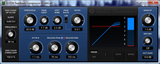
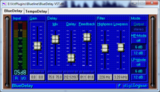
We have picked one of the best (and oldest) reverb plugin and made about 10 presets to show all you can do with simple delays : Blue Delay VST !! by Digilogue
BlueDelay VST plugin
Information and download blueline vst pack @ http://www.digilogue.de/download.htm#BlueLine
Download 10 presets for bluedelay ! => http://blog.wavosaur.com/download/BlueDelay-preset bank.fxb
Basically, we play with these three parameters to create different kind of FX, from echo to flanger :
delay time
feedback
filter
Here’s some quick examples demo of these presets, used on a vocal :
Slap delay ! a short single delay, a very classic effect, ideal for voice, old school but immortal
http://blog.wavosaur.com/wp-content/uploads/2014/01/slap-delay.mp3
"Space" FX, there’s no echo in space, but this one is stellar !
http://blog.wavosaur.com/wp-content/uploads/2014/01/trapped-with-vampire.mp3
Robot voice : a nice robot, not a bad robot with red eyes
http://blog.wavosaur.com/wp-content/uploads/2014/01/classic-robot.mp3
Dub delay : thanks to the lowpass filter and a high feedback
http://blog.wavosaur.com/wp-content/uploads/2014/01/test-a-dub.mp3
Metallic FX : a nice voice FX
http://blog.wavosaur.com/wp-content/uploads/2014/01/metallicosaur.mp3
Flanging Vocodizer : the shorter we come! low low delay time
http://blog.wavosaur.com/wp-content/uploads/2014/01/vocodize.mp3
Into the Crypt : creeeepy
http://blog.wavosaur.com/wp-content/uploads/2014/01/cryptx.mp3
- download free preset bank FXB : http://blog.wavosaur.com/download/BlueDelay-preset bank.fxb- open Wavosaur
- load a sound file
- open VST rack in Wavosaur
- load BlueDelay VST
- click on "load FXB" and choose the BlueDelay-preset bank.fxb file
you can click on the preset name to load the preset:
Presets list in VST rack
Blogosaur
.
Blog
.
<span class='date ' tip=''><i class='icon-time'></i> Aug 24, 2015 07:29am</span>
|
|
If you need to add some LOFI grit to your drums, and / or to sample reduce to sound like a sick 8 bit sampler. You want the harsh sound of quantization error, or the sweet ugliness of aliasing.
you got all you need in Wavosaur !
Here we talk about sample reducing used as a special effect. The final goal is to have something not transparent.
How to change sample rate in Wavosaur
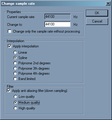
Go to "Process" menu then select "Resample", this windows appears :
resample window
You have to enter the target sample rate in the textfield.
Don’t check "change only the sample rate without processing" : when checked it only changes the samplerate info in the file (so it plays faster or slower)
Depending on how radical you want the effect, you can select or not interpolation and anti aliasing filter : when unchecked, the effect is more dramatic !
Crunchy bass example
1) open Wavosaur
2) load a sample
3) use a low pass filter :
go to "Effect" menu -> Filter -> Chebishev
and use these settings : 400 Hz, 4 poles, 0.5% ripple, Lowpass
Chebyshev lowpass filter
4) apply this filter then :
5) go to "Process" menu -> Resample
and select a low low sample rate ! here we choose 2000 Hz
uncheck anti aliasing and interpolation for more gritty sound
Resample @ 2000 Hz
6) then you need to go back to 44100 : go to "Process" menu -> Resample and upsample to 44100 (or a "classic" sample rate)
Back to 44100 Hz
This last step shouldn’t be necessary, but many software can’t deal with sample rate different from 11025 22050 44100 48000 88200 96000 192000.
This last step won’t change the sound, as upsampling can’t bring back the signal after we degraded it !
sample before :
http://blog.wavosaur.com/wp-content/uploads/2014/01/Street-Player-normal.mp3
sample after Chebishev lowpass filter:
http://blog.wavosaur.com/wp-content/uploads/2014/01/Street-Player-filter.mp3
sample after sample reduce decimate degrade low reduction
http://blog.wavosaur.com/wp-content/uploads/2014/01/Street-Player-resampled.mp3
Groovy multiFX
1) open Wavosaur
2) load a sample file
3) go to "Process" menu -> Resample
then choose a low samplerate so we can hear the artefacts
Resample with exotic sample rate
here we also select some filtering, to have a less noisy effect
4) open VST rack and load a VST Filter (or use Filter from Wavosaur ), we need a high pass filter (blue filter is nice ! => http://www.digilogue.de/download.htm)
We used blue filter, with hipass setting, and with amplitude following (driving the filter cutoff)
Blue Filter VST
sample normal, then decimated, then decimated + filterized :
http://blog.wavosaur.com/wp-content/uploads/2014/01/crush-and-filter.mp3
Degrade voice
If you’re after the oldchool gabber techno sampled voice style, you may need to resample voice as if they were sampled with a low budget 8 bit sampler.
1) open Wavosaur
2) load a vocal sample
3) go to "Process" menu -> Resample
Resample @ 8363 Hz
here we choose to apply a minimal anti-aliasing filter to reduce the "noisy" part
this one is more subtle, but you can hear the difference :
before :
http://blog.wavosaur.com/wp-content/uploads/2014/01/Weekend-normal.mp3
after:
http://blog.wavosaur.com/wp-content/uploads/2014/01/Weekend-resampled-8363.mp3
Blogosaur
.
Blog
.
<span class='date ' tip=''><i class='icon-time'></i> Aug 24, 2015 07:29am</span>
|
|
This one is a classic, it’s very easy to achieve, all you need is a reverb and a software able to reserve the sound:
Wavosaur + Reverberate LE
How to do the reverse reverb effect
1) Launch Wavosaur
2) load a vocal sample :
Vocal sample in Wavosaur
2) go to "Process" menu and select "reverse"
Reverse me !
3) look at the end of your sample, make sure there is enough blank space for the reverb tail.
if there isn’t enough space, go to "Process" menu and select "Insert Silence" : 1 second at end should be sufficient, you can choose "custom" if you want a longer space for the reverb tail
Insert silence at end for the reverb tail
4) open VST rack and load the Reverberate LE VST (or another reverb, don’t hesitate to have a look at this post : http://blog.wavosaur.com/the-5-best-free-vst-reverb/
Reverberate LE
5) choose a preset or tweak the parameters to have something "not - too - subtle" : we have to hear it ! a Cathedral impulse response is nice ! THEN APPLY the reverb to the reversed sound !
6) now go to "Process" menu and choose "Reverse" again
before
http://blog.wavosaur.com/wp-content/uploads/2014/01/simone-normal-1.mp3
after
http://blog.wavosaur.com/wp-content/uploads/2014/01/Simone-reverb-reverse.mp3
Blogosaur
.
Blog
.
<span class='date ' tip=''><i class='icon-time'></i> Aug 24, 2015 07:29am</span>
|
|
Techno is reactivated
VST Speek is a free vocal synthesis VST plugin for recreating the old skool robotic text to speech we all love. Choose a preset, type any text and let’s speak !
download VST Speek 1.0 beta
VST Speek + reverb
http://blog.wavosaur.com/wp-content/uploads/2014/02/text2speechVST.mp3
VST Speek text to speech is 100% freeware, the plugin is based on the Software Automatic Mouth (SAM) vocal synthesis software created by Softvoice Inc for the Commodore 64.
The original C64 software has been reverse engineered and ported to C by Sebastian Macke : http://simulationcorner.net/index.php?page=sam
I have adapted then to VST plugin :
you can trigger the speech with MIDI keyboard (velocity sensitive)
you can use MIDI pitchbend
you can change original pitch or mouth/throat parameters while it’s speaking
This is not a vocal synth like "Vocaloïd", it’s intended to do crunchy robotic lofi techno voices!
It’s not intended for good quality speech synthesis too, better speech synthesis softwares exist now.
Please comment and vote for the most wanted feature / development for this VST plugin !
- 64 bit version
- MAC version
- ability to assign different text to MIDI notes
- ability to read longer text (and / or read from text file)
- assign pitchbend or midi CC to voice parameters.
- Android version ?
- more parameters
Don’t hesitate to report any bug you found.
Text to speech vocal synthesis has been used in some famous (and less famous!) rave/techno songs from the 90′s. The robot voices were popular in the nineties.
The funkyest speech synthesis sotfwares at this time were :
The Amiga 500 say program :
it used narrator & translator library to produce nice computerized robot voices ! If you are not a happy Amiga 500 owner you can use an Amiga emulator : WinUAE
The Commodore 64 Software Automatic Mouth (SAM) :
you can use the brand new VST Speek or the S.A.M simulation program (command line executable for Windows) from Sebastian Macke : SAM for window
The Atari ST Speech :
that’s the one in U96 - Das Boot ! you can use the Steem Atari emulator + stspeech.tos
Here’s a port for Windows, command line application : stspeech.exe
Apple MacinTalk
They were all developped by Softvoice inc.
We must not forget the Speak n Spell toy by Texas Instrument !
This was a great piece of talking machine, that is still circuit-bended to death nowadays.
Here’s some 90′s music tracks that used vocal synthesis (Amiga or Atari) :
U96 - Das Boot :
U96 - Das Boot / Kennedy (megamix):
Snap - The Ex-Terminator :
Quadrophonia - Quadophonia :
Signal Aout 42 - I Want To Push :
Marcel Hol - Serious Beats Vol.4 Mega Dance Party Mix (1992) :
The Deadkirks - Mr. Kirk, your Son is Dead :
General Base - Apache & Base Of Love :
The Scientist - Spiral Symphony
Rave Crusaders - Energy Overload
Pleasure Game - Activez Les Plaisirs (Amnesia Robot Mix) :
http://www.bide-et-musique.com/song/11963.html Daktylus is reactivated !!!
1 2 3 techno ! maximum velocity ! reactivate ! maximum overload energiiiiiiize
Blogosaur
.
Blog
.
<span class='date ' tip=''><i class='icon-time'></i> Aug 24, 2015 07:29am</span>
|
|
VST 2.4 is still mandatory if you want to be compatible with most of the DAW / Sequencer applications on the market.
For this first article, we’ll talk about Visual Studio on Windows.
1. Debug 32 bit VST in Visual Studio
When it comes to debugging, you want something fast!
Here’s some useful softwares for debugging.
We need applications that can take a VST plugin as command line argument, are lightweight, fast to open, and bug-free (ideally).
1.1 Setup debugging in your Visual project
1) open the properties of your project (Menu -> Project -> Properties , or right click on the project name in the solution explorer and choose "properties").
Then go to "Configuration Properties" -> Debugging
Debug properties in Visual Studio
2) then you need to fill the three first fields with the right information
Command : the path to the VST host application
Command Arguments : the command line arguments you pass to the executable, in our case, the name of the plugin we are coding.
Working Directory : the directory where your plugin is ! in our case, the debug directory.
Now you can use "start debugging (F5)" : this will launch the VST host application, with your plugin loaded in. You can set debug break points in your code
1.2 Debug VST with Cantabile 1.2 Lite
Cantabile 1.2 lite
download : Cantabile 1.2 lite on archive.org
Cantabile lite is fast, has a clean and nice interface, and can take a VST plugin as command line argument.
1) installation :
if you’re on Windows XP, just run the setup executable and follow the instructions.
if you’re on Windows Vista , or Windows 7 or higher, run setup as administrator and change the target directory for the application : choose a target directory other than "Program Files (x86)", because Cantabile may need to write log files (useful when debugging). You can install it in something like C:/MyPrograms/ .
2) setting up the Cantabile VST Host application :
You can make your workflow even faster with some settings, launch Cantabile Lite then go to Tools -> Options :
in "General" tab : uncheck "prompt to save modified sessions"
in "Startup / shutdown" tab : uncheck "Prompt before exiting" and check "Escape key exits"
in "VST Plugins" : check "Automatically open plugin editor when loading plugins"
In "General" tab you also have the "Diagnostic and troubleshooting" button:
Cantabile diagnostic options
You have useful options when it comes to VST debugging.
Cantabile can write a log file, you have different log level, the log file may be useful for debugging.
Cantabile can also route the audio in directly to the plugin, it’s useful when debugging VST effects.
1.3 Debug with SAVIHost 32 bit
VST Speek in Savihost
You can download Savihost 32 here : http://www.hermannseib.com/english/savihost.htm
Like Cantabile, you can run it directly from the debugger.
Savihost have also two useful command line parameters for debugging :
/noexc : "No Exception Check" it turns off the outermost exception handler.
/noft : "No Fault Tolerance" : turns off all exception checks.
1.4 VST Plugins Unit Test
VST-Plugin Unit Test
informations and download : http://www.savioursofsoul.de/Christian/programs/tools/#VUnit
note : the PDF manual is only present in the .exe setup download.
This VST host doesn’t make any sound, it’s designed for stress test!
You can torture test your plugin : this program runs automated tests for your VST plugin.
It can be helpful for testing your plugin in extreme conditions.
1.5 VST Host by Hermann Seib
VST Host (open source)
download here : http://www.hermannseib.com/english/vsthost.htm
You can use it like Savihost, it also has the same command line option for the exception checking :
/noexc : "No Exception Check" it turns off the outermost exception handler.
/noft : "No Fault Tolerance" : turns off all exception checks.
1.6 VST Host open source
VST Host (open source)
For even more advanced debugging, you can load the open source version of VST Host and set a multi project in Visual Studio with VST Host and your plugin.
1) load VST Host open source v1.16q by Hermann Seib : http://www.hermannseib.com/english/vsthost.htm
2) you may need to download ASIO 2 SDK http://www.steinberg.net/en/company/developers.html and / or Microsoft DirectX SDK : http://www.microsoft.com/en-us/download/details.aspx?id=6812
We suppose you already have the VST SDK 2.4.
3) open the VST host solution file
3) right click on the solution’s name in the Visual Studio solution browser and choose Add->Existing project…
then select the vcproj/vcxproj file of your plugin project
4) select "start debugging (F5)" : this will launch VST Host, then load your plugin from VST Host : choose your plugin .dll file in your debug folder, then quit VST Host without unloading the plugin. VST host remember the last opened plugin(s) et reload it the next time. Or you can just setup the "command argument" in the debugging tab of the VST Host project properties so it loads your plugin when launched from the debugger.
5) now you can setup break points in your plugin code AND in the VST host code : this can be helpful for a better understanding of how your plugin communicate with the host and vice versa.
1.7 Using PluginConsultant
PluginConsultant
Download : http://www.hermannseib.com/PluginConsultant/
This one is a VST plugin, it monitors and log the dispatcher and audiomaster call between the plugin and the host
2. if you develop 64 bit version :
Cantabile Lite exists only as 32 bit application.
You can download Savihost 64 and VST Host 64 : http://www.hermannseib.com/english/
Blogosaur
.
Blog
.
<span class='date ' tip=''><i class='icon-time'></i> Aug 24, 2015 07:29am</span>
|
|
When it comes to sound FX, nothing can’t beat a good field recording mic + audio editing + sampler, or even faster : freesound.org + free VST sampler .
For the selection to follow we have found some free VST/VSTi that are ultra-specialized (one trick pony sometimes) for very special task. More music, less talk :
1. CensorCUT : the Bleep generator VST by GrooveZing
Beep VST !
Info and download : http://www.groovezing.com/en/plugins/censorcut.php
This one is a free VST effect : it lets the audio signal pass thru it but when you hit the "-18″ button, it replaces the audio with a BEEP sinus sound @ 1KHz ! Censoring the sound like in TV shows. It also works with the MIDI keyboard. Beep volume is available from the parameters (but not the interface).
Here’s the demo mp3 from the website :
http://blog.wavosaur.com/wp-content/uploads/2014/06/Karen-Finley.mp3
It can even encode your sound to make sound like a "crypted TV program" (with the same encryption sound used by the very first french pay TV channel in the mid 80′s)
http://blog.wavosaur.com/wp-content/uploads/2014/06/outhere-brothers.mp3
2. Field ambience tool VST by Tweakbench
Field Ambience VST
download it here : http://www.tweakbench.com/field
This is a multi-sampled VST instrument, it contains sample of recorded ambience in different town / place, you can mix different ambience to create your own. The samples are very well looped. Perfect for that noisy background of a busy city, or crowded megalopole, or the ambience of a restaurant, a street, a rainy town, a school, your home, a store…
big city street
http://blog.wavosaur.com/wp-content/uploads/2014/06/field.mp3
3. Sounds of Nature VST pack by Xoxos
Rain VST
download Sound of nature : http://www.xoxos.net/vst/vst.html#nature
Sounds of Nature is a pack of VSTi created by Xoxos, one the most talented and creative VST developer. These are pure synthesis instruments intended to recreate the sounds of nature :
thunder, rain, wind, insects, birds.
And don’t forget to check "Fauna" : this can (re) create the sounds of animals, from dogs / cats to dolphin, frogs, angry tyrannosaurus, strange creatures that don’t even exist, Loch Ness monster, pigs, kangooroo, humans…
here’s some insects :
http://blog.wavosaur.com/wp-content/uploads/2014/06/insect.mp3
4. Trash Operator Telephone VST by Trash80
Trash Operator VST
direct download => trash operator VST
This essential VSTi is a DTMF generator!
DTMF = dual tone multi frequency , the DTMF signaling is used in telephony.
Use the virtual telephone interface or your MIDI keyboard to generate the dual tone.
Call me
http://blog.wavosaur.com/wp-content/uploads/2014/06/trashoperator.mp3
5. Radio FX VSTi
Radio FX VST
You can download this package : http://www.datafilehost.com/d/5d9a8c99
This VSTi lets you load wav file and browse from one to the other like a FM radio TUNER.
It introduces noise, for recreating the radio interferences.
And the most important : it has a BIG knob.
Blogosaur
.
Blog
.
<span class='date ' tip=''><i class='icon-time'></i> Aug 24, 2015 07:28am</span>
|
|
The Theremin !
One of the very first electronic instrument, invented by the Russian physicist and cellist Leon Theremin in 1919.
Leon Theremin in the house
Everybody knows this instrument that you can play without physical contact. The Theremin produces a tone that changes in pitch and dynamic level when the player moves his hands near its antenna and loop.
It’s often associated with 50′s sci-fi movies, furious aliens and creepy/spooky creatures and was also used by many artists, just to name a few :
Beach boys - Good Vibrations !
Portishead - Mysterons
Goldfrapp - Yes Sir
+ Radiohead, Led Zep, Massive Attack, Pink Floyd, Julien Dragoul and many more !
If you search the perfect VST for this landing spaceship sound here’s a selection of free VSTi that tries to emulate the good old Theremin :
1. Spook Keys by Simple Media
Spook Keys VST
Download : http://www.simple-media.co.uk/vsti.htm
This is the best Theremin VST emulation, and it’s free !
Drag the light point on the amplitude / frequency axes : instant Theremin action ! Here come the flying saucers. You can also play MIDI notes with your keyboard.
You have 4 waveforms to choose from so there is more than the Theremin sound, check out the presets !
Delay is simple but effective.
Depth and Rate parameters are for the vibrato.
Alien invasion, they are coming
http://blog.wavosaur.com/wp-content/uploads/2014/06/spook-keyz.mp3
2. BTS Super Theremin
BTS Theremin VST
Download it => here
This synth can do a decent Theremin emulation, add some reverb and/or delay after and you’ve got a nice clean gliding sinus Thereminesque sound. The perfect VST for science fiction movies!
BTS Theremin VST + cathedral reverb for more romantic SCI FI sound
http://blog.wavosaur.com/wp-content/uploads/2014/06/BTS-theremin.mp3
3. 666 VST by Eloxoga
the number of the beast
666
Click on the button, and drag the skull : a demonic Theremin from hell will scream.
Perfect for horror ambience or invoking the devil.
4. Mysteron by FXPansion
Mysteron VST
Download : https://web.archive.org/web/20050623003606/http://www.fxpansion.com/skunk/
Drag the little cross or use you MIDI keyboard.
This one is very simple, you may need to add a delay / reverb effect after.
5. Bluenoise Theremin
Bluenoise Theremin
Download for free here : http://www.bluenoiseplugins.com/plugins/free-plugins/
This one is funny, with the hand you can drag.
The range for the vibrato depth is not well calibrated, only the 3 first positions are really usable for Theremin emulation.
The signal is a sinus when you turn the "age" parameter to the maximum
Note that you have to send MIDI message.
Spooky Creepy Scary Funky Science Fiction SFX
http://blog.wavosaur.com/wp-content/uploads/2014/06/bluenoise-theremin.mp3
6. Super Spook Keys
Super Spook Keys VST
Free download : http://www.simple-media.co.uk/vsti.htm
A slightly different version of Spook Keys.
A great VST for classic sci fi sound FX.
7. Enigmatron VST by FXPansion
Enigmatron VST
Direct DL : espace Cubase
This is a customized version of the Mysteron Theremin VST.
8. TerVoxSyn VST by Chris Roberson
TerVoxSyn
Freeware download : http://robersonaudio.tk/tervoxsyn/
This free VST is worth mentionning too. It has a nice "voicy" sound.
Set the timbre to zero for a more "Theremin" sound
Blogosaur
.
Blog
.
<span class='date ' tip=''><i class='icon-time'></i> Aug 24, 2015 07:28am</span>
|