Blogs
|
CCMixter, one of the first open platforms for Creative Commons music sharing out there is in trouble. The site was started by Creative Commons themselves many years ago, but understandably "let go" because Creative Commons is a legal organisation, not a music publishing one! Now CCMixter needs your help.
About 5 years ago the main creator and developer -good friend of freesound.org!- had to move on to other things in life and the site was taking over by new management. Not wanting to turn the site into a commercial venture, CCMixter was kept on life support for as long as possible. A heap of volunteers are keeping the site up, but lately it is becoming too much work for the volunteers to keep up with the work. This is mostly due to some much needed development work.
CCMixter is now doing an indiegogo campaign to raise some funds for better hosting and development work - we thought you might want to know about this…
The Freesound Blog
.
Blog
.
<span class='date ' tip=''><i class='icon-time'></i> Aug 24, 2015 07:32am</span>
|
|
Dear Freesounders,
It is christmas time (again), and the freesound team has prepared a present for you…
We have been working on a new functionality* which has just been deployed, and that will allow you to follow freesound users and get notifications when these users upload new sounds! But not only that, you’ll also be able to follow groups of tags, and be notified when new sounds are uploaded that have these tags. It all works in the following way:
When visiting a user profile, you’ll find a "Follow" button right under the user avatar. Click on this button to start following that user.
When browsing sounds by tags, you’ll find a "Follow tags" button under the group of tags that you selected for browsing. By clicking this button, you’ll start following sounds tagged with all of these tags.
In your settings page, you can tick the new checkbox that says "Receive weekly stream update email notifications" to turn on notifications for new sounds uploaded by the users you follow or with the tags you follow. We will only send you one email per week, with a summary of all updates, and we are only going to send that email if there are updates.
Once you start following users and tags, you can use your new activity stream page to show all updates from users and tags you follow. By default this page shows updates for the last week (just like the email notification), but you can also specify other periods of time and, for example, list sounds uploaded by the users you follow that were uploaded during the last month. You’ll find a link to the activity stream in your home page.
Hmmm.. that is all! We hope you enjoy this new functionality and, as always, please tell us if you find things that are not working as expected!
keep on Freesounding!
* thanks to nunoh who joined the team for a while and did most of the implementation of this functionality
The Freesound Blog
.
Blog
.
<span class='date ' tip=''><i class='icon-time'></i> Aug 24, 2015 07:32am</span>
|
|
Dear Freesounders,
You maybe didn’t know this yet, but Freesound has just turned 10 this month! The project started out as an all-red website back in the days. It was built on rather shabby technology and has by now grown way beyond its initial goals. Way back in 2005 I took Xavier Serra‘s idea of "having a website where composers can exchange sounds" for ICMC 2005. I hacked together something rather rudimentary and invited some of my friends over. We started adding a few sounds and very quickly Freesound unexpectedly exploded into a massive sprawling community.
Freesound was rewritten from scratch to support the high demand and by now I’m no longer involved in Freesound on a fulltime basis: other amazingly capable people at the Music Technology Group have taken over while I moved a bit more to the background. I still keep an honorary position in Freesound as the "Self-Proclaimed Benevolent Dictator for Life" which is probably why I’m writing this happy post…!
So, what about the next 10 year? Well, many plans are brewing!! As you might know, a lot of research is being carried out in the Music Technology Group, including plenty of research related to Freesound. Work is being done to improve the way in which sounds are stored, analysed and described. Improvements in searching and browsing would be a first result from this work. Improvements in uploading and describing sounds a second. The Freesound Team is also starting collaborations with third parties and preparing really exciting new research and development projects that will support Freesound in the coming years. Stay tuned, future looks promising!
So, what about some fun nerdy statistics?
240 000 sounds, uploaded by 13 000 people. If all sounds were played after one another, Freesound would by now play for 146 days straight!
More than 4 million people have signed up to download sounds more than 65 million times.
More than 50 000 people visit us each day.
In order to celebrate this joyous day, one of our moderators who you all know as AlienXXX has created a new "Freesound Dare" that matches the 10 year anniversary theme! We dare you to join it!
Best Greetings,
Bram - in the name of the Freesound Team
PS: have you freed your sound today??!
The Freesound Blog
.
Blog
.
<span class='date ' tip=''><i class='icon-time'></i> Aug 24, 2015 07:32am</span>
|
|
Yes, it is true: Freesound is 10 years old!
I am launching one of our friendly competitions celebrating the occasion. Find out more and get involved:
http://www.freesound.org/forum/dare-the-community/37610/
The Freesound Blog
.
Blog
.
<span class='date ' tip=''><i class='icon-time'></i> Aug 24, 2015 07:32am</span>
|
|
Hi everyone,
as some of you might have noticed, we’re having problems processing sounds. Don’t worry about your sounds, they’re safe and you can continue uploading, but they won’t be processed (and moderated) until the problems are fixed.
Thank you for your understanding, we’ll let you know when processing is up and running again!
[edit: problem has been fixed and sounds are being reprocessed]
frederic
The Freesound Blog
.
Blog
.
<span class='date ' tip=''><i class='icon-time'></i> Aug 24, 2015 07:32am</span>
|
|
Hi everyone,
We’re glad to announce that we’re in the process of uploading around 70GB of analog synthesizer samples to Freesound*, aka the Modular Samples library, consisting of 40,000 samples organised in 461 packs, recorded from 20 different analog synthesizers and released with the CC0 license !
All sounds are tagged with instrument names, note names, midi note numbers and, when available, different velocity layers. Check them out at http://www.freesound.org/people/modularsamples/
All this has been possible thanks to the incredible efforts of Richard Taylor, who has been creating this library for many years and has now kindly offered it to us to upload to Freesound. Make sure to check the Modular Samples library’s official page, facebook and soundcloud profiles. Thanks Richard!
Enjoy!!!
frederic
* At the time of this writing we have only uploaded around 10% of the whole library, you can expect the upload process to continue during the following days…
UPDATE 10/7/2015: The Modular Samples library has been now completely uploaded!
The Freesound Blog
.
Blog
.
<span class='date ' tip=''><i class='icon-time'></i> Aug 24, 2015 07:31am</span>
|
|
Dear freesounders,
we are happy to announce that we’ve just launched a new Freesound-side site called Freesound Labs. Freesound Labs is a directory of projects, hacks, apps, research and other initiatives that use content from Freesound or use the Freesound API. Our aim is to keep on updating this directory as we come across more and more Freesound powered projects. If you know of projects that should be listed in this directory and are not there, please let us know
We hope that you enjoy navigating Freesound Labs and getting to know what amazing things people are doing with content from Freesound. In the end, all this is possible thanks to all of your contributed sounds, so you can feel proud of it
cheers,
frederic
The Freesound Blog
.
Blog
.
<span class='date ' tip=''><i class='icon-time'></i> Aug 24, 2015 07:31am</span>
|
|
Before & After declipping
Imagine you have a sound file that was badly recorded, with no possibility to re-record, and with no clean version : how to deal with the clipping, the saturation, the distorsion ?
Imagine you have a mix/(pre)mastering that was crushed-to-death in a "loudness war" fashion and you have lost all the original files :
how to fix this mess ?
Is there a possibility to clean / smooth the sound ?
how to "unsaturate" ?
can i have declipping ?
-> no <-
it’s too late, we can’t go back to the clean sound!
But we can do our best to limit the damages.
here’s some informations : http://www.wavosaur.com/forum/can-distortion-be-removed-or-minimized-t1262.html
And now a selection of plugins to help fixing the clipping disasters :
I won the loudness war
Declipper plugins :
Some editors provide plugins that can add some improvements, Izotope has developed a suite, intended for repairing audio : this include music restoration, "declipping", noise removal etc.. It’s a bit expensive but if you really need it, you have it all !
Izotope RX3
more info and download demo @ http://www.izotope.com/products/audio/rx/
We have hunted down freeware declipper plugins on the interweb, we only found two, three if we include the "transient designer" (it can heal some overcompressed files) :
Relife 1.42
Relife 1.42 by Terry West
More info and free download @ http://www.terrywest.nl/utils.html
This free VST declipper can bring the oversqueezed samples to life, or smoothes a bad vocal recording. It was used on the clipped sample you can see on the first picture.
Don’t expect miracles, but don’t hesitate to test the three algo, to find which is working best for you.
Declipper DX plugin 2.5
Declipper plugin 2.5
Free download @ http://www.silksound.com/geniesys/
This is a directX plugin, you have to use a DX-VST wrapper (like vb ffx4) in order to make it work in Wavosaur.
This free declipping plugin try to resynthetize the peak lost by the overclipping, It has advanced controls, you can have a look at the help to understand how it works. It aslo has a compress feature.
Bittersweet 3
Flux Bittersweet 3
Informations & Freeware download @ http://www.fluxhome.com/products/freewares/bittersweet-v3
This one is not intented for "declipping" but is a transient designer, and it can help to get a smoother sound. It’s subtle, and more important : it has a big knob !
Don’t expect wonders, once a signal is clipped / saturated / overclipped / distorded, you can’t go back to a clean signal.
Blogosaur
.
Blog
.
<span class='date ' tip=''><i class='icon-time'></i> Aug 24, 2015 07:31am</span>
|
|
Imagine you’ve just made some recordings using a digital recorder, and when importing the files into an audio editor : the volume is too low ! you can barely hear what have been recorded.
And of course, you can’t re-record with a good level.
This happens too if you get files from someone, and the files were badly recorded.
The level is low, let’s volumize it !
How to get back you recording to the right level with Wavosaur
Easy ! just crank up the volume!
Sometimes it’s just easy as that, but depending on your recording, it can be more complex.
We present four methods, and in which case you may use one method or another :
1) Normalize
- open your low level file in Wavosaur
- click on normalize button in the toolbar : this will normalize the sound to 0 dB
or go to menu -> Process -> Normalize and select -0.3 dB or -1dB (or less if you want to leave some room)
This is a peak normalize : it founds the highest peak in the file and multiply the entire file to make this highest peak equals 0 dB (or the value you have fixed : -0.3dB, -1dB, -3dB, etc..)
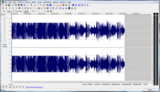
This is the fastest method, and it will work in most case : if your recording is like the one in the first picture on the left.
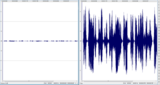
But if you have more dynamics, the "peak normalize" method could be unsufficient : imagine you have a small peak @ -6 dB, like this :
small peak in the low level recording
a peak normalize won’t work in this case.
You can edit the peak : remove it if this is unwanted information, or lower the volume of the peak (with "volume" command!) and then normalize.
This is relatively simple if you have this configuration : only few peaks, small (in time) and very different from the desired signal.
2) Volume
- Open your file in Wavosaur, select the part you want the volume to be raised then go to menu->Process->Volume->Custom and enter a positive value in the box
+ 6dB is corresponding to volume X 2
If you want to apply volume change on all the file ; use CTRL+A to select all and then use Volume
Use this method if you have different parts with different level but the level is not changing very much over the time
3) Volume automation
You may have to use a more flexible tool than the simple normalize and volume :
Volume automation
you can use volume automation curves for more precise control : http://www.wavosaur.com/quick-help/automation.php , use this if your file has softer/ lower parts and louder parts that are very different
4) use a VST plugins chain : compressor / gainer / limiter
- open your file in Wavosaur then open the VST rack- put something like a "gainer" then a limiter in your chain, some free VST limiter plugins here : http://www.wavosaur.com/vst/limiter-plugins.php
We’ll post more advanced informations about this in a future article about compressors / limiters / expander and dynamic processing in general.
And now the cleaning !
If you are lucky, your file will sound good after the volume gain operation. in this case, you have nothing more to do.
But if your recording has noise, when you raise the overall volume : you raise the noise volume too.
Depending on the type of noise, you can use different methods:
1) i have "HUM" noise, low frequency "static" noise , 50/60 Hz electric noise
If you have a low frequency noise, and your signal can live without (you have recorded a voice, or a single instrument in a higher frequency band), you can use a filter !
hipass filter is good for you, in Wavosaur, go to menu->Effects->Filter->High performance filter
then select "high pass" and choose the cutoff frequency : anything under the cutoff frequency (noise!) will be attenuated
you can also use VST filters (set the resonance / Q to zero), like these : http://blog.wavosaur.com/the-5-best-free-vst-filters/
2) i have noise everywhere !
if the noise can’t be removed with filters without too much damage to the overall signal, you can try the FFT noise reducing method : here’s a simple tutorial : http://www.wavosaur.com/tutorials/how-to-remove-noise.php
make sure you have a part of the signal with "only noise"
Blogosaur
.
Blog
.
<span class='date ' tip=''><i class='icon-time'></i> Aug 24, 2015 07:31am</span>
|
|
Wavosaur, now available in 64 bit
Wavosaur has been updated !
The version 1.1.0.0 is now ready for download :
http://www.wavosaur.com
Wavosaur is now available as 32 bit application AND 64 bit application !
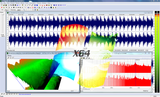
The 64 bit version runs natively on 64 bit Windows system, like Windows 7 and Windows 8, this means Wavosaur can adress more RAM. And of course can run 64 bit VST plugins.
In this 1.1.0.0 version we also fix bug with the VST host, that was causing some plugins to stop working, like the Izotope plugins.
The VST compatibility is improved !
Blogosaur
.
Blog
.
<span class='date ' tip=''><i class='icon-time'></i> Aug 24, 2015 07:30am</span>
|