Blogs
|
We love it when Brandon Hall announces their Group Excellence Awards winners. Not only do we get to see how innovative our industry has become, but in a few cases, our software plays a role in the projects that have earned the coveted Gold Medal. We even had the honor of winning one ourselves a few years ago for SCORM Cloud.
This year, we were excited to see long time SCORM Cloud customer, CA, take home a whopping 5 medals including a Gold Medal for "Best in Learning Technology Implementations" for a solution they built using SCORM Cloud.
CA faced a challenge of delivering training for their Global Partners and wanted to explore other delivery platform options for their external partners aside from their primary LMS. SCORM Cloud fit the bill. With the public invite option, CA adds links to their training hosted in Cloud directly on the partner site, making it easy for folks to login and get right to the training in one step. Using tags, CA can easily run reports through the Reportage feature to quickly see training results by each partner.
By simplifying access to the training, CA saw a significant increase in training consumption and ultimately sales.
Congrats to CA — we are happy to play a supporting role in this great honor!
The post SCORM Cloud + CA = GOLD appeared first on SCORM - .
Mike Rustici
.
Blog
.
<span class='date ' tip=''><i class='icon-time'></i> Sep 05, 2015 02:04am</span>
|
|
We’re a family here at Rustici Software. We look out for each other, and we tease each other, just like brothers and sisters do. We even call Mike "Dad" and Tim "Mom" — but it wasn’t until our latest hire that we really were a "family affair."
Ryan Donnelly joined us about a week ago. Does the name Donnelly ring a bell? Ryan is Joe’s younger brother! How cool is that!? …and we couldn’t be happier to have him.
Ryan will be teaming up with Joe on the support side of our business. He’ll be working directly with customers to help them troubleshoot issues and help them find which of our products work best for them.
If you’re curious about what else Ryan is in to, check out his bio.
We’re excited to have Ryan here at Rustici Software, and we can’t wait for him to start giving up brotherly secrets about Joe.
Welcome to our family, Ryan!
The post It’s all in the family appeared first on SCORM - .
Mike Rustici
.
Blog
.
<span class='date ' tip=''><i class='icon-time'></i> Sep 05, 2015 02:03am</span>
|
|
There’s something that we like to do here at Rustici Software — make life easier by solving problems with software. This time around, it’s solving some Tin Can (xAPI) problems in SCORM Engine and SCORM Cloud.
SCORM Engine and SCORM Cloud have been updated to v. 2013.2. I won’t list all of the updates in this post, but I’ll point out a few of the big ones.
Statement Forwarding. One of the advantages of Tin Can is the sharing of data between multiple LRSs, but it requires some coding knowledge and some time to make that happen. We added a new feature to SCORM Engine that makes it easy to forward Tin Can statements on to any other LRSs, and we’re currently in the process of rolling this out on SCORM Cloud
New and improved Console. For those Engine customers that have used the Console feature, you’ll be happy to discover that we’ve greatly improved the functionality by adding pagination for package browsing and a new Bootstrap-based UI, among other goodies.
Tin Can / SCORM Parity Reports. If you want to use Tin Can activities that live outside of the LMS/SCORM Engine environment, reporting on those activities had a bit more complexity than most would like to deal with. Tin Can / SCORM parity reporting reduces this complexity.
There’s another thing that we like to do here at Rustici Software, and that’s talk! If you want to upgrade to SCORM Engine 2013.2, please get in touch. Chris and Ryan are ready and waiting to talk to you. They’ll even help you with some holiday gift buying advice, should you need any last minute tips.
The post A few of our favorite things… appeared first on SCORM - .
Mike Rustici
.
Blog
.
<span class='date ' tip=''><i class='icon-time'></i> Sep 05, 2015 02:00am</span>
|
|
Whew! Finally recovering from the holiday festivities and the small talk that seems to come along with it. Invariably when meeting new people, the stock question, "Where do you work?" comes up. We joke around here that this can be a loaded question. Some of us provide in-depth explanations of SCORM and Tin Can and that we create the software that handles these challenging, yet valuable standards. And others (me included) usually just keep it simple — "a software company in Cool Springs". Either way, it’s not as easy to explain when talking to folks unfamiliar with the world of e-learning.
So, when we heard that one of our clients, Atomic Learning, recently launched an initiative with Metro Nashville Public Schools to assess the technical skills of over 6,000 middle school students using our SCORM Engine software, we got really excited. There’s a good chance that our kids, neighbors, family and friends might have actually interacted with our software. While millions of users around the world (many that live in Nashville) end up training via SCORM Engine or SCORM Cloud through one of our LMS partners, for some reason, this one hits home a bit more.
The Learning Technology Department for Metro Nashville Public Schools uses Atomic Learning to gauge the digital literacy of students with their Tech Skills Assessment. Another assessment is used specifically for teachers that focuses on the application of technology and 21st Century Skills assessment. Parents also have access to the Atomic Learning online video library to sharpen their computer skills.
So where does Rustici Software fit into all of this? Atomic Learning uses our SCORM Engine software to manage all of the complicated, backend pieces that handle the delivery and tracking of those assessments and courses. The SCORM Engine enables the Atomic Learning platform to know if users are new or returning to the courses, tracks scores and how long they spent taking the assessment, and how they answered the assessment questions.
By partnering with Rustici Software, Atomic Learning not only gets best-in-class SCORM support for their platform, but it also frees up their developers and resources to focus on their core business — making technology work better in the classroom.
The post Bringing it Home appeared first on SCORM - .
Mike Rustici
.
Blog
.
<span class='date ' tip=''><i class='icon-time'></i> Sep 05, 2015 01:59am</span>
|
|
Origin of DELETE
Latin deletus, past participle of delēre to wipe out, destroy
First Known Use: circa 1605
Ever hit "delete" only to later find the file hiding somewhere in a trash folder, refusing to let go? That’s really annoying, right? Especially when you intended for it to be gone—forever.
Many people have become used to having a trash folder or recycle bin that piles up all your garbage. Well, we don’t like garbage—it takes up space. We think our customers are just as smart (or smarter) than we are so we try to be particular and intentional about the way we make our product decisions.
So, we set up the "delete" button to do what its name promises. When you hit "delete" in SCORM Cloud, it really means delete. The course, invitation, or registration doesn’t go to a graveyard where it waits to be resurrected. Instead, it disappears, as if it never existed.
Don’t worry, you’ll still have access to the reporting data connected with that course, but the course and the invitation links associated with it are gone.
Why does this matter? If you’re in the habit of hitting "delete," you may end up getting rid of important info for good. We suggest you don’t delete anything unless you really mean it.
Here are a few tips to save yourself from saying "what now?!" when working in the Cloud:
Don’t click "delete" unless you never want to see that item again.
Don’t invite learners to a take a course if you’re just testing the API. If you happen to delete the course, any user that tries to launch an invitation or link to that course can’t do it anymore. If you’re paranoid about deleting your courses, don’t worry, we added a built-in feature that automatically keeps them safe.
If you just want to test the API, create a test realm. You can delete everything you want in there and it won’t affect your live environment.
In summary:
The post SCORM Cloud: What Now?! Delete Button appeared first on SCORM - .
Mike Rustici
.
Blog
.
<span class='date ' tip=''><i class='icon-time'></i> Sep 05, 2015 01:58am</span>
|
|
Last time, I cautioned you against clicking the "Delete" button. Well, some things are just too important to delete—like users. That’s why the option to delete users in SCORM Cloud is not available. It just can’t be done.
But Why!?
Story time! Here is a cautionary tale of why you can’t delete users:
If I can’t delete them, what can I do?
You do have the option to archive users. When users are archived, they no longer show up in your "People" tab.
But archived users still show up in my general reports!
Not to worry, we have a nifty feature in SCORM Cloud called tagging. If you tag your users, say something like "active" and "inactive", you can include or exclude specific tags when pulling reports. If you’d like to exclude users from a report, simply change their tag from "active" to "inactive." When you filter to the "active" criteria when pulling a report, only the filtered users will be represented on that report.
So in summary: You can’t delete users, but you can exclude them via archiving and tagging.
Next time we will share a tagging "how-to." We’ll walk through tagging and filtering users to pull customized report. Stay tuned!
The post SCORM Cloud: What Now?! Deleting Users appeared first on SCORM - .
Mike Rustici
.
Blog
.
<span class='date ' tip=''><i class='icon-time'></i> Sep 05, 2015 01:58am</span>
|
|
When I was younger, I would spend parts of my summer at my grandmama’s house in South Carolina. Every time she saw my brothers and me, she’d threaten to strap bricks to our heads to keep us from growing so quickly. I’ve reminisced on those moments several times over the past couple of weeks.
You see, we’re growing like wildfire over here. It seems like every time I blink, we’ve added another person. We’re quickly running out of office space, but it’s really an awesome time for us. We’ve recently added three new family members to our roster and we couldn’t be happier!
Ted Jones joined our Watershed sales team back in March. Along with his sweet Boston accent, Ted brings 15 years of e-learning software sales experience with him. Word on the street is that he was on The Price is Right and made it all the way to the Showcase Showdown. We don’t have video proof, so we’ll just have to take his word for it
Tim Chudy also joined our Watershed sales team. Tim, also known as Chudy, is a childhood friend of Andy’s and they’ll be working closely to preach the gospel known as the Tin Can API. Chudy recently broke the record held by Jim by mocking me in exactly one day. He’s just a rule breaker like that.
And last, but certainly not least, we’ve added Katie Wright. Katie is a lovely developer that’s planning on helping the guys on Dev Row make Watershed LRS even more awesome. I’ve loved Katie since our first conversation a few months back and couldn’t be happier to have another girl in the office. She’s already participated in Fancy Friday!
So there you have it. At this point, I don’t even think bricks could slow down the growth spurt we’re experiencing. We might just use them to build a new office space. And somehow, I’m totally okay with that
The post We’re going to need a bigger office… appeared first on SCORM - .
Mike Rustici
.
Blog
.
<span class='date ' tip=''><i class='icon-time'></i> Sep 05, 2015 01:58am</span>
|
|
You don’t have to wait for content players to catch up! If you’re creating Tin Can courses but getting frustrated by the limited number of players that can actually launch and report on them, here’s some great news:
SCORM Cloud’s Dispatch service has a new feature that enables a SCORM-only LMS to handle Tin Can packages—without losing reporting data.
How is that possible?
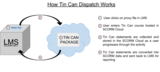
First, you have to understand how SCORM Cloud Dispatch works. Tin Can data is collected throughout the activity experience and stored in your CLOUD LRS. Once the user exits out of the course, the Dispatch updates the client LMS with the user progress in the form of SCORM data.
Why would I want to use this?
While the number of Tin Can conformant LMSs is growing, many LMSs are still in transition. Dispatch allows for an immediate way to launch Tin Can activities in LMSs that only support SCORM. You don’t have to be limited to SCORM-only courses while you wait for LMSs to catch up!
Content Creator Benefits:
There are now more types of courses you can distribute to customers
You can now maintain detailed Tin Can statements in Cloud while still satisfying clients’ SCORM reporting needs
LMS/Client Benefits:
You’re no longer limited to SCORM-only courses
You can continue to receive SCORM-conformant reporting data
Where do I sign up?
It’s available now, so try it out! We even have free trial accounts to help you get started. To learn how to create a Tin Can Dispatch, go here.
The post How to Distribute Tin Can Content Through a SCORM-only LMS appeared first on SCORM - .
Mike Rustici
.
Blog
.
<span class='date ' tip=''><i class='icon-time'></i> Sep 05, 2015 01:57am</span>
|
|
We love finding ways to use technology to make things better and easier, and we’ve done it again!
SCORM Cloud has a pretty nifty feature called Dispatch. It lets you remain in control of your content by doing some pretty clever behind-the-scenes things, and more control over your content is awesome!
Well, we’ve decided to add Dispatch to SCORM Engine (the Web Services version of it, at least.)
This is a big deal for content vendors.
Dispatch lets you manage all of your content in one place, but allows you more distribution. No more handing your valuable content packages off to clients—now you can manage them all from one place.
What other kinds of things does it let you do?
Update your content in your Engine-powered LMS, and everybody that has your content will automatically receive the update.
Play your content through any LMS, while keeping it on your own servers.
Cut off access to your content for clients that aren’t paying their bills.
Track how often clients are accessing your content.
Delivering your content as a Dispatch means that it’s using the best SCORM player in the known universe.
You can play SCORM 2004 courses and Tin Can API packages in a SCORM 1.2 LMS.
People have been doing these things for years in SCORM Cloud, except for one important part: playing content on any LMS while keeping it on their own servers. Using SCORM Cloud, the content is hosted on our servers. That’s no longer a limitation using SCORM Engine and Dispatch.
If you want to learn more about using Dispatch with SCORM Engine, get in touch. You know we love talking about this stuff.
The post This is a big deal for content vendors. appeared first on SCORM - .
Mike Rustici
.
Blog
.
<span class='date ' tip=''><i class='icon-time'></i> Sep 05, 2015 01:56am</span>
|
|
SCORM Cloud Reportage provides a simple snapshot of your learners’ activities, but sometimes you don’t want a picture of ALL your learners.
Want to know the completions of a specific department? The average score of learners within a specific geography? The amount of time new learners are spending per course?
By using the tagging feature in SCORM Cloud, you can pull customized reports in the Reportage screen. This allows you to exclude certain criteria and to pull data about isolated groups.
With SCORM Cloud tagging, you can do this with only a few clicks. The key is to add appropriate tags to your learners and then filter by those tags in Reportage. Take a look:
Manual Adding
.CSV Upload
If you want to import tags across a large list of learners, you can also import a .CSV file. Just format your .CSV file as shown below:
When adding tags to users, you have the freedom to filter data down to the specifics. To get even fancier, next time we’ll take a look at adding tags to registrations and invitations.
The post SCORM Cloud What Now?! Using Tags for Custom Reports appeared first on SCORM - .
Mike Rustici
.
Blog
.
<span class='date ' tip=''><i class='icon-time'></i> Sep 05, 2015 01:56am</span>
|