Blogs
|
The more I collaborate with great teachers the more I am convinced that teaching is a team sport. I am lucky this year because I get to work with Megan, the STEM coordinator for the lower grades as well as 8 other problem solving roles. Megan and I share many students and we work to integrate our work whenever possible.
One good idea can make my week
Neither of us has time for real meetings, but we make good use of out time. This week Megan gave me my best robot lesson yet. It came in a text, I think she was riding the train home. Looked at the text in the evening and only focused on it again around the time I took this screenshot.
I was planning for the second grade class that begins at 8:30.
Balance, Forces, Sphero on an incline. Oh, I was all over this.
So I set up as many multi-user inclined surfaces as I could. even re-purposing a decommissioned smart board. When I started prepping for class I thought I would just use the white board. It was bad, so bad I had to take a picture. Obviously at some point in the morning my coffee kicked in and I actually made a slide deck to help the kids focus. (they got really excited when they heard Spheros were on the menu.)
We paired the students up and had them explore the various planes, including a small personal white board and a plastic block.
The energy in the room was awesome, and the students really experienced dynamics of power needs and an inclined plane.
One of my favorite moments was when a student explained that if they used the whiteboards at a shallower angle the Spheros could make it farther up the ramp. This was just an "into" activity for the force unit, we didn’t spend much time on vocab, we got to the heart of understanding inclined planes.
The robots allowed us to quantify our exploration, as one of the students observed "We could go up that ramp at 30, but the other one we couldn’t do even at 100."
What science concepts could you explore with robots? Leave a comment and let’s make some plans together.
Jeffrey Bradbury
.
Blog
.
<span class='date ' tip=''><i class='icon-time'></i> Dec 04, 2015 01:04am</span>
|
|
Even if you have always looked past Raspberry Pi microcomputers as too complex or too geeky, yesterday’s announcement of a $5 Raspberry Pi Zero is worth investigating.
While this might not impact Apple’s market share overnight, it does raise the question is an iPad the right $700 to spend per student? Of course $5 does not get you everything you need to have a full computer, there is no monitor, keyboard, or mouse. What do you get for $5? here are the specs from the website:
A Broadcom BCM2835 application processor
1GHz ARM11 core (40% faster than Raspberry Pi 1)
512MB of LPDDR2 SDRAM
A micro-SD card slot
A mini-HDMI socket for 1080p60 video output
Micro-USB sockets for data and power
An unpopulated 40-pin GPIO header
Identical pinout to Model A+/B+/2B
An unpopulated composite video header
Our smallest ever form factor, at 65mm x 30mm x 5mm
Will a Raspberry Pi Work In My Classroom?
What could this computer do in a classroom? The Raspbian operating system is trim and powerful. Students in this operating system can use LibreOffice, a full document processing suite. From spreadsheets to word processing and presentation slides, all standard document creation functions are available.
Document creation is the number one pain point I hear about from the middle school staff. The student each have an iPad, but it is not uncommon for the teachers to check out the mac or PC laptop carts to facilitate document creation. The Mac cart is 24 Mac Book Airs, the PC cart has 24 Lenovo Thinkpads. While this is a good solution for our school, each of these carts cost over 20 thousand dollars to outfit.
The advent of a $5 microcomputer could bring the cost to connect students down significantly while also introducing students to the world of open source computing.
Talking Pi-Tech
Many of the programs I use to teach programming (Scratch, Turtle Art) are available in Raspbian and any of the web-based tools I use are also accessible (code.org, playcodemonkey.com). Beyond this, Python and Arduino are native in the operating system And the right now I am exploring the possibilites in these machines. I have set up a small network and am trying out PiNet, which could be described as Google Classroom pi computers. It might be that Classroom will also run on these machines, I will have to see.
How will we best use these small computers in schools? I don’t know that anyone is sure yet. I feel a potential pivot towards access. If that rings true with your values, get your hands on a Pi computer and see what you can do with it. Share your questions and inspirations here on MyPaperlessClassroom and we will shape a more connected future of education together.
How do you see a $5 Computer being used in YOUR classroom? Let me know: @SamPatue
Jeffrey Bradbury
.
Blog
.
<span class='date ' tip=''><i class='icon-time'></i> Dec 04, 2015 01:03am</span>
|
|
It’s a great time to be a book lover. Not only are we graced with libraries and bookstores full of all kinds of stories and information, but we also have the vast catalogues of online info and eBooks. Any book you want to find, you can purchase and read within seconds. Many applications exist to help us access and read this information.
These apps are available on many devices, including smartphones. However, digitalbookworld.com says that many people don’t use their phones for reading at all because of how the small the screen is as well as the amount of strain that it puts on their eyes. It’s no doubt there are many drawbacks to using a reading application that discourage many from using them, but believe it or not, there are many benefits to using these apps when you want to curl up with your favorite book. Here are four reasons why you should download a reading app on your smartphone.
You Will Always Have Your Books With You
In today’s world, we can’t afford to not have our phones with us at all times. No matter where we go, it is key that we always have some way to be contacted in case of an unexpected emergency or friendly request. eBookfriendly.com states that when you leave the house, taking your Nook with you isn’t the first thing on your mind, but your phone is. So, if you have Nook free reading apps for android on your phone and neglect your tablet or eReader, you won’t have to wait to read that next exciting chapter, and this comes in handy especially when you’re stuck in a long line at the BMV. It will be right there when you want it.
They’re Formatted For the Benefit of Your Eyesight
Those who love books growing up are all too familiar with the phrase from their parents, "Don’t try to read in the dark, it will damage your eyes." While reading in the dark won’t necessarily do harm to your eyesight, it will strain your vision and in turn cause you headaches and "eye aches." Reading on an electronic device however, can damage your eyes, especially if you frequently visit various websites to read articles. Sure the sites reformat to fit your phone screen better, but it’s still not an optimal condition for reading. When you download a reading app however, all documents are expertly formatted to be much easier on the eyes, according to pcworld.com. They make your vision last longer and reduce the amount of headaches.
Synced With Your Devices
This is one of the things that will definitely be taken for granted for one day (if it hasn’t been already). If you are reading a book on your tablet through an app and have the same app on your smartphone, you can stop reading on your tablet and pick up where you left off through your smartphone. This helps you feel like you never missed a second and you can pick up the action no matter where you are.
This goes along with purchasing new books. The moment you buy a new copy, the file is instantly synced across all of your devices that have said app. Then all you have to do is download it to your respective device to be able to view it without an internet connection.
They Are a Great Way To Find New Books
One of the hard things about being a book lover is expanding your horizon. If you frequent the library or local bookstore, you typically operate with a narrow focus or you may end up getting overwhelmed. Because of this, you miss out on many books that you could potentially grow to love and add to your collection. This is where reading apps are at an advantage. By keeping track of the kinds of things you read, the apps then pull a list of books that are similar, assuming that you would like them as well. So instead of having to scour shelf after shelf, you have a small tab of recommendations right there at your fingertips, no matter where you are.
Getting a reading app for your smartphone is an incredibly smart decision to make if you love books. By no means should you rely solely on your phone for all of your reading needs, but having it along with a tablet or eReader that is set up with the same app adds a significant amount of convenience while making sure you always have your books with you. There are many free reading apps for android and other operating systems that are available now, so go download them, and open your world to a whole new library of books.
Jeffrey Bradbury
.
Blog
.
<span class='date ' tip=''><i class='icon-time'></i> Dec 04, 2015 01:03am</span>
|
|
Download
Listen in a New Window
iTunes
Stitcher
SoundCloud
Leave a Review
Clammr It
Subscribe via RSS
Subscribe on Android
Follow @TeacherCast
Leave a VoiceMail
In this Episode, we discuss and demonstrate our favorite Google Apps for Education Tips, Tricks, and Chrome Extensions. The TechEducator Podcast is a weekly round table discussion about current topics in educational technology. For more information, please visit www.techeducatorpodcast.com.
Many great ways to participate in the TechEducator Podcast.
TechEducatorPodcast.com
Follow us Live on Video: http://www.TeacherCast.tv
Leave a Voice Mail: http://www.TeacherCast.net/voicemail
Email: feedback@Teachercast.net
Twitter: @TechEdShow (http://www.twitter.com/techedshow)
Hashtag: #TechEducator
Hosts:
Jeff Bradbury - TeacherCast.net - @TeacherCast
Jeff Herb - InstructionalTechTalk.com - @InstTechTalk
Sam Patterson - MyPaperlessClassroom.com - @SamPatue
Jennifer Judkins - TeachingForward.net - @JennJudkins
David Saunders @DesignSaunders
Josh Gauthier @mrgfactoftheday
Jennifer Scheffer - JennScheffer.com @JLScheffer
Google Apps for Education Tricks Mentioned on Todays Show
Word Cloud (Chrome Extension)
Turn any Google Doc or item in your Google Drive into a fantastic looking WordCloud.Tweet This
Wise Stamp
Learn How to Create a Professional email signature that links to social media accounts.Tweet This
Great way to incorporate digital citizenship
Checker Plus for Google Calendar
Easily access your Google Calendar with this powerful extensionTweet This
Quick Tweet for Multiple Twitter Accounts
One Click Google On-Air Hangout
Instantly and easily start a Hangout On Air with just the click of this one button extension!Tweet This
Remove ads from YouTube videos
Interested in removing ads and suggested videos from YouTube? Tweet This
How about creating unique links to YouTube videos with a specific start and end time so that kids see the exact clip you want them to? Learn more about YouTube Tools Every Teacher Should Know here: http://teachingforward.net/2014/04/09/youtube-tools-every-teacher-should-know/
Save Time Grading using these great Keyboard Shortcuts
Time-Saving Tips for Grading with Google Docs using keyboard shortcutsTweet This
For a comprehensive video tutorial and more details on how to set up keyboard shortcuts to save time grading Google Docs, check out Jennifer’s post at http://teachingforward.net/2015/11/11/1375/
Thank You For Your Podcast Reviews
Are you enjoying Educational Podcasting Today or other shows on the TeacherCast Network, please share your thoughts with the world by commenting on iTunes today. I enjoy reading and sharing your comments on the podcast each week.
Ask Me Your Podcasting or WordPress Question
Are you interested in starting your own podcast? Do you need help creating an awesome WordPress website? I am available for 1:1 consulting. Please visit my homepage and I will help you launch your personal brand today!
Contact Me
Host: Jeff Bradbury @TeacherCast
Email: info@teachercast.net
Voice Mail: http://www.TeacherCast.net/voicemail
YouTube: http://www.TeacherCast.net/YouTube
iTunes: http://www.TeacherCast.net/iTunes
Check Out More TeacherCast Programming
TeacherCast Podcast (http://www.teachercast.net/tcp)
TeacherCast App Spotlight (http://www.teachercast.net/appspotlight)
Educational Podcasting Today (http://www.educationalpodcasting.today)
The TechEducator Podcast (http://www.techeducatorpodcast.com)
View LIVE Professional Development from TeacherCast
Watch LIVE: http://www.TeacherCast.tv | Broadcasting Schedule (http://www.teachercast.net/showcal)
TeacherCast Broadcasting Community: http://www.TeacherCast.net/broadcastingcommunity
Need a Presenter?
Jeff Bradbury (@TeacherCast) is available as a Keynote Speaker, Presenter, or to Broadcast your conference LIVE!
Jeffrey Bradbury
.
Blog
.
<span class='date ' tip=''><i class='icon-time'></i> Dec 04, 2015 01:02am</span>
|
|
Reading Time: 5 minutesIf our learning technologies should change then shouldn't our roles in supporting it? A response to a post by Lawrie Phipps.
Digital Simon
.
Blog
.
<span class='date ' tip=''><i class='icon-time'></i> Dec 04, 2015 12:12am</span>
|
|
Reading Time: 3 minutes
Digital Simon
.
Blog
.
<span class='date ' tip=''><i class='icon-time'></i> Dec 04, 2015 12:12am</span>
|
|
Check out this great list !
Patricia J. Brown
.
Blog
.
<span class='date ' tip=''><i class='icon-time'></i> Dec 04, 2015 12:12am</span>
|
|
We don't want our kiddos to lose what they have learned all year in the 3 months they are off this summer! Here are some great tools for students to practice those reading skills this summer! Some of the resources are free, but some have a very low cost. Sometimes its worth spending a few dollars on Apps so you don't worry about all of the ads that pop-up.Apps for Phonological AwarenessDora Rhyme $1.99 Practice Rhyming Words with DoraThe second in the Nickelodeon Literacy Suite, Dora ABCs Vol 2: Rhyming Words focuses on your child’s emerging literacy skills. By matching rhyming words and more with Dora and Boots in this educational application, your child will become aware of individual sounds (phonemes) in words and how they are sequenced and changed to make new words. The ability to hear, discriminate and manipulate phonemes is highly associated with reading readiness in early childhood and considered a critical skill for the development of reading skills.Rhyming Words- $.99 A wonderful app to help kids to start rhyming wordsThe goal of this application is to give parents and teachers a new interactive tool that helps children further develop these critically important skills in a fun and engaging new way. Rhyming PCS- Free Students can use the Picture Communication Symbols (PCS™) Rhyming Flash Cards App to practice rhyming in a fun, mobile way. This App is great for students learning to read, those students already reading and students learning patterns in words. Spelling Bug- FreeKids learn to spell the most needed words as they play. Application presents each word by displaying a picture and pronounces the word and presents the letters that are needed to make the word. Kids use there hand to arrange the letters in the right order to make the word. Using this not only your kid will learn to spell the common words, he/she will also learn how to say them.Phonics Vowels- Free Learn phonics vowel sounds, and letter combinations with this fun kids' game.Knowing vowel letters and their sounds is an important step in learning to read.MORE Spelling GameStarfall Abc's Starfall MELetter QuizOne of the best online Resources for Reading READwritethink.org has many tools such as: Construct-A-Wordhttp://www.readwritethink.org/classroom-resources/student-interactives/construct-word-30003.htmlConstruct-a-Word provides a simple, engaging way for students to generate dozens of different words by first choosing an ending (for example -an, -ed, -at, -op) and then adding a beginning letter or blend. When a correct word is created, the word is stored in a Word Bank where students can read and review their words. Picture MatchPicture Match is designed to give new readers practice with identifying beginning-letter and short- and long-vowels sounds through a simple, fun game.Puzzle Me WordsKids like to solve puzzles. In this game, puzzles take the shape of words! Phonemic awareness—or the sounds letters make—is an important skill for early readers.Word Family SortThis online activity is designed for beginning and struggling readers to help them recognize word patterns and learn about onset and rhyme.Word WizardThis highly interactive activity supports critical thinking and problem solving while also building students' comprehension and spelling skills.Alphabet OrganizerAlphabet Organizer has numerous applications for classroom instruction. Students have the option to enter one word, more than one word, or a word and related notes for each letter of the alphabet.PBS Kids hosts some terrific educational material for children and their Between the Lions reading games and interactives are among the best. http://pbskids.org/games/rhyming.htmlhttp://pbskids.org/games/reading.htmlMany Games to Offer hereSpecific Games to try...Electric Company Say WhatElectric Company Chain GameKids Theo's PuzzlesPBS Kids- Monkey MatchCheck out more hereBe sure to check out other games and apps available on those sites to keep your kids reading!
Patricia J. Brown
.
Blog
.
<span class='date ' tip=''><i class='icon-time'></i> Dec 04, 2015 12:11am</span>
|
|
With the recent expansion of mobile learning through various teaching tools such as iPads, laptops, ipod touches, and various other tablets, it is important for educators to know how to strengthen their instructional practices using these practical tools. After all, they are not going anywhere, so you might as well jump on the bandwagon. However, with a teacher's busy schedule, it is not always possible to spend hours researching apps, or finding the best practices. Don't worry, that's what I'm here for :)Not sure how to get started, here are some places to start...Mobile Learning Starting Places:Tony Vincent of Learning in Hand a former educator turned mobile learning guru, has researched based methods, strategies, and tips for using mobile devices in the classroom. Check out his blog, site, and twitter feeds.Looking for Apps that fit with Bloom's Taxonomy? Kathy Schrock has produced Bloomin' Apps that help make finding apps easier. She's done all the research for you!Appitic is one of the best websites available that organizes Apps researched and tested by Distinguished Apple Educators. You can search for apps by theme, multiple intelligence, BLOOM, NETS, and more.IiPads in Schools LiveBinder- A one stop shop for iPad information. There are new apps and information added often.iPad Curriculum- A great database of apps organized by grade level, device, price, subject, or Bloom's level.Have an iPad touch too? Check out iPod Touch & iPad Resources live binder.So you don't have an iPad, but instead you have an android tablet. Check out Androids 4 Schools, This blog lists good educational apps for Android devices.Kindergarten is the perfect grade level to use mobile devices. Explore Adventures in Kindergarten blog where a teacher shares how she integrates iPads into her classroom.Apps for Children with Special NeedsOther great starting places: 40 Secret iPad Features, Best Apps for Kids, iPad Academy, iPad in Education, GraphiteApps Gone FreeApps that are usually paid often show up in this app for free. Apps are added daily to this list.And let's not forget my favorite source for gaining valuable educational tools, Twitter. If you use a hashtag like #ipadchat, or #ipaded, you can join in the conversation educators are having all around the world about iPads.Some great Apps to try today!TinyTap - Game creation tool; can create simple games for students with voice over; locate tools like locate the state, province, body part, etc.Kids Journal - Free - Use as a learning reflection tool; kids cycle through one 1 iPad; create on the same iPad up to 32 students; can export one entry or all entries; good as portfolio or conference tool. iDiary - password feature on the journals; exporting not as easy; same as Kids JournalThinking Blocks - Gives students a word problem and the they label the picture, then place factors and the students then solveBill Nye Free& Paid -some free and some paid science explorations and some games. You can pay for the movies. Word Warp - 2 minutes to make as words as possible from a word; great to show as projection, single iPad, etc. - iphone version; can use dictionary to look up words you don’t know. Discover your body - Explore the skeletal and muscular systems of the body. Excellent intro to the human body for young learners. Number Pieces Easy to use App that allows kids to count, combine, add, and subtract, via virtual manipulatives. They can use manipulatives like 100, 10, and 1 blocks without getting messy; take screen shot an then kids describe how they got their answers. Students can do more, measure their number pieces, do addition, subtraction, multiplication, and division with large numbers. Math Duel - a split screen mathematics game that pits two players against each other on the same device! Change settings for each player to level the playing field. New single player mode is great for fun math practice! Lobster Diver - Free - Kids dive at numbers; number recognition; seems minimal objectives, but fun; adjusts level of difficulty; no way to control settings Kakooma - very cool for logical thinking in Math. There is also a website gregtangmath.com Oh No Fractions - Great tool for teaching fractions. Ask questions about fractions, greater than and less than and then prove how they know that’s rightChicktionary - free version - 120 puzzles - , cute with chickens and eggsToday's Document - View famous and historical documents from the National Archives.So ask yourself? Which site will you explore first? Will you subscribe to their blog, or website?How can you use these tools in your classroom?Want more, check out my website for more of my favorite apps. Or my blog post http://www.msedtechie.blogspot.com/2013/10/an-educators-challenge-ipads-in.html
Patricia J. Brown
.
Blog
.
<span class='date ' tip=''><i class='icon-time'></i> Dec 04, 2015 12:09am</span>
|
|
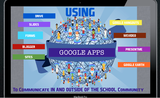
Educators need to create a Personal Learning Network, but our students need an authentic audience too. How do you do this? By introducing new concepts and activities to your students using creative measures, such as Google Apps. Google Apps for Education is changing how people, including our students interact with the world. This makes way for changes in the strategies and tools we use for teaching and learning. Follow me on this journey as we explore tools like Google Hangout, Google Drive, and other Apps in the Marketplace we can use to truly transform learning for our students, and at the same time transform how we teach!Why do we need to transform how we teach? Listen to the Voice of An Active LearnerThis is why we do what we do!Why do we collaborate?Our Goals are to be able to implement Google Apps in meaningful ways in your classrooms to increase efficiency, collaboration and engagement for your students.How do you Use Google Apps to Connect with the community? Share your thoughts here, and see how others are using it. Google DriveAn ideal place to share and collaborate with studentsGoogle DocsHow can you use it in your classroom?Student collaborative assignmentsLesson plansSignupsHave students work collaboratively from anywhere Give students ongoing and simultaneous feedbackUse revision history to hold students accountable for their workPublish student workFeaturesColor-coded TextCommentHyperlinkResearchRevision HistoryResearch(Web, Images, Scholar, Quotes, Dictionary, Tables)Collaborate Lesson Planning- Work on the same lesson plan at the same time with a colleague using Google Docs. Store important docs in your school's shared Doc list so that anyone at your school can find and access them. Create a folder for your grade level to share resources. Instead of lugging home 30 reading response journals every week to comment on, have students keep their journals in a shared Google Doc. You can give your comments while students continue to write in their journals! Translate letters home to parents by using the translate feature in Google Docs. Google SpreadsheetsUse spreadsheets to track student homework. Give each student a anonymous number and share the sheet with parents.Use spreadsheets to make scheduling parent-teacher conferences really easy. Google FormsGoogle Forms is a useful tool to help me plan events, send a survey, give students a quiz, or collect information in an easy, streamlined way.Use Google forms and spreadsheet to:Collect dataShare dataAnalyze dataGraph dataGraph data across variables Have students complete their reading record online line through a Google Form. Tests/QuizzesHint: Use Flubaroo to grade your form: http://www.flubaroo.com/Grade online assignments in a single step!Get reporting and analysis on student performance!Email students their scores.Designed by a teacher, for other teachers!Create a site for your class. Embed a class calendar, videos, and presentations. Do More With Google AppsVirtual Field Trips With Google HangoutsHow cool is that?or You Could Do a Mystery Skype.. but use Google HangoutsGoogle Earth is a very powerful tool, and integrating into the reading curriculum makes it even more powerful! Use Google to search KMZ (or KML) to find tourshttp://www.googlelittrips.com/GoogleLit/Home.html Using Video in The Classroom is a great way to engage students in the learning processis a very easy to use tool for teachers and studentsAre you flipping your classroom? Try using Present.me How Educators are Using Present.MeHow are you using Google Apps To Communicate with your school community? share here also see how what other educators are doing.Bottom line! Let's engage our students, give them choice, a voice, and an authentic audience
Patricia J. Brown
.
Blog
.
<span class='date ' tip=''><i class='icon-time'></i> Dec 04, 2015 12:08am</span>
|