Blogs
|
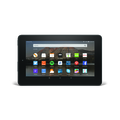
Yesterday, Amazon announced several new hardware offerings, including a new 7 inch tablet, costing just $50. This price puts the Kindle firmly in "impulse buy" territory, mirroring prices that were previously associated with very low-end products from manufacturers that you have never heard of.
To be clear, this is NOT a premium product and is in no way a competitor to the iPad or the many medium- and high-tier products running Android or even Windows. A quick look at the specs reveal a low resolution screen with a modest processor. However, assuming Amazon has made smart choices about optimizing the FireOS (a version of the Android operating system) to work well with the hardware, this could be a compelling device for reading, watching video, listening to audio and even video or voice calls.
Amazon is even looking to give price breaks for those that buy in bulk: if you buy five, you get the sixth free, a Kindle "six pack." Certainly this is an interesting prospect for teachers and schools on a budget?
While it is exciting that a hardware vendor is driving down price points, the Kindle family will likely remain a device great for individuals but lacking for classroom-wide and school-wide implementations. The limitations include:
Amazon account requirements: The Kindle works best in the Amazon universe and assumes, like an Apple iPad and an Android tablet, that you are purchasing for a single end user. While I know some schools and libraries that have successfully configured Kindle eReaders and Kindle Tablets for use in a shared space, purchasing, digital rights management and other account concerns are not resolved on this platform.
Amazon app restrictions: While the Kindle platform runs on a "forked" version of Android, this is not "official" Android. You must use apps from the Amazon App Store and can’t access the Google Play Store. Although the Amazon App Store boasts a solid collection of apps, there are tons of missing apps in this environment that appear in the 1.5 million strong Google Play Store.
Stock apps are limited: As Google stock apps are unavailable on the Kindle, Amazon has developed alternatives to the Gmail mail client and Chrome browser. However, it has hard to compete with Chrome, the world’s most popular web browser. Amazon’s Silk is functional, but lacks compatibility with many web tools.
Despite limitations, I estimate that teachers and schools with or without open wireless networks will see these devices appear in back pockets and backpacks after this holiday season… because it is a $50 tablet!
We have pre-ordered one of these devices and will have it on the release day, September 30. We’ll be sure to report back here our impressions!
Are you in for a $50 Kindle? If so, tell us your thoughts in the comments below or find us on Twitter!
The post Amazon announces a $50 tablet… what does it mean to schools?! appeared first on NCCE's Tech-Savvy Teacher Blog.
Jason Neiffer and Mike Agostinelli
.
Blog
.
<span class='date ' tip=''><i class='icon-time'></i> Dec 05, 2015 08:10am</span>
|
|
For those of you using Google Classroom with your students, make sure you check out the Google Classroom Chrome Extension:
Google Classroom Teachers: Save time and create a more interactive class with the Share to Classroom extension. The extension allows you to push webpages to your any of your Classroom classes, so they open instantly on your students’ computers. With this extension, you can get your students on the right page, quickly and reliably every time. You can also post announcements, create assignments, or save webpages to post to Classroom later.
Students: The Share to Classroom extension gets you to webpages your teacher shares, without you having to type out the whole URL. You can also push web pages directly to your teacher.
Below you can see just how easy it is to add a site to an assignment in your classroom:
If you are using Google Classroom, check out the Chrome Extension today!
The post Make Google Classroom Even Better with the Chrome Extension appeared first on NCCE's Tech-Savvy Teacher Blog.
Jason Neiffer and Mike Agostinelli
.
Blog
.
<span class='date ' tip=''><i class='icon-time'></i> Dec 05, 2015 08:10am</span>
|
|
If you have surfing any technology-related new media this week, you likely ran into the prolific debate related to Apple’s new "ad blocking" functionality in the latest version of their operating system.
The debate is simple. On one hand, for many, advertising has become a distracting, obnoxious limitation on fast and free Internet search and surfing. Advertising tracks you and your habits, violating your privacy. On the other hand, much of the Internet is freely available to you. Advertising pays for servers, infrastructure and content creators giving you access to a wealth information for the cost of a broadband connection.
Of course, this debate takes special significance related to students. Tech-savvy classrooms often utilize the wide open Internet to encourage students to explore the massive Internet treasure trove of information. However, advertising content is specifically aimed at kids, sometimes in very subtle ways.
Thus, many tech-savvy teachers utilize ad blocking software, plugins and apps to make their experience ad-free. I also know of districts that push out adblocking software or extensions on computers and Chromebooks, hoping to safe on bandwidth costs and expose students to a better Internet. (As an aside, the current Tech-Savvy Teacher pick on blocking platforms is the open source tool uBlock).
An often ignored part of this debate is the impact of blocking ads on those that collect the bounty from hosting ads: the Web 2.0 tools, blogs, news sites and other content creators that rely on that income to pay for their otherwise free service.
This is a complex debate, however, I found this week’s episode of Note to Self from WYNC particularly interesting and thought-provoking. Host Manoush Zomorodi speaks to a content creator on the necessity of advertising and herself discusses the impact of installing ad blocking software on her iPhone:
If this topic interests you as it relates to K-12 classrooms, I will be offering a session at this February’s NCCE conference in Seattle on thoughts related to data privacy and the Internet. Registration is now open! This is an important conversation that we must discuss openly!
The post Weekend Podcast Recommendation: "Note to Self" Considers Ad Blocking appeared first on NCCE's Tech-Savvy Teacher Blog.
Jason Neiffer and Mike Agostinelli
.
Blog
.
<span class='date ' tip=''><i class='icon-time'></i> Dec 05, 2015 08:09am</span>
|
|
As we announced two weeks ago, Amazon has released a $50 Kindle Fire, a color, wifi-enabled tablet based on the Android operating system.
Our pre-ordered unit arrived on Wednesday, and we have been putting it through its paces. Our first response? Incredibly functional hardware for $50!
As we write our more extended review, here is our unboxing video:
Are you in the market for this new hardware? Hit us up in comments or find us on Twitter!
The post The $50 Kindle Fire: Unboxing Video appeared first on NCCE's Tech-Savvy Teacher Blog.
Jason Neiffer and Mike Agostinelli
.
Blog
.
<span class='date ' tip=''><i class='icon-time'></i> Dec 05, 2015 08:09am</span>
|
|
Are you in need of a website to help you build reading comprehension in your K-8 students? Readwork.org is a great place to start!
ReadWorks provides research-based units, lessons, and authentic, leveled non-fiction and literary passages directly to educators online, for free, to be shared broadly.
The ReadWorks curriculum is aligned to the Common Core State Standards and the standards of all 50 states. Most importantly, ReadWorks is faithful to the most effective research-proven instructional practices in reading comprehension.
I was very excited to see the long list of novels featured on the site. Each novel unit is complete with lesson plans, materials, and standards alignment. Another strong feature of the site is giving a lexile level for all readings and activities. Additionally, the searchable database of reading passages span all circular levels. I can see teachers using the site to supplement Science and Social Studies with readings that are also addressing reading comprehension.
Readworks is supported by major foundations so currently the site is free to use. If you are an elementary or middle school teacher this site is definitely worth a look!
The post Great Reading Comprehension site for K-8: Readworks.org appeared first on NCCE's Tech-Savvy Teacher Blog.
Jason Neiffer and Mike Agostinelli
.
Blog
.
<span class='date ' tip=''><i class='icon-time'></i> Dec 05, 2015 08:09am</span>
|
|
Would you like an activity for your students that will having them listen while utilizing technology? How about an assignment that with leave your students with a better appreciation of history? If your answer is Yes then you will want to include your students in The Great Thanksgiving Listen by Storycorps Inc!
This Thanksgiving weekend, StoryCorps will work with teachers and high school students across the country to preserve the voices and stories of an entire generation of Americans over a single holiday weekend.
Open to everyone, The Great Thanksgiving Listen is a national assignment to engage people of all ages in the act of listening. The pilot project is specially designed for students ages 13 and over and as part of a social studies, history, civics, government, journalism, or political science class, or as an extracurricular activity. All that is needed to participate is a smartphone and the StoryCorps mobile app.
NPR featured this exciting event this week, have a listen:
http://blog.ncce.org/wp-content/uploads/2015/10/20151014_me_this_thanksgiving_listen_to_and_interview_your_elders.mp3
StoryCorps Inc has put together a teachers resource kit to help you get started:
And finally here are links to the Apple and Android Store. I hope everyone reading this blog will jump on board with this great project. Please share in the comments below any stories or recordings from you students.
The post The Great Thanksgiving Listen by Storycorps Inc appeared first on NCCE's Tech-Savvy Teacher Blog.
Jason Neiffer and Mike Agostinelli
.
Blog
.
<span class='date ' tip=''><i class='icon-time'></i> Dec 05, 2015 08:08am</span>
|
|
I am constantly on the look out for easy ways to record audio. Over the years my "must have" features have changed to include support for both mobile and desktop recording. SpeakPipe covers it all. From the device of your choice go to http://www.speakpipe.com/voice-recorder
Once there, press the start recording button. SpeakPipe limits your recording to 5 minutes, but for most classroom tasks that should be sufficient. After you are finished recording, you will have the option to associated a name with the file and save it on SpeakPipe’s server. SpeakPipe will save the file for 3 months. After saving you then have the option to download the file as an MP3 to attach to a LMS or keep on a local device forever.
Try SpeakPipe and let us know your experience in the comments section below!
The post Super Simple Voice Recorder - SpeakPipe appeared first on NCCE's Tech-Savvy Teacher Blog.
Jason Neiffer and Mike Agostinelli
.
Blog
.
<span class='date ' tip=''><i class='icon-time'></i> Dec 05, 2015 08:08am</span>
|
|
Have you ever wanted to work with your students to help them publish a book? If so, LuluJr is a great place to start:
My Awesome Publishing Company is a new online platform that gives you all the tools you need to turn your classroom into a mini-publishing company - and open the door for students to experience the life-changing impact of discovering one’s voice and creativity. Your students will be inspired to foster creativity skills, and enhance their planning, writing, revision and collaboration skills to align with the 21st Century Learning framework. All the while, you get the resources to meet the increasing demands of today’s learning standards.
The post Student Publishing with LuluJr appeared first on NCCE's Tech-Savvy Teacher Blog.
Jason Neiffer and Mike Agostinelli
.
Blog
.
<span class='date ' tip=''><i class='icon-time'></i> Dec 05, 2015 08:08am</span>
|
|
TechRadar released their list of the best Chromebooks of 2015. This list is from the perspective of an individual consumer. Expectations of Chromebooks change when thinking about using them in the educational environment. I have adjusted TechRadar’s top 5 by to be viewed through the educational lens:
#1 - Dell Chromebook 11
CPU: 2.6GHz dual-core Intel Celeron Bay Trail-M N2840 | Graphics: Intel HD for Intel Celeron processors | RAM: 4GB RAM (DDR3L, 1,600Mhz) | Screen: 11.6-inch HD, 1366 x 768 touchscreen |Storage: 16GB SSD | Optical drive: none |Connectivity: Bluetooth 4.0; 802.11ac (B/G/N), dual-band Wi-Fi | Camera: 720p webcam | Weight: 2.91 pounds Dimensions: 12.6 x 8.4 x 0.76 inches
Current Price: $215
The Dell Chromebook 11 was specifically built with the educational market in mind and it shows. The price point, rugged design, and hardware specs make this the go to laptop for education in 2015. Some reviews have knocked this Chromebook for have a small keyboard, but this is less of a drawback when thinking about elementary and middle school age children. Be aware that not all models are touchscreen.
3 Way Tie between:
This second tier all have a mix of positives and negatives. They are definitely worth your consideration as they mix good price points with differing features, but in each case they slip behind the Dell.
Acer Chromebook 15 C910
CPU: 2.2GHz Intel Core i5-5200 dual-core processor | Graphics: Intel HD 5500 Graphics with shared memory | RAM: 4 GB, DDR3L SDRAM | Screen: 15.6-inch full HD (1,920 x 1,080) | Storage: 32GB SSD | Optical drive: none | Connectivity:802.11a/b/g/n/ac Wi-Fi | Camera: 720p HD webcam |Weight: 4.85 poundsDimensions: 1.0 x 15.1 x 10.1 inches (H x W x D)
Current Price: $305
Asus Chromebook Flip
CPU: 1.8GHz Rockchip 3288-C (quad-core, 1MB cache) | Graphics: ARM Mali T624 | RAM: 2GB LPDDR3 SDRAM | Screen: 10.1-inch, WXGA (1,280 x 800) IPS multi-touch display | Storage: 16GB eMMC | Connectivity: 802.11ac Wi-Fi, Bluetooth 4.1 | Camera: 720p HD webcam | Weight: 1.96 pounds |Dimensions: 10.6 x 7.2 x 0.60 inches (W x D x H)
Current Price: $239
Lenovo N20p Chromebook
CPU: 1.83 GHZ Intel Celeron Processor N2930 | Graphics: Integrated Intel HD Graphics | RAM: 2GB PC3-10600 DDR3L 1333 MHz | Screen: 11.6″ HD (1366 x 768) dsplay with 10-point multitouch | Storage: 16GB eMMC storage | Optical drive: none | Connectivity: Bluetooth® 4.0, 802.11 a/c WiFi | Camera: 720p webcam | Weight: 2.86 lbs Dimensions: 11.6″ x 8.34″ x 0.70″
Current Price: $275
#5 - Google Chromebook Pixel 2015
CPU: 2.2GHz Intel Core i5-5200U (dual-core, 3MB cache, up to 2.7GHz with turbo boost) | Graphics: Intel HD Graphics 5500 | RAM: 8GB DDR3 | Screen: 12.85-inch 2,560 x 1,700 IPS touchscreen display | Storage: 32GB SSD | Optical drive:none | Connectivity: Intel Dual Band Wireless-AC 7260; Bluetooth 4.0 LE |Camera: 720p HD wide angle camera with blue glass | Weight: 3.3 poundsDimensions: 11.7 x 8.8 x 0.6 inches (W x D x H)
Current Price: $1144
At a current price of $1144 this is the most expensive option on the list. While this is best laptop from a pure power perspective, when looking to scale to a classroom set or district 1:1 this is not a realistic laptop for most districts.
We have said this before, but remember if you are looking to rollout Chromebooks in your district you should always get the "white glove" service. This service means you provide the vendor your network information and your Chromebooks are ready to deploy the moment they arrive at your district.
Are you using any of these Chromebooks? Let us know your thoughts in the comments section below. If you are interested in TechRadar’s review grab it here.
The post 5 Best Chromebooks of 2015 for Education appeared first on NCCE's Tech-Savvy Teacher Blog.
Jason Neiffer and Mike Agostinelli
.
Blog
.
<span class='date ' tip=''><i class='icon-time'></i> Dec 05, 2015 08:07am</span>
|
|
The NCCE Board of Directors will have three positions opening in 2015. Each position is a three-year term that will continue to help NCCE grow within the vision of being the leader for innovative professional learning. NCCE is looking for leaders to represent our 4000+ members and continue to focus on the organization’s mission to lead, engage and assist educational communities to reach higher levels of student and educator success through the use of 21st Century technology.
Positions available include:
ESD Representative
K-12 District Technology Representative
At Large Representative
You can get a job description for these positions in the NCCE Bylaws.
The current Board of Directors is asking our members for nominations for one or all of the available positions. To nominate someone, please fill out this brief survey about your nominee.
To nominate someone, please fill out this short form.
Please share this information for others. We seek all voices to represent members on our Board of Directors!
All nominations must be submitted no later than November 30, 2015.
The post Wanted: Nominees for the NCCE Board of Directors! appeared first on NCCE's Tech-Savvy Teacher Blog.
Jason Neiffer and Mike Agostinelli
.
Blog
.
<span class='date ' tip=''><i class='icon-time'></i> Dec 05, 2015 08:06am</span>
|