Blogs
|
Our innovative new financial program helps you change your life and enter IT as a web dev or programmer without steep upfront costs.
We Can Code IT
.
Blog
.
<span class='date ' tip=''><i class='icon-time'></i> Dec 05, 2015 08:08pm</span>
|
|
Estimating Relative Effort: A Scrum Team Exercise Thanks to Tomasz de Jastrzebiec Wykowski for this idea. Estimating relative effort can be more complex than it looks. In this exercise, you...
We Can Code IT
.
Blog
.
<span class='date ' tip=''><i class='icon-time'></i> Dec 05, 2015 08:08pm</span>
|
|
We Can Code IT changed my life for the better. In some ways, this program has taught me just as much about life as it has Computer Programming.
We Can Code IT
.
Blog
.
<span class='date ' tip=''><i class='icon-time'></i> Dec 05, 2015 08:08pm</span>
|
|
WCCI provides a part-time coding bootcamp.It is a very convenient option for those that work everyday during the week. Other schools offer part-time, but you still have to attend classes during the week. From experience going to school full-time , working two jobs with a child during the week was really stressful. Now I can go to work, then come home and study for a few hours. Part-time bootcamp can be challenging and overwhelming, but we have Monday through Friday to practice, read, and regroup. It allows us to tackle and maintain the course load . . .
We Can Code IT
.
Blog
.
<span class='date ' tip=''><i class='icon-time'></i> Dec 05, 2015 08:07pm</span>
|
|
Dee was a Computer Science major in college, but got her real world education at We Can Code IT. Read her story!
We Can Code IT
.
Blog
.
<span class='date ' tip=''><i class='icon-time'></i> Dec 05, 2015 08:07pm</span>
|
|
Today, I am half way through my cohort and have the confidence and skills to already interview for jobs and internships. Yes, in three months I am ready to go out there and show these companies what I've got! Sure, I don't know everything, but the instructors at We Can Code IT are teaching me exactly what I need to know to be a valuable asset right now. I've shadowed four Software Engineers in the past month and everything they did was right in line with my training. It's just perfect . . .
We Can Code IT
.
Blog
.
<span class='date ' tip=''><i class='icon-time'></i> Dec 05, 2015 08:07pm</span>
|
|
Students evaluating your course have lots of questions - is this course right for them, will they learn what they want to learn, and whether it’s a good investment among them. One of the fastest and easiest ways to ease their concerns is using social proof - confirmation that other people (just like them!) have made - and stood behind - the same decision.
Reading student testimonials is comforting for potential purchasers, and provides valuable insight into the answers to some pressing questions.
Reading student testimonials is comforting, and provides valuable insight for your online course…Click To Tweet
We asked our product team if they could help us out with an easy way to add great looking testimonials to course descriptions, and they’ve delivered! With a few lines of code, you now have the ability to turn your favourite student feedback into reassuring social proof for your course landing pages.
3 Ways to Encourage & Get Testimonials
Ask! Adding a quick survey to the end of your courses can help you gather important insight from students that will help guide your course updates going forward. Was it too hot, too cold, or just right?
At the same time, if you’re doing the right stuff, you’ll be hearing this through your feedback surveys. Don’t let that data go to waste - turn those comments into shared testimonials!
Scour Twitter. Students who complete your course are prompted to tweet about it, and you might find you’ve already got some course love out there. It’s as close as a quick search.
If you’re just starting out or your course is new, that’s OK! There are still great ways to add testimonials - think about feedback from in person sessions you’ve done, consulting work, or even glance at your LinkedIn reviews. A solid review about how you’re a great person to work with (even if the review was written about another experience with you) is a good place to start, until you have some course-specific comments to work with.
Ready to get styling? Visit our Knowledge base article with the step-by-step for achieving custom testimonial styles for your own landing page.
The post Using Testimonials as Social Proof appeared first on Thinkific.
Thinkific, Inc.
.
Blog
.
<span class='date ' tip=''><i class='icon-time'></i> Dec 05, 2015 08:06pm</span>
|
|
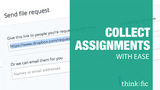
Dropbox has made our lives just a little bit easier with their latest announcement last month: the File Request Feature.
What is the File Request feature?
Dropbox’s newest File Request feature allows you to easily receive large files and assignments from anyone.
As an instructor, you can collect files from your students and all content received will be well-organized and stored in one place. As a student, it is super easy to use and there’s no limit to the size of the file uploaded.
Easily collect student assignments for free using Dropbox's newest feature!Click To Tweet
What should you use it?
Having an assignment submission feature makes everyone’s lives easier. It’s a simple one-click stop - and best of all, it’s free!
The File Request feature is simple to use and configure for everyone. Students don’t require a Dropbox account to submit documents, and for you, all the files you receive are organized in one easy-to-find folder.
There is no limit to the size or type of file students upload. That means you can request anything from Word Docs and JPEGs, to large videos or Illustrator files, depending on what makes sense for your course. Everything goes!
The best part about File Requests is that a student can submit an unlimited number of files. Although they can’t make changes to past submissions, instructors get to keep a copy of every change they make and will receive an email alerting them of every new submission.
This also means that instructors can clearly see a timestamp of when each document was submitted. If you set a deadline for students, you’ll know that they met it!
There is an additional privacy benefit as students will not be able to see other students’ assignments. Once they’ve submitted a file, the only person who can view it is the instructor.
An assignment submission feature makes everyone’s lives easier.Click To Tweet
How do you get started?
If you are not already a Dropbox user, first register for a free account. Once that’s done, click on "File Requests" in the left hand menu of your dashboard to get started.
First, click on the "Create File Request" button. This will take you to a pop up that asks you to name your folder (usually with a name specific to an assignment or file you are asking to be submitted. Also, indicate where you want the submitted files to be stored.
So what do you do with the file request link? You can include the link in your course in a text content type and ask students to submit documents there. For example, hyperlink "Assignment #1 is due on Wednesday, September 15th!" to your file request page.
And that’s it, you’re done! Dropbox will now give you your file request link and you can share it with your students. To view all your submissions, click on "File Requests" again in the left hand menu and click into the folder you just created.
Want to see what the submission process is like for students?
The post Collecting Assignments: Made easy appeared first on Thinkific.
Thinkific, Inc.
.
Blog
.
<span class='date ' tip=''><i class='icon-time'></i> Dec 05, 2015 08:06pm</span>
|
|
With the recent explosion in mobile devices, it’s no surprise that more and more students are wanting to access online courses on their phone.
This past decade, mobile devices have been spreading like wildfire. According to the Pew Internet Project, 64% of American adults own a smartphone and 42% own a tablet computer. Many of these users are also "smartphone-dependent," meaning that they rely strictly on their phones for Internet access. Although these statistics reveal the alarming prevalence mobile devices have in society, it’s no denying the fact that they have become a mainstream reality. The mobile web has surpassed computers as the most commonly used device to access the Internet.
Consequently, the onus now falls on web developers to create mobile responsive websites for the mounting number of users who choose to access the web on their devices.
Google punishes non-mobile responsive sites.Click To Tweet
As education becomes more and more distant, it is apparent that the future of not only online learning, but the Internet, lies in the hands of mobile optimization. Mobile friendly sites result in improved SEO, net sales, student experience, and most importantly, a competitive advantage when compared with market rivals. Still not convinced? Even search engine giant, Google, has given it a seal of approval, applying "mobile friendly" labels to search results and punishing non-mobile responsive websites by pushing them further down the site listings.
The future of only online learning lies in the hands of mobile optimization.Click To Tweet
We at Thinkific have embraced mobile optimization right from the get-go, with sleek landing pages that adapt to all devices, including: computer, mobile, and tablet viewing. To see whether or not we’ve been doing a good job of it, we decided to take Google’s Mobile Friendly Test. (Spoiler alert: we passed!) Here are our results:
Hooray! We passed Google’s mobile-friendly test! Where do you stand?Click To Tweet
Take advantage of the mobile responsiveness we have developed and create designs that wow students on every device.
If you’re ever curious as to what your website looks like to a mobile visitor, try dragging the corner of your browser to view it in various screen sizes. This will give you an idea of how your course landing page can be viewed on a phone, tablet, or desktop, and you make changes accordingly. Here’s our Training Library Course on a desktop and a phone.
Let us know how your course stands in the world of mobile optimization. You can take Google’s Mobile Friendly Test, here.
The post How eLearning is now mLearning appeared first on Thinkific.
Thinkific, Inc.
.
Blog
.
<span class='date ' tip=''><i class='icon-time'></i> Dec 05, 2015 08:05pm</span>
|
|
For the past couple months, Zapier has been our most highly requested platform integration, and we’re excited to announce it’s up and ready for your use!
What is Zapier?
For those of you who aren’t too familiar with the software, Zapier is a tool that lets you automate actions between different web applications.
You can now, for instance, get a text message every time a new student enrolls in your course or set up an automatic email to be sent out when a student completes your course. You can automate actions on over 500+ different web apps based on actions that occur in your Thinkific courses. The possibilities are endless!
Thanks to @Zapier you can automate your work and link your Thinkific courses to 500+ applicationsClick To Tweet
How does it work?
An integration between two apps is called a Zap, and a Zap is made up of a ‘Trigger’ and an ‘Action’. Whenever the trigger happens in one app, Zapier will automatically perform the action in another app.
Why use Zapier
Using Zapier can save you time, keep you organized, and help you better manage your students. Below are a couple of different zaps you can set up for your Thinkific course.
Set-up auto tweets to be sent out when a student completes a course
Trigger: Enrollment Completed
Action: Send a tweet with Twitter
Send new orders to a Google Spreadsheet automatically when a new user buys a course
Trigger: New Order
Action: Add the transaction to a new spreadsheet row in Google Sheets
Set calendar reminders to follow up with students 1 week after a they start a course
Trigger: New Full Enrollment
Action: Book calendar reminder in Google Calendar
Automatically add a student to your lead nurturing mailing list when they sign up for your free trial
Trigger: New Free Trial Enrollment
Action: Add email to your lead nurture Constant Contact mailing list
It’s all possible, plus so much more! For more information on how to integrate Zapier, check out our support page here
How are you using Zapier?! Leave us a comment and let us know how you are using this integration to make your life easier!!
The post Save time with our new Zapier Integration appeared first on Thinkific.
Thinkific, Inc.
.
Blog
.
<span class='date ' tip=''><i class='icon-time'></i> Dec 05, 2015 08:04pm</span>
|