Blogs
|
Are you using badges yet? via imserious.typepad.com Great post from Anne Derryberry. Very pleased that she will be joining the Sage Road crew as a subject matter expert consultant as we take on the task of morphing learning analytics with...
Ellen Wagner
.
Blog
.
<span class='date ' tip=''><i class='icon-time'></i> Jul 15, 2015 07:02am</span>
|
|
This post is part of my continuing series of weekly lesson summaries. My goal is to give parents & caregivers in our school community the resources needed to extend student learning at home, and to share my professional practice with teacher colleagues around the world in the hopes of improving my craft.
Synopsis: Kindergarten students were shown the proper procedure for logging onto PCs; First Graders designed Mother’s Day projects using Kerpoof.com; Second Graders finished their Mother’s Day coupon projects; Third Graders made parachutes out of giant coffee filters (using the Engineering Design Process); Fourth Graders finished the story we’d been reading as part of the Engineering is Elementary unit Solid as a Rock: Replicating an Artifact.
Week ending 05/10/13
Kindergarten
What we learned / did / explored together:
We had class in my old classroom, now known as Elementary Computer Lab #1, to ensure the kids knew how to log on to PCs (here and in the classroom).
I used a Powerpoint presentation to walk them through the process step by step, including logging off.
We also reviewed components of the PC desktop: icons, the Start button, the Taskbar and the System Tray.
We finished with a quick, fun activity utilizing Tux Paint, a terrific freeware application everyone with a computer at home should have.
What I observed / inferred / connected:
Students were generally able to grasp this quickly and log on with ease. The key to retention will be how frequently they log on/off on their classroom computers.
Most difficulties involved identifying the Control, Alt and Delete keys, and pressing them properly.
What students can do at home:
Few home PCs are set up to use login usernames and passwords the way our systems do (though I know some that are). For most Kindergarteners, learning the location of the Control, Alt and Delete keys would be helpful.
The Kindergarten Symbaloo is now fully loaded and ready for exploration!
First Grade
What we learned / did / explored together:
Students used Kerpoof.com to create Mother’s Day greetings. They were able to choose between a card and a poster, adding appropriate graphics and text. The projects were printed in color.
What I observed / inferred / connected:
Students really appreciated the ability to go "outside" the normal greeting card style and came up with some highly original designs.
What students can do at home:
Head over to Kerpoof.com and make more!
Check out the First Grade Symbaloo … I’ve nearly filled it up!
Second Grade
What we learned / did / explored together:
We finished the Mother’s Day cards we started last week, printing them in color and in some cases cutting them out and assembling booklets
What I observed / inferred / connected:
Preparing the list of "coupon ideas" in advance results in the highest quality work possible.
What students can do at home:
Check out the Second Grade Symbaloo, I’ve loaded several new learning activities!
Third Grade
What we learned / did / explored together:
Students designed and built a parachute using large commercial coffee filters, string and tape, based on analysis of the data from our past tests. Students used the Engineering Design Process and came up with two designs (they could only build one), which they computed a "packing score" based on measurements of the chute components.
What I learned / observed / inferred:
Coloring was NOT part of the lesson plan but adding the artistic component generated a great deal of energy and original ideas. One student (shown above) added one of our class mottos to his.
This was one of the most enjoyable projects we’ve had this year!
What students can do at home:
Building one of these parachutes is easy with common household materials. Get your child the raw materials and let them loose!
Keyboarding practice is always good, if they can find some time for it every day, it will pay HUGE dividends in the future. Here’s the login link: http://school.typingpal.com/?NRTHNFES.
Fourth Grade
What we covered / did / explored:
We finished reading the Engineering is Elementary STEM unit story "Gayla and Natasha’s Rocky Adventure." In it, two sisters who are always in disagreement ultimately come together and work collaboratively on petroglyph designs.
What I observed / inferred / connected:
This was another fabulous introduction and context setting for the coming hands-on activity - creating petroglyphs (rock carvings) - which we are doing this week!
What students can do at home:
Since students recently studied rocks in their regular science class, ask them what kind of rocks are around the house and yard (and perhaps elsewhere, like Birch Grove Park.) Discuss what an archaeologist does, what artifacts are, what materials engineering is, and even what tools would be needed to replicate an artifact. That’s what’s coming after we read the story!
Keyboarding practice is always good, if they can find some time for it every day, it will pay HUGE dividends in the future. Here’s the login link: http://school.typingpal.com/?NRTHNFES.
Kevin Jarrett
.
Blog
.
<span class='date ' tip=''><i class='icon-time'></i> Jul 15, 2015 07:01am</span>
|
|
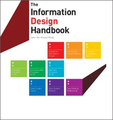
Step outside of the eLearning zone with the Information Design Handbook. It gets a thumbs-up review.Post from: The eLearning CoachThe Information Design Handbook: Book Review
Connie Malamed
.
Blog
.
<span class='date ' tip=''><i class='icon-time'></i> Jul 15, 2015 07:01am</span>
|
|
WCET, the WICHE Cooperative for Educational Technologies, today announced the successful federation of datasets from the six institutions participating in the PAR (Predictive Analytics Reporting) Framework proof of concept project, just four months after the project’s early June launch. The...
Ellen Wagner
.
Blog
.
<span class='date ' tip=''><i class='icon-time'></i> Jul 15, 2015 07:01am</span>
|
|
This post is part of my continuing series of weekly lesson summaries. My goal is to give parents & caregivers in our school community the resources needed to extend student learning at home, and to share my professional practice with teacher colleagues around the world in the hopes of improving my craft.
Synopsis: Kindergarten students saw e-mail in action and had to explain it visually; First graders learned about the concept of "credit" for creative works and publishing online; Second grade students performed admirably in their annual keyboarding assessments; Third graders did final testing of their parachute designs (recording data along the way); Fourth graders tested various rock types for durability and hardness to determine suitability for petroglyph carving, then made their own petroglyph which they brought home (sorry, parents!)
Week ending 05/17/13
Kindergarten
What we learned / did / explored together:
This week’s lesson had the students contemplating "messages" that are sent by hand (carried to the office) or by electronic means (phone, computer). Much of the lesson came from this excellent outline at Common Sense Media.We defined some technology terms and discussed examples. We used a live email conversation to illustrate the process, with me emailing the classroom teacher (who had returned to their room temporarily) and receiving their response. Students then had to use ABCYa’s Paint Go! app to create an image of what they thought was happening (some samples are shown above.)
What I observed / inferred / connected:
This lesson is always fun and I love how it gets the kids thinking. Their awareness of other forms of electronic communication is pretty impressive; at least one student in every class mentioned texting, cell phones, iPads, laptops or Facebook. They are too young to grasp the concept of worldwide data transmission but they clearly understood the messaging that took place between me and the classroom teacher, and how that messaging compared to other means.
What students can do at home:
Talk to your child about electronic messages. Send them to family and loved ones. Read and reply together.
The Kindergarten Symbaloo is now fully loaded and ready for exploration!
First Grade
What we learned / did / explored together:
Students explored the concepts of "signature," "credit," and "publishing" in the context of creative works, particularly work published online. Much of the lesson came from this excellent outline at Common Sense Media. We defined terms, discussed examples (print and online), shared how we’d feel if someone took credit for our work.
Then, using http://www.picassohead.com/, students created their own original works of art, which they titled and signed (first names only) and published on the website.
What I observed / inferred / connected:
Students seemed to understand the concept of credit but it wasn’t until they made and saw their work online that the concept really struck home. Kids were thrilled to find their work (and others) published on the site. Some made more than one creation. It was easy, meaningful and great fun.
What students can do at home:
It’s easy to find examples of creative ownership, so, this discussion is easy to replicate with your child. They are used to putting their names on school papers but publishing - for the world to see - makes that even more important. Head over to http://www.picassohead.com/ and let your student amaze you with their creative skills!
Check out the First Grade Symbaloo … I filled it up this weekend!
Second Grade
What we learned / did / explored together:
The end of the year is assessment time, so, I had the students complete the "Final Test" in Typing Pal, our online keyboarding application, and recorded the results.
We also had a brief lesson on the use of the "Research" tool in Google Docs to locate and cite images automatically.
What I observed / inferred / connected:
Our second grade targets for keyboarding are 9 words a minute with 95% accuracy. The majority of our students are at or beyond that level of proficiency. The best way for kids to develop keyboarding skill is to do authentic work - writing, for example - but even some game playing (that is heavily text based) will help. The program we use at school teaches technique; it’s up to them to assimilate those techniques in their day to day work habits.
What students can do at home:
Write. Anything. A story, sentences, even words - anything that gets them practice on the keyboard will help.
The Second Grade Symbaloo has several excellent keyboarding activites - have them choose something they enjoy, but, limit the practice to 10 minutes a day or so at most.
Third Grade
What we learned / did / explored together:
In our last lesson for the Engineering is Elementary unit on designing parachutes, students’ creations were dropped three times from a height of seven feet, the durations totaled, and the final determination made of the parachute’s "mission readiness." Students whose designs did not reach the minimum threshold redesigned their creations until they did. It was a fast-moving, festive environment, with classmates cheering each other on, working together on redesigns, doing mental math to determine how long each successive drop had to be in order to qualify for mission-ready status. At the end of class, students took their parachutes home.
What I learned / observed / inferred:
Students impressed me with their creativity and ingenuity this week, especially this week, as designs changed rapidly in response to the performance tests. Reinforcing via paper plates helped a great deal but even those were subject to extreme interpretations as kids sliced out centers (to save weight, only to discover a corresponding loss in structural integrity/rigidity), inverting the plates, and more.
What students can do at home:
Test the parachutes! I wish I could have provided everyone with clips (to secure the load) but we simply didn’t have enough for everyone. Try different line lengths, line placements, anything at all that, after observation, might indicate the possibility of better performance.
Keyboarding practice is always good, if they can find some time for it every day, it will pay HUGE dividends in the future. Here’s the login link: http://school.typingpal.com/?NRTHNFES. The kids know their usernames and passwords.
Fourth Grade
What we covered / did / explored:
This week marked the hands-on activity for the Engineering is Elementary STEM unit "Replicating an Artifact." Students were charged with conducting a variety of tests (hardness, durability) on different kinds of rocks to determine which would be best suited for use as a petroglyph (rock carving.) Working in teams, students had to identify a piece of stone, research it online, prepare a crayon rubbing of test lines carved into their samples, and more. Once complete, students (all wearing eye protection) carved their very own petroglyphs, which they brought home.
What I observed / inferred / connected:
This lesson was extremely fast-paced and hands-on, the perfect complement to the mental challenge of the NJASK test (students came to my lab directly after having finished testing for the day). This was by design, as I knew a physically stimulating activity would work best. Every student had a different job, everyone participated, and it was exceptionally challenging to orchestrate and prepare for. (Special thanks to Mrs. Vaccaro for travelling all the way to Cherry Hill to locate "Soapstone" for our project, and to my neighbors Kristine and Bob Schenck for the "Bluestone" we needed as well.) I literally spent hours smashing bits of limestone, marble, granite and other rocks into student-sized chunks for testing but the investment was well worth it. Next year I will get the rocks well in advance to be sure we have enough of each type. I would also like to thank our 8th grade IPS teacher Kathy O’Connor for providing us with enough safety goggles for everyone.
Cleanup was among the dirtiest of any lesson in the STEMLAB this year.
What students can do at home:
Since students recently studied rocks in their regular science class, ask them what kind of rocks are around the house and yard (and perhaps elsewhere, like Birch Grove Park.) Discuss what an archaeologist does, what artifacts are, what materials engineering is, and even what tools would be needed to replicate an artifact - especially now that they have DONE IT.
Keyboarding practice is always good, if they can find some time for it every day, it will pay HUGE dividends in the future. Here’s the login link: http://school.typingpal.com/?NRTHNFES.
Kevin Jarrett
.
Blog
.
<span class='date ' tip=''><i class='icon-time'></i> Jul 15, 2015 07:00am</span>
|
|
One of our Sage Road Solutions LLC clients, the Western Interstate Commission for Higher Education, is holding its biannual meeting at the BYU Hawaii campus on the island of Oahu this week. Having spent the past several days in Denver...
Ellen Wagner
.
Blog
.
<span class='date ' tip=''><i class='icon-time'></i> Jul 15, 2015 06:59am</span>
|
|
Due to the fact that I was out for two days last week, and I unexpectedly covered for another teacher on Friday, there is no update for the week ending May 24th!
Kevin Jarrett
.
Blog
.
<span class='date ' tip=''><i class='icon-time'></i> Jul 15, 2015 06:59am</span>
|
|
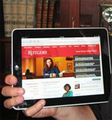
These students will be getting an iPad loaded with course content. Read the interview.Post from: The eLearning CoachFirst iPad University Course
Connie Malamed
.
Blog
.
<span class='date ' tip=''><i class='icon-time'></i> Jul 15, 2015 06:59am</span>
|
|
This post is part of my continuing series of weekly lesson summaries. My goal is to give parents & caregivers in our school community the resources needed to extend student learning at home, and to share my professional practice with teacher colleagues around the world in the hopes of improving my craft.
Synopsis: This was "QX5 Microscope Week" as the devices were used in three of my five classes: Kindergarten and Second Grade both explored plants (with different objectives) and First Graders explored common red ants. Third grade students researched & brainstormed Internet Safety rules, which were compiled in a Google Doc; fourth graders reflected on their STEM project by answering three questions about the experience.
Week ending 05/31/13
Kindergarten
What we learned / did / explored together:
Our main goal this week was to familiarize students with the operation of these microscopes, which I had planned to do earlier in the school year (around October) but was unable to. We warmed up with a quick talk about the difference between a telescope and a microscope and when you would use each. We then reviewed plant parts (using this handy interactive) and watched a nifty 45-second time lapse video of radish seeds sprouting and growing. Finally, we watched a quick video of a creature discovered in my lab years ago by Kindergarten students during this very lesson. With everyone’s curiosities piqued, it was time to explore the plant samples, which the kids did with great energy and enthusiasm! We only have one QX5 and PC laptop per table, so, we had a coloring page to extend the learning while they waited for their turns. They were patient and terrific collaborators, making one excited discovery after another, taking pictures at 10x, 60x and 200x magnifications. This lesson is one of our favorites every year and the kids were not disappointed!
What I observed / inferred / connected:
As I said, the main objective of this lesson was to familiarize students with the operation of these microscopes. (They are easy and fun to use, but a little worn out (and sometimes difficult to focus), so we are hoping to replace them this summer.) Everyone had multiple turns using both the microscope and the laptop PC connected to it. Operating these devices is easy and fun.
Students were exceptionally good at sharing, taking turns and helping each other.
What students can do at home:
These QX5 Microscopes are sometimes hard to find (they were just on Amazon the other day for $99, but now none are left.) They are PC only. There are other less expensive USB microscopes to consider, if you are interested in specifics, contact me. Providing your child with a device like this will yield many hours of fun and learning.
Check out the Kindergarten Symbaloo for fun learning activities!
First Grade
What we learned / did / explored together:
First graders also used the QX5 Microscopes, but ants were the subject of their exploration. We started with a SMARTBoard brainstorming session about ants - what we already know. We labeled the ant’s four main body parts. We also watched a brief movie from Discovery Education video loaded with some pretty amazing facts about ants. (Did you know ants existed before dinosaurs?) Then it was time for a quick review of the microscope’s operation (amazing that they remember considering they last used them more than a year ago) and we were off!
Students were tasked with capturing images of our specimen at 10x, 60x and 200x. They took turns running the microscope and the laptop (collaboration is key.) While they waited, they completed and colored a simplified version of this worksheet (only four parts and words written along the bottom.) This worked very well as it allowed the kids to be productive while the others were using the laptop and microscope.
After all students successfully captured the required images, we allowed them to explore anything and everything they could find - as long as it fit under the microscope objective, they could check it out - and they did!
What I observed / inferred / connected:
The red ants I used were a little small; larger black ants would be better. I just need to find them…
Overall we saw close to a 100% success rate obtaining images at all three magnifications, the only exceptions coming from microscopes whose focusing mechanisms were badly worn and difficult to use.
What students can do at home:
These QX5 Microscopes are sometimes hard to find (they were just on Amazon the other day for $99, but now none are left.) They are PC only. There are other less expensive USB microscopes to consider, if you are interested in specifics, contact me. Providing your child with a device like this will yield many hours of fun and learning.
Check out the First Grade Symbaloo - find the activities related to this lesson!
Second Grade
What we learned / did / explored together:
Yes, it was yet another lesson with the QX5 Microscopes, but this time, it involved a bit more thinking and collaboration. Students were provided plant, seed and root samples for exploration but also had to work together to answer some basic questions (which we brainstormed together at the start of the lesson.) Students were required to get photos of each specimen at each magnification and were able to do so, only failing when the microscopes themselves were unable to focus properly (at 200x).
What I observed / inferred / connected:
In years past, students took a more active role in the gathering of the samples. I’d like to get back to that, but now that I see Second graders in the morning and not in the afternoon, it’s harder to coordinate.
At this age, students confidently commanded the microscopes. Time to start devising more challenging tasks…
What students can do at home:
These QX5 Microscopes are sometimes hard to find (they were just on Amazon the other day for $99, but now none are left.) They are PC only. There are other less expensive USB microscopes to consider, if you are interested in specifics, contact me. Providing your child with a device like this will yield many hours of fun and learning.
Check out the Second Grade Symbaloo - I loaded several new activities!
Third Grade
What we learned / did / explored together:
Students were tasked with brainstorming a list of Internet Safety Rules, based on prior knowledge or resources I provided including a BrainPOP movie (linked above), a NY Public Library site for children and teens, and this image from a UK website. Students created a Google Document (example shown above), added their text, then shared it with me.
What I learned / observed / inferred:
Every student was able to successfully create a Google document with at least five tips. Grammar and spelling were nearly perfect, but, students will have another chance to revise and edit before we turn these into our Internet Safety Posters this week.
What students can do at home:
Have a conversation with your child about Internet Safety, you’ll be amazed at how much they know. Set up rules in your own household that work for everyone and be sure they are well understood.
Check out the Grade 3 Symbaloo for fun learning activities and skill practice.
Fourth Grade
What we covered / did / explored:
This week’s lesson involved a keyboarding warm-up followed by a reflection on the recently completed STEM unit, "Replicating an Artifact." They had to answer three questions (shown above) in a Google Doc and share it with me.
What I observed / inferred / connected:
Students are extremely comfortable with Google Docs, and I am convinced it is because they have had the chance to use Google Docs outside my class. The fourth grade team has been working with Chromebooks all year and I know teachers are taking the opportunity to have the students use Google Docs for project work.
What students can do at home:
Have your child log into Google Docs and show you their work! Use this link: http://docs.google.com/a/ncs-tech.org/.
Check out the Grade 4 Symbaloo for fun learning activities and skill practice!
Kevin Jarrett
.
Blog
.
<span class='date ' tip=''><i class='icon-time'></i> Jul 15, 2015 06:59am</span>
|
|
I attended the 2011 annual conference of the Association for Educational Communications and Technology (AECT) in Jacksonville, FL this past week. AECT is a professional association focused on scholarship in the academic disciplines associated with instructional design. Its members are...
Ellen Wagner
.
Blog
.
<span class='date ' tip=''><i class='icon-time'></i> Jul 15, 2015 06:59am</span>
|