Blogs
|
Every organization needs to use their resources well to meet business goals and enhance productivity. As we know, the pharmaceutical sector is highly regulated and non-compliance to applicable laws and regulatory norms could be costly. So, you have to train your employees about rules, regulations, standards and recommended guidelines to avoid mistakes.
E-learning is a cost-effective medium train the employees of pharmaceutical firms, quickly, on these laws. Let’s see why eLearning is the ideal solution to meet the compliance training needs of the pharmaceutical industry.
Deliver the best manufacturing process training
Pharmaceutical companies can deliver effective manufacturing process training to their employees through eLearning. Online modules can be provided to their employees to supplement what has been covered in a face-to-face training program. This is a great way to reinforce learning and retain information for a long time.
Precision and accuracy are very important in the pharmaceutical industry as errors could be fatal. E-learning can be broken down into small Byte-sized units, so that the employees will be able to understand the information quickly and easily. Simulations, videos and animations can be used effectively, to train employees on manufacturing processes and enable them to apply their learning in the workplace.
Prevent intellectual property rights (IPR) violations
In today’s highly competitive world, business success depends heavily on the protection of IPRs and growth of intellectual assets. To get the maximum productivity, employees need to be trained on new legislations on intellectual properties. Just-in-time learning can be provided in the form of 1-3 minute online modules which can be accessed through multiple devices anywhere, anytime.
Educate employees on digital principles
As you know, many companies are maintaining documents in the electronic form. Digital data has lots of dos and don’ts that are difficult to understand and retain. So employees need to be trained on dos and don’ts to communicate the message accurately and avoid penalties. Hence, eLearning is the best way to provide information through videos, animations and simulations.
Ensure safety
As we know, pharmaceutical companies have unsafe and hazardous working environments. Face-to-face training can be followed up with eLearning courses to make sure that employees understand and follow standards to avoid health hazards, injuries and accidents at the workplace. Safety procedures can be demonstrated through scenarios.
Thus, we see that eLearning courses go a long way in delivering highly effective compliance training to the staff of pharmaceutical firms. How do you train your workforce on regulatory norms? We’d love to know.
Related PostsE-learning for Effective Compliance in the Pharmaceutical IndustryCreative Ways to Present Click on Tab Interactivity in E-learning Courses - An InfographicE-learning to Meet the Training Needs of Companies in the BFSI Sector
RK Prasad
.
Blog
.
<span class='date ' tip=''><i class='icon-time'></i> Jul 15, 2015 08:48am</span>
|
|
Active Listening In eLearning: What eLearning Professionals Should Know
"I have learned a great deal from listening carefully. Most people never listen.", Ernest Hemingway once said. More than a half-century later, little has changed; indeed, most people don’t listen, despite listening being one of the most important human skills. The way we listen can have a major impact not only on our personal relationships, but also on our professional lives and job performance.
A good listener has the ability to better understand and process information; a great listener has the ability to use this information to negotiate, influence, and avoid misunderstandings and conflicts. But what does it take to become a great listener? Only one thing, actually: Practicing and improving your active listening skills.
Having active listening skills means that you are able to communicate effectively and create deeper connections with others. Active listening is an essential quality all learners should have, as it can greatly improve their communication skills and help them build strong relationships. In this article, I'll delve into the basics of active listening that every eLearning professional should know in order to develop eLearning courses that enhance learners' active listening skills, so that you will be able to help your learners to engage both mentally and emotionally in every conversation, and achieve long-term success in their personal and professional lives.
First Things First… What Is Active Listening?
While "hearing" and "listening" are two words that are often used interchangeably, there are many contrasts between them. While hearing is the involuntary act of perceiving sound, listening actually requires some effort. The individual must first choose to concentrate, and then, the brain has to process this information to add contextual meaning. During active listening, our minds focus on the information just received and process it accordingly; this is when truly amazing learning experiences take shape. This also explains why active listening is not just listening to what is being said, but also absorbing it. It involves focusing on the subject matter, processing it, and comprehending the concepts. To best illustrate the idea of active listening think back to a time when you sat in on a lecture or meeting and remembered absolutely nothing that was discussed after the fact. This is a perfect example of hearing instead of active listening. You may had been present, but your mind was not.
As far as the cognitive processes involved are concerned, while you are actively listening, your brain goes through a variety of different tasks. It must first understand the context of the eLearning content presented, then pair it with personal feelings, experiences, or previous knowledge. While actively listening, your mind also takes subtle nuances into account, such as gestures, expressions, colors, images, and body language. Even the pitch of someone’s voice or their tone plays an important role in the process. Only after all these factors are taken into consideration, your brain can then begin to absorb the information.
When the process of information recall takes place, learners are triggering their memory schemata, which improves comprehension and helps them identify which eLearning content is useful and relevant and which can go by the wayside to make room for really valuable data. Thus, they are able to absorb the key takeaways of the eLearning course and commit them to their long-term memory, rather than being overloaded with all data that is flowing into their mental pathways.
Active listening is so crucial in online learning environments because it distinguishes learners who are actually participating from those who are merely going through the eLearning course material. When learners are actively listening during the eLearning course, they are able to more effectively process the information and engage with the subject matter, instead of merely being passive observers. They can also access knowledge that they’ve previously acquired to make connections with new concepts or ideas, and decide how to apply this information in real world settings.
9 Tips To Enhance Active Listening Skills In eLearning
Active listening skills can be difficult to master and therefore it takes time, determination, and patience to become an excellent active listener. In order for your learners to enhance this excellent communication skill, consider the following tips:
Grab the attention of your audience with interactive learning activities.
Include interactive scenarios, simulations, and presentations that grab the attention of your audience and make it virtually impossible for them not to actively listen to the subject matter. If your learners are engaged in the learning process and feel as though you are creating a connection with them, they are more likely to focus on the eLearning content and not be distracted by outside stimuli. Use bright colors and graphics to draw attention to key concepts or special fonts to make the takeaways stand out on the page.
Include a summary at the end of every eLearning unit.
Summarization is one of the most effective ways to encourage active listening among your learners. Provide them with a summary at the end of each eLearning unit that gives them a quick overview of the main takeaways, so that they can focus directly on what they need to know and trigger their active listening abilities.
Link subject matter to previously knowledge.
Include exercises and eLearning activities that encourage your learners to access previously learned knowledge so that they can create that all-important connection. When they are able to associate new concepts to what they already know they are more likely to actively listen, as they are already familiar with the subject matter and the new information sounds more meaningful to them.
Assess learners newly acquired knowledge.
By integrating tests and exams at the end of each lesson you gain the ability to assess whether or not your learners are actively listening. If they can correctly answer the questions and show a mastery of the topic, then you can rest assured that they are actually paying attention to the eLearning content presented. This also prompts them to pay closer attention in future online lessons, as they are aware of the fact that they will be tested at the end.
Give your learners time to reflect.
Create brief pauses in between online lessons to give your learners the opportunity to reflect upon the subject matter and tie it to real world challenges or ideas. You can also use this time to ask them questions that encourage reflection, such as expressing their thoughts about a particular story you have shared or ask them to identify trends out of the eLearning material just presented.
Provide feedback.
Reflecting to what is being said, either orally or in writing, will both help you understand that your audience is actively listening and at the same time will offer your learners the chance to clarify their points. Providing feedback encourages expression and deepens understanding. Encourage your audience to ask clarifying questions, paraphrase what you hear, and summarize their statements, comments, and messages. Boost knowledge retention by asking them to paraphrase what they have learned too. Have them sum up the eLearning unit in their own words, with just a sentence or two. Then, you can review their summaries and provide constructive feedback, clarify any misunderstandings they may have, and distinguish active listeners from those who are just passive observers.
Teach them not to criticize.
Being judgmental will greatly compromise the effectiveness of a good listener. Teach your audience that when they hear something alarming in what other learners say during a synchronous eLearning session, they may feel alarmed, but they should try not to mentally criticize beforehand what they heard and jump into conclusions. Instead, they should be patient and try to follow the reasoning and train of thought of the other person. Most importantly, they should resist the urge to use negative facial expressions to convey their emotions if a web-camera is on. They should rather keep an open mind, wait until their virtual classmate develops his or her point of view, and avoid letting their personal filters and assumptions distort what they are listening to.
Teach them not to interrupt.
Interrupting sends a variety of messages, all of which are negative. It frustrates the speaker and sabotages the understanding process. As a facilitator of the eLearning process do not leave space for interruptions. Teach your learners before asking questions to make sure that they let the other speaker finish what they are saying, even if they are expressing an opinion they do not agree with. Make them understand that by interrupting their virtual classmates, they will both lose the chance to know the entire argument, and they will force the speaker to repeat it after their interference.
Respond Appropriately.
This is of utmost importance, especially when online discussions take place. As a facilitator of the eLearning process, refrain from suggesting solutions before you are specifically asked for your advice. Active listening communicates respect and understanding. Treat learners in a way that you think they would want to be treated and avoid letting them know how you would handle a similar situation, unless they ask for your opinion. Then, be honest and open in your response, always by trying to stay focused on the subject; sometimes it is easy to stray away from the topic, so keep your questions and comments relevant.
Types of Questions You Should Ask To Enhance Active listening Skills In eLearning
The most effective way to help your learners develop their active listening skills is by using skillful questioning. Questions that require your audience to be active during the learning process and emphasize the importance of active listening, are key to successful communication. Use your eLearning scenarios and quizzes for asking questions that generate curiosity, stimulate reflective conversation, and invite new possibilities. Consider using the following types of questions:
Open-ended questions.
They offer the widest possible scope for responding and they extend the understanding of the subject matter in a variety of ways.
Probing questions.
They ask for further clarification of the answer, which helps your learners express themselves in different ways.
Hypothetical questions.
They encourage the introduction of new ideas and alternative approaches to a solution.
Reflective questions.
They check the level of understanding of your audience and they provide them with valuable feedback.
These types of questions encourage your learners to use their critical thinking skills in order to extend their understanding of a particular concept. The more powerful the questions of your eLearning course are, the more engaged and interested your audience will be, and the more challenged they will feel to pay attention and stay focused on the eLearning content.
Active listening is a powerful tool that makes a world of difference when it comes to knowledge absorption and retention. By using the above tips you can create eLearning courses that develop your learners’ active listening skills while boosting engagement and interactivity.
Now that you know everything you need to know about active listening, you may be interested in learning other ways to improve your employees’ performance. Read the article 5 Tips To Develop Custom eLearning That Improves Employees’ Performance and discover how custom eLearning can motivate your staff to use their talents and skills to the fullest capacity.
This post was first published on eLearning Industry.
eLearning Industry
.
Blog
.
<span class='date ' tip=''><i class='icon-time'></i> Jul 15, 2015 08:48am</span>
|
|
Google for Education Video Tutorial: Teacher Tips- Using Chrome Management Console to Quickly Deploy Apps to Students
This Google for Education Video Tutorial presents how to use the Google Chrome Management Console to deploy apps in seconds to thousands of users.
The post Google for Education Video Tutorial: Teacher Tips- Using Chrome Management Console to Quickly Deploy Apps to Students appeared first on VivaeLearning: The Best Free Video Tutorials Online.
Viva eLearning Blog
.
Blog
.
<span class='date ' tip=''><i class='icon-time'></i> Jul 15, 2015 08:48am</span>
|
|
Training managers put a lot of effort while rolling out an eLearning project, as it involves many complex tasks.
As an eLearning professional, I often work with many training managers and admire their managerial skills. It involves a lot of work like training needs analysis, collecting content, dealing with Subject-matter Experts (SMEs) and developing the course for the stakeholders and learners.
Personally, I feel that dealing with the SMEs and getting their approval is the most difficult task. This is because they don’t have time and are not completely dedicated to their project.
I have seen many training managers struggling to get their projects reviewed and validated. Unfortunately, some projects are put on hold due to SMEs’ hectic schedules. There are a few training managers, who learnt some best practices to manage the SMEs for accomplishing the things.
Here are some lessons, which I have learnt from these successful training managers, to deal with SMEs.
Hope you find this post useful. Please do share your views.
Related Posts4 Effective Ways of Presenting Scenarios in E-learning CoursesGuidelines for Content Chunking to Design Effective Online CoursesHow Can Instructional Designers Efficiently Leverage the Skills Of SMEs?
RK Prasad
.
Blog
.
<span class='date ' tip=''><i class='icon-time'></i> Jul 15, 2015 08:48am</span>
|
|
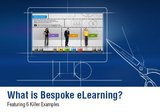
What Is Bespoke eLearning?
There are two kinds of online courses that you can choose from for your eLearning needs:
Off-the-shelf courses (generic).
Off-the-shelf courses are ready to use.
Bespoke (also known as custom) courses.
Bespoke or custom courses, as the name suggests, are specifically designed or tailor made to meet your requirement.
Off-the-shelf courses can be deployed quickly, whereas bespoke or custom courses will need longer time to develop and deploy. While bespoke courses may be more expensive on account of initial development costs, they would not have any associated recurring licensing costs.
What Are The Advantages Of Using Bespoke eLearning?
Bespoke eLearning courses are branded for your organization. They may use the raw content that you have or use content that is specifically created for you. The examples and case studies would be relevant to your organization and the assessments would be specifically designed for you. Their design approach factors for your learners’ preferences, your culture, and is tailor made to meet your learning and business mandates.
How Does Bespoke eLearning Fare Against Off-the-shelf Courses?
Off-the-shelf courses are quicker to deploy, but have certain inherent shortcomings. By definition, they are generic and may not be able to meet the specific requirements of your organization. Again, they offer standard features that you need to live with and they cannot be customized to suit your specific requirements.
Let us see how these aspects are offset in the bespoke approach and what advantages you will get when you opt for it:
The courses are developed as per your branding. They feature your imagery and this helps learners relate and connect better to the learning piece.
The content is specific to you and your learners. It is presented in a form that will engage them and ensures the required learning mandate is met.
The learning experience is customized to your program. It uses a learning strategy that is best suited to meet the required learning mandate.
The Assessment strategy is customized and aligns effectively to your learning and business mandates.
Looking at your dynamics, the delivery format can be for traditional eLearning or multi-device (the content would run on tablets and smartphones). This enables you to choose an authoring tool that is most suited to your requirements.
You can also decide on supplementing your primary eLearning with Performance Support intervention that can lead to better application of the learning on the job. This will have a significant impact on the ROI of eLearning.
The Bespoke eLearning Advantage Through 6 Examples
Let me illustrate the advantages of bespoke eLearning through 6 examples.
I have selected examples that address varied training needs like compliance, application simulation, and professional skills. The first example illustrates an approach that is scalable and can be applied for any training area like soft skills, induction programs, and so on.
Bespoke eLearning Example 1: To highlight intuitive and immersive experience.
This example is my personal favorite, as it showcases a design that does not have a "Click next to continue" or "Prompt text". The learner can intuitively ascertain (through visual cues provided alongside the content) on what should be done next. It creates an immersive and engaging learning experience.
It is a multi-device design that adapts equally well to PCs/laptops or tablets.
Bespoke eLearning Example 2: Gamification in Compliance.
We created a simulation-based task-oriented Gamification course, which was interactive and engrossing. To achieve this, we incorporated a real work environment (visually), an element of challenge (bonuses and bombs), rewards for success (caps, badges), and learning through activities including elements of surprise and delight.
Do refer to this case study in detail in my earlier article Gamification in Compliance through a serious game concept.
Bespoke eLearning Example 3: Branching scenario and simulations with a progress indicator.
This example showcases a complex decision making scenario. While the learners are going through the scenario, the visual indicator (shown on the right) provides cues on how they are faring. This enables them to pause and reflect on their choices and even re-think their strategy mid-course.
Bespoke eLearning Example 4: Application Simulation.
This is a great example of how we uplifted dry and linear content into an interesting and engaging format.
We chose a responsive design (to support PCs, Laptops, Tablets, and Smartphones) and made learning bite-sized enabling learners to undertake a long, arduous journey in short, engaging steps.
You can view the "Office 2013 - Application Simulation" under App Simulations section (as part of our Demos).
Bespoke eLearning Example 5: Scenario with a twist.
In our suite of Generic Compliance, we chose a scenario with a twist by adding a theme of "Choose the Right Path". While all of us have a sense of right and wrong, this approach added value in the context of the specific compliance mandate in terms of the most appropriate behavior and why the learners need to demonstrate the same.
You can view the "Compliance - Introduction to the Code of Conduct" under Compliance section (as part of our Demos).
Bespoke eLearning Example 6: Performance Support Tool - Featuring Interactive PDFs as a learning aid to supplement online learning.
This is also one of my personal favorites, as it provides a better learning experience through simplicity.
Interactive PDFs can be used to convert mountains of boring information into a visually appealing, interactive format. Furthermore, you can integrate videos, interactive demos, and audio to create an engaging learning experience.
Do refer to the detailed case study on this outlining the value the Interactive pdf brought to my PowerPoint deck in my earlier article Performance support - Featuring Interactive pdf as a Learning Aid to supplement online learning.
I do hope these examples illustrate the power of custom or bespoke eLearning in creating an effective and immersive learning experience. I look forward to your feedback and suggestions.
This post was first published on eLearning Industry.
eLearning Industry
.
Blog
.
<span class='date ' tip=''><i class='icon-time'></i> Jul 15, 2015 08:48am</span>
|
|
E-learning is a cost-effective and an easy way to train employees, when compared to the traditional methods of teaching. So, most of the organizationsare using eLearning to fulfill their training needs. The healthcare industry makes extensive use of the online training medium.
As instructional designers, it is essential to make courses that meet the client’s requirements. When concentrating on such aspects, there is a possibility that we may forget to think from the learner’s perspective. Recently, a reputed healthcare organization has approached us to develop an online training curriculum.The client wanted highly engaging eLearning courses. It also wanted everything from the inputsprovided to be shown in the course.
Here are a few things that we have considered for developing those courses, by keeping in mind the learners as well as meeting the client’s requirements.
1. Proper Visualization
If you design a course for healthcare professionals but use the images of sales executives, it would be a mismatch.Right?So, it is essential to choose the images that suit the target audience and they can easily connect with. The other important thing to be kept in mind while choosing the graphics for your slides is that they need to convey the information effectively and are not used as decorative pieces.
2. Appropriate Use of Interactivities
Interactivities definitely make the look and feel of the course better, but it is essential that they are used only when necessary. They are not to be just used to click and read the content. It is very essential to analyze the content and decide which interactivity would suit it the best.
For example, have a look at the following screen shots where three different interactivities are used to show the content. In the first image, hotspots are used to show the drug actions on different parts of the body. The second image is of a slide show which was used to represent a sequence of information in a single slide. The third interactivity, click-on-tabs, is used to teach four sub-topics.
3. Use of Info-graphics
Info-graphics are used very often in eLearning courses. They are the best tools to communicate information at a glance.They help the learner retain the information for a longer period. They are ideal to show large amounts of data at a time.
Have a look at the following info-graphics that were used to show different data in the course.
When choosing images, interactivities or info-graphics for your eLearning course, it is important that they are used to convey something but not just to engage the learner. I hope you find this blog informative. Please do share your views on it.
Related PostsCreative Ways to Present Click on Tab Interactivity in E-learning Courses - An Infographic3 Tips for Instructional Designers to Become a Learner’s Advocate3 Tips to Make E-learning as Engaging as Classroom Training [Video]
RK Prasad
.
Blog
.
<span class='date ' tip=''><i class='icon-time'></i> Jul 15, 2015 08:48am</span>
|
|
Litmos LMS Tutorial: Create a Course Fast in Rapid Intake
This Litmos LMS Tutorial presents how fast and easy it is to create a video using Rapid Intake.
The post Litmos LMS Tutorial: Create a Course Fast in Rapid Intake appeared first on VivaeLearning: The Best Free Video Tutorials Online.
Viva eLearning Blog
.
Blog
.
<span class='date ' tip=''><i class='icon-time'></i> Jul 15, 2015 08:48am</span>
|
|
IDEC 2015 conference is supported by Sakarya University and TASET
The convergence of recent technologies, web and mobile technologies, provides unique opportunities and an infrastructure for both face to face and online learning environments. However, specific environments for constructing knowledge are needed. In such environments, knowledge media should bring together the technology and learning theories to form meaningful settings for learners with different academic, administrative and support needs. IDEC aims to provide an environment for experts to discuss the current state of the art for learning in schools, industry and universities.
IDEC 2015 Scopes
Asynchronous Learning
Constructivist Perspectives
Data Mining Strategies For E-Learning Organizations
Diffusion Of Innovation
Distance and Open Learning
E-Portfolios
Innovation and Change In Education
Instructional Design
Intelligent E-Learning Systems
Interactive E-Learning Systems
Interactive Learning Environment
Knowledge Management In E-Learning
Life Long Learning and Technology
Mobile Learning
Multimedia Applications
Network Based Education and Training
Simulations In Education
Virtual Classroom, Virtual University
Distance Education
Educational Technology
Integrated Learning Perspective
Tendencies in the Field of Education Communication and its Technology
IDEC 2015 Keynote Speakers
Prof. Dr. Mustafa Soylak, Erciyes University, Turkey
Speech Title: Preparation, Characterization Nanosized Materials for Solid Phase Extraction of Elements at Trace Levels in Environmental Samples
Prof. Dr. Ali Ekrem OZKUL, Anadolu University, Turkey
Speech Title: Crisis in Higher Education
Prof. Dr. Murat BARKAN, Yasar University, Turkey
Speech Title: The Future of Cultural Education
Prof. Dr. Buket AKKOYUNLU, Hacettepe University, Turkey
Speech Title: How to equip students with visual literacy skills through infographics
IDEC 2015 conference will take plac on September 2-4, 2015 at the Original Sokos Hotel Olympia Garden, in Saint Petersburg, Russia.
This post was first published on eLearning Industry.
eLearning Industry
.
Blog
.
<span class='date ' tip=''><i class='icon-time'></i> Jul 15, 2015 08:48am</span>
|
|
Jim is the training manager of a large washing machine manufacturer. He needs to impart product training to sales personnel, service technicians and customers. Jim wanted to build a course on his company’s latest washing machine and use the same to train all his learners.
Jim’s course contains 75 slides. The first 10 slides need to be accessed by all learners. Slides 11 to 35 contain information pertaining to the sales staff, and slides 36 to 65 are useful to technicians. Customers would find the information they need in slides 66 to 74. The 75th slide is the "Thank you" slide.
When a salesman clicks the "next" button after viewing the first 10 slides, he should be directed to the 11th. After completing 25 slides (slide 11 to 35), when he clicks the "next" button, he should be directed to the 75th slide. Similarly, when a service technician clicks the "next" button after completing the 10th slide, he should be directed to the 36th slide. After he goes through the relevant slides (slides 36 to 65), he should be directed to slide 75. When a customer, after completing the first 10 slides, clicks the "next" button, he should be directed to slide 66.
So, here are the slides that the learners need to access based on their job role.
Sales Staff
Service Technicians
Customers
1
1
1
2
2
2
3
3
3
4
4
4
5
5
5
6
6
6
7
7
7
8
8
8
9
9
9
10
10
10
11
12
13
14
15
16
17
18
19
20
21
22
23
24
25
26
27
28
29
30
31
32
33
34
35
36
37
38
39
40
41
42
43
44
45
46
47
48
49
50
51
52
53
54
55
56
57
58
59
60
61
62
63
64
65
66
67
68
69
70
71
72
73
74
75
75
75
Can this requirement be fulfilled? Yes, of course - using Articulate Storyline. Let us see how.
Step 1: Create all the slides and name it properly, here I use a name like slide 1, 2, 3, 4, 5….. Slide 75.
Step 2: Create one more slide and name it as Role. Place this slide on the top of 75 slides.
Step 3: Design 3 tabs - Sales Staff, Service Technician and Customers in the Role slide (See above table).
Step 4: Create a variable count.
When the user clicks Sales Staff tab, assign a trigger as shown below.
Step 5: For Service Technicians and Customers, change the value of the variable count to 2 and 3 respectively.
Step6: Go to slide 10 and assign triggers to the NEXT button as shown below.
Step7: Go to 36th, 66th and 75th slides and assign a trigger to the PREV button shown below.
Note: Indicate the number of the slide which needs to be displayed on clicking the PREV and NEXT buttons. You can check this using the menu.
A major advantage of this process is that it eliminates the need to maintain multiple modules. Furthermore, loading issues can be avoided as only one course file is used. Thus, you can deliver effective training to multiple audiences quickly and efficiently. Hope you find this post useful. Do share your views.
Here are the link file links
Download Source
View Publish File
Related PostsWhy do You Need to Go Beyond ‘E-learning Development Cost Per Hour’?Articulate Storyline: Tracking for Branching Based E-learning CoursesHow to Create Section 508 E-learning Course Using Flash
RK Prasad
.
Blog
.
<span class='date ' tip=''><i class='icon-time'></i> Jul 15, 2015 08:48am</span>
|
|
As we know, every organization follows a set of rules and regulations. Employees need to be trained on those rules and regulations to have a basic knowledge of their standards toward the organization and customers. And, they have a clear understanding of what they can do and what they cannot. So, organizations may not be at risk when their employees know about their legal duties.
Let’s now see what compliance training is.
What is compliance training?
Compliance training is the training given to employees about the laws, rules and regulations that must be followed during the course of their jobs.
Compliance training programs are essential for organizations to educate their employees on the industrial and governmental guidelines that are related to their duties. It helps the organization to follow applicable laws properly and avoid legal troubles.
We will now look at the benefits of delivering effective compliance training.
Good work environment
To understand the employee’s expectations and duties, organizations need to conduct effective compliance training programs. With the help of these programs, employees will be able to understand and perform their roles effectively and efficiently. Organizations will be in a position to develop a better work environment when the employees are on the same track.
Enhanced productivity
By providing effective compliance training, organizations can make sure that their employees do not violate the standards set by regulatory bodies like Occupational Safety and Health Administration (OSHA) in the USA and Work, Health and Safety Codes of Practice in Australia. It helps the employees avoid errors that may result in fines. The ultimate goal of compliance training is to update the processes without much rework, so that the firms can improve their productivity.
High quality products
Compliance training ensures greater uniformity across the world, when an organization is spread across a large geographical region. This ensures well-run work processes and systems with easier quality checks and controls.
This results in better uniformity of work processes in the quality of final products, and it becomes easy to track when there is a compliance violation.
Better risk management
Many organizations are going for continuous compliance training because the laws, rules, regulations and policies get revised repeatedly. It is advantageous for employees to undergo continuous compliance training as it helps them remain ‘up-to-date’. And, it is important to educate employees on compliance rules and regulations, which reduces the number of violations and results in lower costs.
For example, production processes, health and safety procedures, information, customer relations and so on can be managed successfully through effective compliance training.
Effective compliance training proves highly beneficial to employees as well as organizations. Hence, every organization needs to plan well for compliance training and implement it.Please share your thoughts!
Related PostsImportance of Regulatory Compliance Training in an OrganizationE-learning to Impart Effective Compliance Training in the Pharmaceutical IndustryTips for Initiating Legal Compliance Training Program - Free Presentation
RK Prasad
.
Blog
.
<span class='date ' tip=''><i class='icon-time'></i> Jul 15, 2015 08:47am</span>
|