Blogs
|
To commemorate the July 4th celebration, we are lowering the price of my book "Kid Detectives Classroom Learning Activities: Mystery Aventure Quests" to $17.76 including shipping! Take advantage of this sale price until July 7th when the price will return to $19.99. Help celebrate July 4th and get your signed commemorative copy mailed to you right away! To order, leave a message on the contact form of this website. I look forward to hearing from you!
Kim Caise
.
Blog
.
<span class='date ' tip=''><i class='icon-time'></i> Jul 16, 2015 03:07pm</span>
|
|
This will be the first of a series of posts where I will share step-by-step tips for some customized online course development practices that I’ve recently attempted and found to be successful in my own online courses. Many of these tips will specifically deal with building a course in Blackboard, but the principles can certainly be applied to course design within other learning management systems.
For years, I’ve been a big fan of podcasts and have found them to be a fantastic tools for professional development as well as for fostering "presence" in my blended and online courses. As an auditory learner myself, I prefer to learn through audio in conjunction with text and have for years looked for ways to incorporate audio into my teaching. If you are brand new to podcasting, I encourage you to view this 8 minute introduction to podcasting I recorded a number of years ago as well as to read Educause’s 7 Things You Should Know About Podcasting for a background into the educational potential of podcasts.
While podcasts may not be for everyone, there is indeed no shortage of literature on podcast or evidence pointing to the educational benefits of podcasting. Here I’ve bookmarked just a few articles I’ve come across on the merits of podcasting in education.
Podcasts, whether they be audio or video, are viewable either online or a mobile device. A true podcast is far more than just an audio or video file, but also all a user to subscribe to receive new episodes automatically. For those who teach with Blackboard, there was at one time a very slick open source building block by the OSCELOT group (OSCELOT Podcaster) that replicated functionality pioneered by Learning Objects for creating and hosting podcasts directly within the course. This open source building block was broken when an institution upgraded to Blackboard Learn 9.x and at the time of this post, still isn’t yet working.
For that reason, I began several years ago experimenting with alternative approaches to creating a course podcast. My initial efforts involved creating a course podcast using Hipcast, but in search of a cheaper (ie: free) solution, I then tried using the free AudioBoo service for recording, posting, and sharing podcast episodes directly from my mobile device via the free AudioBoo app (version for iOS and Android available).
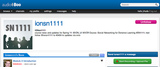
sample course podcast created using AudioBoo, available at audioboo.fm/ionsn1111
After several other approaches, none of which were much more successful, I finally came across a workflow that has worked quite well for me for creating and hosting course podcasts using Audacity, Dropbox, Feeder, and FeedBurnerwhich I will do my best to share here. The tools and workflow that I am about to share is how I have gone about creating the following course podcasts:
Web Design Principles for Online Educators [RSS] [iTunes]
Using Technology to Build Learning Communities [RSS] [iTunes]
Trends and Future of Tech in Education [RSS] [iTunes]
Social Networking in Online Learning [RSS] [iTunes]
For that sake of this tutorial, I will be using my course podcast, EDT 6030 - Using Technology to Build Learning Communities as the sample course podcast I’ll be referring to as I provide additional details.
Sample course podcast found by searching in Podcasts app on iOS
Step 1: Record an Audio File (.mp3)
The very first technical task that must be completed is to simply record a file which will be the first episode of your podcast. Personally, before I record a podcast episode, I like to write a script that I read from when I record. In my course, when posting a link to the podcast episode, I include a link to the transcript for those who would prefer to read the transcript. Once I have a script, I then recording using Audacity on my computer. Audacity is a free audio recording software tool for either Mac or Windows that you can download from here. After downloading/installing Audacity, go ahead and record a sound file and export as a mp3 file. This will be your first podcast file. Save this file on your desktop.
Step 2: Setup Free Dropbox Account
If you don’t already have a free Dropbox account, click here and sign-up for your own account. Then, follow the instructions to install Dropbox on your computer(s) and setup a folder that will serve as your Dropbox. After having done so, you will locate on your computer within your Dropbox folder a "Public" folder.
**NOTE - For new accounts created after July 31, 2012, a Public folder won’t be created. Instead, individual files in any folder can be shared online. If you don’t have a Public folder, you’ll need to enable public access to that particular file.
Step 3: Create a Course Folder in Your Dropbox to Save Podcast Files to
Within your Dropbox Public folder (provided you setup your Dropbox account before July 31, 2012), create a folder for your course. I use a prefix of ~ in front of my course folders so I quickly can see which folders are course folders apart from other folders I may have.
Then, save the audio file(s) already recorded for your podcast into this newly-created course folder in your Dropbox.
After doing so, when you login to your Dropbox at dropbox.com, you’ll see this folder you created on your computer automatically uploaded to your Dropbox and any files you added will also be uploaded.
Here’s a quick video tour of my public Dropbox folder where my for my course audio files are located.
Step 3: Create Podcast RSS Feed
In order for students to subscribe to your podcast, you need to have an RSS feed for your podcast that students can subscribe to. I personally use and highly recommend the software Feeder for creating and editing podcast RSS feeds on Mac. A comparable tool that works well on Windows that I’ve also used and do also recommend is FeedForAll.
Using Feeder, give your podcast a title, description, add a thumbnail, etc. Basically, just fill in the fields that Feeder prompts you to create.
After adding feed details, then add the first episode (ie: "item") to your podcast. To do so, you will just add a new item to the podcast feed and include the title and a description for the episode. You’ll also need to add the URL for where the episode file is located. Here’s a quick tutorial demonstrating how to create a podcast feed and add a new item.
Feeder creates a file with a .xml extension that I save within my Public folder in Dropbox, in a sub-folder I create for my course. When I save this file in my Dropbox public folder for my course, the public URL for my podcast feed then becomes: http://dl.dropbox.com/u/7112775/~edt6030/podcast.xml. Technically, this is the file that students can subscribe. However, I recommend taking the following 2 steps to create a more user-friendly RSS feed that you can also track, as well as to submit your podcast feed to iTunes if you’d like easy access to your podcast.
Step 4: Create User-Friendly and Trackable Version of Your Podcast RSS Feed Using FeedBurner
While your students can technically subscribe to the RSS feed (.xml file) at the URL for that file located in your Dropbox folder, it is preferable to instead provide students with a FeedBurner version of your feed, for the following reasons:
A FeedBurner version of the feed is a much more user-friendly version. Compare the following two versions of the same course podcast feed:
Podcast feed XML file in native format displayed within browser
Same podcast feed, FeedBurner version displayed within the browser
If you ever decide to move your podcast .xml file to another location, if students are subscribed to the FeedBurner version, they won’t ever have to re-subscribe.
The FeedBurner version tracks number of subscribers and downloads. So, only providing students the FeedBurner version of your podcast feed, you’ll know how many are download and how many times each episode is downloaded.
Creating a FeedBurner of your podcast feed is quick and simple! Here’s a quick tutorial demonstrating the easy steps to create a user-friendly and trackable podcast feed using FeedBurner.
Step 5: Submit Your Podcast to iTunes for Easy Access for Your Students
This is technically an optional step, but one that I go through in order to make it easy for my students to find my podcasts from within iTunes or any of the many podcasting apps on mobile devices in order to subscribe.
To submit your feed to the iTunes Store:
Open iTunes.
Click the green iTunes Store icon on the left side of the iTunes window.
From the top navigation bar in the iTunes Store, click Podcasts.
From the Podcast Quick Links section on the right, click "Submit a Podcast."
Follow the instructions on the Submit a Podcast page.
Note that you will need a valid iTunes account, and you will need to be logged into iTunes. If you are not logged in, iTunes will prompt you to enter your Apple ID and password before accepting your submission. Logging in increases the likelihood of valid contact information for each submission. You will not be charged for submitting a podcast.
If you have created an RSS feed with all of the recommended iTunes tags, you will see a summary page immediately after you submit your feed URL. If you have not included , , and tags in your feed, you will see a second screen prompting you for this information. Please note that you can change this information at a later date by including the tags in your feed. Your RSS feed is considered the current and authoritative source for information about your podcast.
Next Steps…
At this point, you’ve completed your initial setup of your course podcast…congrats! From this point forward, you simply now maintain your podcast feed, recording new episodes and adding them as new items to your podcast feed. As you do so, your students will automatically receive your new episodes in whatever podcatcher they may prefer to use.
More Samples
Here are a few more samples of podcast-related resources and samples from my experience podcasting in my courses:
Course Podcast - How to Subscribe for Students
Module 1 Introduction Podcast Episode Transcript as HTML File
Leave a comment and let me know if you found this tutorial helpful and/of if you have other questions about creating your own course podcast using these steps provided. I’d also love to take a peek at your own course podcast if you don’t mind sharing.
Jason Rhode
.
Blog
.
<span class='date ' tip=''><i class='icon-time'></i> Jul 16, 2015 03:07pm</span>
|
|
Canada-based Desire2Learn raised an $85 million Series B led by a large institutional asset manager with participation from Columbus Nova Technology Partners, Graham Holdings, Four Rivers Group, Aurion Capital and existing investors New Enterprise Associates and OMERS Ventures. Silicon Valley Bank also provided debt financing in this round.
The investment brings the company’s total funds raised to $165 million.
Key Takeaway
Founded in 1999, this is only the second round of venture funding that D2L raised. An $80 million Series A took place in September 2012, followed by a series of acquisitions in 2013-14 including Degree Compass, Wigio, Knowillage and Achievement Standards Network. Last month D2L founder and CEO John Baker announced rebranding of its core product, an integrated learning platform (ILP), to Brightspace.
"We’re focused on helping our clients improve productivity, learner achievement and satisfaction, increase retention and graduation rates and inspire greater engagement overall." - John Baker
The company’s offering for K-12 and higher education is built around data analytics and mobility.
Teachers can track student performance and identify students at risk early on. Through Degree Compass, university students get personalized recommendation for courses and degrees based on their skills and interest. Brightspace is currently used by over 1100 clients and has 15 million users in 25 countries.
Brightspace can be used for free by individual educators. Schools, districts or national education departments pay for the service and get more analytics tools in return. New Zealand has adopted the platform for its public K-12 schools.
D2L has around 800 employees around the globe, the largest part is located in the company’s headquarter in Canada. D2L’s global offices are located in Brazil, Singapore, Britain and Australia.
"Ultimately, Desire2Learn is helping educators deliver personalized learning the way that Amazon.com delivered a personalized shopping experience."
states Jon Sakoda, partner at New Enterprise Associates in WSJ.
Though Baker declined to share the current valuation of D2L he stated in 2012, at the time of the Series A, that the company was already profitable. Since then the company’s value is up significantly, he told Bloomberg. He then shared with Reuters that even after the massive Series B venture capital investors still hold a minority stake in D2L. Baker also stated that there were no immediate plans for an IPO and the focus was now on growing D2L’s global reach and to launch new products.
"We’re seeing very rapid growth in Europe, we’ve seen triple-digit growth in Latin America and Asia Pacific."
Baker told Bloomberg.
Further Reading
D2L Raises $85 Million in Strategic Financing | Press Release
D2L raises $85 million in Strategic Financing | Brightspace Blog
Canada's Desire2Learn raises $85 mln for global e-learning push | Reuters
Desire2Learn Raises $85M to Deliver ‘Personalized Education’ | Wall Street Journal
Desire2Learn Raises $85 Million to Bring Classrooms Into the 21st Century | re/code
Desire2Learn Scores $85 Million in Second Funding Round | Bloomberg
Desire2Learn’s $85 Million Deal | EdSurge
Links
d2l.com | Twitter | Facebook
Edukwest
.
Blog
.
<span class='date ' tip=''><i class='icon-time'></i> Jul 16, 2015 03:06pm</span>
|
|
If you are looking for an elegant way on your mobile device to follow BbWorld and Bb Collaborate Connection Summit conversations on Twitter, consider creating a custom section on Flipboard for following saved Twitter searches #BbW12 and #BbCollab. Here’s a quick tutorial on how to do so.
I have my Flipboard sections configured and will be following the Twitter conversations at BbWorld via Flipboard on my iPad and iPhone. How about you?
Jason Rhode
.
Blog
.
<span class='date ' tip=''><i class='icon-time'></i> Jul 16, 2015 03:06pm</span>
|
|
I’ve lost track of the number of conferences I’ve attended where I’ve loathed having to carry around a bulky laptop to take notes and use in giving presentations. BbWorld will be my first conference where I will attempt to go completely laptopless, using only my iPad to present and combo of my iPad and iPhone to take notes and moblog (aka: mobile blog) my experience and takeaways.
The BbWorld app, social media feeds viewable on Flipboard, and utilities like IFTTT all make it possible to have access to all conference-related content and conversations as well as easily contribute via social media, all from your mobile device of choice.
Have you gone laptopless already? What suggestions do you have for a newbie? Or, maybe you are going laptopless for the first time at BbWorld 2012? Leave a comment and share your experience! You’ll be able to follow mine at jasonrho.de/bbw12
Photo courtesy incredibleguy on Flickr
Jason Rhode
.
Blog
.
<span class='date ' tip=''><i class='icon-time'></i> Jul 16, 2015 03:05pm</span>
|
|
Fiverr, an Israel-based startup and one of the drivers behind the so called Gig Economy, raised a $30 million Series C from Bessemer Venture Partners, Accel Partners, Qumra Capital and additional private investors.
The round brings the total funding raised to $50 million.
Founded in 2010 by Shai Wininger, Micha Kaufman and Guy Gamzu, Fiverr is a global marketplace for services from creatives and other professionals with offices in Tel Aviv, New York and Miami. Like the company name suggests, offers start at $5 but customers can add extra services like faster delivery of the product by paying for so called Gig Extras.
Along with the funding comes a relaunch of the website with the aim to make it easier for customers to find and book the right person for the job. Categories include Graphics & Design, Online Marketing, Writing & Translation, Video & Animation, Music & Audio, Programming & Tech, Advertising and Business.
Why is this important?
Freelancing and the gig economy are increasingly promoted as the future of work for the vast majority of people. With the coding hype still in full swing, sites like Fiverr draw a more realistic picture of what most workers in the creative and tech space can expect as salaries or freelance income down the line.
"By 2020 the number of independent workers is predicted to double, with online freelancing increasing at an even faster rate,"
says Fiverr Co-Founder and CEO Micha Kaufman. Erez Shachar, Managing Partner at Qumra Capital adds
"As the future of work is increasingly dominated by freelancers, entrepreneurs and independent workers, Fiverr is positioning itself as the home for this rapidly growing community. We're excited about investing in a company that is central to the success of millions of participants in the Gig Economy."
While established portals like Amazon Mechanical Turk or Freelancer and oDesk, which recently merged, are more suitable for business customers with more complex tasks, the offers on Fiverr also appeal to a broader audience. Another difference is that on Fiverr the freelancers offer their services to customers whereas on classic freelancing portals customers come with a specific task and search for a freelancer to work on it.
Fiverr calls its new 3.0 version Services as a Product or SaaP and aims to reduce the friction of ordering an online service to a minimum. No negotiation or complicated contracts, just a few clicks.
"Like eBay and Amazon, customers simply browse, search, and buy, selecting from more than 100 categories and millions of services. It's as easy as buying a book online."
says Adam Fisher, Partner at Bessemer Venture Partners.
Over the years the offerings on Fiverr have become much more professional, so have the customers who now order gigs for copywriting, translations, proof reading, logo and web design and other small creative tasks.
Disruption
Of course, there are growing pains. Sacha Greif, a designer from Paris and Internet entrepreneur just wrote a post titled "What Kind of Logo Do You Get for $5? - An epic tale of deception, stolen artwork, and crappy logos" on Medium, though you have to take the post with a grain of salt.
Like eBay and Amazon, Fiverr mainly relies on a rating system from its buyers and most of them seem to be happy with the results they get. Greif’s post is from the perspective of an established designer who plays by the rules of the design community like don’t copy other artwork or use templates from stock photo marketplaces. The problem is that these marketplaces don’t tend to play by these established rules when career changers enter the game. I saw pretty much the same in language teaching when all of a sudden "everyone" could be a teacher thanks to the Internet, not to use the overused term ‘disruption’ here.
According to Fiverr there is a gig sold every 4.7 seconds with most of them costing more than $5. Fiverr takes 20% commission. The marketplace sees a high return rate of customers and the first Fortune 500 companies are starting to use the marketplace according to Wall Street Journal.
Further Reading
Fiverr Raises $30 Million to Fuel Global Growth of World's Largest Marketplace for Services | Marketwired
Fiverr Raises $30M for Online Services Marketplace | Wall Street Journal
What Kind of Logo Do You Get for $5? - An epic tale of deception, stolen artwork, and crappy logos | Medium
Links
fiverr.com | Twitter | Facebook | CrunchBase
Edukwest
.
Blog
.
<span class='date ' tip=''><i class='icon-time'></i> Jul 16, 2015 03:05pm</span>
|
|
In my quest to go "laptop-less" at BbWorld, I plan to present from my iPad using the free SlideShark app. I’ve found SlideShark to be by far the simplest and most elegant solution for converting a PowerPoint to an iPad-native presentation for displaying.
First slide of presentation shown from iPad using SlideShark
Here’s how the service works in a nutshell. You sign-up for a free account and download the app onto your iPad. Then, when you have a PowerPoint presentation finished, you upload from your computer to your online account. Next, simply launch the Slideshark app on your iPad and after you’ve logged into your SlideShark account for the first time, you’ll see all your uploaded presentations. Tap the "Download" button to download any presentations you’ll be giving so that you have them stored locally on your iPad (in case you experience Wi-Fi issues). Displaying your presentation is then as simple as plugging your iPad into the projector and clicking the green "play" button.
If you’d like to ditch your laptop and simply present from your iPad, give SlideShark a try! Sign-up for free using this link and both you and I get some extra free storage! http://www.slideshark.com/r?r=356863
SlideShark app open on my iPad, BbWorld presentations loaded
If you do plan to present from your iPad, remember your dongle
Do you also use SlideShark? Or, perhaps you have found another approach for presenting PPT from iPad? Leave a comment and share your impressions of SlideShark and/or recommendations for other PowerPoint presentation alternatives.
Jason Rhode
.
Blog
.
<span class='date ' tip=''><i class='icon-time'></i> Jul 16, 2015 03:04pm</span>
|
|
The Robin Hood Foundation announced the semi-finalists of its College Success Prize. Through the competition, the Robin Hood Foundation aims to find scalable and technology-enabled tools to improve the performance of underprepared college students and thus help them to graduate in a timely fashion.
Each semi-finalist receives a $40.000 development grant and support in form of workshops and coaching. The three finalists which will be announced in January 2015 receive an additional $60.000 grant and can win up to $5 million, including the Grand Prize of $3.5 million which will be announced in October 2018.
The seventeen semi-finalists are a mix of edtech startups, established companies and early stage concepts.
Beyond 12
The Beyond 12 "MyCoach" app helps students keep track of deadlines and milestones, and, based on the college students are attending, provides them with personalized tools and tips to help navigate their college experience.
Students receive automated alerts (mimicking the nudges from a live coach) on their mobile devices that include links to the campus resources available to help them complete certain tasks. In addition, the app allows students to record completion of tasks; motivates students, in the form of points and badges, for skill and knowledge mastery; and encourages students to share their experiences with peers.
Video
Links
beyond12.org | Twitter
Carney Labs LLC
College Champion will address common college freshman obstacles (e.g., time management, scheduling priorities), provide a clear channel of ongoing support and encouragement, deliver self-motivating prompts, and link communities of students to encourage connectedness at CUNY.
Links
mari.com | Twitter
Core Skills Mastery
Core Skills Mastery (CSM) is a free web-based course that monitors and responds to student issues in key math and literacy skills; problem-solving strategies and mindset; active, independent learning; and performance traits like persistence, self-efficacy, and conscientiousness.
CSM incorporates an advanced adaptive learning engine, requires a significantly higher level of mastery than most competency-based models, employs an instructional model of intrinsic motivation and meta-cognition, and directly addresses learned helplessness.
Links
csmlearn.com | Twitter
Dedicated
Dedicated is a mobile app for community college students.
Links
dedicatedapp1.wix.com/dedicated | Twitter
EdReady
EdReady is a math readiness system for anyone considering attending college in the United States.
The purpose of EdReady is to help prepare students to avoid remedial instruction and begin their college studies by giving them the resources they need to achieve adequate scores on the commonly used placement exams AccuPlacer, Compass, and ACT.
Links
edready.org | Twitter
Education Advisory Board
To give every student her or his own personalized pathway to success, EAB (a division of the Advisory Board Company) has built a platform that marries goals with outcomes, life with school, and needs with resources all to ensure that students stay on track through all of life's ups and downs.
Links
eab.com
GradGuru
GradGuru is a free app that helps students get through college with school deadlines, advice, and a way to earn rewards for doing to the right things.
GradGuru reduces community college drop out rates and accelerates students' completion.
Links
gradguru.weebly.com | Twitter
JumpCourse
JumpCourse offers best-in-class online, adaptive learning courses to prepare students for college entrance exams as well as credit by exam (i.e., CLEP).
The affordable courses offer the best in adaptive learning technology, as well as professionally produced videos, eBooks, and hundreds of interactives to ensure students are learning the material to pass their exam, and students currently boast an over 95% pass rate for CLEP.
Links
jumpcourse.com | Twitter
Kinvolved
Kinvolved is improving graduation rates of community college students with an app to increase attendance and real-time communication among student support networks.
Links
kinvolved.com | Twitter
Kipin Hall
Kipin Hall is a mobile and web based retention solution for higher-ed. The app uses a proven set of behavioral studies to help students achieve their academic goals.
Links
kipinhall.com | Twitter
KnowRe
KnowRe is an online adaptive learning program for mathematics. KnowRe believes that the most effective educational approach is one that is personalized to the needs of each individual student and that technology is the most efficient way to scale that approach.
Video
Links
knowre.com | Twitter
LimeSpring
LimeSpring provides a developmental (remedial) math solution that can be used to create a blended learning environment. Using LimeSpring CUNY students have passed developmental math at a rate of 87% (as compared to the national average of ~30%) and reported increases in interest and confidence in the field of mathematics.
Links
limespring.com
GPS LifePlan
The GPS LifePlan has a history of improving community college retention and graduation rates for students. The proposed improvements to the existing customer relationship management system will increase usage and enhance the effect of participation.
Links
gpslifeplan.org
Persistence Plus
Persistence Plus is a mission-driven organization focused on increasing college persistence and completion. Using cutting-edge behavioral interventions, mobile technology, and data analytics, Persistence Plus fosters the student behaviors and mindsets that are associated with college success.
Links
persistenceplusnetwork.com
Ponder
Where social media meets critical thinking to support student-driven learning and discussion around coursework, career and life.
Ponder deepens class discussion around any text or video you can browse to.
Links
ponder.co | Twitter
Stanford Interventions Lab
Many disadvantaged students fail to achieve their potential in school because they are burdened with worries tied to their marginalized status, such as the fear of being negatively stereotyped and the daily hassles of poverty that shorten cognitive bandwidth. Two brief intervention strategies, each supported by prior research, will be tested via mobile technology and will serve to make it easier for disadvantaged students, first, to make decisions better aligned with their long-term self interest, through timely reminders of adaptive but easily forgotten academic behaviors, and, second, to attain a level of academic performance more reflective of their abilities, through stress-reducing writing exercises delivered before high-stakes tests.
Links
interventions.stanford.edu
Team InfoMe
An interactive, customizable, and easily understandable platform with two main components: 1) an in-course success tool and 2) a course selection planning tool. The application will help students effectively identify, evaluate, and process the multitude of choices they are asked to make, so that they can make the right decisions for themselves and in the end, reach their goals of college success.
Further Reading
Robin Hood Prize: College Success | Robin Hood Foundation
Edukwest
.
Blog
.
<span class='date ' tip=''><i class='icon-time'></i> Jul 16, 2015 03:04pm</span>
|
|
Back in March 2009, I had the idea of beginning to aggregate and share the best tutorials, helps, and resources I found online, including resources from the NIU Teaching with Blackboard site that my colleagues and I develop and maintain. I went ahead and setup a free Twitter account @BlackboardTutor and using TwitterFeed, created several different automated actions whereby when I bookmarked a resource, it would automatically be tweeted.
After doing the initial setup, it was years before I would again log back into this Twitter account, as new tweets were automatically posted when Blackboard helps were bookmarked or shared online.
Since that time, what began initially as just a social media experiment has blossomed into a trusted resource, with currently nearly 1,900 followers to date. Desiring for this resource to continue to grow and benefit others in the Blackboard community, I approached Blackboard to see if it is a social media resource they would be willing to take over, and they gladly accepted. So, I’m pleased to report that moving forward, @BlackboardTutor will be moving to the next level as it will be more actively managed by Blackboard’s social media team. It is my hope that it will continue to be a great aggregator of newly available Blackboard support resources, tutorials, etc. that will benefit the entire Blackboard user community worldwide. Follow @BlackboardTutor and watch for many more support resources to come!
Jason Rhode
.
Blog
.
<span class='date ' tip=''><i class='icon-time'></i> Jul 16, 2015 03:03pm</span>
|
|
Our EdTech Funding Coverage is brought to you by Digital Education.
In this EdTech Funding Roundup we take a look at investments we haven’t covered in our regular news rundown in July.
WeSpeke, a social network for language and cultural exchange, raised a $3 million Series B. OpenEd, a search and recommendation engine for Common Core aligned resources, raised a $2 million Seed Round. MamaBear, an all-in-one parenting app, raised a $1.4 million Angel Round. ClassOwl, a communication and organization app for college students, raised an $850k Seed Round.
Language Learning Network WeSpeke raised $3 million Series B
WeSpeke, a global social network for language and cultural exchange, raised a $3 million Series B. Details of the round have not been disclosed.
Founded in 2010 by Michael Elchik and Jaime Carbonell, WeSpeke connects learners from across the globe for practicing language and sharing their cultures with each other. Learners get matched based on common interest and complementary languages through a patent pending technology.
The funding will be used to grow the team, launch new features and further expand internationally.
Video
Further Reading
WeSpeke Raises 3M in Series B Round | Press Release
Links
wespeke.com | Twitter
Common Core Resource Library OpenEd raises $2 million Seed Round
OpenEd, a Common Core resource library for the K-12 space, raised a $2 million Seed Round from PivotNorth Capital at a $ 10 million valuation. The startup had previously raised capital in a family and friends round of funding.
Founded in 2012 by Adam and Lisa Blum and formally launched in October 2013, OpenEd provides teachers with a search and recommendation engine based on its catalog of over a million resources including videos, games, assessments and courses, most of which are aligned to the Common Core and other standards.
According to CEO Adam Blum, the service is used by over 100.000 teachers and also offers an API for other edtech companies to integrate the search function in their products for a monthly fee. Other revenue streams like premium content and monthly subscriptions for teachers will be launched soon.
Video
Further Reading
OpenEd Obtains $2,000,000 Seed Round | Xconomy
Links
opened.io | Twitter
Parenting App MamaBear raises $1.4 million
MamaBear, a all-in-one parenting app that combines location tracking with monitoring of the child’s social media activity, raised a $1.4 million angel round reports the Tampa Bay Business Journal.
Parents can set up monitoring via geofencing, they can monitor their children’s activities on social media sites like Facebook, Instagram and Twitter or set a speed limit for those kids who can already drive a car. Through the app parents can see who befriends their child on Facebook, they can preview Instagram uploads and blacklist certain words.
MamaBear completed its beta testing in June and is now introducing premium features through subscriptions. A basic service with 5 alerts per day will remain free.
Video
Further Reading
MamaBear app backers raises $1.4 million for growth | Tampa Bay Business Journal
Mamabear Raises $1.4 Million For A Parenting App That Monitors Children’s Social Media Use And More | TechCrunch
Links
mamabearapp.com | Twitter
Classroom Communication and Organization App ClassOwl raises $850k Seed Round
ClassOwl, a communication and organization app for college students, raised an $850k Seed Round from Follett Knowledge Fund, The Stanford StartX Fund, Dorm Room Fund and angel investors, which brings the total funding raised by the startup to $900k.
Founded in 2013 by Sam Purtill and Julienne Lam as an undergraduate project at Stanford, ClassOwl helps students to stay organized, manage their time and keep up to date with their teacher’s tasks. ClassOwl is a graduate of last year’s Pearson Catalyst Program.
Video
Further Reading
ClassOwl: Student-Focused Planning App Announces Seed Round | Press Release
Links
classowl.com | Twitter
Other Funding Rounds in July 2014
Hippocampus raises $2.4 million for Learning Centers in Rural India
Sudiksha gets $50k from Pearson Affordable Learning Fund for Pre-Schools in Underprivileged Areas
eHarmony for Student Housing Comfy raises $600k Seed Round
Data Management Solutions Provider STI raises $3 million
Galvanize raised $9.7 million for its Seed Investment Fund
HEDLINE: DataWind, Maker of the Aakash Tablet, raises $28 million in IPO
Online Community for College Students ClusterFlunk raises $1 million
Higher Ed SaaS Provider Regent Education raises $9 million
ELL Software Platform Ellevation Education raises $2 million
With $1 billion in new Funding Flipkart eyes E-Learning
Twitter Translation Service Fliplingo raises $150k Seed Round
Education Payment Service PhilSmile raises Seed Round
Test Prep Platform Wanxue raises Series C led by Baidu
Exam Database Yuantiku raises $15 million Series C
E-Learning Startup Taamkru raises $620k Seed Round
HEDLINE: Patience.io raises Series A led by Holtzbrinck Digital
Edukwest
.
Blog
.
<span class='date ' tip=''><i class='icon-time'></i> Jul 16, 2015 03:02pm</span>
|