Blogs
|
The explosion of brand-based, user generated content campaigns
User generated content (UGC) is increasingly being deployed in the marketing world. Major brands like Nike, Apple and LEGO have been at the forefront of this new phenomenon. To encourage your customers and potential customers to love your brand enough to generate content and ‘talk’ about you on social media platforms is the equivalent of free global advertising.
But what if we could also encourage our staff to create content about our own companies? And not only create content, but share it with colleagues to help inspire learning and collaboration? Even better - the potential heady mix of customers AND staff creating content about your company has limitless potential to drive learning in your organisation.
This blog post looks at what we can learn from the major brands in their attempts to encourage their customers to create user generated content. This is a relatively new phonememon, so let’s take a look at what makes a successful user generated campaign.
Technologies that come in handy
First let’s take a look at the technology that people use for creating user generated content.
With a myriad of social media apps created every day in the Silicon Valley, it’s easy for users to create content and upload it so that it’s better exposed to the masses. The most famous apps that have been handy in this expansion include YouTube, Tumblr, Instagram and Facebook. Blogging sites like WordPress and Blogger are also active in promoting user content because of their millions of subscribers. Video blogs, also known as vlogs, help immensely with content promotion and learning motivation. This brings diversity to your content, making it more engaging. Content that’s diversified in this way - with various perspectives and narratives of a single topic presented under one umbrella - is more likely to motivate learners and retain their attention.
Traits of successful UGC Campaigns
There are many examples of successful user generated content campaigns around, such as the Belkin-Lego iPhone Case collaboration. Belkin created one of the most chic and customisable iPhone cases in partnership with Lego. Belkin requested that their customers showcase their creativity by personalising their own iPhone case with Lego studs and upload photos of their creations on social media. As a result, #LEGOxBelkin was trending for weeks on Instagram and Twitter. This integration of UGC onto the product page is a remarkable way of selling a product. It means that customers do the selling for the company by showing how authentic and individual an iPhone cover can get.
Next - let’s see what makes an ideal user generated content campaign.
Make it mutually beneficial
The best UGC campaigns are mutually beneficial. Advertising that’s mutually beneficial offers value for both the brand and the consumer. Giving incentives and rewards encourages participation in social and digital activities that greatly increase the product’s exposure in core market segments. This can take the form of redeemable points for free gifts, or anything that makes the customer feel valued and appreciated by the brand. The result is a win-win for the brand and the customers, with more exposure for the brand and prizes for the customers. Such advertising doesn’t even feel like advertising, but seems more authentic and less intrusive.
Bring your A-game
Pun intended. Gamify your audience like Nike+ did when they created brand engagement and awareness by offering participation in sports and other fitness-related activities via the NikeFuel app. This app tracked the activity and turned it into points; the points unlocked special trophies, and the users earned badges by reaching higher levels. Marketers typically use games in UGC with elements like points, levels and badges to appeal to our natural competitiveness and create an incentive for action. Today, with the ease of access to technology, every user is tech-savvy, and it is a clever way to increase brand affinity and awareness among the masses.
Understand your audience
With any marketing strategy, knowing, understanding and analysing your audience is the key to success. A brand launching a UGC campaign for wireless headphones, but targeting offices and not teen and tween music-lovers, will miss a broad chunk of potential buyers. Today’s social media spans the generations, and reaches everyone in the family: even Gramps is now on Facebook. So it’s much easier for marketers to make their products resonate with the target audience. This information can be of great value when kick-starting your user generated content campaign, and is likely to generate a positive reaction from the audience.
The much-dreaded pitfalls of UGC
Each marketing strategy is laden with potential pitfalls from which recovery can be difficult. It’s important to know what these pitfalls are, and what you can do to get past them. User generated content campaigns can face even more snags than other marketing campaigns, since the brands aren’t controlling them directly. True, they show the most positive results, but when a user generated content campaign goes wrong, recovery takes time, and the brand has to work hard to improve its image.
Look out for the following dangers:
Inconsistent messaging
One of the biggest drawbacks with user generated content is that customers don’t always have a strong grasp of the message and the spirit of each brand. Though the customers are well-intentioned and just want to be a part of something fun, they may not be conveying the brand message in the way you intended. This can leave your audience feeling confused; the brand’s services and philosophy may get lost in translation. There is no way of overcoming this apart from relaying the brand message in simpler and easier words. Clever brands will anticipate misinterpretations and plan accordingly.
The hijackers
Campaign hijacking can be an extremely negative event for a brand and its popularity. A couple of dissatisfied customers or spiteful competitors can send your marketing efforts spiralling down with ease. Consider the example of #McDStories, which was launched by McDonalds in 2012. This marketing strategy focused on encouraging happy employees to share their success stories on social media using the aforementioned hashtag. Things got ugly when a few users uploaded negative comments with the hashtag, and then a number of others followed. So it’s essential that you come up with strategies to counter hijacking before launching your campaign.
Too much or too little of a good thing is bad
An effective user generated content campaign features remarkable engagement and interaction on the part of consumers. If a brand actively engages with its customers regularly and pays attention to feedback, then success is more likely. But too much engagement can leave the brand overwhelmed and unprepared to deal with the level of incoming communication traffic.
Bringing it back to the workplace
So, what can we take from this to help with learning in the workplace? These brands were good at coming up with quirky, unique and inspiring challenges which got people’s imaginations working. How could you inspire your staff in a similar way? Might your marketing or communications team get involved and help you to come up with some ideas?
I’ve heard a lot of people talk about user generated content in the eLearning industry as the ‘next big thing’. I’ve seen some projects fail because the organisation hired someone to teach their staff eLearning design skills in a few days: they don’t do what the major brands do - leave it up to the people engaging with them to decide which tool to use, and what is meaningful for them. They are still stuck on ‘I need a course to learn’, and people end up creating wordy PowerPoint slides interspersed with audio voiceover. Then they wonder why no-one engages with the content. Also, they don’t keep the task small. It becomes another overwhelming addition to people with already overcommitted workloads.
So perhaps our challenge is to trust our staff to collaborate and produce inspiring messages, and to make it easy for them to do that.
User generated content campaigns
Some companies worry about moderation - do you have to check content before it’s released? This is a tricky one to judge: it depends a lot on the culture of your
organisation. Perhaps starting small with short, focused, self-contained campaigns based around a central issue would make going off-the-point less likely.
Some potential ideas:
Ask staff to share a personal success story.
Ask a specific question - What did you learn this week/month?
Ask staff to explain how they overcame a specific challenge.
Ask staff to write a letter to a new employee (to help with induction).
You can make a number of tools available for staff, such as a simple means of recording and sharing short video clips, and of creating infographics and short audio segments.
Offering anonymity can work well. It’s important, though, that senior leadership leads by example - make sure your leadership team share their stories first.
For more examples of other brand-based marketing campaigns that we can learn from, check these out.
We’d love to hear from you. Do you have any experience of user generated content campaigns? What has worked or not worked for you in the past?
Logicearth Learning Services specialise in designing, delivering and supporting modern workplace learning solutions, which brings results for individuals and organisations. We are learning technology experts and along with specialist interactive multi-device content development skills, we can provide a complete service for all your organisation’s modern learning needs. Logicearth has offices in Belfast and Dublin but deliver services worldwide, including Ireland, UK, USA and throughout Europe.
The post Learning from brand-based user generated content campaigns appeared first on Logicearth.
Logic Earth
.
Blog
.
<span class='date ' tip=''><i class='icon-time'></i> Aug 24, 2015 02:04am</span>
|
|
How can unusual learning techniques help your staff?
There are lots of different ways to learn - from reading, to observation, to rolling up your sleeves and just trying it for yourself. But have you ever considered what are the best learning techniques to capture and maintain attention? To get beyond ‘click-next’ elearning content, coming next we have 7 unusual learning techniques for eLearning that we have used in recent projects with clients.
1. Real photography
We can all spot stock images from a mile off. These pictures may be obtained without any hassle, but every eLearning content developer out there is using these photos to support their content, and repetition is, in plain words, boring. If it is possible, take your own photographs and include them in your content. If you are involved in an eLearning project, it can be as simple as taking photos of your staff. You could also use your office and customer settings for any scenarios and examples. Make sure that the photographs are relevant to the content, and add to the depth of understanding, instead of creating a contrast in concepts. However, if you use poorly angled or out of context photographs in your work, they will put your content on the negative spectrum instead of adding a positive character to it. Also make sure you give due credits and reference to the photographer if you are using someone else’s work in your content.
You can see an example of our Office Health and Safety course which uses natural, everyday people rather than stock imagery.
2. Humour
Some people will feel that you have to be careful with humour as it often doesn’t translate across cultures and different groups of people. While this is true, using techniques such as parody or extending a funny film/TV narrative to a learning situation can work well. This is because people will most likely be familiar to with the story and it can serve as a guidepost to help support the learning. For example, I once used Ricky Gervais’s ‘The Office’ as a backdrop to writing a set of scripts to teach diversity awareness. The key message of the learning programme was that while ‘banter’ was a normal part of everyday office life, without awareness of the impact you have on others, it can go badly wrong. While none of us would ever admit to being a ‘David Brent’, sometimes, inadvertently we do act like him.
Another example - our Sustainability eLearning course uses a ‘cast of characters’ who are based on workplace sterotypes. These characters help to get across common challenges in changing people’s behaviour around energy efficiency.
3. Poetry
Even without considering learning, poetic words can invoke all sorts of thoughts and emotions. From Shelly to Sassoon to Wordsworth or Wade, poets throughout the ages have captured the hearts and minds of many people. Poetry can be useful as metaphors or just plain inspiration. Have a think about these poems; what type of learning programme could they help with?
Robert Frost - ‘The road not taken’
Rudyard Kipling - ‘If’
‘If’ could be about many concepts, but topics like management and leadership spring to mind. ‘The Road Not Taken’ is a great analogy for decision making; encourage people to think through decisions and be sure you choose your path wisely. Consider what the path of least resistance actually means.
4. Anchored drama
An anchored drama is a story that evolves as you move through a learning programme. It contains a plot that supports the main learning themes that you need to get across. The story characters go on a similar journey to your target audience. You tell the story based on the many typical challenges and triumphs that your target audience could face. As an example - consider induction training. Normally, this is a fairly boring subject made up of policy documents and checklists that the new employee has to wade through.
But what if you could tell a story about a typical ‘First day’ as a way of introducing a new employee to your organisation? Your character could meet many other typical workplace characters such as cynics and helpers and they have to choose the best sources of help to improve their first day. You could set tasks where your employee has to find information and make decisions on which questions to ask the best people. If the drama is constructed carefully, it will mirror the journey that most new employees should be supported through.
5. Ridiculosity
No, we didn’t make up this word. Taking something to the extreme is a great way of helping people to learn and remember. If you can guide your target audience towards saying ‘I thought I was the only one who thought like that’, then you are on to a winning strategy. Marketers are particularly good at this. Think of some of the most memorable advertisements you have seen. For example, a recent British Heart Foundation campaign to help teach CPR used a famous actor and a well-known song. You can see that example here.
In our Office Health and Safety eLearning programme we created an opening scene called ‘Office Carnage’. Taken to the extreme, ignoring office health and safety can be quite dangerous!
6. The psychology of language
The psychology of language is an underused tool in eLearning. While it is true eLearning content is more visual these days, we still use text to get key messages across. The words you choose and the sentence structure that underpin your words can have a big impact on helping your audience to be more motivated to learn. For example, speaking directly to your audience as ‘you’, rather than in the third-person brings the learning closer and makes reading easier.
Also - take two simple words ‘and’ & ‘but’. When you use the word ‘but’, it deletes what comes before it. We’ve all probably heard these words: "He’s a nice guy, but…".
The word ‘and’ on the other hand, tends to evoke more positive feelings. So you could say something like: "He’s a nice guy and I think he’d be even more successful if…"
Phrasing language in the positive is generally easier for people to understand. This is particularly important when it comes to instructions or requests for people to do things. For example, which of the following instructions are you more likely to remember or adhere to? Why?
Don’t forget to turn out the light. Thank you.
Thanks for turning out the light when you leave.
What we actually hear from the first instruction when we say it, is "forget to turn out the light" - we aren’t very good at translating negatives.
7. Hinge questions
This learning technique probably deserves an entire blog post, but let’s summarise the concept for now. A hinge question is an important question that is designed to get your target audience thinking. It usually focusses on a key concept - like a common myth, challenge or pain point. Everything in the question is geared towards learning; the question itself, the correct answer and the alternative choices. Even the feedback should re-inforce the key concept.
Hinge questions, as the name suggests are important learning millstones - without understanding the concept behind these questions, then further learning can be impacted. The learning literally ‘hinges’ on answering these questions. A good learning programme will contain a few key hinge questions. Good scenario design is also based around key hinge questions. Hinge questions are unusual learning techniques for eLearning as they take time and effort to get right.
For example, say you were designing an introduction programme on leadership. An early hinge question might be:
"What is the difference between a leader and a manager?"
This is a good opening discussion point to help see where your target audience is at. Some of the common myths could be - there is no real difference, or a leader is just a manager who gets paid more!
Can you think of any other hinge questions that you’ve seen in eLearning programmes?
We’ve love to hear from you if you have come across any of these techniques. We’d also be happy to give you a demo of one of our eLearning programmes showing these techniques. Just reply below.
Logicearth Learning Services specialise in designing, delivering and supporting modern workplace learning solutions, which brings results for individuals and organisations. We are learning technology experts and along with specialist interactive multi-device content development skills, we can provide a complete service for all your organisation’s modern learning needs. Logicearth has offices in Belfast and Dublin but deliver services worldwide, including Ireland, UK, USA and throughout Europe.
The post 7 unusual learning techniques for eLearning appeared first on Logicearth.
Logic Earth
.
Blog
.
<span class='date ' tip=''><i class='icon-time'></i> Aug 24, 2015 02:04am</span>
|
|
What is a graphic design sin in eLearning?
Today’s blog comes from Erin Doherty, one of our graphic design team. Erin delights in user experience design and loves to get stuck into client projects to drive engagement and learner motivation.
Over to Erin…
When designing an eLearning course, a very important aspect is the use of graphics. Graphics tend to have a very positive effect on the user, making the course more visually pleasing and therefore enhancing the learning experience. However, if the graphics are not presented correctly, they can have the opposite effect. As either a user of eLearning, or a designer, be on the lookout for graphic design sins. You can and should demand more from your eLearning vendor!
Here are 5 common graphic design sins:
1. Muddled meaning
When I studied film making, we were always taught that everything in a frame must have purpose. The same can be applied to eLearning. If a graphic is placed on the page with no thought to how it contributes to the message, it probably shouldn’t be there. Irrelevant graphics can distract the user and confuse the learning experience. Keeping graphics relevant to what is being put across is vital. When a user looks at an eLearning page, or any sort of webpage, they will immediately take in all the elements and try to figure out if they enhance the key messages or confuse them. Confused graphic messages are much like sending mixed communication messages - you’ll end up disengaging your recipient and lose an opportunity to influence and persuade. To determine how effective the design really is, next time you see a webpage or a page of an eLearning resource, ask yourself some questions:
Is there any part of the design you find confusing?
Why has this type of colour scheme been chosen?
What do the style of images do to help explain the key messages?
Is every image or design technique on the page really needed?
2. Staggering styles/themes
Mixing graphic styles in a course can be messy and distracting for the user. Your graphics should look like they belong together and should complement the course content. The example below shows how even when graphics are relevant to the content they do not necessarily complement each other.
(Image from: http://blogs.articulate.com/rapid-elearning/)
3. Nasty navigation
Using graphics for elements such as next buttons and exit buttons, as opposed to just using text, can streamline the ‘look’ of a course. However, always be mindful to keep these elements consistent. If your next button graphic is green with a white arrow, make sure it stays that way throughout the course. This ensures that the user doesn’t have to think about what the button does as it has been established already. Muddled and confused navigation elements is a common graphic design sin.
4. Stocky staleness
Stock images are great for eLearning courses as they give a sense of realism. However, it is worth taking some time to choose images that are high quality and are suited to the content of the course. Using low quality, irrelevant images will only serve to make the course look unprofessional and untidy, as well as giving the user irrelevant things to look at, thus distracting them from the important content. There is nothing worse than cheesy, overused stock images. Consider taking your own shots or trying different stock libraries. People aren’t perfect in real life so your stock images don’t need to be the parade of the beautiful people!
Some alternative stock libraries to check out:
istock photo - good range of realistic photographic images and visual design metaphors
photodune.net - one of the newer stock image sites, with a more easy-to-use layout
PhotoCase.com - smaller range, with some more unusual design motifs and metaphors.
5. Forgetting the big four
Choosing the right colour scheme with appropriate contrasts is one of the first stages of design. Using contrast is a hugely effective way to guide the user’s attention. It highlights differences, which draws the eye of the user. A great way to utilise contrast is to use large images next to smaller graphics and splashes of colour on a monochrome colour palette to guide the user’s eye. Contrast is part of the big four of design:
Contrast - our brains are wired to notice difference, so decide what you want to draw the user’s eye to and use contrast in colours, styles etc to facilitate this.
Repetition - common themes should be repeated, such as backgrounds, navigation elements, fonts etc. This brings unity, cohesiveness and makes sure all elements of the design are part of the bigger holistic design.
Alignment - Nothing in a design should look like it was placed randomly. Misaligned design elements makes content look like it was designed by an amateur.
Proximity - related items should be placed together so they are viewed as a group rather than independent elements. If a design has poor use of proximity, then it can overwhelm the user as everything can appear too ‘bity’.
To read more about the big four of design, check this out.
The bottom line - when you look at something that is ‘designed’, the designer should make it easy for you to quickly figure out what is the most and least important information for you to take in. Not committing any of these 5 sins is a good way of keeping a design good and wholesome!
Thanks Erin for your insights. We all promise to push for better designs in the future!
What design sins have you seen recently? Feel free to send us any design nightmares using the form below.
Logicearth Learning Services specialise in designing, delivering and supporting modern workplace learning solutions, which brings results for individuals and organisations. We are learning technology experts and along with specialist interactive multi-device content development skills, we can provide a complete service for all your organisation’s modern learning needs. Logicearth has offices in Belfast and Dublin but deliver services worldwide, including Ireland, UK, USA and throughout Europe.
The post 5 common eLearning graphic design sins appeared first on Logicearth.
Logic Earth
.
Blog
.
<span class='date ' tip=''><i class='icon-time'></i> Aug 24, 2015 02:03am</span>
|
|
You don’t need us to tell you that we’re living in a futuristic, sci-fi age where information is more free than anyone thought it ever could be. Whether you think it’s an Orwellian nightmare, or the bee’s knees, there’s no getting away from the fact that we’re all connected now, whether we like it or not.
Nobody is immune to the effects of free information, especially not businesses. Let’s take your local family-run eatery as an example. Let’s assume also that they take a laissez-faire attitude towards quality and customer service because that’s the way they’ve always done things.
Since the advent of TripAdvisor and other review sites, even these small businesses need to take a more serious look at how they are perceived. If they have any interest in their survival, they need to realise that anybody can post a bad review at any time and this can have disastrous consequences. But this transparency can also be a blessing in disguise, giving the owners of these small businesses an absolutely free resource for gauging their customers’ opinions.
That’s just one example of the way that barriers between businesses and customers have dissolved. It’s no different at an organisational level. Gone are the days when managers could maintain a professional distance from their employees. Though some managers might have resisted this change, most of them have realised that it brings with it some surprising benefits.
This is particularly evident in training and development. With the right Learning Management System, you can take all of the guesswork out of the efficacy of your training programme. Any LMS worth its salt will have a versatile set of reporting tools, but is this really enough? Today, a lot of employers are coming to realise that there is a hidden current to their employees’ professional development.
At Growth Engineering, we’re advocates of both social learning and informal learning. The main benefit of both is that they tap into the huge proportion of learning that happens naturally, rather than during formal training. You see, your employees, like everyone else in this information-rich world, just can’t stop themselves from communicating. If you provide the right forum - a dedicated communication area on your LMS - it won’t be long before they are all sharing tips and anecdotes.
Aside from sharing useful information, the employees will have a place where they can publicly ask questions. The power of this cannot be underestimated. It highlights gaps in their understanding and gives the employer an insight into the future direction of the training programme.
If your learners can’t resist the urge to communicate, we say that you shouldn’t simply let them - you should actively encourage them! Our Academy Platform LMS is optimised to get the most out of social interaction - in fact, it was recently ranked the #1 Gamified Social LMS in the world.
Find out what this means and how you can set learning free by downloading our new white paper on social learning - just click the button below!
Pop your email address in the box below to subscribe to our weekly digest and find out when we post similar articles!
Growth Engineering Blog
.
Blog
.
<span class='date ' tip=''><i class='icon-time'></i> Aug 24, 2015 02:02am</span>
|
|
There’s a common misconception floating around in organisations that if people weren’t great students at school, they won’t be able to continue learning well into adulthood or pick up the skill again once they start work. We’re happy to tell you that this just isn’t true! Whether you have thirteen GCSEs or three, everyone can become a highly effective lifelong learner - it’s all about changing your habits.
Here are 13 habits of highly effective learners that keep them learning new things, expanding their knowledge and developing their skills throughout their lives:
1. They accept that they will never stop learning
Ooh, we’re starting with a big’un. Successful learners know, accept and enjoy the fact that learning never truly ends. There’s always something more to learn, some new experiences to try and skills to improve. When learners accept that their learning journeys are never completely over, they are more motivated to continue learning new things each and every day.
2. They don’t cram
Rather than cramming all their learning into one night or researching their assignment over a fraught couple of days, lifelong learners have the habit of stretching their learning out over a few weeks or months. Little and often is the key - it keeps them from getting bored and they see knowledge acquisition as more of a lifestyle than a finite task.
3. They approach learning reflectively
In other words, they understand that they have individual strengths and weaknesses, and they react to them when they affect their learning. Imagine a learner who knows they struggle with mathematics. They’ll be happy to go over the mathematics part of their eLearning course again in finer detail because they know they need to go the extra mile to master it - rather than ignore it and fail future tests!
4. They put in the effort
It stands to reason: the more effort learners put in, the more they’ll get out of their online learning journey. You wouldn’t expect to pick up 1kg weights and win a bodybuilding competition - you’d go all-out and train with 80, 150 or 200kg weights.
5. The visualise the goal
Sure, lifelong learners are successful because they recognise that learning never really ends. But here’s the trick: they visualise goals along the way. No one learning goal is ever ‘The End’, but each eLearning module might be a goal, or they think of completing a development stream of online learning as a great goal to aim for. It helps to break their lifelong learning into parts - and parts are often more manageable than the whole.
6. They seek out learning
Successful learners don’t wait to be told what to do or handed their syllabus on a platter. They go out and actively work to learn new things. If they spot a gap in their knowledge, they set out to fill it. They hate not knowing things!
7. They participate and collaborate
Like #6, effective learners involve themselves in what’s going on in their learning environment, whether it is formal training in a classroom or online learning on their Learning Management System. We’ve talked about the importance of collaboration before - and how we encourage it on our Academy Platform LMS - and it’s definitely a habit of successful learners that we should all try to replicate.
8. They mentor others
Lifelong learners understand the importance of collaboration (#7) and sharing knowledge, so they’re happy to mentor and advise other learners. Not only does it make their colleagues happy, but it reinforces the learning content.
P.s. We’ve included a link to our white paper on social, collaborative learning on our Gamified Social Academy Platform LMS at the end of this article, so keep reading!
9. They see problems as challenges
Most people realise that they’ll encounter problems and difficulties throughout their learning journeys - the difference is that effective learners see these as challenges to overcome, rather than difficulties to stop them in their tracks. To successful learners, every challenge is an exciting opportunity to grow.
10. They create & use a suite of learning tools
Books, videos, podcasts, eLearning modules, Learning Management Systems, group study sessions… Effective learners know what works to get them learning and having fun so they make sure every learning journey includes these things. They organise everything they need to successfully accomplish their goals - they know where to go to get all the information and how best to use it.
11. They’re ok with failure
That’s not to say they accept failure - they accept failure happens but they’ll keep going and keep trying until they’re successful. Failure is just another learning tool they keep in their armoury, after all.
12. They leverage technology
If you’re going to be learning throughout your life, you may as well make it easy for yourself, right? Exactly! Effective learners use all the tools at their disposal - including technology. Whether they’re taking a solo eLearning module or building up to, say, an ISMM Diploma on our award-winning Sales Academy, online learning is an excellent way of making the most of technology.
13. They enjoy learning
Rather than seeing learning as boring, dull or a drag, successful lifelong learners enjoy learning new things and developing their knowledge. Of course, they can’t expect to love their learning if it’s poorly designed, badly delivered and terribly tedious - but that’s where we come in to provide them with exceptionally enjoyable online learning environments. We go the extra mile to make sure our learners enjoy their learning journey - our Academy Platform LMS is gamified and totally social, which our learners love. Just click the button below to find out more!
If these 13 habits don’t sound familiar to you, don’t worry - they can be learnt! Pop your email address in the box below to get an update when we post similar articles.
Growth Engineering Blog
.
Blog
.
<span class='date ' tip=''><i class='icon-time'></i> Aug 24, 2015 02:00am</span>
|
|
In our travels through the world of online learning, we’ve seen it all when it comes to training and development. One of the things we’ve noticed is that superheroes and ordinary Joes are often separated by one crucial skill - the ability to manage their time effectively.
If you’re one of those people who just can’t seem to get organised, there’s no need to have an anxiety attack. If you only use one time management method, then make it the to-do list. It might seem obvious but this could be the one thing that brings order into your otherwise chaotic life. I know what you’re thinking - ‘writing a to-do list is just another thing to do’, but take five minutes out of your day to add a bit of structure and you’ll be amazed at how far it can take you.
Now, you might think a to-do list is just a list of things to do - and it is - but there are a couple of things you can do to really make it work for you.
1 Write everything down.
Sure, you can try to rely on your brain to remember everything, but you’ll never become a super-productive efficiency machine that way. When you write down everything you need to do, the task of managing your time becomes a thousand times easier. You can write down everything from the largest, seemingly insurmountable tasks to the most minor activity that hardly bears mentioning - once you can physically see them, they will already be less daunting.
2 Prioritise.
Once you have your list of things, it’s time to put them into some kind of order. There are many ways to do this including ABC analysis, Pareto Analysis and the Eisenhower method. It’s up to you to decide which method suits you best but the common thread connecting them all is the importance of prioritising your tasks. Only you know what is most important. If a task has a pressing deadline, that should be at the top of your list.
3 Assign a realistic time frame to each task.
How long will each task take to accomplish? When you’re deciding this, it’s sometimes better to overestimate. The last thing you need is to add undue panic to your already hectic schedule. If you set the bar comfortably (yet not TOO comfortably) low, then you increase your chances of reaching your target. Once you’ve reached your target with time to spare, do yourself a favour and take a break!
4 Challenge yourself.
Although you can reduce stress by creating comfortable time frames, don’t use that as an excuse for laziness. If you want to be the superstar you always knew you could be, you need to challenge yourself sometimes. Remember that bar that we set nice and low? Try nudging it up a little each day - you might be surprised at what you’re capable of!
5 Gamify it.
As with most things, managing your time is more fun when you turn it into a game. We love our gamification here at Growth Engineering and we’ve seen the power of adding game mechanics to non-game scenarios. On our Academy Platform LMS, we use points and levels to track learners’ progress - why not do that with your to-do list? You can create a points system that works for you and create some kind of goal. Whenever you reach that goal, don’t forget to reward yourself!
6 Get social.
As an expansion to gamifying your to-do list, you can add a level of competition by getting everyone else involved. Why not set up a leaderboard in the office and have everybody publicise their progress on a Monday morning? You can make it interesting by offering a prize to whoever tops the leaderboard at the end of a set period.
So stop worrying about the list of tasks in your head that are competing for your attention. Write them down, prioritise them and once you’ve found your feet again, you can turn your simple to-do list into a motivational tool that everyone can benefit from.
Our Academy Platform LMS is the #1 Gamified Social Learning Management System in the world, so we know how powerful gamification can be. We’ve seen how gamified elements like points, rewards and leaderboards can get people engaged and send their motivation into orbit. Don’t just take our word for it - why not add an Academy Tour to your to-do list? Just click the button below to get started!
We regularly publish plenty of tips for productivity, as well as updates on the #1 Gamified Social Learning Management System in the world. Keep your finger on the pulse by signing up to our email alerts:
Growth Engineering Blog
.
Blog
.
<span class='date ' tip=''><i class='icon-time'></i> Aug 24, 2015 01:59am</span>
|
|
Does the thought of logging on to social media fill you with dread? Do you break out in a sweat when you’re asked to download PDFs, create PowerPoint presentations and search for information on Google? Do you worry that pressing the wrong button will cause your computer to self-destruct?
You can’t be that bad at using technology if you managed to find this article - unless someone printed it out for you, of course… Hmm…
Nowadays, almost everything is computerised and technological. Your car, your phone, your leisure time; even your toaster is more technologically-advanced than ever before. Did you know, our mobile phones - even those a few years old - are more powerful than the computers that sent mankind into space?
Not only is technology in your toothbrush; it’s also in your office and in your training programme. Technology is advancing so quickly, it’s now more important than ever to make sure you can get to grips with the technology that will help you to function best, grow, improve your skills and better yourself.
Even the best of us need a bit of help and guidance now and again to keep up with developments in these technological times. Here are three ways you can avoid digital disasters:
1. Ask your organisation for training.
It might seem counterintuitive that we’re suggesting you ask for training before you can actually start your online training programme, but bear with us. It’s true that learners don’t have to be particularly tech-savvy in order to get the most out of their online learning. There’s nothing groundbreaking or overly-complicated when it comes to logging on to a Learning Management System and taking a piece of eLearning content. Sure, not everything is as basic as downloading PDF worksheets of your learning experience, or sharing your progress on Twitter or Facebook to get a badge. But on the whole, you don’t need to be a techno-wiz in order for your online learning programme to be successful.
But what if you’re seriously unsure about technology and you’re not even certain how to navigate your way around the internet, let alone download a PDF to your computer!? Well, no companies will allow their employees to flounder and fall behind on their work - or training - just because of technology. It’s important to tell your organisation that you need a bit of extra guidance to get up to speed. You might not be the only one that could do with training. And besides, as soon as you’ve figured out how to use your Learning Management System, you’ll be on your way to learning paradise!
2. Ask technicians.
Ever had a problem with your work computer that you needed the technician to help with? Maybe they solved the problem over the phone by taking over your computer screen from their centre hub (which basically seems like witchcraft to some of us!), or perhaps they popped in from their office down the hall to give you a hand. Whichever way they solve your problem, you should ask them to explain what they’re doing, because short of formatting the whole darn thing, a lot of problems can be fixed yourself. And if you learn how to do that, you won’t feel lost whenever a computer issue crops up. So ask the computer support worker to explain what they’re doing - and hopefully you’ll be able to learn a few tricks yourself.
This turns a problem into a learning opportunity. And what better mindset to put yourself in before you embark on your online learning journey than one of knowledge acquisition! It’s fantastic - the time you’re spending with a defunct computer is actually teaching you something. Rather than wasting your time, you’re expanding your skills. And we’re all about learning extra skills as and when we can!
3. Get a techno-learning-buddy.
There will always be someone more tech-savvy than you. While you’re figuring out how to turn your out-of-office on they’re already at the airport; they seem to instinctively know all the shortcuts and cheats to make their day to day work lives that bit easier. Don’t begrudge them their epic skills - make the most of their knowledge!
If you and this oracle of computer wizardry are both about to embark on an online learning journey, why not do it together? That doesn’t mean you’ll be copying each other’s work or conspiring to share the answers; and it doesn’t mean they’ll have to be at your beck and call all the time. It just means you’ll have someone close by who knows what you’re trying to achieve when you say, "Uh, I’m stuck on the bit with the square thingy that you need to move to the circle…"
Learning in general is more fun when we do it together - so of course learning about technology is, too! This way of learning - social learning - is so effective we’ve dedicated an entire area of our Learning Management System to it. Find out more about the power of social learning by clicking the button below!
Like this article? Get updates when we post similar articles - just pop your email address into the box below!
Growth Engineering Blog
.
Blog
.
<span class='date ' tip=''><i class='icon-time'></i> Aug 24, 2015 01:59am</span>
|
|
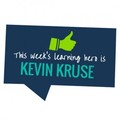
Congratulations to Kevin Kruse, NY Times bestselling author and entrepreneur, for fighting his way to the top and beating the competition to be crowned this week’s Growth Engineering Learning Hero!
We picked Kevin this week because of his excellent research into securing employee engagement - a topic that’s very close to our heart, since we work with organisations to get their employees engaged in their training and development.
Kevin’s book, We: How to Increase Performance and Profits Through Full Engagement, was ranked as one of the top leadership books in 2011, and he is also considered one of the world’s top 100 business thought leaders.
Not only does Kevin provide guidance for leaders, but he’s dedicated to helping individuals too - the free quiz on his website aims to analyse the kinds of triggers that will help workers to feel fully engaged at work. According to Kevin - and in our experience, too - there are four main drivers of engagement: communication, growth, recognition and trust. Once you know which drivers play the most prominent role in your psychology, you can work with your manager to get you hop, skipping and jumping into work.
Another of Kevin’s books, Employee Engagement: 2.0, sets out a plan of attack for leaders - a ‘real-world guide for busy managers’. It’s a step-by-step guide for discovering just what ‘employee engagement’ is and why it’s important, how it directly impacts on profits, and how to implement an engagement strategy.
Kevin is also a Forbes Leadership columnist - what doesn’t he do!? - and has written a whole host of articles on employee engagement. They’re all well worth a read, but here are a couple of our favourites:
5 Ways to Fix Your Dysfunctional Team: It’s a dream of all employees to work within teams that ‘get’ each other, and the dream of managers to lead such an effective and dedicated team. But unfortunately so often the reality is that the teams don’t work well together; arguments break out, actions get pushed aside, priorities are misconstrued and communication breaks down.
Luckily, as Kevin explains by quoting some great suggestions from organisational psychologist Liane Davey’s book, You First: Inspire Your Team to Grow Up, Get Along and Get Stuff Done, you can to tend to the rust, lubricate the joints and get your team functioning like a well-oiled machine once again.
How Do You Measure Love (Or Employee Engagement)?: You know the old adage, ‘you can’t manage what you can’t measure’? Well, it’s true - especially for employee engagement. But how can it be measured when engagement is often something that an employee feels? Not to worry! Kevin has come to the rescue. He explains that, like measuring love, we can develop proxy questions for engagement; questions that get at the behaviours and thoughts related to engagement.
So while it’s true that engagement is a feeling, it’s a feeling that encourages you to exhibit certain quantifiable behaviours, like working extra hours without being asked, being more likely to refer a friend for employment at the company and feeling pride in your work. It’s monitoring the behaviour of employees that will show you whether they’re engaged or not.
Want to find out more about Kevin Kruse? Check out his website, follow him on Twitter and read his articles on Forbes.
We’re also passionate about employee engagement (if you couldn’t tell already!) and we’ve done a fair bit of research too - specifically into how to get employees engaged in their online learning. Check out one of our white papers by clicking the button below!
Interested in reading about other Learning Heroes? Pop your email address in the box below - we’ll send you an email when we announce our next Learning Hero!
Growth Engineering Blog
.
Blog
.
<span class='date ' tip=''><i class='icon-time'></i> Aug 24, 2015 01:58am</span>
|
|
It’s no secret that there are a lot of Learning Management System providers out there, and choosing the correct one for your organisation is often a costly and time-consuming process. Do you go for the cheapest? The one with the swanky website? Does it matter if they’re based in the US or are UK-based companies better? How can you be sure whether their promises of fantastic return-on-investment are true or if they’re off in lala land?
The best advice we can give you once you’ve decided that an LMS is the right option for you is figure out exactly what you want.
Why? Because you can’t know whether a Learning Management System like our Academy Platform LMS is right for you until you know the answers to the following 5 questions:
1. What do I want my LMS to do?
Quite a basic question, really! Are you looking for a way to upskill a whole salesforce? Train every employee at once? Implement an incredibly smooth and pain-free onboarding process? If yes, you’re going down the right route: a Learning Management System like our Academy Platform will help you achieve these things easily. If no, you need to give your LMS satnav a smack, because it’s taking you in the wrong direction!
2. What content do I want to deliver through my LMS?
By this we mean what kind of training material are you considering: videos, slideshows, full eLearning units, quizzes, spreadsheets, PDFs..? It can seem like an overwhelming choice once you get into the nitty gritty, but the thing is, you need to be sure the LMS you pick is capable of delivering what you need. So don’t be shy: ask!
3. What reporting do I need?
Do you need reporting on the Learning Management System to be in depth, monitoring each individual learner as well as segregating and analysing by role, department, location or time at the company? Or do you only need more basic reporting functionality, like ‘Percentage of learners that passed Assessment X’, or ‘Has everyone taken eLearning module Y? Yes/No’? Be careful you get what you think you’re paying for.
4. Who is the LMS for?
In order to choose an LMS that will work for your unique situation, you need to think about the target audience. Employees, partners, channels, distributors… Who will use the Learning Management System? We’re pleased to say our Academy LMS is more than capable of adapting to many situations and will suit the needs of all kinds of learners and organisations. But then, we’re not like all the other LMS providers…
5. How do I want to engage my learners?
Sorry to break your heart, but what interests you may not capture your learners’ attention! Just because you need to upskill them on their leadership practices doesn’t mean they’ll have fun doing it. It is difficult to predict how well-received a learning topic may be - although most of the time, it’s a big fat fail. But there is a solution: we’ve discovered that the secret of engaging learners lies in making the learning journey fun. We do this by adding gamification features like points, badges and leaderboards to boost engagement and really light a fire under learners to get them learning and having fun at the same time! It’s been a huge success so far… Just check out this case study of what we helped Bensons for Beds to achieve with Bensons Academy!
Once you can answer these 5 questions - or at least are aware of the options available to you - you’ll be better able to approach your prospective LMS provider with what you need. And not only does it make the whole process smoother for you, but it makes our lives easier, too!
Imagine going to visit your hairdresser to get a new hairstyle, only you don’t know the length, cut or colour you want! In the same way, it’s best for all parties involved if you’re aware of what you need - then you can make sure the LMS can match your requirements. It makes the whole process that much easier: "I need to report on individual learners as well as grouping them by division. Can you do that?" you ask LMS Vendor A. "Err," they reply. "I’m afraid not…" You know it’s time to move on to the next.
"Hi Growth Engineering. I need to report on individual learners as well as grouping them by division. Can your Academy Platform LMS do that?" you ask. "Of course!" we reply. Ahhh… Easy peasy.
Want to learn more about what online learning can do for your organisation? Check out our research paper on how businesses are benefitting from eLearning:
Like this article? We regularly publish blog posts on similar topics, so pop your email address in the box below to get an email when we do!
Growth Engineering Blog
.
Blog
.
<span class='date ' tip=''><i class='icon-time'></i> Aug 24, 2015 01:58am</span>
|
|
Up until now, you might have thought your online learning programme was good - sure, a bit boring and staid, but it did its job, right?
Err… Not so much. Brinkerhoff and Apking (2001) found that ‘almost all organisational training is a marginal intervention and has only slight effects on performance improvement … If we define ‘training impact’ as simply the transfer of knowledge and skills to on-the-job performance, research indicates that impact of training is realised only for about 15 percent of all training participants’.
15%! How terrifyingly bad. Organisations are putting so much time, effort and money into developing training programmes that just don’t work! But you’ve probably already realised that there’s something not quite right with your current Learning Management System. That’s why you’re here, after all, isn’t it…?
Here are 5 tips to create kick-ass training programmes that will rock your learners’ worlds (and put you in your higher-ups’ good books, too)!
1. Make learners curious
When our curiosity is piqued, we become motivated to investigate further. We’re encouraged to step out into the big wide world and explore - no river is too wide, no mountain too high… But enough about Diana Ross. So, how can we make learners curious? There is research to show that highlighting gaps in learners’ knowledge or understanding will kick-start their curiosity - so giving learners a pre-test before their learning commences can encourage them to work harder to fill any gaps they have in their understanding.
2. Make learning fun
Who wants to sit through a boring slideshow presentation, answer unimaginative questions and suffer through a sneezing fit while thumbing through an outdated, dusty textbook? We learn more when we’re having fun: if we enjoy something our brains are significantly more active, meaning we can take in more information. To make your training more fun, make it like a game: add gamification features to your eLearning modules and use great a gamified LMS (Learning Management System) that your learners will be absolutely delighted to use!
3. Self-motivation
Make sure learners know what’s in it for them - what they will get out of working so hard and completing their training journey. Sure, you can tell them they’ll get a sales diploma, or a health and safety certificate, but what does this mean for the learner? It means they’ll be able to sell better, which will improve their performance, aid their progression within the company and open up the possibility of promotion and pay-rises. That’ll appeal to them much more than a qualification that they’re not certain will benefit them - suddenly they’ll be much more enthusiastic to log on to their Learning Management System and get learning!
4. Make it social
Learning is more enjoyable - and also is more ‘sticky’ in our brains - when we do it with other people. Now that doesn’t mean copying other learners or going through a textbook together. It can mean completing the eLearning unit individually but getting together (physically or virtually) with other learners to discuss the content of the module afterwards. We enable this by providing a dedicated area on our gamified Learning Management System specific to the topic at hand. Learners log on to the ‘Insights’ area, chat about the subject, compare notes and share other helpful links and ideas.
5. Make learners feel like experts
It’s natural for human beings to strive to be the best, gain recognition of a job well done and appear to be the top dog in their area of expertise. Our Insights area is perfect for this: the more a learner contributes to the conversation - by sharing information, ‘liking’ others’ posts and commenting - the more ‘experience points’ they get, which push them up the ‘Top Contributors’ leaderboard. Those at the top are seen as oracles of knowledge; they’re the go-to guys and gals for all questions on the topic. It’s possibly not the best thing for their egos, but we’ll give them the benefit of the doubt - they’re working hard and it’s paying off!
Want to find out more about how you can get learners enjoying their training? Download our free white paper but clicking the button below!
If you liked this article, why not pop your email address in the box below? We’ll send you an email when we post similar articles (no more than one email a week!).
Growth Engineering Blog
.
Blog
.
<span class='date ' tip=''><i class='icon-time'></i> Aug 24, 2015 01:58am</span>
|