Blogs
|
Here I bring you another amazing freebie of 404 error psd template. Its a flat, pixel perfect, 100% vector shaped, organized and easy to change 404 error template with an amazing design.
License: Personal & Commercial
Font used: Ubuntu Light
The post Error 404 appeared first on Freebies Gallery.
Freebies Gallery
.
Blog
.
<span class='date ' tip=''><i class='icon-time'></i> Aug 24, 2015 08:01am</span>
|
|
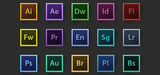
If you are in need of some inspiration, or perhaps bored of your existing Adobe icons, have a look at these beautiful Adobe Creative Suite Icons based on 100 px x 100 px .psd & .png files Included.
- Pixel Perfect
- Fully Editable .psd
- 100% Vector Shapes
- Organized Layers
- Layer Easy to Change Color
Enjoy!
License: Personal & Commecial
The post Adobe Creative Suite Icons appeared first on Freebies Gallery.
Freebies Gallery
.
Blog
.
<span class='date ' tip=''><i class='icon-time'></i> Aug 24, 2015 08:01am</span>
|
|
Here is another flat freebie template of fire lighter. It includes pixel perfect, fully editable .psd, 100% vector shapes, organized layers and easy to change colors. Hope you’d like it and share your feedback!
Enjoy!
The post Fire Lighter appeared first on Freebies Gallery.
Freebies Gallery
.
Blog
.
<span class='date ' tip=''><i class='icon-time'></i> Aug 24, 2015 08:01am</span>
|
|
This resource has been created for an "how-to" tutorial on Pupixel Blog. You can find complete tutorial just here.
This tutorial explains how to design complex vector shapes without Bezier pen tool. The Flat Rainbow Polaroid is a fully editable, layered vector. You can change colors, add or remove details, and edit any part of the object.
You can use this freebie for both personal an commercial purpose. Feel free to use it in your projects and modify it in according to your style and your mood.
The post Flat Rainbow Polaroid appeared first on Freebies Gallery.
Freebies Gallery
.
Blog
.
<span class='date ' tip=''><i class='icon-time'></i> Aug 24, 2015 08:01am</span>
|
|
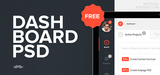
Today we have a free PSD file available for download. It includes a creative dashboard that can be used in your own designs. The PSD file is layered to allow for easy editing and customizations.
Happy Downloading!
The post Dashborad PSD Freebie appeared first on Freebies Gallery.
Freebies Gallery
.
Blog
.
<span class='date ' tip=''><i class='icon-time'></i> Aug 24, 2015 08:00am</span>
|
|
Inky Deals is one of the leading deals websites in the design community, with an extended family of more than 300,000 design enthusiasts. It’s the place to go if you want to buy premium resources at unbeatable prices, whether you’re a graphic or web designer, developer, or business owner looking to improve yourself and your work.
They’re the only ones who offer a 200% money back guarantee on every product. This means that if you’re not happy with it, you get your money back and you also get to keep the product.
Inky Deals launched the biggest design bundle you’ll ever see, The Big Bang Bundle: $14,979 worth of Top-Quality Resources From $49. And because they’re our friends, they’re offering you an exclusive $9 discount coupon, so you can get this amazing deal at an even lower price! Use the code BIGBANG9 at checkout.
The bundle contains:
- 470 Vector Packs worth $5,845
- 925 Vector Illustrations worth $3,700
- 101 Web & Print Resources Packs worth $1,070
- 102 High-Res Texture Packs worth $1219 (6000 x 4000 px)
- 125 Photoshop & Illustrator Addons worth $1246
- 67 Photoshop Brushes Sets worth $486
- 60 T-shirt Designs worth $900
- 15 Premium Tutorials worth $197
- 9 UI Kits worth $135
- 278 Fonts in 25 Font Families worth $70
- 8 Bootstrap 3 Templates worth $76
This entire bundle comes with an extended royalty license, meaning you can use the resources in an unlimited number of personal and commercial purposes, and even merchandise!
Still not convinced?
Download an amazing freebie with $74 worth of resources and take them for a spin!
What’s in the bundle:
Click here to view the entire content of this amazing bundle!
The post The Big Bang Bundle: $14,979 worth of Top-Quality Resources From $49 appeared first on Freebies Gallery.
Freebies Gallery
.
Blog
.
<span class='date ' tip=''><i class='icon-time'></i> Aug 24, 2015 08:00am</span>
|
|
As technology expands, so do our standards and requirements. And as interest in the area grows, the market couldn’t help but meet demands, offering competitive software that’s easy to use, giving every person the opportunity to make their own blogs, e-stores and websites.
In today’s article I’m offering a comparative view on the top three multipurpose WordPress themes that are available at the moment.
Divi 2.0
The e-community was taken by surprise in 2013, when Elegant Themes released Divi, the theme that combined like nobody before the ease of use with the professional and modern web design.
The interface, called Divi Builder is rather unique. It splits the dashboard into horizontal layers that can be customized at will. In the 2.0 version the functionality of the page has greatly been improved by adding features like an enhanced header, new navigation and extra layout options.
It’s simple to use and complex at the same time. It offers a high range of customization possibilities of its elements, ideal for all sorts of websites, blogs or e-store pages.
The builder segments can be filled with what are called modules - they are similar to the widgets found in WordPress, only more dynamic and customizable. It requires no coding, and everything can easily be done by drag-and-drop.
You also get 10 pre-made layouts, which you can use if you don’t feel like starting from scratch. All the layouts are fully compatible with all types of devices, mobiles included. After having added post formats according to public demand, users will get more popular requests.
If in the first version it was focused on the capabilities and functionality of the page, in the 2.0 version they are doing it even better.
As far as price goes, for $69 you get a pack of 87 themes, technical support and full updates.
Salient
Salient is a strong competitor on the market. A responsive, good-looking theme, it supports Woo Commerce plugins, making it ideal for freelancers.
It even comes with a Parallax slider bar, which is a nice touch considering the sliding plugins of WordPress.
It even overcomes language barriers, as it comes with an impressive language pack for everybody that isn’t fluent in English.
Customization is not done just as easily, with the sporadic use of shortcordes here and there, but it’s nowhere near difficult, as tutorials are available in video and text format. For $55 you get only one theme, but it is a good looking one and the customer support service is great.
Theme X
Theme X is an appealing theme, simple but efficient, it can live up to every challenge, able to construct interesting websites.
In many ways, it’s similar to Salient. It too offers support for Woo Commerce, being a viable choice for those interested in e-stores and e-commerce. It also comes integrated with the Social Sharing feature, which allows info sharing on social networking websites.
For $60 the buyer gets a standard pack of 500+ fonts, which allows the use of a wide range of fonts, color and letter spacing.
Conclusion
These three themes are equally modern, good-looking and responsive enough to suit all tastes. But Divi stands out from the crowd thanks to its builder, which makes it the easiest and most efficient theme you can come across.
The post Choosing The Best WP Theme Out Of Divi 2.0, Salient And Theme X appeared first on Freebies Gallery.
Freebies Gallery
.
Blog
.
<span class='date ' tip=''><i class='icon-time'></i> Aug 24, 2015 08:00am</span>
|
|
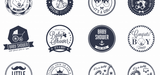
Great freebie to start the day with: A Baby Mega Pack. The editable kind. This comes in handy for all users looking for icon sets built around. Babies and the early stages of motherhood. There are 32 icons in the set and they cover all those pre-birth moments, the built up to the grand event and the joyful after weeks, with variations on the expectant mother, the baby shower, the first steps, the welcoming into the world and the rest of the exciting news. You know: "it’s a boy!", "it’s a girl!", the names, the fuss, the joy, the hearts, the ducklings, the moustaches, tiny feet, shoes and the rest of the cuddly arsenal of cuteness.
The icons come in various formats and can be used for personal and/or commercial purposes.
Happy downloading!
The post Baby Mega Pack appeared first on Freebies Gallery.
Freebies Gallery
.
Blog
.
<span class='date ' tip=''><i class='icon-time'></i> Aug 24, 2015 08:00am</span>
|
|
I’m sure it happened to everyone at least once to see a nice font text, and to want to have it or know what its name was. The results of Googling font names and trying to guess a match are never as good as that original font. I’ve tried making my own versions with some font editors, but that is just frustrating and pointless. And the more so in comparison with WhatFontIs, a font detecting service with a database that surpasses 285,000 font models. The way it works is very simple: you upload an image of a text, and it detects that certain font, provided it contains it. And given the database size, it would be strange not to.
The website is very simple and straightforward, and once you’re on its homepage, all you have to do is click the browse button to upload the image (you can also insert a URL). It is important that the writing is in horizontal position and that the image has good contrast, otherwise editing the image a bit would do the trick.
After choosing the contrast type (background lighter or darker than the font), pressing "continue" will take you to the next page, which shows you the identified letters. As stated in the requirements section, it is important that the letters don’t touch one another. Sometimes, due to certain characters’ flamboyant shape, two letters can pass as one, and the detector can be biased. This tends to happen especially with handwriting fonts and other complex shapes. In this case, you will have to leave the "activate the checkbox for images with more components per letter" unticked.
The result screen will display a list of fonts ordered by descending similarity.
WhatFontIs can be used for free, but there is a premium section as well, which costs as little as $9.99 per year. In my view, this is quite worth it, especially if you work with fonts a lot and if you don’t want to be bothered with ads. Additionally, Premium users can input 1 to 15 characters when searching (as opposed to the normal 2 to 10) and are able to select sources for commercial fonts. Lastly, there is no daily identification limit.
WhatFontis falls in that category of services that everybody feels the need for, and when they come out it seems groundbreaking, like softwares similar to Shazam. Things we all thought about but couldn’t put it from the tip of our tongue into our computer chips. And the fact that it has a lot of free fonts ensures its accessibility.
You can try it for yourself here.
The post How to Freely Identify Any Font appeared first on Freebies Gallery.
Freebies Gallery
.
Blog
.
<span class='date ' tip=''><i class='icon-time'></i> Aug 24, 2015 08:00am</span>
|
|
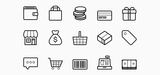
This pack contains 15 free outlined vector icons for ecommerce and shopping. These scalable vectors include online store related icons such as money, a store front, shopping bag and cart, sale tag, barcode and cash register.
The post Vector eCommerce Icons appeared first on Freebies Gallery.
Freebies Gallery
.
Blog
.
<span class='date ' tip=''><i class='icon-time'></i> Aug 24, 2015 07:59am</span>
|