Blogs
|
I was asked to give feedback to one of my Green Party colleagues on their new wiki and I suggested they add a movie trailer from YouTube for a movie fundraiser that is happening in their electorate. This lead me to start putting together instructions on how to do this that then turned into a rather comprehensive guide to adding YouTube videos to a range of online spaces including Wikispaces, PBWiki, Blogger (in post), Blogger (in html gadget in sidebar), Blogger (in video bar gadget in the sidebar), Edublogs (in post), and Edublogs (in Text widget in the sidebar). Also included is how to play with the width and height settings when you embed it. I incorrectly said Blogspot instead of Blogger throughout and will fix this up at some point. In the meantime, enjoy!
Instructions for adding YouTube videos to blogs and wikis - Upload a Document to Scribd
Read this document on Scribd: Instructions for adding YouTube videos to blogs and wikis
Authored by suzievesper. Hosted by Edublogs.
Suzie Vesper
.
Blog
.
<span class='date ' tip=''><i class='icon-time'></i> Aug 26, 2015 08:03pm</span>
|
|
I have been playing a lot on the computer in the last week experimenting with different bits and pieces. I was looking for instructional videos on the excellent Fotoflexor for my upcoming workshop wiki when I noticed that the man who made videos for this also made videos for something called GoAnimate which I had not heard of before. Always keen to check things out, I signed up on the website and had a go. Below you can see my efforts. I love the ease of use of this tool. However, there are some backgrounds that aren’t that appropriate (eg bars) and some props that aren’t that great either (eg guns) so I am not sure that it could be used with younger children. I don’t think it would be that big a problem with older kids though. The demonstration animation that you can watch on signing up has some rather uncomfortable moments in terms of appropriateness so I wouldn’t use it as a model at any time. Anyway, I had a good time making this animation and I didn’t make use of half the possible features!
Update: It appears that this embed code gets stripped of its link to the video when in this blogging platform so to see what I have done, go to my wiki page: http://educationalsoftware.wikispaces.com/Animation
Authored by suzievesper. Hosted by Edublogs.
Suzie Vesper
.
Blog
.
<span class='date ' tip=''><i class='icon-time'></i> Aug 26, 2015 08:03pm</span>
|
|
I have been putting together a wiki for my upcoming pre-conference workshop and have been revisiting some tools that I have played with in the past as well as brushing up on the tools that I use reguarly. What I am finding is that I have become a little confused at the amount of choice that has opened up. This is nothing new in the internet world of infowhelm but I am now beginning to question things I’ve always just taken for granted.
For instance, I am a big Flickr fan. I have been advocating the use of Flickr for a long time now. Flickr has its groups, map, add note feature and direct relationship with Picnik for editing. I am still a fan but its supremacy is being erroded by some of the other tools I have played with in the last couple of days. PhotoBucket, for instance, has really grown since I last checked it out. The interface is easier to get around and you can now upload videos and it has a direct link to Scrapblog meaning you can make these from within PhotoBucket itself. Then there is DotPhoto which I hadn’t heard of before but found on the Top 10 Reviews website where it had been given gold with specific mention of the great photoshows that you can make with it.
This is just one example of the kind of exploring that I have been doing recently. All of which means that I am now getting a little bamboozled. So many options and they all have features that set them apart from each other while still having the same key functions. I don’t want to be uploading images to multiple places on the web but I don’t want to miss out on great features either. How are the rest of you out there finding the range of web 2.0 tools on offer? Are you coping?
In the meantime, here are the tools that I have documented for the workshop so far. I plan to add an extra couple in the next week or so to the wiki page.
Utterli
Google Maps
Authorstream
Voicethread
Zoho Creator
Picnik/ Fotoflexor
Glogster/ Wix
Scribd
Poll Daddy
Slide/ Picture Trail
Tabblo
MyStudiyo
280 Slides
ClustrMaps
Flickr/ Dotphoto
Google Calendar
Wordle
CircaVie
YouTube/ Teacher Tube
Voki
Bubbl.us
Mixwit
Animoto
Vodpod
I would love any feedback or suggestions on where to source further examples of tools. Have I missed any that should definitely be there? I am planning to add Photobucket, Bubbleshare and Scrapblog.
Authored by suzievesper. Hosted by Edublogs.
Suzie Vesper
.
Blog
.
<span class='date ' tip=''><i class='icon-time'></i> Aug 26, 2015 08:03pm</span>
|
|
Well, here I am back at home again after a very busy week in Christchurch last week. In between rendering video clips in Final Cut of the presentations, I thought I’d dash out a quick blog post.
Basically, this year was a very different experience with wearing a yellow lanyard and working with the kids media team. Being a person that misses working with kids now that I am in a largely administrative role, I had a ball with the team. We had a good mix of younger and older students and they were all incredibly quick to pick stuff up and had brilliant skills before they arrived. One of the younger kids instructed me on the frame rate that we should export for putting video on the web - I was happy to bow to his superior knowledge! There were lots of kids who could edit in iMovie and had a range of technical skills. The students were also great at approaching teachers in order to get video and photos for us to use.
When you go and check out the media team wiki , you will see the newsletters uploaded that the kids put together (with the support of the adults). I want to stress that the writing in the newsletter pretty much all came from the children with VERY little input at all when it came to drafting and editing. I was really impressed at the high standard of writing from the kids! An example of this is when coming up with a title for the piece on Twitter. I suggested ‘The good, the bad and the ugly’ which didn’t sit exactly right. The girls took this suggestion and reworked it to be ‘The good, the bad, and the off-topic’ which I consider to be very witty and insightful. The level of vocabularly and quality of writing style of the students (two girls in particular) was very high. Some of the younger boys struggled to get their ideas down but they worked at it until it was finished and I was impressed with their perservance. I have included some clips that are available on the wiki here to give you a taste - make sure you do go and check out the wiki and sign the guestbook or leave a message for the team on the Voicethread.
I didn’t get to see any presentations this year, I am now getting to watch all the Spotlights as I edit the videos for them. The is some great content in these Spotlights (so far I have particularly enjoyed listening to Julia Atkin talking about effective leadership) and when they are up online, you should definitely check them out. You will need to have a login for the site associated with a person who attended the conference to view them.
I also presented twice this year. I did a full day pre-conference workshop and then an hour and a half interactive presentation in the ‘graveyard shift’ (last breakout). Both of these went really well (though I think I may have bambozzled some in my full day - we certainly packed a lot in!) I hope to do more workshops in general going forward to next year as I enjoy these chances to interact with other teachers. In preparation for these workshops, I revisited a lot of web 2.0 tools and found some new ones. All of these can be found on my new wiki at http://learningweb2.wikispaces.com. I plan to write a series of blog posts highlighting some of my favourite tools from this wiki so watch this space! OK - it looks as if the video clips have just about rendered - back to work
Authored by suzievesper. Hosted by Edublogs.
Suzie Vesper
.
Blog
.
<span class='date ' tip=''><i class='icon-time'></i> Aug 26, 2015 08:02pm</span>
|
|
Working in a largely admin job these days, I have been told that I can spend an hour and a half a week in schools to keep ‘in touch’ with schools and to try out different tools with children so that I am talking from a place of some credibilty. I found this very exciting and instantly got in touch with a few of my old cluster schools to organise it. I ended up heading along to the smallest school in my cluster which has a total of 23 children in the school and agreed to take all of them for an afternoon slot. Being excited at the moment by a tool called Pixton which makes it easy and fun to make 2D comics, I went along ready to use this with the kids. I have to admit that I did not put that much work into preparing as I thought the tool was pretty straightforward and that it would be great to get the kids to problem solve and figure things out on their own.
Of course, ICT often doesn’t work as planned. I was without a laptop and I couldn’t get the data projector to connect to one of the new computers in the classroom (where was the fn button!). Giving up on that, I gathered them all around one computer screen and logged into my account and took them for a brief tour. I hadn’t set up a structured activity at this time as I wanted them to explore first. Looking back, what I should have done was at least talk about the genre of comics and explore features of this kind of visual language. I should also have had a better idea of what I wanted them to have accomplished by the end of the session.
I then set them up in pairs to go and explore on their own. This is where things really started to fall over. I had to spread the kids around three rooms to get them all onto computers and hadn’t gone around and logged in to Pixton first. As kids are likely to do, they started to get a little noisy while waiting for me to log them in (I didn’t want to give them my login details - I should have set up one they could use without me logging them in). My stress levels started to go up a little. Next major problem was that Pixton wouldn’t let me log in to my one account from multiple computers! Obviously, I should have got to the school a little early and tested this! I could get kids on but as soon as I moved on and logged in a few more, Pixton would freeze on them and kick them off again. As I moved around the rooms I had kids coming at me from a number of angles asking me to come and help them. My stress levels rose considerably at this time as I hadn’t prepared ‘plan B’ (which every person using ICT knows is a sensible idea!).
Giving up on Pixton, I gathered them all together again and showed them Voki as at least something they could go on to and doesn’t need an account. I had no clear direction in doing this - I was simply in ’survival mode’ by this time. Again the kids spread out but still the problems continued. This time, the internet connection at the school wasn’t really fast enough for 10 computers at once to connect well to the internet so many kids had trouble getting their Vokis to load and work properly. Still, most got something going and then I asked them to pack up and sent them off home.
So what will I do next time? Well, I am not one to give up easily so I am going to give Pixton another go but this time, I am going to put a bit more thought into what the LEARNING is that I want rather than just playing with the tool (I know that seems so basic but even those who are doing this all the time need to be reminded sometimes!). I am going to have an offline and online component to the activity so that I reduce the pressure on their internet connection. I am going to go early and set up and check that everything works. I am going to have a ‘plan B’ this time that is not technology based. I am also going to set up more than one Pixton account so that kids can be working in a couple of different ones. I will let you know how it goes.
So what about your biggest ICT failure? Leave me comments letting me know what it was - I think we should always talk about what doesn’t work as well as what does. Teachers often have issues with ICT that then stops them from wanting to use it again. I think we need to let everyday classroom teachers know that everyone experiences failure but that doesn’t mean we don’t keep refining and trying again.
Authored by suzievesper. Hosted by Edublogs.
Suzie Vesper
.
Blog
.
<span class='date ' tip=''><i class='icon-time'></i> Aug 26, 2015 08:02pm</span>
|
|
I thought I would post some of the comments from a debate myself and a few other teachers have been having on the National party website over their new ’standards’ as part of the crusade for literacy and numeracy. Warning - this is a long post! I would love to hear your thoughts on this! Yes - this is a political post and it is fairly obvious where I stand on this but I think we should all be proud in New Zealand to stand by our convictions.
From the National party website:
National Party Crusade for Literacy and Numeracy. National will:
1. Set National Standards in literacy and numeracy.
2. Require every primary and intermediate school pupil to be assessed regularly against National Standards.
3. Require primary and intermediate schools to report to parents in plain English about how their child is doing compared to National Standards and compared to other children their age.
4. Provide targeted funding to assist primary and intermediate schools to give an extra hand to the pupils who aren’t meeting National Standards.
5. Refocus the Ministry of Education and the Education Review Office on supporting schools in the Crusade for Literacy and Numeracy.
Lyn Croft wrote:
There are national standards in literacy and numeracy. Every primary/intermediate school student is assessed very regularly. Schools do report home to parents in ‘plain English’ - although a number of caregivers do not read English. Yes, schools need extra funding to support students who are failing - more reading recovery teachers, more teachers to work with individuals/small groups, smaller class sizes and a teacher aide in every classroom.Special Needs students and students with learning needs miss out on funding, particularly when moving to secondary schools. Giving ORRS funding to those students with only very high needs discriminates against those who, with assistance, can reach their full potential. We need more funding to enable these students to be part of mainstream classes where appropriate, with the necessary support, enabling them to socialise with their peers. It’s called inclusive education.
Then I wrote:
I would like to support the comment made by Lyn Croft. There are MANY standards already in place for literacy and numeracy and schools are already testing against these regularly. To stick another layer of ’standards’ and associated testing on top of what we are doing already (which gives us very effective data) is in my mind repeating the mistakes of the UK and the US which are beginning to realise that their testing approach had little impact. Ask yourself why 83% of primary school teachers are opposed to this move. It is not because we are afraid of hard work - teachers in this country put in hours of work often in weekends and evenings, it is because we don’t see how your plans can add ANY value to what we are already doing and we believe that it will be destructive overall just as it has been overseas. This is something I would be prepared to strike with no pay over should a national government try to impose this on our education system! How about you consult with teachers and try to learn a bit more about what we ARE doing before bringing in a half baked idea like this one.
Jamin Lietze wrote: (Twitter buddy. We did not talk about this beforehand so interested to see him here!)
I too support what Lyn Croft and Suzie Vesper have been stating about National’s idea to implement National Standards. IT IS NOT NEEDED.
This move in my mind would increase:
- surface learning
- Teacher and student stress
- administration time
It would build tension between schools/communities who would compete for more student enrollments.
I feel this is a "market" strategy that is being applied to our Education system and I don’t agree.
At this point, I Twittered about this policy and more Twitter friends went and commented on the site.
Dave Winter wrote
A preoccupation and focus on nationalised testing is likely to lower standards, demoralise some schools and students. "You can’t increase the length of a piece of string by measuring it". Authentic assessment has its place; but should be to improve literacy (which itself needs to be redefined) not measure it. National leadership seems to feel we will have the right citizens if they can read, write and add well. Ooops please come up with policies for a future that will exist not a fast fading past.
Fiona McDonald wrote:
I agree with Lyn and Suzie. I can’t even begin to imagine what a nightmare it would be with unhealthy competition between schools to get the best test results! It would be like England with League Tables. To reward teachers with best practice sounds like a major can of worms! Would it reward those who teach to the test, or those who teach to inspire and empower? I can’t imagine anything that would cause friction on a staff more!
In reply to S. Anderson, I agree that more needs to be done to address dyslexia; John Key isn’t the first to come up with this! But do you know what is already being done to help children in schools? It seems to me that too many people judge schools and teaching methods on the ‘prehistoric’ methods that existed when they were a child. When I think back to my schooling it was definitely a ‘one size fits all’ education. It certainly isn’t like that these days in the classes at my school, or at any of the schools I know!
I strongly believe that simply pumping more money into the teaching isn’t the solution (although its always nice to be able to buy a bit more ICT and PE equipment!). We can teach until we are blue in the face AND until the cows come home, but if what we teach and model at school isn’t reflected in the home then it is a potentially losing battle.
In so far as managing the budgets for ‘at risk’ students, the major problem our school has had is that of immigrant families arriving with special needs children that automatically chew up our special needs budget. Bye bye extra reading groups, bye bye math booster classes and those ‘at risk’ students fall through the cracks. I understand that these families are looking for a better life for their families, but at the expense of our existing students? Then, after six months they often decide to move home…
*John Key do not add more testing*. Have you heard of NUMPA, snapshots, Asttle, eAsttle, Probe, Running Records, Arbs, Six year nets, Portfolios, reports, parent/teacher conferences, diagnostic assessment, formative assessment, summative assessment…
I seriously believe NZ will lose a lot of it’s greatest teachers should even more testing be introduced, leaving the mediocre ones to reap the rewards!
The site admin left this message on Fiona’s post:
No additional tests are involved with National’s policy, nor will there be national tests. From the text of the policy announcement: "National will require primary and intermediate schools to use assessment programmes that compare the progress of their pupils with other pupils across the country. Schools will choose from a range of tests, and there won’t be national exams." Check:
national.org.nz/files/2008/Education_Policy_Crusade_for_Literacy.pdf ]
I replied to this admin note:
I note the admin statement in Fiona’s response. If you are not going to impose national testing on students other than what is already in place then I think you are being very misleading with the way you word this policy. When you say ‘National will require every primary and intermediate student to be assessed regularly against standards’ then this is an empty phrase since this is happening already. All schools are already regularly assessing against national standards and will continue to do so. How is your statement making this any different? It just sounds like rhetoric to me to make other people think that you would be responsible for some kind of major change when you actually would not be. I also want to hear more about these ’standards’. We have standards now that have been refined over a long period of time with consultation with schools - what would you do to change these? I also don’t see how you can bring in new ’standards’ and then say schools would need to assess against these new standards and then expect us to believe that there would be no changing to testing as we have it now.
Also, when reading the PDF, I find the statement about telling parents how children compare to other children incredibly dangerous. I think parents should be informed about the progress of their children against national norms but NOT in comparison to other children. For children to be ‘ranked’ in a class leads to all kinds of nasty dynamics between both parents and children and is damaging to the self esteem of children. It is certainly NOT going to help them improve their learning. Teachers know that there is a time and place for a certain amount of competition in schools and we use it but with caution. Too much competition can completely demoralise some children and by ranking children against each other, that is the kind of environment the kids would be operating within.
I should point out in the interests of transparency, that there are 10 steps that National plan to take and I have only talked about the top five. I have no issues with the other points. So - what do you think?
Authored by suzievesper. Hosted by Edublogs.
Suzie Vesper
.
Blog
.
<span class='date ' tip=''><i class='icon-time'></i> Aug 26, 2015 08:02pm</span>
|
|
Here is the first in a series of posts about the tools I have included in my learning web 2.0 wiki.
I have mentioned Pixton a few times recently. Pixton is a tool for making 2D comics that is incredibly customisable. You can change almost every aspect of a character including clothing, colours, facial expressions and postures. You can even change the position and angle of each limb and appendage. You are also able to add a variety of objects and backgrounds to your comic and these are also customisable. You can sign up for a single account or there is an option for schools (but this is rather pricey). Be aware that you can not log into a single account from multiple computers - it does not like this at all (see reality check post for what happens if you try). Some of the characters in the normal account are also a little borderline - I forgot about the fact there was a cartoon Jesus complete with halo when working at a Catholic school but then this could also be a good thing for retelling bible stories!
I have a page on my learning web 2.0 wiki which includes examples and a video I made showing step by step how to use it.
This is an introductory video that shows you quickly what some of the key features are:
Here is a thumbnail of one comic strip I’ve made while trialing Pixton (clicking on it will take you into Pixton to see a full size version):
I have also written a lesson plan designed to work with Pixton as well as other technology tools you can use for making comics on my new ict lessons wiki. This lesson is based around the topic of conserving energy and includes website resources for this topic.
I think this is a great tool and I’d love to hear stories of how other people use it.
Authored by suzievesper. Hosted by Edublogs.
Suzie Vesper
.
Blog
.
<span class='date ' tip=''><i class='icon-time'></i> Aug 26, 2015 08:00pm</span>
|
|
I am running a session during a full day workshop on Monday on the role of the lead teacher. Being my obsessive compulsive self, I decided that this would be best supported by creating content on a wiki. At first I was going to add content to an existing wiki but then I decided there was enough content to make a dedicated wiki so here it is - http://leadingict.wikispaces.com
I made the front page graphic in Wix. This is an excellent tool and I see myself using this more and more.
I also have become completely attached to ColourLovers when setting up colour schemes for my wikis. It is so much easier than having to come up with this by trial and error. When you have found a palette of colours that you like in Colour Lovers, you copy the hex code for each colour and then go into ‘Manage space’ and then ‘Look and Feel’ and paste the code into the box for each option in the template. The screenshot on the left shows what each option from Look and Feel (screen shot on the right) changes.Note that I have also created a logo using one of the avatars I have created online. I am now branding this on all my wikis.
I have also been playing with my Twitter background picture which you can see all of on http://twitter.com/suzievesper I’m not completely happy with the colour combinations against some of the Twitter colours so will probably rework this again and I need to make the side panel shorter so all of it shows. To make this, I went back to Colour Lovers and selected a pattern I liked and downloaded it. From there I opened up GIMP (would also work in Photoshop etc) and copied the pattern which meant I was able to use it with the fill bucket to fill the entire space. All patterns from Colour Lovers will appear as one seemless pattern when tiled. Then I created a layer with the rectangle where I added my details and avatar. I saved the whole thing as a PNG and then uploaded it as my design to Twitter.
In other words, I spent ages mucking around in the evening doing something pretty inconsequential but diverting.
Authored by suzievesper. Hosted by Edublogs.
Suzie Vesper
.
Blog
.
<span class='date ' tip=''><i class='icon-time'></i> Aug 26, 2015 07:59pm</span>
|
|
I know that I am supposed to be hunkering down to read all the milestones and variations coming my way and I am mostly doing that but having a bit of fun helps keep a person sane! That is why I have been enjoying playing with Elf Yourself - a tool designed by the Jib Jab site where you can add up to five people’s heads to elf characters in a variety of dancers. Here is a band of Twitters dancing up a storm. See if you can spot @klandmiles, @teachernz, @allanhk, @heymilly and myself @suzievesper.
Send your own ElfYourself eCards
While speaking of Xmas (and yes I know that we haven’t even reached December yet), I have been working on updating my Christmas Links wiki from last year in time for the festive season in schools.
You can find a large range of sites, games and activities related to Xmas on this site.
As you would probably have guessed from all of this, I am quite a Christmas freak. I could play Xmas music all the time if it didn’t drive my husband to absolute distraction
Finally, moving away from the whole Xmas theme and getting back to colour tools there is Idee Labs. You can use this to find images based on colours of your own choice or from particular images. I think this would be great when exploring the moods of colours or just wanting to create a display around key colours. Here is a screenshot of the images that I generated by choosing the red and green colours you can see on the far right.
Authored by suzievesper. Hosted by Edublogs.
Suzie Vesper
.
Blog
.
<span class='date ' tip=''><i class='icon-time'></i> Aug 26, 2015 07:59pm</span>
|
|
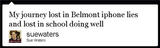
Even twictionary was unable to translate this tweet according to Penny Coutas!
I’ve tweeted many weird funny insane incredible tweets but this is definitely my most ‘blog worthy’ tweet! It’s made more funnier by the fact that:
I can’t translate it
I sent it from twizza, a meet up for educators to learn about twitter (looks like I’m the one that needs some lessons!)
Bad headache today has impacted slightly
Please feel free to leave a comment to translate what you think I was saying……and to tell me about your ‘most blog worthy tweet’ (by you or someone else!)
And if you’re enjoying this blog, please consider Subscribing for free!
Sue Waters
.
Blog
.
<span class='date ' tip=''><i class='icon-time'></i> Aug 26, 2015 07:58pm</span>
|