Blogs
|
Today, the "Share to Classroom" extension for Google Classroom was pushed out to students in my building. After reading about the new extension, and reading about teachers’ experiences on Twitter, I admit I was a bit hesitant about the purpose and effectiveness of this tool. However, my fears were assuaged today when I tried the […]
The post Share to Classroom Extension…Awesome Addition, Google Classroom! appeared first on Teaching with Technology.
Bethany J Fink
.
Blog
.
<span class='date ' tip=''><i class='icon-time'></i> Dec 03, 2015 10:04pm</span>
|
|
A new feature has been added to Google Classroom…and it’s great! Finally, Google Classroom and Google Forms work together. Teachers can assign a Google Form from Classroom itself. No more adding endless students to the "send form" option on Forms. Now, teachers simply… Create and title an assignment Select a Form from Google Drive Choose […]
The post Google Classroom Updates: October 2015 appeared first on Teaching with Technology.
Bethany J Fink
.
Blog
.
<span class='date ' tip=''><i class='icon-time'></i> Dec 03, 2015 10:04pm</span>
|
|
Earlier this school year, my colleagues and I participated in a webinar about the wonderful features of the online reading platform, Curriculet. Curriculet includes hundreds of ebooks, both free titles and those available for rent, that are assignable to students. Teachers sign up for an account, create classes, and share simple codes with students that […]
The post Create Reading Lists with Curriculet appeared first on Teaching with Technology.
Bethany J Fink
.
Blog
.
<span class='date ' tip=''><i class='icon-time'></i> Dec 03, 2015 10:04pm</span>
|
|
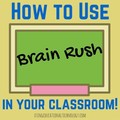
I’m currently creating a presentation for an in house professional development session, and as is typical of me…I’m searching for new EdTech tools to share with my colleagues. Well folks, I stumbled upon a gold mine for learning and review games today. Brain Rush! Have you tried it? Brain Rush is FREE and allows teacher […]
The post Assign and Monitor Learning and Review Games with Brain Rush appeared first on Teaching with Technology.
Bethany J Fink
.
Blog
.
<span class='date ' tip=''><i class='icon-time'></i> Dec 03, 2015 10:03pm</span>
|
|
Attention Google fans! Have you seen the new update to Google Forms?! It’s great! The new Google Forms creation page looks a little less techy and a lot more comfortable. All of the features we love are still available on this new version of Forms. They’re just easier to find! Check out some screenshots of my […]
The post Great Update to Google Forms appeared first on Teaching with Technology.
Bethany J Fink
.
Blog
.
<span class='date ' tip=''><i class='icon-time'></i> Dec 03, 2015 10:03pm</span>
|
|
Don’t you love when you’re sitting at your kitchen table on a Sunday morning, enjoying a cup of coffee (perhaps a second or third cup) when inspiration strikes? Your heart pitter patters as the pieces of a neat project fall into place, and you frantically open a Google Doc to jot down the rough specifics. […]
The post Presidential Debate Activity appeared first on Teaching with Technology.
Bethany J Fink
.
Blog
.
<span class='date ' tip=''><i class='icon-time'></i> Dec 03, 2015 10:03pm</span>
|
|
Google Forms are awesome. They just are. The ability to link responses to a Spreadsheet and then manage that data is an indispensable tool for teachers. A few weeks ago, I completely geeked out on Form creation…creating rubrics, self-evaluations, needs assessments, Bellringers, and more. What if you want students to complete the same form daily, […]
The post Google Forms: Pre-fill a Form for your Students appeared first on Teaching with Technology.
Bethany J Fink
.
Blog
.
<span class='date ' tip=''><i class='icon-time'></i> Dec 03, 2015 10:03pm</span>
|
|
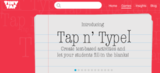
Wow! This morning, I stumbled upon a gold mine. While randomly searching through Pinterest, a promoted pin popped up…I typically don’t care for promoted pins, but this one caught my eye! Tiny Tap allows teachers to create, assign, share, and sell games and interactive lessons created via the Tiny Tap iPad (or Android tablet) app. I’m […]
The post Create Educational Games with Tiny Tap appeared first on Teaching with Technology.
Bethany J Fink
.
Blog
.
<span class='date ' tip=''><i class='icon-time'></i> Dec 03, 2015 10:03pm</span>
|
|
Teaching in a 1:1 flipped classroom provides an amazing opportunity for formative assessment. Learning what students know and where they need help is vitally important to teachers. Fortunately, many great tools are available for teachers…and many of them are FREE! I stumbled upon Spiral a few months ago, and I’m so glad I did. Spiral […]
The post Formative Assessment with Spiral appeared first on Teaching with Technology.
Bethany J Fink
.
Blog
.
<span class='date ' tip=''><i class='icon-time'></i> Dec 03, 2015 10:02pm</span>
|
|
Do you love Kahoot!? My students and I are definitely huge fans of this wonderfully fun, game-based formative assessment tool! Kahoot! is tons of fun to play in the classroom, however it can also be played by students individually or with a small group. I typically create a Kahoot! activity toward the middle of a […]
The post Students Can Play Review Games with Kahoot! Individually appeared first on Teaching with Technology.
Bethany J Fink
.
Blog
.
<span class='date ' tip=''><i class='icon-time'></i> Dec 03, 2015 10:02pm</span>
|