Blogs
|
Tweet Here is how most not-so-awesome starters see podcasting: My laptop (recording equipment) +my Wi-fi + my constant jabbering = My Awesome Podcast! Sorry to pop your bubble, but that really isn’t all it takes. Well, I mean, when it comes to equipment it could be everything you need (COULD be), but to make a…
Jeffrey Bradbury
.
Blog
.
<span class='date ' tip=''><i class='icon-time'></i> Dec 04, 2015 01:23am</span>
|
|
Jeff sits down with Todd Cochrane to discuss Podcasting SEO and the Blubrry Powerpress Podcasting Plugin for your WordPress website.
Jeffrey Bradbury
.
Blog
.
<span class='date ' tip=''><i class='icon-time'></i> Dec 04, 2015 01:23am</span>
|
|
In this weeks episode, the TechEducators discuss Podcasting from all corners. Learn how to create, use, and distribute podcasts in your classroom today!
Jeffrey Bradbury
.
Blog
.
<span class='date ' tip=''><i class='icon-time'></i> Dec 04, 2015 01:23am</span>
|
|
Tweet
Blogging in the classroom was a watershed discovery for me. I had such an acute need for a better way to manage my student’s writing, but I was wary of blogging. There are challenges to helping students learn in an online community. Until I met Matt Hardy from KidBlog, I viewed these risks as too big to manage on my own. I believe that as a teacher I have to both innovate and protect my own professional reputation. When I heard Matt talk about how he created KidBlog to support exactly the kind of connected learning I want to happen in my classroom, I realized how accessible this learning is now. Using school specific tools like Kidblog, or Edublogs, can give you more control and management potential than using conventional tools like Blogger, or WordPress
Blogging organizes your student’s writing and makes it searchable.
If you have ever tried to move 24 spiral notebooks at the same time you have to look at blogging. When students write on the blog, or submit their work to the blog via email, the blog becomes my system to organize student work. This got their work out of my inbox and into the blog.
Blogging means it is shareable.
When my student blog it is easy to allow them to read each other’s work and comment on the posts. We teach the art of conversing in comments. Students write about what they care about and their classmates respond. This isn’t just writing, this is community building.
Blogging means your students can write for an authentic audience
Prepare your students to write public posts and share them. I love using social media to find someone who shares my student’s passion and ask them to respond to the blog post. There is #comments4Kids and amazing community of educators the respond to blog posts by students. If you want ideas abut what your kids could blog about search #comments4kids and read and respond to some posts.
Once I get my kids to write for a wider audience, they value their own writing more. This is transformative for the individual and the class. Revision becomes part of the process because a great final product actually matters. Words are slow and often feel subjective to students, far too open to interpretation. not like video. So getting their words out in to the world to do real work is important. They can see what their words have done, without the interference of grades or relationships. Students carry this experience forward into their lives with access to a heretofore undiscovered world.
Blogging means your students can write for an authentic audience by @SamPatueClick To Tweet
Even if I wax poetic, I assure you that more students learned how to write in the classes I taught the used blogging, than the ones that relied on paper notebooks. When I started blogging was when I first dreamed of my paperless classroom.
Are you blogging with your students?
Share your success or your struggle story with us in the comments below.
Looking for an in depth guide to
blogging with Kidblog?
Check out this great ebook from Jeff Bradbury.
Jeffrey Bradbury
.
Blog
.
<span class='date ' tip=''><i class='icon-time'></i> Dec 04, 2015 01:22am</span>
|
|
Tweet
Educational Podcasting Today is a weekly podcast that celebrates podcasters and podcasting. It’s mission is to help educators learn how to create podcasts and amazing WordPress websites for their podcasts. For more information, please visit www.EducationalPodcasting.today.
Show Topics
Podcasting News
Educational Podcasting Today App
Creating an app to help you learn how to podcast and create an amazing website
Tips Tricks
Videos
What would you like to see in the app?
Featured Podcaster of the Day
Jason Bodnar
http://www.principallyspeaking.com/
Latest Episodes feature Tom Murray, Kristen Swanson, and Sharon Plante
Member of the Education Podcasting Network
http://www.twitter.com/APJasonBodnar
Conferences and Conventions
CUE Rockstar Boston!
Apps University
Apps University Connecticut Summit
June 13-14 at Renbrook School in West Hartford Conn.
ISTE
TeacherCast Broadcasting LIVE from 8-12 on
About Our Guest
Hi there! My name is Dustin and welcome to DustinHartzler.com. This is my personal site which highlights my other sites on the web as well as my personal blog. I’m a huge WordPress fan boy and spend my days helping users of WordPress.com sites use their websites and blogs better.
I also release a weekly podcast over at YourWebsiteEngineer.com that focuses on one aspect of your WordPress website. Finally, you can follow my family’s travel adventures and keep up with the craziness that is our life with a one year old over at DustinAndMelody.com.
Your Website Engineer on itunes: https://itunes.apple.com/us/podcast/wordpress-resource-your-website/id410342775?mt=2
Share the Love
If you enjoyed the show, please rate our show on iTunes and write a brief review. That would help tremendously in getting the word out and raising the visibility of the show.
Please join the TechEducator Podcast LIVE every Sunday night at 7:00 P.M. EST on http://www.TeacherCast.tv
Learn How To Launch Your Very Own Podcast!
Are you interested in learning how to podcast? Do you want to share podcasting with your students or perhaps create a podcast from your own home? Jeff is available for one-on-one consulting to help you learn how to bring your podcasting ideas to life.
Email: info@teachercast.net
Voice Mail: http://www.TeacherCast.net/voicemail
Check out our Educators Guide to Podcasting today! | Video | Slideshare Presentation
Please contact TeacherCast with any Questions or to become a guest on the show
Host: Jeff Bradbury @TeacherCast
Email: info@teachercast.net
Voice Mail: http://www.TeacherCast.net/voicemail
YouTube: http://www.TeacherCast.net/YouTube
iTunes: http://www.TeacherCast.net/iTunes
View LIVE Professional Development from TeacherCast
Watch LIVE: http://www.TeacherCast.tv | Broadcasting Schedule (http://www.teachercast.net/showcal)
TeacherCast Broadcasting Community: http://www.TeacherCast.net/broadcastingcommunity
Invite TeacherCast to Speak or Broadcast at your conference
Jeff Bradbury (@TeacherCast) is available as a Keynote Speaker, Presenter, or to Broadcast your conference LIVE!
Check out more TeacherCast Educational Broadcasting Network Shows
TeacherCast Podcast (http://www.teachercast.net/education/teachercast-broadcasting/)
TeacherCast App Spotlight (http://www.teachercast.net/education/teachercast-broadcasting/the-teachercast-app-spotlight/)
Educational Podcasting Today (http://www.educationalpodcasting.today)
The TechEducator Podcast (http://www.techeducatorpodcast.com)
Jeffrey Bradbury
.
Blog
.
<span class='date ' tip=''><i class='icon-time'></i> Dec 04, 2015 01:22am</span>
|
|
How can I record an audio podcast using SKYPE?
This week I had the pleasure of working with a new podcaster to create an audio show using Skype. There are several great ways of recording audio podcasts and the best thing for any podcaster to keep in mind is that these methods do not have to cost a ton of money.
Here is what you need to do (both on Mac or Windows) to record a podcast using SKYPE audio and create a file that will be edited and produced after the interview.
SKYPE
In 2013, Microsoft purchased SKYPE opening the platform up to many awesome new features and advantages for podcasters. If you are a subscriber or Office 365 you can actually sign up for SKYPE using your online username and password. If you don’t already have an account you can sign up for free at:
The power and beauty of having a SKYPE account is that you can use the free application to connect with users across the world from just about any operating system or smart phone.
SKYPE Call Recorder
One of the best applications to have in your back pocket as a podcaster is Call Recorder for Skype. This Windows/Mac application is simply the best and easiest way to record your SKYPE conversations. There is a free trial of the software, but I do highly recommend the app and it’s $29.95 price. SKYPE Call Recorder not only records your audio conversations, but if needed will record your video as well.
Once recorded, Call Recorder will save your files into .MOV files that can then be edited in iMovie or Garageband.
Learn The Best Way To Record Skype Audio For Your Podcast?Click To Tweet
How Can I Learn More About Podcasting?
Are you thinking about starting your own podcast? Make sure you check out all of our resources on Educational Podcasting Today, the new website designed to help you create an amazing podcast and website.
Follow #ClammrEDU and download the free CLAMMR app for podcasting tips, tricks, and to learn about our daily EDU.
Jeffrey Bradbury
.
Blog
.
<span class='date ' tip=''><i class='icon-time'></i> Dec 04, 2015 01:21am</span>
|
|
Dear Podcasters and Web Designers
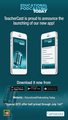
TeacherCast is PROUD and EXCITED to announce the launching of our second mobile app. Available today across all platforms, the official Educational Podcasting Today app is your one stop shop for all things Educational Podcasting and WordPress.
Educational Podcasting Today is the best place for teachers to learn how to create their own podcasts. In this app, you will learn through blogs, screencasts, podcasts, and more how to create your own audio and video shows and build an amazing website using WordPress to promote your digital content.
Through this app, you can subscribe to and watch LIVE all of the great podcasts in the TeacherCast Educational Broadcasting Network. For more information, please visit www.EducationalPodcasting.today and follow @PodcastingToday | @TeacherCast on Twitter.
This app is developed with the help of MAD-Learn. What is MAD-Learn? "MAD" is short for "Mobile Application Development", and MAD-Learn is a new educational program from the Education Mobile Technology thought-leaders at Crescerance.
Key features of the app include:
Podcasting 101: Learn how to create your own personal or classroom podcast. This app features podcasting app reviews, equipment suggestions, and video tutorials to get you started or help you craft your podcast.
WordPress 101: An Incredible collection of tips and tricks to creating the perfect digital hub for your podcast or blog including plugin reviews and design tips and tricks.
LIVE Educational Programming: Watch TeacherCast LIVE Broadcasting from right inside the app
Watch and Listen to more than 500 Podcasts: The entire TeacherCast back catalogue is available all under one device.
Download your Educational Podcasting Today App on your favorite platform today!
iPhone: https://itunes.apple.com/us/app/educational-podcasting-today/id1005433782?ls=1&mt=8
iPad: https://itunes.apple.com/us/app/educational-podcasting-today/id1005433782?ls=1&mt=8
Google Play: https://play.google.com/store/apps/details?id=com.crescerance.Podcast
Windows: http://apps.microsoft.com/windows/en-us/app/educational-podcasting/94a83040-c766-4954-b170-23c1c247f6ce/m/ROW
Acknowledgments
Educational Podcasting Today would like to thank the AWESOME team at Crescerance for helping make this app possible. For more information, please visit www.Crescerance.com today!
Jeffrey Bradbury
.
Blog
.
<span class='date ' tip=''><i class='icon-time'></i> Dec 04, 2015 01:21am</span>
|
|
One of the goals for ISTE 2015 was to get the band together and do something special. The TechEducator Podcast is a very special show created nearly 100 episodes ago with a vision to gather amazing educators from across the country and put them one one single show to demonstrate how to best use the tools we blog about in our classrooms. I am very fortunate to be able to call Sam Patterson, Jeff Herb, David Saunders, Josh Gauthier, Chris Nesi, and Wokka Patue my friends and cohosts. This year we were able to gather together at ISTE for our second annual LIVE podcast. What made this show even better was that we were able to honor our audience… or in this case, celebrate the wit and genius of Peggy George.
Peggy George is a friend, colleague and a wonderful person to get to know. I met Peggy at ISTE 2 years ago in San Antonio and she instantly took me under her edu-wing and helped me tremendously. I can’t say thank you enough to this entire group of edu-friends. It’s been a great (almost) 100 podcasting episodes. Here’s to another 100!
Check out the TechEducator Podcast LIVE every Sunday at 7pm on TeacherCast.tv.
Share the Love
If you enjoyed the show, please rate us on iTunes and write a brief review. That would help tremendously in getting the word out and raising the visibility of the show.
Please join the TechEducator Podcast LIVE every Sunday night at 7:00 P.M. EST on http://www.TeacherCast.tv
Learn How To Launch Your Very Own Podcast!
Are you interested in learning how to podcast? Do you want to share podcasting with your students or perhaps create a podcast from your own home? Jeff is available for one-on-one consulting to help you learn how to bring your podcasting ideas to life.
Email: info@teachercast.net
Voice Mail: http://www.TeacherCast.net/voicemail
Check out our Educators Guide to Podcasting today! | Video | Slideshare Presentation
Please contact to become a guest on the show
Host: Jeff Bradbury @TeacherCast
Email: info@teachercast.net
Voice Mail: http://www.TeacherCast.net/voicemail
YouTube: http://www.TeacherCast.net/YouTube
iTunes: http://www.TeacherCast.net/iTunes
View LIVE Professional Development from TeacherCast
Watch LIVE: http://www.TeacherCast.tv | Broadcasting Schedule (http://www.teachercast.net/showcal)
TeacherCast Broadcasting Community: http://www.TeacherCast.net/broadcastingcommunity
Invite TeacherCast to Speak or Broadcast at your conference
Jeff Bradbury (@TeacherCast) is available as a Keynote Speaker, Presenter, or to Broadcast your conference LIVE!
Check out more TeacherCast Educational Broadcasting Network Shows
TeacherCast Podcast (http://www.teachercast.net/education/teachercast-broadcasting/)
TeacherCast App Spotlight (http://www.teachercast.net/education/teachercast-broadcasting/the-teachercast-app-spotlight/)
Educational Podcasting Today (http://www.educationalpodcasting.today)
The TechEducator Podcast (http://www.techeducatorpodcast.com)
Jeffrey Bradbury
.
Blog
.
<span class='date ' tip=''><i class='icon-time'></i> Dec 04, 2015 01:20am</span>
|
|
While many teachers embraced the idea of bringing technology in to the classroom, several otherteachers frowned upon the thought of even more technology to disrupt classroom code. Are using new and inventive ways that bad for this new generation? After all they know more about computers, mobiles, and game applications than they can ever know about libraries, slide projects, and inks. Here’s a teachers perspective on the subject.
What is Gamification?
Gamification is when you choose to use the elements of a game to add flavor to the classroom environment. It works to motivate young children to reach an objective. Several organizations are making use of gamification to motivate customers. Giving badges to "first visitors", adding more data usage after "profile completion", and creating "levels" of loyalty are all examples of gamification used for company products/services.
A common misconception of Gamification is that you add video games to the classroom. Click To Tweet
Using it in the classroom is no different. A common misconception is that you add video games to the classroom. This isn’t the case. Gamification in education adds the elements of a typical game and not the game itself! By creating "levels", badges, points, competition, and "lives" system, you are motivating the Gen Y’er both extrinsically and intrinsically to achieve more in the classroom.
Here are some more reasons why "Gamification" is a well-grounded concept.
Gamification Aids Cognitive Development
Gamification in the classroom will enable you to encourage early cognition and cognitive development the way games do. This can also be done with the help of actual games that stimulate brain activity. There are countless products available that are intended to aid cognition by presenting the player with a set of questions or problems they are required to solve. Even if the game is not focused on "cognitive development" you can be sure that the ones that involve solving problem - which pretty much most of them do—you are aiding cognitive development.
Boosts Enthusiasm
Nothing excites a child of today’s age the way games do. Unlike the past generations, today’s children have games everywhere and in possibly every device they own. These games are far more addictive andadvanced than they were back in the days when classic arcade games were the only ones available. By adding gamification in the classroom you are creating a "hook" to education that keeps them at the edge of their seats in order to "win" their game.
Simplifies Engagements and Reduces Tedious Tasks
Back in the days when technology wasn’t so advanced, teachers had to craft several time-consuming techniques to drive engagement. For instance, field trips, special "days", color-based charts for grading, group activities all required heaps of work to create. Technology always aims to produce more in less. Similar to a coursework servicethat reduces the amount of work you need to do, gamification and use of technology are perfect for teachers who want to reduce the workload while still driving engagement.
Gamification Allows Students to Track their Progress
With the help of badges, points, levels, and lives, you are instantly giving each student individual attention. Gamification also allows students to track their own progress in a manner they can easily comprehend. Students can directly and visually see where in the stand compared to the rest of the students—creating natural and healthy competition.
Gamification Gives Student Autonomy
One of the biggest problems with weak students in the classroom is that they fail to realize the fact that they are on their own when it comes to education and learning. They depend on teachers, friends, or parents to assist the learning process. With gamification, students are bound to acknowledge the fact that it is entirely up to them. With this, they achieve autonomy and find ways to learn in their own, most preferred, ways.
Martin Berk enjoys his time exploring new trends on the topics he loves to write like blogging, Arts and education. He mostly spends his leisure hours polishing his photography skills or surfing Google+
Jeffrey Bradbury
.
Blog
.
<span class='date ' tip=''><i class='icon-time'></i> Dec 04, 2015 01:20am</span>
|
|
Educational Podcasting Today is a weekly podcast that celebrates podcasters and podcasting. It’s mission is to help educators learn how to create podcasts and amazing WordPress websites for their podcasts. For more information, please visit www.EducationalPodcasting.today.
Show Topics
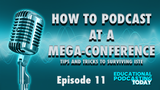
In todays show, we are going to look at podcasting at a conference. We are going to talk about what types of equipment you should have with you and how to walk up to a total stranger and ask them for an interview. We will also discuss how you can properly archive those interviews using your WordPress website.
Announcements
Educational Podcasting App has LAUNCHED!
Podcasting 101
WordPress 101
Listen LIVE
Screencasts, Blog Posts, 1:1 Help from ME!
ISTE Conference was AWESOME!
30+ Hours of Live Broadcasting
Worked at Google Booth, WireCast Booth
5 hours with Microsoft Education LIVE
Podcasters Birds of a Feather
Podcasting News
WTF Podcast Hits New Download Record
Beginners Guide to Learning About Podcasting
Podcasting on iTunes is 10 Years Old … Happy Birthday
WordPress News
WordPress Foundation Sues TheWordPressHelpers.com for $100,000
WordPress.TV is branching out to include beginner tutorials
Upcoming Conferences
CUE Rockstar Boston
August 4-6, 2015
Listener Question
What is the best way of attending a conference as a podcaster?
The best advice for anyone attending a conference, especially a mega-conference such as ISTE is to do your homework on the sessions and presenters. Don’t spend your time sitting a session when you can just as easily be reading a blog post or checking out the presenters notes after the conference.
Know what type of content you want to record before you go in, but have enough equipment and hard drive space with you just in case you have additional interviews to do.
Bring backup batteries or portable battery chargers!
Call To Action
Download the Educational Podcasting Today App for your mobile device and learn how to create your own podcast!
About Our Guest
Brent Warner is an ESL Professor at the Community College level and is a technology integration enthusiast. He is the proprietor of www.EdTech.tv and loves discussing the crossroads of education and technology. Brent is the host of the EdTechTV Podcast and you can contact him any time through twitter at @EdTechTV
Twitter: @EdTechTV
Instagram: @EdTechTV
YouTube: EdTech.tv/youtube
Facebook: Facebook.com/EdTechTV
Google+: google.com/+EdtechTv101
Thank You For Your Podcast Reviews
Are you enjoying Educational Podcasting Today or other shows on the TeacherCast Network, please share your thoughts with the world by commenting on iTunes today. I enjoy reading and sharing your comments on the podcast each week.
Ask Me Your Podcasting or WordPress Question
Are you interested in starting your own podcast? Do you need help creating an awesome WordPress website? I am available for 1:1 consulting. Please visit my homepage and I will help you launch your personal brand today!
Contact Me
Host: Jeff Bradbury @TeacherCast
Email: info@teachercast.net
Voice Mail: http://www.TeacherCast.net/voicemail
YouTube: http://www.TeacherCast.net/YouTube
iTunes: http://www.TeacherCast.net/iTunes
Check Out More TeacherCast Programming
TeacherCast Podcast (http://www.teachercast.net/tcp)
TeacherCast App Spotlight (http://www.teachercast.net/appspotlight)
Educational Podcasting Today (http://www.educationalpodcasting.today)
The TechEducator Podcast (http://www.techeducatorpodcast.com)
View LIVE Professional Development from TeacherCast
Watch LIVE: http://www.TeacherCast.tv | Broadcasting Schedule (http://www.teachercast.net/showcal)
TeacherCast Broadcasting Community: http://www.TeacherCast.net/broadcastingcommunity
Need a Presenter?
Jeff Bradbury (@TeacherCast) is available as a Keynote Speaker, Presenter, or to Broadcast your conference LIVE!
Jeffrey Bradbury
.
Blog
.
<span class='date ' tip=''><i class='icon-time'></i> Dec 04, 2015 01:19am</span>
|